

SALE
SALE

PipFinite Trend Laser Indicator MT4 v10.0 For Build 1471+
PipFinite Trend Laser Indicator MT4 v10.0 For Build 1471+

Original price was: $88.00.$14.95Current price is: $14.95.
Enter the PipFinite Trend Laser Indicator MT4 a powerful tool designed to help traders identify and capitalize on market trends with ease & precision.

This item: PipFinite Trend Laser Indicator MT4 v10.0 For Build 1471+
Original price was: $88.00.$14.95Current price is: $14.95.
Original price was: $88.00.$14.95Current price is: $14.95.
Original price was: $14.95.$11.96Current price is: $11.96.



PipFinite Trend Laser: A Clear-Cut Way to Follow the Market
Alternative Title: PipFinite Trend Laser – The Pioneer of Trend Detection!
Table of Contents
- What Is PipFinite Trend Laser?
- Key Features at a Glance
- How the Indicator Works
- Choosing Your Settings
- Building a Simple Trading Plan
- Reading the Built-in Statistics
- Common Questions
- Final Thoughts
What Is PipFinite Trend Laser?
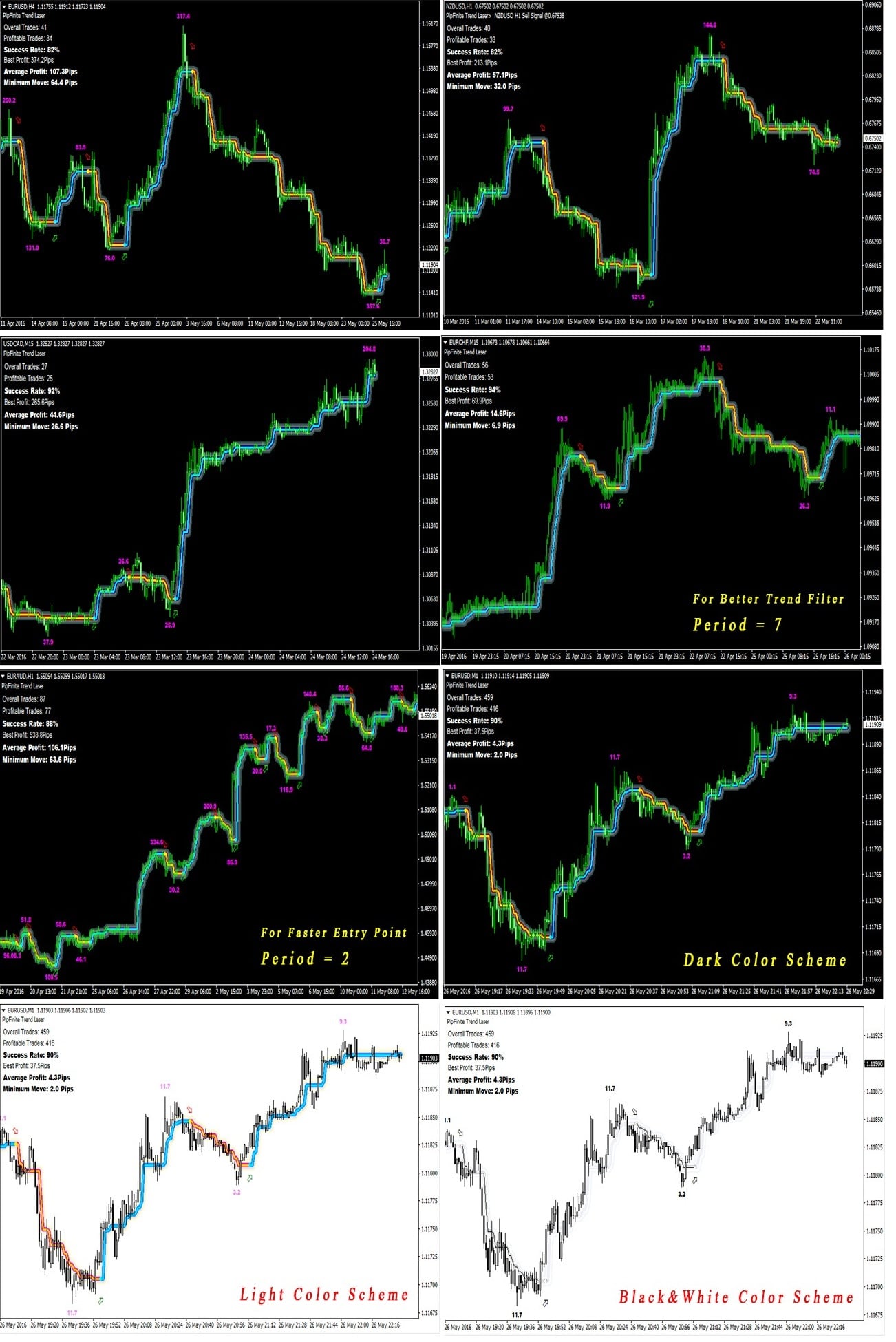
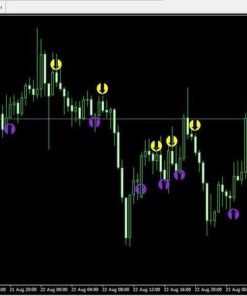
PipFinite Trend Laser is a MetaTrader indicator designed to spot the market’s direction with less “whipsaw” and noise. It works on any currency pair, index, or commodity and on any timeframe—from 1-minute charts to weekly charts. Many traders use it as a trend filter or as a complete stand-alone system.
Key Features at a Glance
| Feature | Short Description |
|---|---|
| Trend Filter | Shows overall direction; keeps you out of bad counter-trend trades. |
| Entry Signals | Clear BUY and SELL arrows. |
| Statistics Panel | Displays Overall Trades, Profitable Trades, Success Rate, Average Profit, Minimum Move, Best Profit. |
| Multi-Timeframe Support | Use H4 to confirm H1, or H1 to confirm M15. |
| Color Schemes | Light and dark versions fit any chart theme. |
| EA-Friendly | Compatible with custom Expert Advisors. |
| Never Repaints | Signals do not change after the candle closes. |
How the Indicator Works
- Detects the dominant trend by scanning recent highs and lows.
- Waits for a candle close to confirm momentum.
- Plots an arrow (green for BUY, red for SELL).
- Updates the stats panel so you know the typical move size and win rate.
Because every signal appears only after the bar closes, the tool avoids “backpainting.” That means you won’t see perfect-looking signals in history that never existed in real time.
Choosing Your Settings
Trend Filter (Period 4–10)
The Trend Filter period decides how many bars the algorithm scans to find direction.
- Period 4–6: More signals, higher sensitivity.
- Period 7–10: Fewer signals, stronger trends only.
If you scalp, choose 4–6. If you swing trade, 8–10 can work better.
Entry Point (Period 2–3)
The Entry Point period fine-tunes arrow timing:
- Period 2: Fast arrows, quick reaction.
- Period 3: Slightly slower, less noise.
Most users keep Entry at 2 or 3 and only adjust the Trend Filter.
Building a Simple Trading Plan
Below is a starter blueprint you can adapt:
Entry Rules
- Check the higher timeframe. If H4 is in an uptrend, look for H1 BUY arrows.
- Wait for the candle to close. Do not enter before close.
- Place a MARKET order at the open of the next bar or a few pips above/below the arrow candle.
Exit Rules
Option A (Statistics-Based)
- Take profit at the Average Profit value.
- If price stalls, close at Minimum Move for a quick scalp.
Option B (Price Action)
- Mark recent support/resistance areas.
- Exit if price hits a major zone or shows a reversal candle.
Option C (Trail Stop)
- Use a trailing stop of half the Average Profit.
- Let winners run while locking in gains.
Reading the Built-in Statistics
The on-screen panel updates in real time:
- Overall Trades: Total signals so far.
- Profitable Trades: Signals that reached at least +1 pip.
- Success Rate: (Profitable Trades ÷ Overall Trades) × 100%.
- Average Profit: Average of all past maximum profits.
- Minimum Move: Average of “small” winning moves.
- Best Profit: The single biggest historical move.
Why It Matters
- Filter Instruments – Skip pairs with a success rate under 85%.
- Set Targets – Use Average Profit as a realistic take-profit.
- Manage Risk – Position size so a full stop-loss equals no more than one Average Profit value.
Common Questions Regarding PipFinite Trend Laser
Q: Does PipFinite Trend Laser repaint?A: No. All arrows stay fixed once the candle closes.
Q: Can I automate it?A: Yes. The indicator’s buffers can be read by an Expert Advisor.
Q: Which assets work best?A: Major FX pairs and gold usually show steady trends, but you can test any symbol.
Q: What is a good success-rate filter?A: Many traders stick with pairs above 85%.
Final Thoughts About PipFinite Trend Laser
PipFinite Trend Laser offers a straightforward way to stay on the right side of the market. With clear arrows, a trend filter, and live statistics, it helps you avoid whipsaws and uncertain market noise. Combine its signals with sound money management, and you have a practical toolkit for day trading or swing trading alike.
Ready to give it a try? Load the demo, study the stats, and see if the indicator fits your own trading style. Good luck, and trade safe!
Disclaimer: Trading carries risk. This article is for educational purposes only and is not financial advice.
Vendor Site – Click Here
| Membership | Yearly Membership |
|---|---|
| Additional Services | Unlock & Decompile |
| Recommended Brokers | Exness Broker, FPMarkets |
| Recommended VPS | FXVM (Low Latency) |
| Youtube Channel | ForexForYou |
| Telegram Channel | Onshoppie Forex EA's & Indicators |
| Telegram Support | Onshoppie Support |
| Installation Guides | Onshoppie Forex Guides |
Brand
Indicator-mt4
Only logged in customers who have purchased this product may leave a review.




Reviews
There are no reviews yet.