

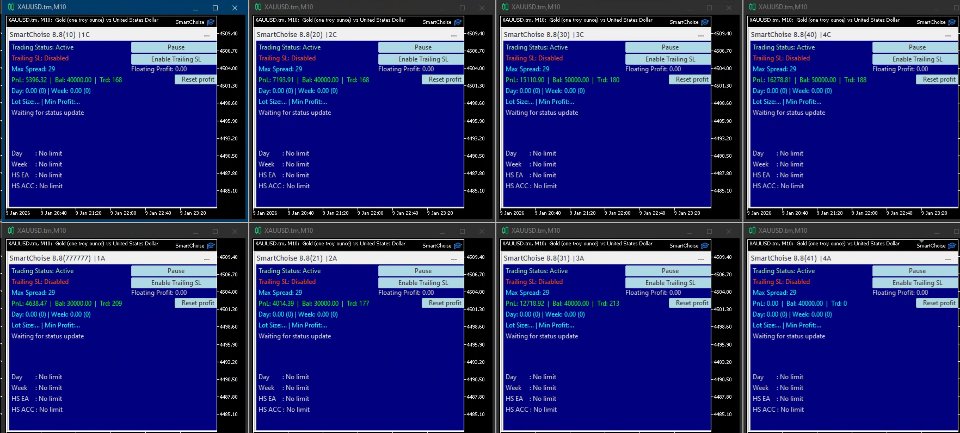
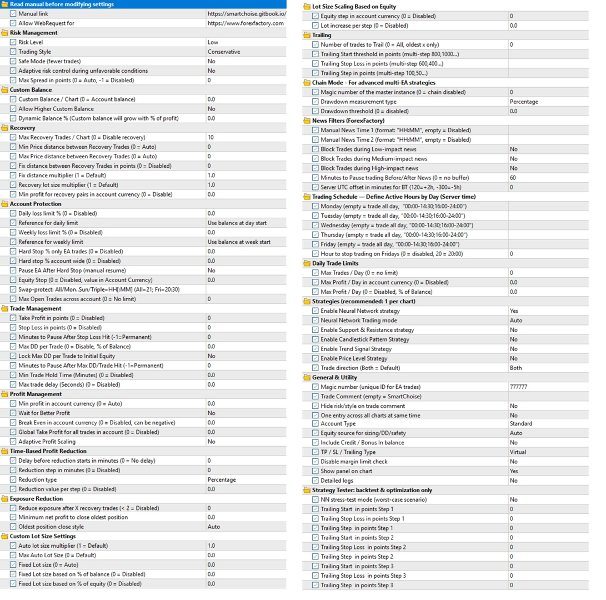

SmartChoise EA MT5 V9.5 + Setfiles For Build 6184+
SmartChoise EA MT5 V9.5 + Setfiles For Build 6184+


Original price was: $199.00.$11.95Current price is: $11.95.
Explore SmartChoise EA, a neural network-based gold trading system for MT4/MT5. Learn its features, risk levels, setup, and XAU/USD M1 strategy.

This item: SmartChoise EA MT5 V9.5 + Setfiles For Build 6184+
Original price was: $199.00.$11.95Current price is: $11.95.
Original price was: $199.00.$11.95Current price is: $11.95.


Original price was: $9.95.$7.96Current price is: $7.96.


Original price was: $9.95.$7.96Current price is: $7.96.
SmartChoise EA: How a Neural Network Trader Aims for Steady Gold Profits
Table of Contents
- What Is SmartChoise EA?
- Why the M1 Timeframe and XAU/USD?
- Setting Up SmartChoise Step by Step
- Common Questions Traders Ask
- Quick Tips for Safer Forward Testing
- Final Thoughts
What Is SmartChoise EA?
SmartChoise EA – a neural network-based trading system for XAU/USD (Gold) on the M1 timeframe – is an automated Expert Advisor (EA) for MetaTrader 4 and MetaTrader 5. In simple terms, it watches gold prices every second, uses a trained neural network to decide when to open and close trades, and aims for long-term, controlled growth without martingale doubling.
- Primary keyword used: SmartChoise
- Related keyword used: SmartChoise EA – A Neural Network-Based Trading System for XAU/USD (Gold) on the M1 Timeframe
Why the M1 Timeframe and XAU/USD?
Gold (symbol XAU/USD) is highly liquid and moves all day. The M1 chart (one-minute candles) shows tiny shifts that bigger charts can hide. SmartChoise EA looks for those micro-moves to:
- Enter often enough for steady statistics
- Keep each trade small, helping limit drawdowns
- Capture intraday trends that may fizzle on longer charts
For many traders, gold on M1 feels “too fast,” but an automated system can watch every tick without emotion.
Setting Up SmartChoise Step by Step
1. Download and Install
- Visit the product page (internal link:
/products/smartchoise-ea) - Copy the EA file to MetaTrader: File → Open Data Folder → MQL5/Experts
- Restart MetaTrader.
2. Attach to Chart
- Open a new XAU/USD M1 chart.
- Drag SmartChoise from the Navigator onto the chart.
- Tick “Allow Algo Trading.”
3. Enter a Magic Number
Each unique Magic Number lets you run several copies on different charts without mixing orders.
Common Questions Traders Ask About SmartChoise EA
Q1: Can I backtest the EA?Yes, but the neural network adapts live, so backtest results only show logic, not future returns.
Q2: Does it work on pairs other than gold?Gold is the pair it was trained for. Other symbols are possible but untested and not supported.
Q3: What happens if I disable the recovery system?The EA becomes a basic TP/SL bot. Drawdown recovery will rely on normal entries only, so risk grows.
Quick Tips for Safer Forward Testing
- Use a demo or cent account first. Let it run at least two weeks.
- Keep the lot size small. If equity jumps, the EA raises lot size on its own.
- Run multiple charts with unique Magic Numbers to spread risk across settings.
- Watch spread and slippage – gold can widen at rollover.
- Stay out during major news (NFP, FOMC) unless you already learned how the EA reacts.
Final Thoughts About SmartChoise EA
SmartChoise aims to give traders a clear, rules-based path to trade XAU/USD on the fast M1 chart. Its neural engine, dynamic lot sizing, and built-in recovery tools try to balance growth and safety. Start small, stay patient, and let real-time data from your demo or cent account guide your risk choices.
Vendor Site – Click Here
| Membership | Yearly Membership |
|---|---|
| Additional Services | Unlock & Decompile |
| Recommended Brokers | Exness Broker, FPMarkets |
| Recommended VPS | FXVM (Low Latency) |
| Youtube Channel | ForexForYou |
| Telegram Channel | Onshoppie Forex EA's & Indicators |
| Telegram Support | Onshoppie Support |
| Installation Guides | Onshoppie Forex Guides |
Brand
ea-mt5
Only logged in customers who have purchased this product may leave a review.
Related products

Out of stock
$9.95

Out of stock
$9.95

Out of stock

Out of stock
$9.95
Out of stock

Out of stock
Reviews
There are no reviews yet.