


TwisterPro Scalper EA MT5 V2.0 + SetFiles For Build 5836+
Original price was: $399.00.$14.95Current price is: $14.95.
The TwisterPro Scalper EA is a powerful, reliable tool for serious traders. Explore its mind-blowing features and start building your profitable portfolio now!
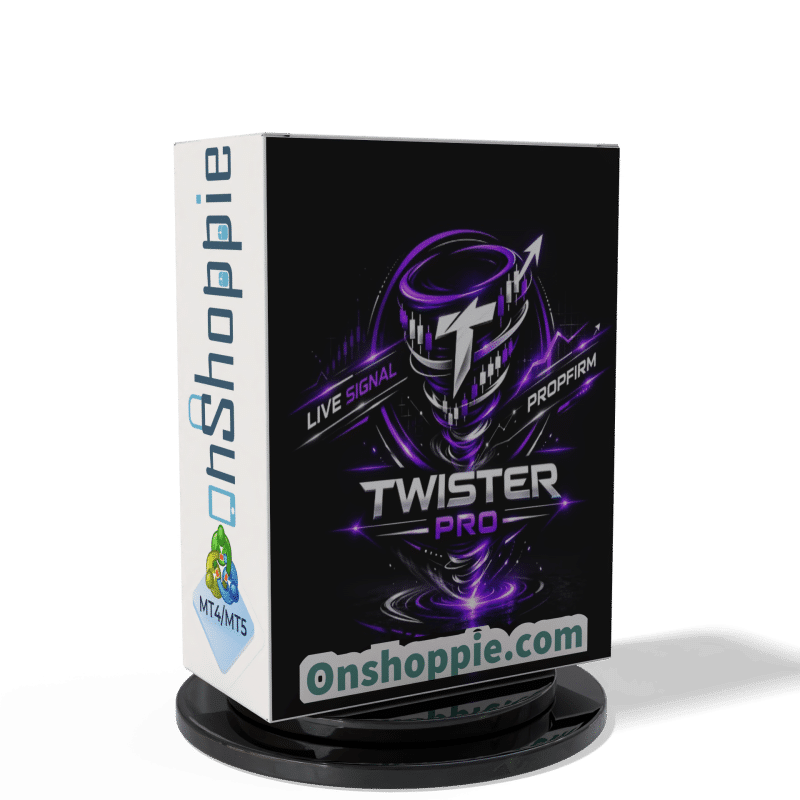



Description
TwisterPro Scalper EA – A Practical Guide to High-Precision Gold Scalping
TwisterPro Scalper EA Review: Smart, Disciplined Trading on XAUUSD M15
Table of Contents
- Introduction
- What Is TwisterPro Scalper EA?
- How the Expert Advisor Executes Trades
- Two Trading Modes Explained
- Key Specifications at a Glance
- Setting Up TwisterPro Scalper EA: Step-by-Step
- Choosing the Right Broker and VPS
- Risk Management Tips
- Frequently Asked Questions
- Final Thoughts
Introduction
Working with XAUUSD is attractive, but the pair moves quickly and can drain an account just as fast. The TwisterPro Scalper EA brings a measured approach to gold scalping on the M15 chart. It trades less—yet when it does, it relies on five independent filters to keep the win rate high. In this article we walk through how the Expert Advisor works, how to install it, and the practical steps that help users protect capital while aiming for steady gains.
What Is TwisterPro Scalper EA?
The TwisterPro Scalper EA (often called Twister Pro EA for short) is an algorithm built for MetaTrader 4 & 5 that focuses solely on XAUUSD. Below are the core ideas behind the system:
- Designed for the 15-minute timeframe
- Uses five validation layers before opening a position
- Works with fixed Take Profit and Stop Loss—no grid or martingale
- Offers two modes to match different trading styles
Because entries are strict, the EA often produces only a handful of trades a week, especially in Mode 1. That slower pace helps many traders avoid emotional decisions that typically derail manual strategies.
How the Expert Advisor Executes Trades
1. Data Screening in Real Time
Each tick is scanned against:
- Price momentum
- Short-term support and resistance
- Volatility filters
- Session mapping (London/New York overlap only)
- Spread control
Only when all five boxes are checked does the EA place a trade.
2. Order Placement
- Fixed lot or risk-based lot sizing (user choice)
- Stop Loss immediately attached
- Take Profit equal to or larger than Stop Loss, depending on mode
- No additional orders are stacked, keeping margin use predictable
3. Trade Management
The EA quietly monitors spread and slippage. If either widens beyond set limits, the algorithm can skip new entries until conditions return to normal.
Two Trading Modes Explained
| Mode | Style | Trade Frequency | Stop Loss | Who Might Prefer It? |
|---|---|---|---|---|
| Mode 1 (Recommended) | High assertiveness, “quality first” | Few trades per week | Standard SL | Traders focused on capital preservation |
| Mode 2 (Short SL) | Higher activity | More trades per week | Significantly shorter SL | Users who want frequent exposure but smaller per-trade risk |
Switching between modes is as easy as changing one setting inside the EA’s input panel.
Key Specifications at a Glance
- Symbol – XAUUSD
- Timeframe – M15
- Minimum Deposit – $100 (tested), $250+ recommended
- Account Type – RAW spread only
- Platform – MT4 or MT5
- Required Environment – Low-latency VPS (<20 ms)
- Built-in Risk Limits – Max daily loss and max concurrent trades
- Compatible Brokers – Exness Raw, Vantage, Fusion Markets
Note: Past results never guarantee future performance. Trade responsibly.
Setting Up TwisterPro Scalper EA: Step-by-Step
- Open a RAW Spread AccountA zero- or raw-spread feed is vital. Market execution speed should be under 100 ms.
- Rent or Buy a VPSPlace your MT5 terminal on a VPS located near your broker’s data center.
- Download and Install the EA
- Copy the
.ex5file intoMQL5/Experts. - Restart MetaTrader.
- Copy the
- Attach to XAUUSD M15 ChartOpen a new chart, set timeframe to M15, then drag the EA onto it.
- Enable AutoTradingConfirm the smiley face icon is visible on the chart header.
- Check Journal and Experts TabsLook for the message, “Initialization completed, waiting for trading conditions.”
Choosing the Right Broker and VPS
Why RAW Spread Matters
Scalping thrives on narrow spreads. A RAW account typically offers 0.0–0.3 pip spreads on gold, plus a commission. Wider spreads can convert winning trades into break-evens or small losses.
Broker Checklist
- Low spread & low commission
- Fast execution (ECN/STP)
- No dealing-desk intervention
- Diligent customer support
VPS Checklist
- Ping under 20 ms to broker server
- 99.9 % uptime guarantee
- At least 1 GB RAM for single MT4 instance
- Two CPU cores for smoother tick processing
Risk Management Tips With TwisterPro Scalper EA
- Keep Risk per Trade Small – 1 % or less of account balance is standard.
- Stick to One Mode – Changing modes mid-week may ruin the internal logic.
- Withdraw Profits Regularly – Matching the slow, steady nature of Mode 1.
- Record Every Session – Note slippage, spread, and system messages.
- Pause During Major News – Non-farm payrolls and FOMC meetings can cause spreads to explode.
Frequently Asked Questions Regarding TwisterPro Scalper EA
Does TwisterPro Scalper EA use martingale or grid?
No. Every trade carries a fixed Stop Loss and Take Profit.
Can I run other EAs on the same account?
Technically yes, but mixing strategies can skew risk. Consider separate accounts.
What leverage should I pick?
1:200 or higher gives breathing room for margin, yet discipline is still required.
How many trades can I expect each week?
Mode 1 averages 2–4 trades; Mode 2 may place 6–10 trades, depending on volatility.
Is a $100 deposit really enough?
It is the tested minimum. For smoother lot sizing and psychological comfort, many users start around $250.
Final Thoughts About TwisterPro Scalper EA
Gold scalping does not have to be frantic. TwisterPro Scalper EA proves a rules-first approach can keep drawdowns low while still seeking consistent returns. By running the EA on a RAW spread account, setting realistic risk limits, and allowing the five-layer filter to do its job, traders give themselves a solid chance at disciplined performance.
Live Signal – Click Here
Vendor Site – Click Here
| Membership | Yearly Membership |
|---|---|
| Additional Services | Unlock & Decompile |
| Recommended Brokers | Exness Broker, FPMarkets |
| Recommended VPS | FXVM (Low Latency) |
| Youtube Channel | ForexForYou |
| Telegram Channel | Onshoppie Forex EA's & Indicators |
| Telegram Support | Onshoppie Support |
| Installation Guides | Onshoppie Forex Guides |
Brand
ea-mt5
Only logged in customers who have purchased this product may leave a review.
Related products


Products
-
 ThunderGold Scalper MT5 V1.3 + Setfiles For Build 6140+
Original price was: $379.00.$14.95Current price is: $14.95.
ThunderGold Scalper MT5 V1.3 + Setfiles For Build 6140+
Original price was: $379.00.$14.95Current price is: $14.95.
-
 Steve Pro EA MT5 V5.0 + Setfiles For Build 6140+
$14.95
Steve Pro EA MT5 V5.0 + Setfiles For Build 6140+
$14.95
-
 HEXA FX Scalper EA MT5 With DLL Build 6140
Original price was: $749.00.$34.95Current price is: $34.95.
HEXA FX Scalper EA MT5 With DLL Build 6140
Original price was: $749.00.$34.95Current price is: $34.95.
-
 H4 Gold Scalper EA MT5 V1.5 With DLL Build 6122
Original price was: $150.00.$14.95Current price is: $14.95.
H4 Gold Scalper EA MT5 V1.5 With DLL Build 6122
Original price was: $150.00.$14.95Current price is: $14.95.
-
 Mavrik Scalper EA MT5 V18.306 For Build 6140+
$14.95
Mavrik Scalper EA MT5 V18.306 For Build 6140+
$14.95
-
 Dude Alpha Gold EA MT5 V1.4.2 + Set Files For Build 6140+
Original price was: $499.00.$14.95Current price is: $14.95.
Dude Alpha Gold EA MT5 V1.4.2 + Set Files For Build 6140+
Original price was: $499.00.$14.95Current price is: $14.95.
-
 Ultra Beast EA MT5 + Setfiles For Build 6140+
$14.95
Ultra Beast EA MT5 + Setfiles For Build 6140+
$14.95
-
 Algo Edge SMC AI EA MT5 V3 For Build 6140+
$14.95
Algo Edge SMC AI EA MT5 V3 For Build 6140+
$14.95
Recent reviews
-
 Advanced Dashboard Currency Strength
by Balram
Advanced Dashboard Currency Strength
by Balram
Reviews
There are no reviews yet.