

Algoprofx FTMO BST16 EA MT4 + Setfiles For Build 1455+
$9.95
Discover the hidden potential of Algoprofx FTMO BST16 EA. Our expert guide unveils powerful strategies and insider tips to maximize your trading success.



Description
Table of Contents
- Introduction
- Understanding Algoprofx FTMO BST 16
- Trading Specifications
- Start with Algoprofx FTMO BST 16
- User Testimonials
- Frequently Asked Questions
- Conclusion
Introduction
Algoprofx FTMO BST16 EA – Are you looking to elevate your trading game and pass the FTMO Challenge? Look no further than the Algoprofx FTMO BST16 EA with Equity Protector. This powerful Expert Advisor (EA) helps traders achieve consistent profits while maintaining a low drawdown, making it an ideal tool for those aiming to become FTMO partners.
Understanding Algoprofx FTMO BST16 EA
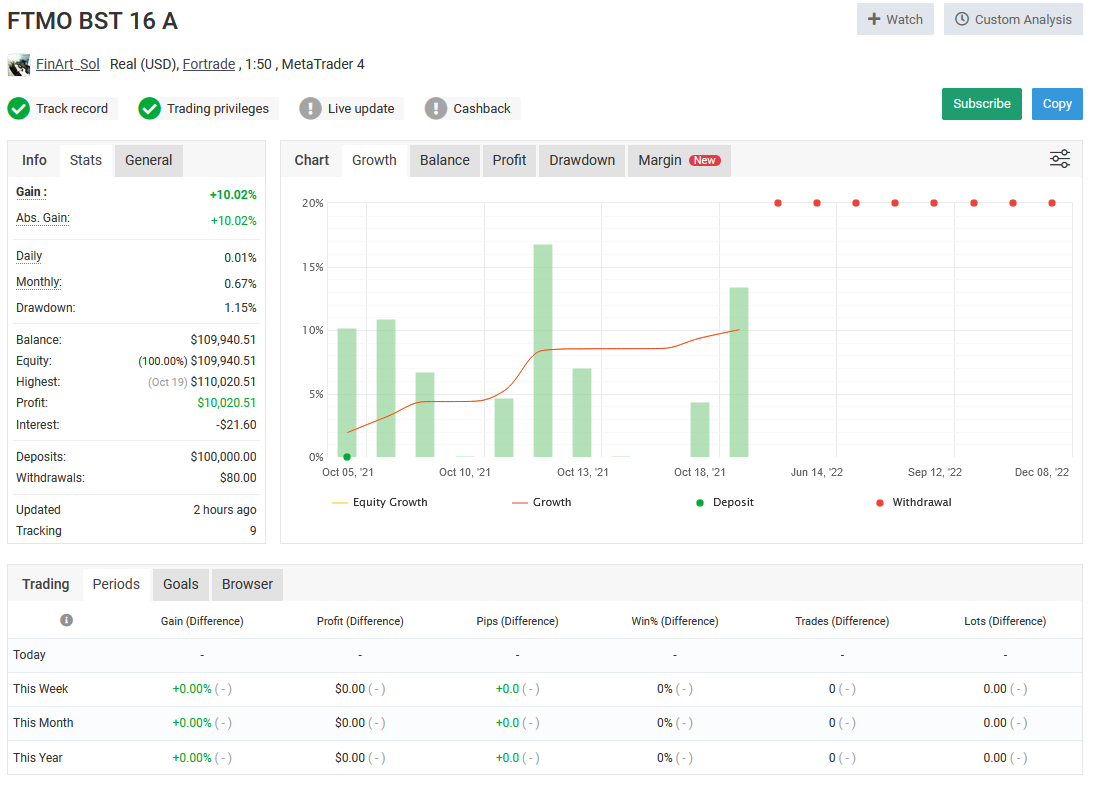
The Algoprofx FTMO BST16 EA is an advanced algorithmic trading system specifically to help traders navigate the challenging waters of the FTMO Challenge. By focusing on maintaining a remarkably low drawdown of just 5%, this EA offers a level of precision and consistency that’s difficult to achieve through manual trading alone.
What sets Algoprofx FTMO BST16 EA apart?
- Low Drawdown Focus: The EA is programmed to keep drawdowns to a minimum, a crucial factor in passing the FTMO Challenge.
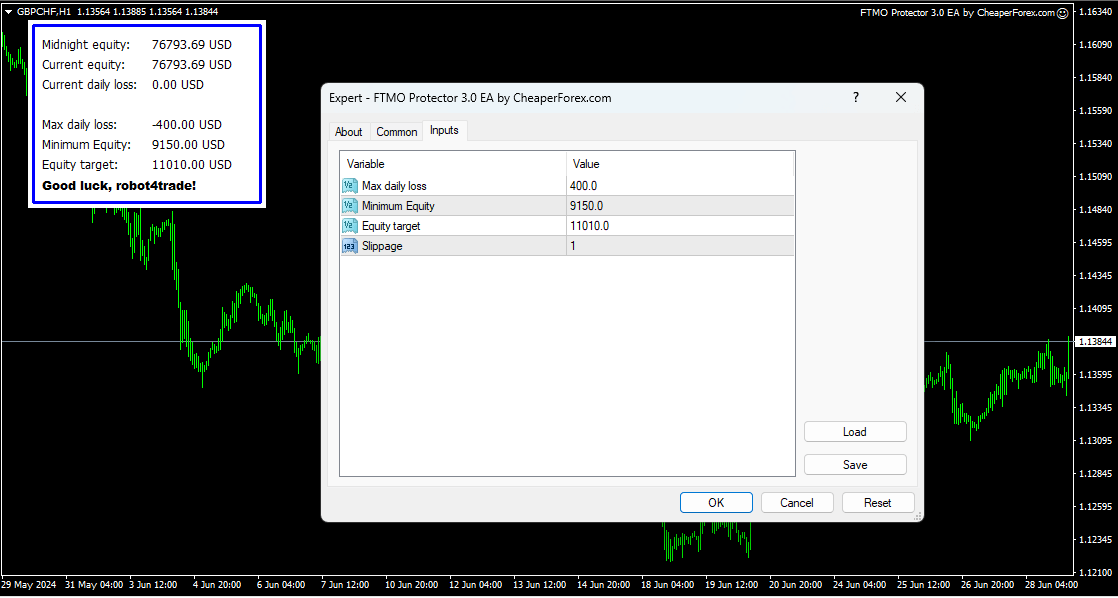
- Equity Protector: An additional layer of security that safeguards your trading capital against unexpected market movements.
- Algorithmic Precision: Eliminates emotional decision-making, ensuring trades are executed based on data-driven analysis.
Trading Specifications of Algoprofx FTMO BST16 EA
To achieve optimal results with the Algoprofx FTMO BST16 EA, adhere to these recommended specifications:
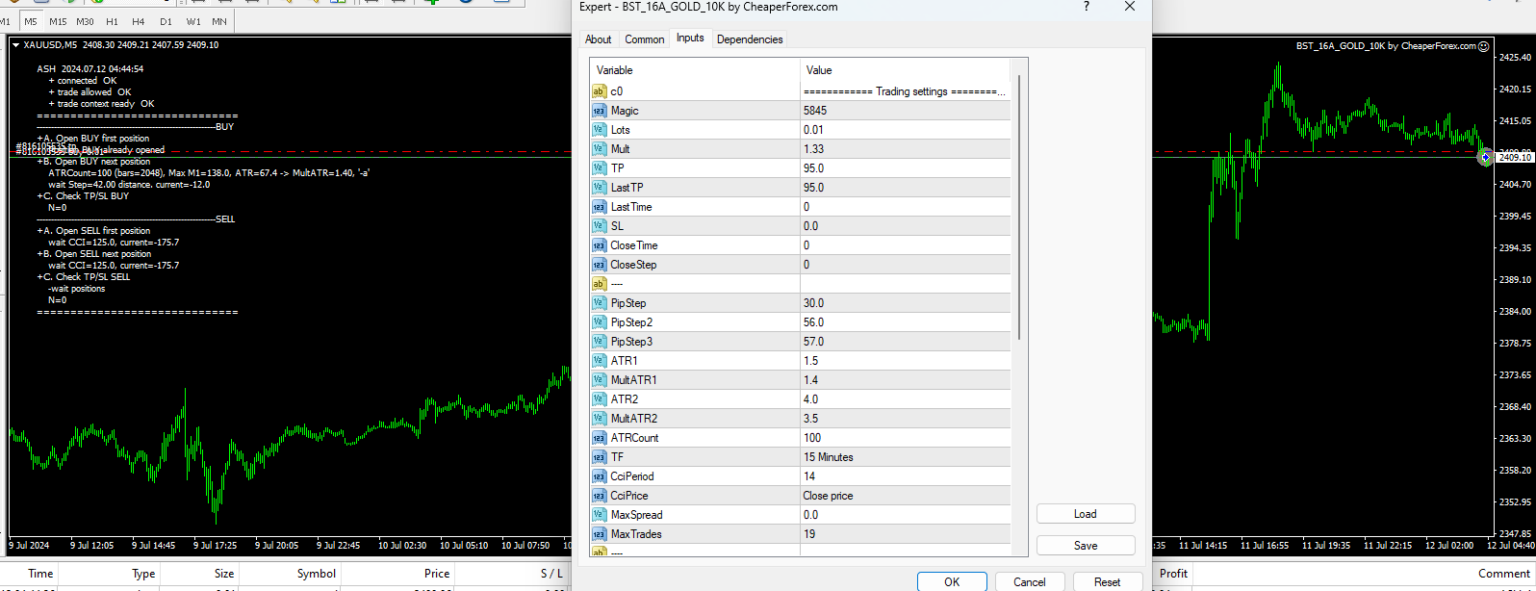
- Primary Trading Instrument: GOLD
- Timeframe: M5 (5-minute chart)
- Minimum Recommended Account Balance: $500
- Broker Requirements: ECN broker with low spreads and commissions
- Platform: MetaTrader 4 (MT4)
Start with Algoprofx FTMO BST16 EA
Setting up the Algoprofx FTMO BST16 EA is a straightforward process:
- Purchase: Buy the EA from Onshoppie.com
- Download: You’ll receive two expert EX4 files.
- Installation: Follow the instructions in the user manual to install the EA on your MT4 platform.
- Configuration: Adjust the EA settings according to your trading preferences and risk tolerance.
- Activation: Apply the EA to a GOLD chart on the M5 timeframe.
- Monitoring: Regularly check the EA’s performance and make adjustments as needed.
User Testimonials
Here are some experiences by users of the Algoprofx FTMO BST16 EA:
“I’ve been using this EA for six months, and it’s consistently helped me maintain a low drawdown while steadily growing my account.” – Sarah T., Forex Trader
“The Equity Protector feature gives me peace of mind. I know my account is protected even when I’m not actively monitoring the markets.” – Michael R., FTMO Challenge Participant
“As someone new to automated trading, I found this EA easy to set up and use. The results have been impressive so far.” – David L., Beginner Trader
Frequently Asked Questions
Q: Can I use this EA on a demo account?
A: Yes, it’s recommended to test the EA on a demo account before using it with real funds.
Q: Is the Algoprofx FTMO BST16 EA suitable for beginners?
A: While the EA is user-friendly, it’s beneficial to have a basic understanding of forex trading and the FTMO Challenge before using it.
Q: Can I adjust the risk settings?
A: Yes, the EA allows you to customize various risk parameters to suit your trading style and goals.
Q: Is customer support available?
A: Yes, the EA comes with customer support to help with setup and troubleshooting.
Conclusion
The Algoprofx FTMO BST16 EA with Equity Protector offers a powerful solution for traders aiming to succeed in the FTMO Challenge and beyond. Its focus on low drawdown, advanced algorithms, and automated trading capabilities make it a valuable tool for both novice and experienced traders.
By incorporating this EA into your trading strategy, you’re taking a significant step towards achieving consistent profitability and potentially becoming an FTMO partner. Remember to always practice responsible trading and use the EA as part of a well-rounded trading plan.
Vendor Site – Click Here
[table id=1 /]
Brand
ea-mt4
Only logged in customers who have purchased this product may leave a review.
Related products
-
 SALESALESALESALE
Eve EA MT5 V2.77
$9.95 Read more -

Advanced Scalper EA MT4 V1.58 + Setfiles For Build 1455+
Original price was: $550.00.$9.95Current price is: $9.95. Add to cart Buy Now -
AF SUPPLY AND DEMAND EA MT4 2022 For Build 1455+
Original price was: $797.00.$9.95Current price is: $9.95. Add to cart Buy Now
Products
-
 ThunderGold Scalper MT5 V1.3 + Setfiles For Build 6140+
Original price was: $379.00.$14.95Current price is: $14.95.
ThunderGold Scalper MT5 V1.3 + Setfiles For Build 6140+
Original price was: $379.00.$14.95Current price is: $14.95.
-
 Steve Pro EA MT5 V5.0 + Setfiles For Build 6140+
$14.95
Steve Pro EA MT5 V5.0 + Setfiles For Build 6140+
$14.95
-
 HEXA FX Scalper EA MT5 With DLL Build 6140
Original price was: $749.00.$34.95Current price is: $34.95.
HEXA FX Scalper EA MT5 With DLL Build 6140
Original price was: $749.00.$34.95Current price is: $34.95.
-
 H4 Gold Scalper EA MT5 V1.5 With DLL Build 6122
Original price was: $150.00.$14.95Current price is: $14.95.
H4 Gold Scalper EA MT5 V1.5 With DLL Build 6122
Original price was: $150.00.$14.95Current price is: $14.95.
-
 Mavrik Scalper EA MT5 V18.306 For Build 6140+
$14.95
Mavrik Scalper EA MT5 V18.306 For Build 6140+
$14.95
-
 Dude Alpha Gold EA MT5 V1.4.2 + Set Files For Build 6140+
Original price was: $499.00.$14.95Current price is: $14.95.
Dude Alpha Gold EA MT5 V1.4.2 + Set Files For Build 6140+
Original price was: $499.00.$14.95Current price is: $14.95.
-
 Ultra Beast EA MT5 + Setfiles For Build 6140+
$14.95
Ultra Beast EA MT5 + Setfiles For Build 6140+
$14.95
-
 Algo Edge SMC AI EA MT5 V3 For Build 6140+
$14.95
Algo Edge SMC AI EA MT5 V3 For Build 6140+
$14.95
Recent reviews
-
 Advanced Dashboard Currency Strength
by Balram
Advanced Dashboard Currency Strength
by Balram
Reviews
There are no reviews yet.