




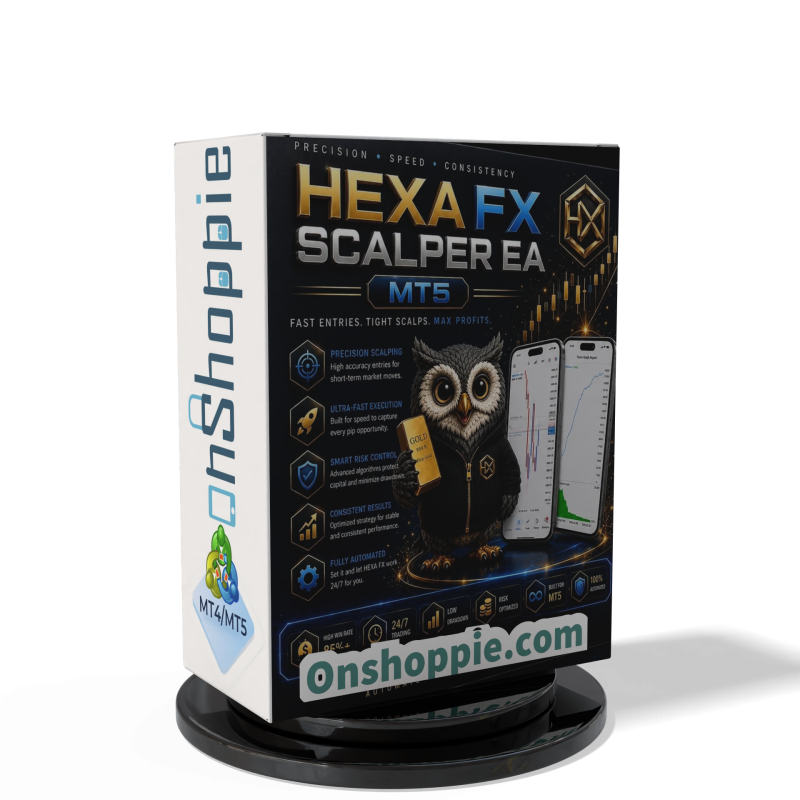
HEXA FX Scalper EA MT5 With DLL Build 6140
Original price was: $749.00.$34.95Current price is: $34.95.
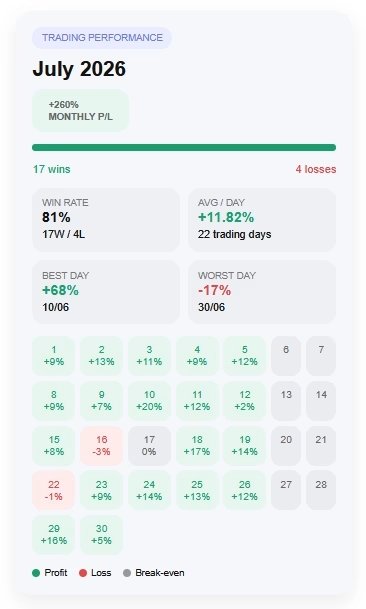
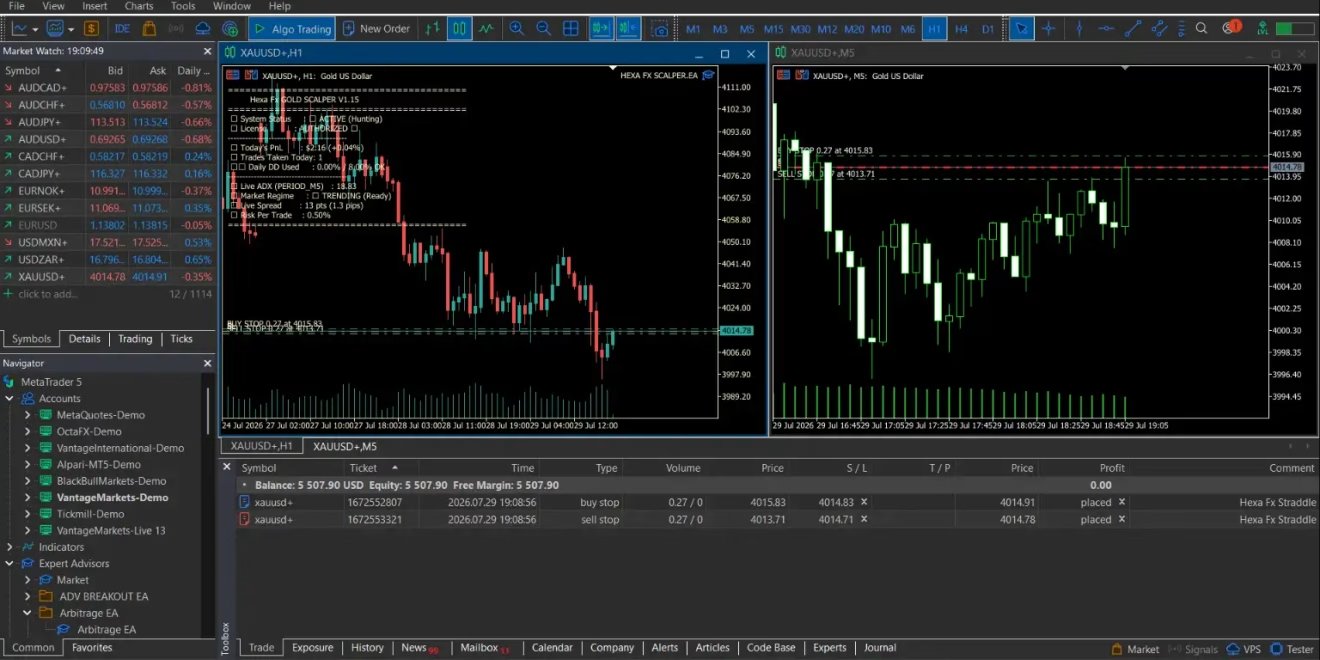
HEXA FX Scalper EA MT5 automates XAUUSD trading on MetaTrader 5 with H1-focused logic, risk controls, spread filters, and automated trade execution.

Description
HEXA FX Scalper EA MT5: A Hands-Free Way to Trade Gold on MetaTrader 5
Table of Contents
- Introduction
- What Is HEXA FX Scalper EA MT5?
- Core Features of HEXA FX Scalper EA MT5
- How the EA Executes Trades
- Step-by-Step Setup Guide
- Frequently Asked Questions
- Final Thoughts
- Risk Disclaimer
Introduction
Gold prices rise, fall, and often change direction in the blink of an eye. That speed makes XAUUSD exciting—but it also means you might miss opportunities if you are not glued to the chart. HEXA FX Scalper EA MT5 steps in to solve that problem. You can let software handle the heavy lifting while you focus on strategy, analysis, or simply living life away from the screen.
What Is HEXA FX Scalper EA MT5?
HEXA FX Scalper EA MT5 is an automated scalping system tailored exclusively for trading Gold (XAUUSD) on the H1 timeframe inside MetaTrader 5. Unlike multi-asset robots, this EA centers its entire logic on the nuances of the Gold market:
- Constant H1 chart monitoring
- Pre-programmed entry and exit rules
- Instant order placement
- Built-in risk controls
By focusing on one instrument and one timeframe, the EA aims to stay disciplined, consistent, and predictable—qualities many manual traders struggle to maintain.
Core Features of HEXA FX Scalper EA MT5
1. XAUUSD-Focused Logic
Rather than juggling several pairs, the EA digs into patterns that often appear in Gold’s H1 candles—range breakouts after London open, pullbacks during New York, and late-day liquidity sweeps.
2. H1 Timeframe Optimization
• Less noise than M1 or M5• More signals than H4 or Daily• Fits both swing and intraday styles
3. Fully Automated Trade Execution
- Market condition scan every tick
- Pending or instant orders placed automatically
- Built-in stop-loss and take-profit for each entry
4. Integrated Risk Management
- Fixed or percentage-based lot sizing
- Daily loss cap optional
- News filter to pause around major releases (NFP, CPI, FOMC)
5. MetaTrader 5 Native Design
- Uses MT5’s multi-thread speed
- Compatible with hedging accounts
- Simple drag-and-drop installation
How the EA Executes Trades
Below is a simplified flow chart of the internal process:
- Scan – EA waits for a new H1 candle; checks volatility, trend strength, and support/resistance distance.
- Signal – If conditions match its built-in template, it flags a potential entry.
- Risk Check – Confirms free margin, lot size, and daily exposure rules.
- Execute – Places buy or sell order with preset SL/TP.
- Manage – Trails stop or moves to breakeven once X pips in profit.
- Exit – Closes at take-profit, stop-loss, or end-of-session filter.
Important: No EA can avoid slippage or re-quotes completely. Broker choice, server speed, and account type matter.
Step-by-Step Setup Guide
- Download the EA file (.ex5) from the official source.
- Open MetaTrader 5 → File → Open Data Folder.
- Navigate to MQL5 → Experts and paste the file.
- Restart MT5 or right-click Expert Advisors → Refresh.
- Attach the EA to an XAUUSD H1 chart (New York server recommended).
- Enable AutoTrading (green play icon).
- Press OK and let the EA run.
Need a visual walk-through? See the MetaTrader 5 Installation Guide (external link).
Frequently Asked Questions Regarding HEXA FX Scalper EA
Q1: Can I run HEXA FX Scalper EA MT5 on a standard MT5 demo account?Yes. A demo environment is ideal for initial familiarization and parameter tuning.
Q2: Will it work on a cent account?Technically yes, provided the broker allows Expert Advisors and offers XAUUSD. Adjust lot size accordingly.
Q3: How many trades per day does it take?Average 1–5 trades, but this varies with volatility. No trades during flat or high-spread periods.
Q4: Can I change the timeframe to M30 or H4?It is possible, but performance is not guaranteed. The code logic, indicators, and risk parameters are tuned for H1.
Final Thoughts About HEXA FX Scalper EA
HEXA FX Scalper EA MT5 gives Gold traders a structured, rules-based way to participate in XAUUSD price moves without sitting at the screen all day. Its tight H1 focus, automated execution, and built-in risk controls create a framework aimed at consistency and discipline—two cornerstones of any long-term trading plan.
If you are looking for an automated XAUUSD strategy on MetaTrader 5, consider testing HEXA FX on a demo account, reviewing its settings, and deciding whether its approach meshes with your own risk profile and trading goals.
Risk Disclaimer
Trading Gold, Forex, CFDs, or any leveraged instrument carries substantial risk and may not suit every investor. HEXA FX Scalper EA MT5 is an automated tool that follows predefined rules, yet it cannot eliminate market risk, slippage, spread changes, or execution delays. Results seen in historical tests or demo accounts do not guarantee future performance. Only trade with money you can afford to lose.
Consider seeking advice from a qualified financial professional before using any EA in a live environment.
Vendor Site – Click Here
| Membership | Yearly Membership |
|---|---|
| Additional Services | Unlock & Decompile |
| Recommended Brokers | Exness Broker, FPMarkets |
| Recommended VPS | FXVM (Low Latency) |
| Youtube Channel | ForexForYou |
| Telegram Channel | Onshoppie Forex EA's & Indicators |
| Telegram Support | Onshoppie Support |
| Installation Guides | Onshoppie Forex Guides |
Brand
ea-mt5
Only logged in customers who have purchased this product may leave a review.
Related products



Products
-
 ThunderGold Scalper MT5 V1.3 + Setfiles For Build 6140+
Original price was: $379.00.$14.95Current price is: $14.95.
ThunderGold Scalper MT5 V1.3 + Setfiles For Build 6140+
Original price was: $379.00.$14.95Current price is: $14.95.
-
 Steve Pro EA MT5 V5.0 + Setfiles For Build 6140+
$14.95
Steve Pro EA MT5 V5.0 + Setfiles For Build 6140+
$14.95
-
HEXA FX Scalper EA MT5 With DLL Build 6140
Original price was: $749.00.$34.95Current price is: $34.95.
-
 H4 Gold Scalper EA MT5 V1.5 With DLL Build 6122
Original price was: $150.00.$14.95Current price is: $14.95.
H4 Gold Scalper EA MT5 V1.5 With DLL Build 6122
Original price was: $150.00.$14.95Current price is: $14.95.
-
 Mavrik Scalper EA MT5 V18.306 For Build 6140+
$14.95
Mavrik Scalper EA MT5 V18.306 For Build 6140+
$14.95
-
 Dude Alpha Gold EA MT5 V1.4.2 + Set Files For Build 6140+
Original price was: $499.00.$14.95Current price is: $14.95.
Dude Alpha Gold EA MT5 V1.4.2 + Set Files For Build 6140+
Original price was: $499.00.$14.95Current price is: $14.95.
-
 Ultra Beast EA MT5 + Setfiles For Build 6140+
$14.95
Ultra Beast EA MT5 + Setfiles For Build 6140+
$14.95
-
 Algo Edge SMC AI EA MT5 V3 For Build 6140+
$14.95
Algo Edge SMC AI EA MT5 V3 For Build 6140+
$14.95
Recent reviews
-
 Advanced Dashboard Currency Strength
by Balram
Advanced Dashboard Currency Strength
by Balram
Reviews
There are no reviews yet.