


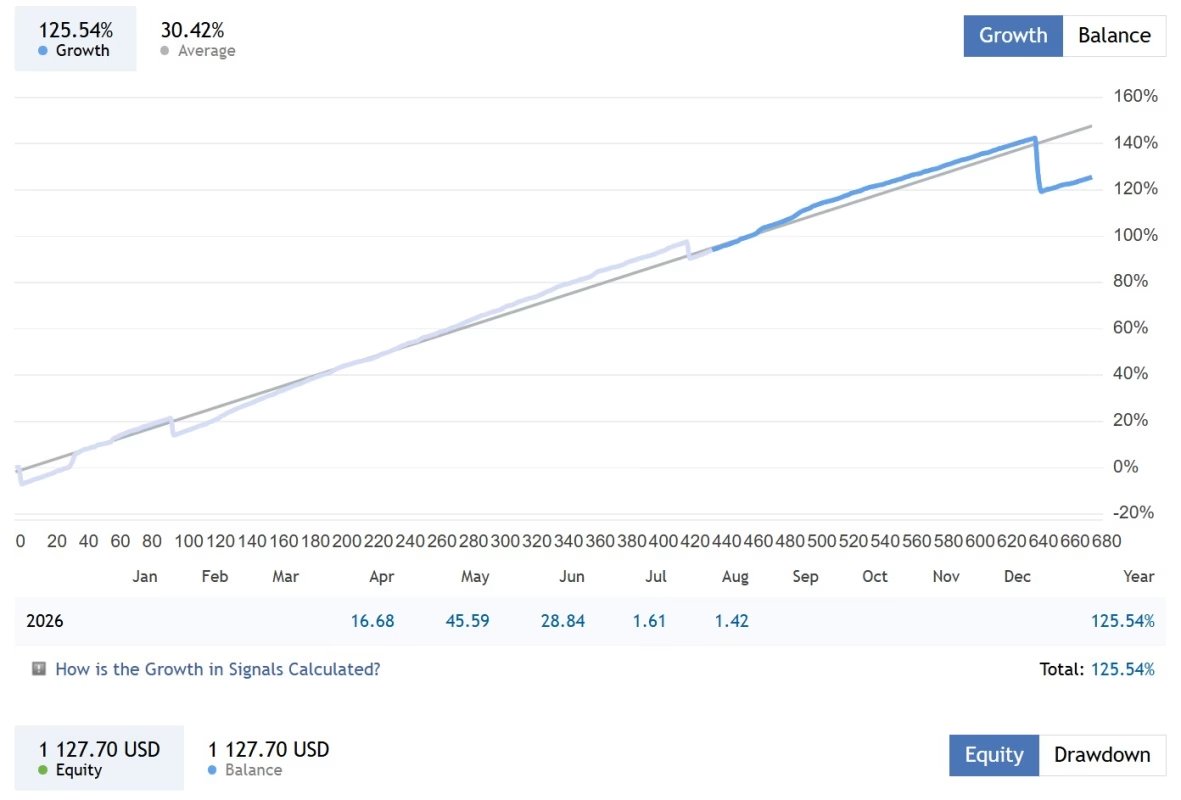
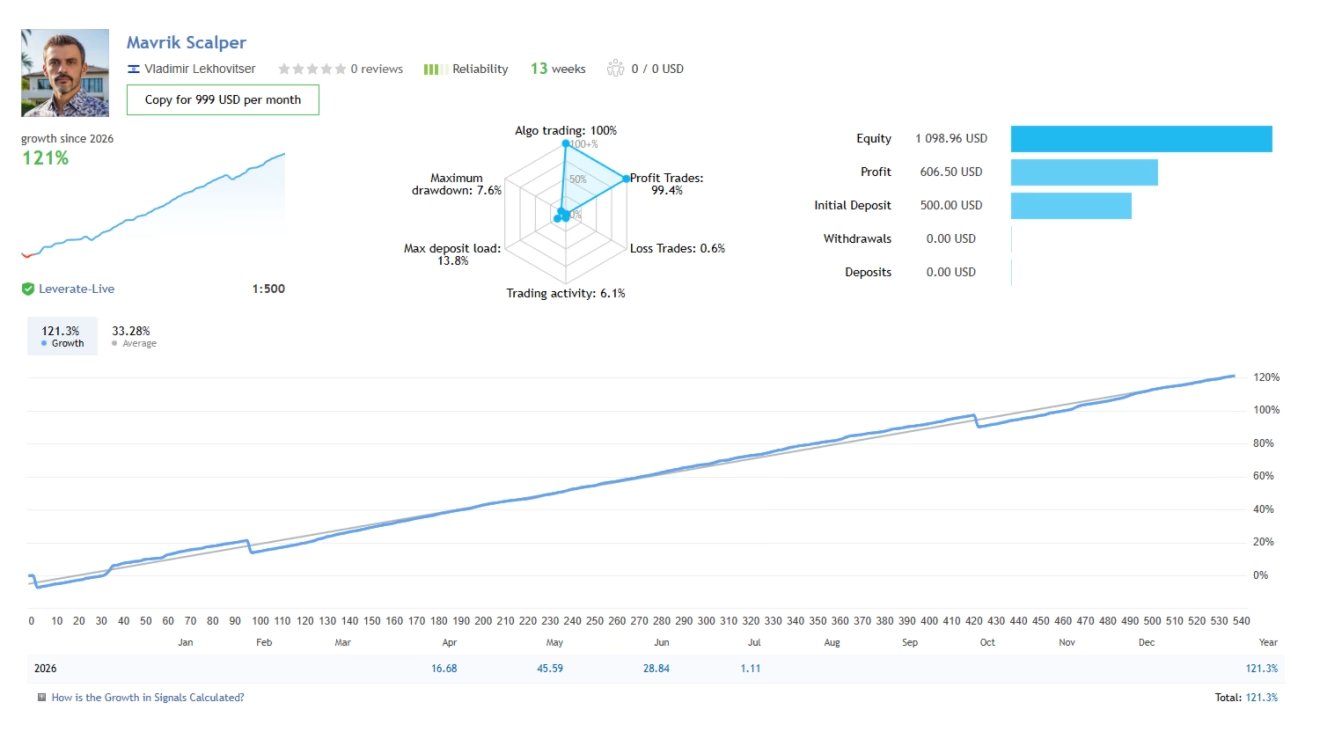
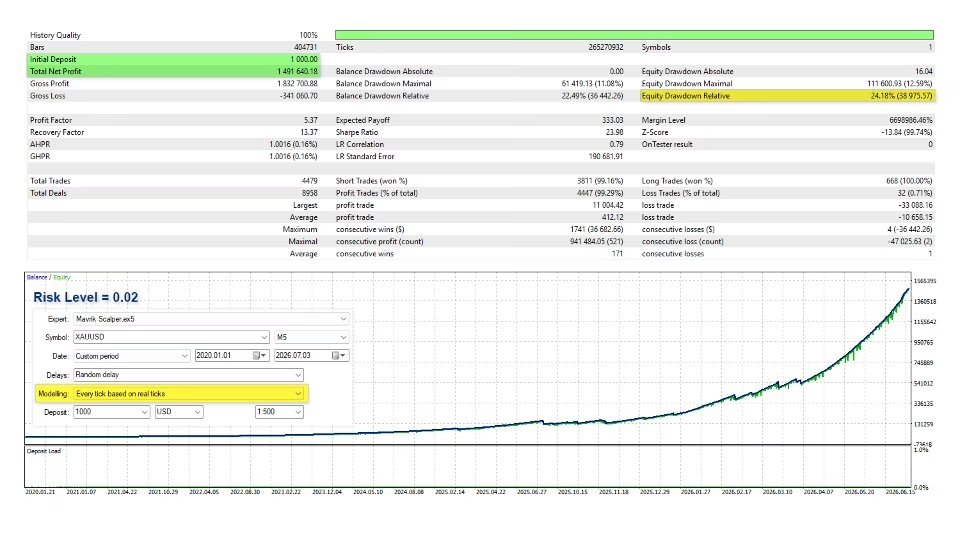




Mavrik Scalper EA MT5 V18.306 For Build 6140+
$14.95
Trade XAUUSD on M5 with Mavrik Scalper EA MT5, an AI-powered EA with smart risk controls, news filters, stop loss and dynamic trailing.





Description
Mavrik Scalper MT5 Unlimited – Discover How This AI-Driven Gold Scalper Trades With Discipline
Table of Contents
- Quick Overview
- Hybrid Attention AI Explained in Plain English
- Trading Logic: How Mavrik Scalper MT5 Unlimited Enters & Exits
- Step-by-Step Installation & Setup
- Frequently Asked Questions
- Final Thoughts
Quick Overview
Mavrik Scalper EA MT5 is an AI-powered Expert Advisor (EA) built for MetaTrader 5 with a clear focus on scalping XAUUSD (Gold) on the M5 chart. Instead of firing trades non-stop, it waits for high-confidence setups measured by its Hybrid Attention neural network. Every position carries a fixed stop loss, a clear take-profit target, break-even logic, and a trailing stop, keeping risk controlled at all times.
Hybrid Attention AI Explained in Plain English
Traditional robots lean on one or two technical indicators. Mavrik Scalper EA looks at many market layers at once, for example:
- Price action around recent highs or lows
- Momentum shifts during the last few candles
- Intraday volatility compared to the average
- Order-flow clues from tick volume
- Micro-structure patterns unique to Gold
The Hybrid Attention network pays “attention” only to the data that matters right now. Less noise, better signal. When the combined confidence score is high enough, the EA sends an order; otherwise, it stands aside.
Trading Logic: How Mavrik Scalper MT5 Enters & Exits
- Scanning PhaseEvery tick, the AI model grades the market from 0 – 100. A grade above the internal threshold (kept private by the developer) means a potential entry zone.
- Entry Criteria
- Trend alignment on the M5 and M1 snapshots.
- Momentum confirmation (short-term bursts in tick volume).
- Volatility within a preferred band—too quiet or too wild gets skipped.
- Order Placement
- Fixed lot size or percentage risk (user-selectable).
- Immediate stop loss (in points).
- Pre-defined take-profit level.
- Dynamic Management
- If price moves in favor, the EA shifts the stop to break even.
- Once a profit buffer builds up, a trailing stop follows price to lock gains.
- ExitEither take-profit is hit, trailing stop closes the trade, or the predefined session ends and the EA closes positions to avoid swaps.
Step-by-Step Installation & Setup
Total time: about 10 minutes.
- Download the EA file from onshoppie.com.
- Open MetaTrader 5, click
File → Open Data Folder. - Navigate to
MQL5/Experts/and drop the.ex5file there. - Restart MT5 or refresh the Experts list.
- Drag Mavrik Scalper EA onto an XAUUSD M5 chart.
- Enable Algo Trading at the top panel.
- Verify that a smiling icon appears in the chart corner—this means the EA is active.
Frequently Asked Questions regarding Mavrik Scalper EA
1. Can I run Mavrik Scalper EA MT5 on a VPS?Yes. A low-latency VPS (1 – 2 ms to your broker) is recommended for best execution.
2. Can I change the target symbol?It is optimized for XAUUSD. Running on other pairs may lead to unexpected behavior.
3. Will it mess with trades I enter manually?No. The EA tags its own positions. Still, keep manual trades on a separate chart or MagicNumber if you prefer.
4. What leverage do I need?1:30 is the bare minimum. Higher leverage (1:100+) gives more breathing room for margin but doesn’t change risk per trade if you use percent-based lot sizing.
Final Thoughts About Mavrik Scalper EA
Mavrik Scalper EA MT5 stands out by blending Hybrid Attention AI with strict risk management—no martingale, no grid, and clear stop losses. It aims for quality over quantity, often skipping bad sessions entirely. Traders who are patient, value capital preservation, and like the idea of steady Gold scalping may find it a solid addition to their automated toolkit.
Vendor Site – Click Here
| Membership | Yearly Membership |
|---|---|
| Additional Services | Unlock & Decompile |
| Recommended Brokers | Exness Broker, FPMarkets |
| Recommended VPS | FXVM (Low Latency) |
| Youtube Channel | ForexForYou |
| Telegram Channel | Onshoppie Forex EA's & Indicators |
| Telegram Support | Onshoppie Support |
| Installation Guides | Onshoppie Forex Guides |
Brand
ea-mt5
Only logged in customers who have purchased this product may leave a review.
Related products



Products
-
 H4 Gold Scalper EA MT5 V1.5 With DLL Build 6122
Original price was: $150.00.$14.95Current price is: $14.95.
H4 Gold Scalper EA MT5 V1.5 With DLL Build 6122
Original price was: $150.00.$14.95Current price is: $14.95.
-
Mavrik Scalper EA MT5 V18.306 For Build 6140+
$14.95
-
 Dude Alpha Gold EA MT5 V1.4.2 + Set Files For Build 6140+
Original price was: $499.00.$14.95Current price is: $14.95.
Dude Alpha Gold EA MT5 V1.4.2 + Set Files For Build 6140+
Original price was: $499.00.$14.95Current price is: $14.95.
-
 Ultra Beast EA MT5 + Setfiles For Build 6140+
$14.95
Ultra Beast EA MT5 + Setfiles For Build 6140+
$14.95
-
 Algo Edge SMC AI EA MT5 V3 For Build 6140+
$14.95
Algo Edge SMC AI EA MT5 V3 For Build 6140+
$14.95
-
 Aura Absolute EA MT4 V1.1 For Build 1476+
$14.95
Aura Absolute EA MT4 V1.1 For Build 1476+
$14.95
-
 Gold Neural Core EA MT5 V1.5 For Build 6140+
Original price was: $500.00.$14.95Current price is: $14.95.
Gold Neural Core EA MT5 V1.5 For Build 6140+
Original price was: $500.00.$14.95Current price is: $14.95.
-
 Global Trade Plan EA MT5 V3.1 + SetFiles With DLL 6140
Original price was: $399.00.$14.95Current price is: $14.95.
Global Trade Plan EA MT5 V3.1 + SetFiles With DLL 6140
Original price was: $399.00.$14.95Current price is: $14.95.
Recent reviews
-
 Advanced Dashboard Currency Strength
by Balram
Advanced Dashboard Currency Strength
by Balram
Reviews
There are no reviews yet.