




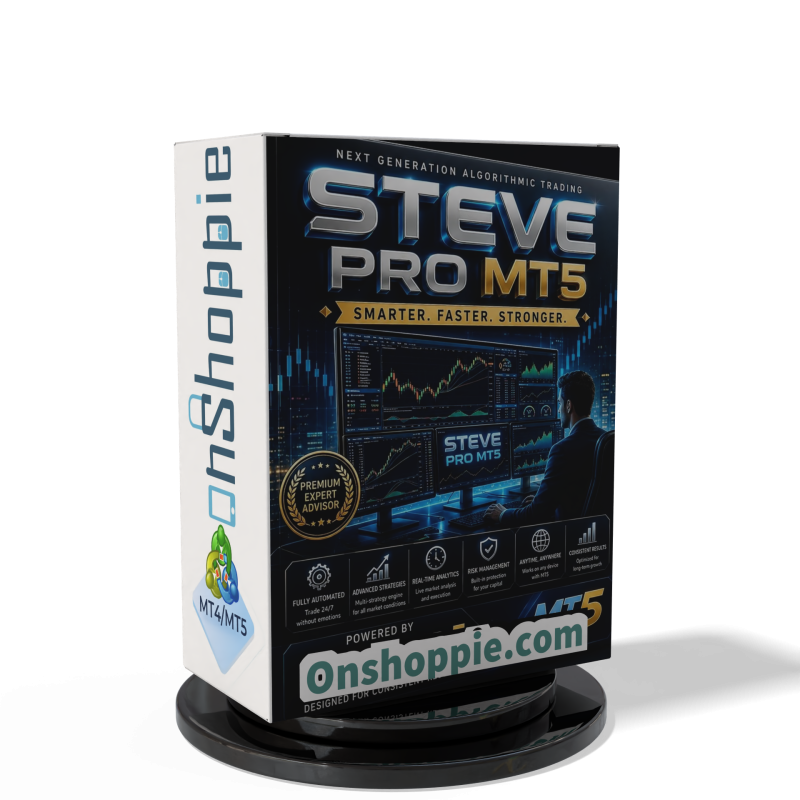
Steve Pro EA MT5 V5.0 + Setfiles For Build 6140+
$14.95
Steve Pro EA MT5 is an automated XAUUSD EA for MetaTrader 5, designed for M1 Gold trading with built-in risk controls and hands-free execution.



Description
Steve Pro MT5 – A Hands-Free Way to Trade XAUUSD on the 1-Minute Chart
Table of Contents
- What Is Steve Pro MT5?
- Core Features
- Installation Guide
- Recommended Account Settings
- Frequently Asked Questions
- Final Thoughts
What Is Steve Pro EA MT5?
Steve Pro EA MT5 is a fully automated Gold trading Expert Advisor for MetaTrader 5, optimized for XAUUSD on the M1 timeframe.In plain words, it is a small program you attach to a Gold chart. From that moment it watches the market, opens trades, and manages them without you having to sit in front of the screen all day.
How it works in three steps:
- Market Scan – The EA checks price movements every tick on the 1-minute chart.
- Trade Entry – When a pre-set rule is met (for example a pullback or a strong momentum candle), Steve Pro MT5 sends a buy or sell order.
- Trade Management – It then places a stop-loss, trails profit, and closes the trade if the exit rule is triggered.
Because it is software, it follows these steps 24/5, never ignoring its own rules and never getting tired.
Core Features
Fully Automated Execution
• No manual order placement needed.• The EA handles entry, stop, take-profit, and trailing.
Continuous Market Monitoring
• Works every tick on the M1 chart.• Reacts to momentum shifts in seconds.
Built-In Risk Controls
• Adjustable lot sizing based on balance or fixed lot.• Maximum simultaneous positions cap.• Equity protection option.
No DLL Dependency
• Runs on standard MetaTrader 5 installations.• Fits most VPS services without extra files.
Easy Set-Up File
• A ready-made .set file ships with the EA, so you can import typical parameters in one click.
🔗 External link: Download MetaTrader 5 from the official site.
Installation Guide
- Download the EA file (
SteveProMT5.ex5). - Open MetaTrader 5, go to File → Open Data Folder.
- Drop the EA into MQL5 → Experts.
- Restart MetaTrader 5 or press Ctrl+R to refresh the navigator.
- Drag Steve Pro EA onto an XAUUSD, M1 chart.
- Check Allow algorithmic trading and load the provided
.setfile. - Press OK. A smiley face in the chart corner confirms it is running.
Recommended Account Settings
| Setting | Recommendation |
|---|---|
| Account Type | ECN or Raw spread if available |
| Minimum Deposit | 500 USD real / 10,000 cent |
| Leverage | 1:100 or higher (check local rules) |
| VPS Latency | ≤ 50 ms to the broker server |
| Minimum Spread on XAUUSD | ≤ 20 points (0.20 USD) |
| Slippage Tolerance | 1–2 points ideal |
⚠️ Always begin with a demo account before going live.
Frequently Asked Questions Regarding Steve Pro EA
Q: Can I run Steve Pro MT5 on other pairs like EURUSD?
A: The EA was built and optimized only for XAUUSD. Running it on other instruments is not advised unless you perform fresh testing.
Final Thoughts About Steve Pro EA
Steve Pro MT5 gives traders a way to let software handle short-term Gold moves on the 1-minute chart. Its tight focus on XAUUSD, built-in risk filters, and no-DLL setup make it straightforward to install and monitor. That said, no tool removes the need for good risk control and steady review.
If you decide to test Steve Pro MT5, start on demo, keep notes, and scale only when you are comfortable with the results.
Vendor Site – Click Here
| Membership | Yearly Membership |
|---|---|
| Additional Services | Unlock & Decompile |
| Recommended Brokers | Exness Broker, FPMarkets |
| Recommended VPS | FXVM (Low Latency) |
| Youtube Channel | ForexForYou |
| Telegram Channel | Onshoppie Forex EA's & Indicators |
| Telegram Support | Onshoppie Support |
| Installation Guides | Onshoppie Forex Guides |
Brand
ea-mt5
Only logged in customers who have purchased this product may leave a review.
Related products


Products
-
 ThunderGold Scalper MT5 V1.3 + Setfiles For Build 6140+
Original price was: $379.00.$14.95Current price is: $14.95.
ThunderGold Scalper MT5 V1.3 + Setfiles For Build 6140+
Original price was: $379.00.$14.95Current price is: $14.95.
-
Steve Pro EA MT5 V5.0 + Setfiles For Build 6140+
$14.95
-
 HEXA FX Scalper EA MT5 With DLL Build 6140
Original price was: $749.00.$34.95Current price is: $34.95.
HEXA FX Scalper EA MT5 With DLL Build 6140
Original price was: $749.00.$34.95Current price is: $34.95.
-
 H4 Gold Scalper EA MT5 V1.5 With DLL Build 6122
Original price was: $150.00.$14.95Current price is: $14.95.
H4 Gold Scalper EA MT5 V1.5 With DLL Build 6122
Original price was: $150.00.$14.95Current price is: $14.95.
-
 Mavrik Scalper EA MT5 V18.306 For Build 6140+
$14.95
Mavrik Scalper EA MT5 V18.306 For Build 6140+
$14.95
-
 Dude Alpha Gold EA MT5 V1.4.2 + Set Files For Build 6140+
Original price was: $499.00.$14.95Current price is: $14.95.
Dude Alpha Gold EA MT5 V1.4.2 + Set Files For Build 6140+
Original price was: $499.00.$14.95Current price is: $14.95.
-
 Ultra Beast EA MT5 + Setfiles For Build 6140+
$14.95
Ultra Beast EA MT5 + Setfiles For Build 6140+
$14.95
-
 Algo Edge SMC AI EA MT5 V3 For Build 6140+
$14.95
Algo Edge SMC AI EA MT5 V3 For Build 6140+
$14.95
Recent reviews
-
 Advanced Dashboard Currency Strength
by Balram
Advanced Dashboard Currency Strength
by Balram
Reviews
There are no reviews yet.