



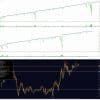
Trirex Wave EA MT4 v2.4 + Indicators With DLL 1443
Original price was: $349.00.$9.95Current price is: $9.95.
Trirex Wave EA is a fully automated Forex robot, requiring no manual intervention. Its smart algorithms handle trades from start to finish, offering a seamless, hands-off trading experience.




Description
Trirex Wave EA: A Clear-Cut Guide to Automated Forex Trading
Trirex Wave EA: How This Ocean-Inspired Bot Aims To Keep Your Trading Calm
Table of Contents
- What Is Trirex Wave EA?
- How the “Wave” Method Works
- Key Features at a Glance
- Setups for Different Trader Types
- Step-by-Step Installation Guide
- Real-Life Use Cases
- Final Thoughts
What Is Trirex Wave EA?
Trirex Wave EA is a fully automated Forex trading bot that reads price “waves” and places trades that aim to take advantage of prices moving back to their average levels. The idea is simple: markets often stretch in one direction and then roll back, much like the ocean tide. By focusing on this ebb and flow, the bot tries to spot moments when price is likely to return toward its mean.
In short: Trirex Wave EA is designed to give both new and seasoned traders a tool that can run on its own, without the need to sit in front of a screen all day.
How the “Wave” Method Works
Price waves can be thought of as repeated pushes and pullbacks on a chart. Instead of trying to guess a trend’s final limit, Trirex Wave pays attention to distance from the average price and looks for signs of a potential re-balancing.
- Detects “stretch” levelsWhen price moves too far from its average, the bot takes note.
- Places strategic tradesOrders are placed in small position sizes in the direction of a likely pullback.
- Manages exitsOnce price edges back to the mean, the bot closes the trade or locks in partial gains.
Because many currency pairs spend much of their time ranging rather than trending, the strategy tries to capitalize on that everyday market rhythm.
External Reading: Want to know what a mean-reversion strategy is?Check out Investopedia’s article on Mean Reversion.
Key Features of Trirex Wave EA at a Glance
| Feature | Why It Matters |
|---|---|
| Fully automated | No need for manual entry or exit. |
| Multiple pre-built setups | Choose settings that suit your style. |
| In-depth user guide | Walks you through every step. |
| License portal | Reset licenses in seconds. |
| Complete backtest option | See how each setup behaved in past data. |
| News event filter | Pauses trading if you choose, ahead of major releases. |
| Adjustable risk | Pick fixed lot, percentage of balance, or custom. |
Setups for Different Trader Types
1. Conservative Wave
- Designed for traders who value small, steady gains.
- Lower max trade count, wider stop distance.
- Pairs: EUR/USD, USD/CHF.
2. Classic Wave
- Balanced risk-to-reward profile.
- Medium trade frequency.
- Pairs: EUR/USD, GBP/USD, AUD/USD.
3. Active Wave
- For traders comfortable with faster action.
- Tighter entry signals, more trades per day.
- Pairs: GBP/JPY, EUR/JPY.
4. Custom Wave
- Build your own mix of indicators, grid steps, and filters.
- Save profiles in the Trirex Wave EA dashboard.
Step-by-Step Installation Guide for Trirex Wave EA
Good to know: Trirex Wave EA can run on MetaTrader 4 (MT4) and MetaTrader 5 (MT5).
- Download the EA fileReceive the .ex4 or .ex5 file from your account portal.
- Open your trading platformIn MT4 or MT5, go to
File > Open Data Folder. - Place the fileNavigate to
MQL4 > Experts(orMQL5 > Experts) and drop the file in. - Restart the platformClose and reopen MT4/MT5 so the EA loads.
- Attach to a chartDrag Trirex Wave EA onto the desired currency pair.
- Enter your license keyCopy the key from your portal and paste it in the Inputs tab.
- Pick a setupChoose Conservative, Classic, Active, or Custom.
- Adjust riskSelect lot size, percent of equity, or fixed money value.
- Allow automated tradingEnable
AutoTradingin MT4/MT5 and tick “Allow Live Trading” in the EA settings. - Hit OKThe smiling face icon on the chart means the EA is running.
Tip: Use a Virtual Private Server (VPS) so your platform stays online even when your PC is off.
Real-Life Use Cases
Part-Time Trader with a Day Job
Sarah works 9-to-5 and has no time to watch charts. She runs the Conservative Wave setup on a VPS. The bot trades EUR/USD, and she gets a daily email summary.
Prop Firm Challenge
Jamal needs consistent growth without hitting drawdown limits. He chooses the Classic Wave with a 5% max daily drawdown and a news filter. The bot pauses around Non-Farm Payroll reports.
Advanced User
Lena, a systems engineer, creates a Custom Wave strategy focused on Asian session scalps. She tunes grid steps, uses a time filter from 23:00–03:00 UTC, and backtests 10 years of data.
Final Thoughts For Trirex Wave EA
Trirex Wave EA gives traders a way to engage with the Forex market without sitting at a desk all day. Its focus on mean-reversion “wave” moves, combined with flexible setups, makes it suitable for cautious and active styles alike. Remember to backtest, keep risk in check, and let the bot do its job.
Ready to start? Explore the full guide and download page on our Trirex Wave EA product page.
Vendor Site – Click Here
| Membership | Yearly Membership |
|---|---|
| Additional Services | Unlock & Decompile |
| Recommended Brokers | Exness Broker, FPMarkets |
| Recommended VPS | FXVM (Low Latency) |
| Youtube Channel | ForexForYou |
| Telegram Channel | Onshoppie Forex EA's & Indicators |
| Telegram Support | Onshoppie Support |
| Installation Guides | Onshoppie Forex Guides |
Brand
ea-mt4
Indicator-mt4
Only logged in customers who have purchased this product may leave a review.
Related products


Products
-
 ThunderGold Scalper MT5 V1.3 + Setfiles For Build 6140+
Original price was: $379.00.$14.95Current price is: $14.95.
ThunderGold Scalper MT5 V1.3 + Setfiles For Build 6140+
Original price was: $379.00.$14.95Current price is: $14.95.
-
 Steve Pro EA MT5 V5.0 + Setfiles For Build 6140+
$14.95
Steve Pro EA MT5 V5.0 + Setfiles For Build 6140+
$14.95
-
 HEXA FX Scalper EA MT5 With DLL Build 6140
Original price was: $749.00.$34.95Current price is: $34.95.
HEXA FX Scalper EA MT5 With DLL Build 6140
Original price was: $749.00.$34.95Current price is: $34.95.
-
 H4 Gold Scalper EA MT5 V1.5 With DLL Build 6122
Original price was: $150.00.$14.95Current price is: $14.95.
H4 Gold Scalper EA MT5 V1.5 With DLL Build 6122
Original price was: $150.00.$14.95Current price is: $14.95.
-
 Mavrik Scalper EA MT5 V18.306 For Build 6140+
$14.95
Mavrik Scalper EA MT5 V18.306 For Build 6140+
$14.95
-
 Dude Alpha Gold EA MT5 V1.4.2 + Set Files For Build 6140+
Original price was: $499.00.$14.95Current price is: $14.95.
Dude Alpha Gold EA MT5 V1.4.2 + Set Files For Build 6140+
Original price was: $499.00.$14.95Current price is: $14.95.
-
 Ultra Beast EA MT5 + Setfiles For Build 6140+
$14.95
Ultra Beast EA MT5 + Setfiles For Build 6140+
$14.95
-
 Algo Edge SMC AI EA MT5 V3 For Build 6140+
$14.95
Algo Edge SMC AI EA MT5 V3 For Build 6140+
$14.95
Recent reviews
-
 Advanced Dashboard Currency Strength
by Balram
Advanced Dashboard Currency Strength
by Balram
Reviews
There are no reviews yet.