


Gold Scalp AI Bot MT5 For Build 5984+
Gold Scalp AI Bot MT5 For Build 5984+


$14.95
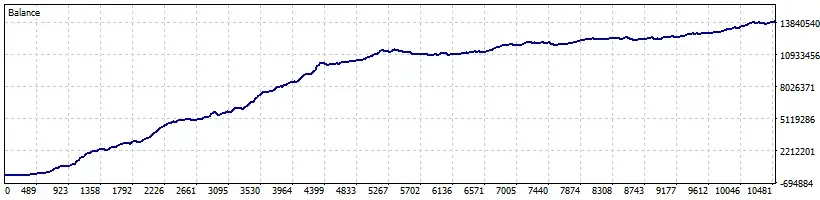
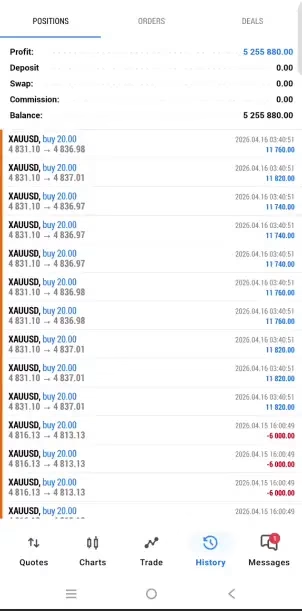
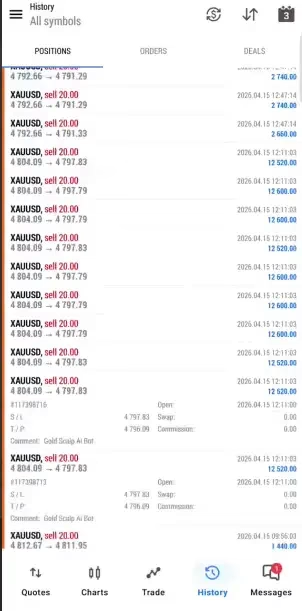
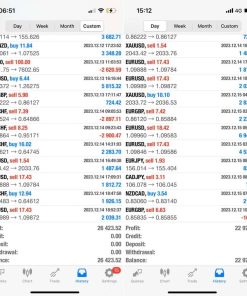
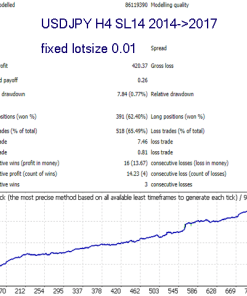
The Gold Scalp AI Bot delivers jaw-dropping trading results. This powerful tool is proven to help traders maximize profits quickly and effortlessly.

This item: Gold Scalp AI Bot MT5 For Build 5984+
$14.95
$14.95


Original price was: $14.95.$11.96Current price is: $11.96.
Main Title
Gold Scalp AI Bot: A Clear-Cut Guide to Fast, Automated Gold Trading on MT5
Alternative Title
Gold Scalp AI Bot – How This MT5 Expert Advisor Trades XAUUSD with Speed and Care
Table of Contents
- What Is Gold Scalp AI Bot?
- Why Focus on Gold (XAUUSD)?
- How the Scalping Strategy Works
- Setting Up Gold Scalp AI Bot on MetaTrader 5
- Recommended Account Settings
- Frequently Asked Questions
- Final Thoughts
What Is Gold Scalp AI Bot?
Gold Scalp AI Bot is an automated Expert Advisor (EA) that runs on MetaTrader 5 (MT5) and trades only XAUUSD (Gold).It:
- watches the 5-minute chart around the clock,
- opens short-term trades when its built-in rules match real-time price moves,
- manages Stop Loss, Take Profit, and trade size without manual input.
In short, it helps traders who like the Gold market but do not want to click in and out of positions all day.
Why Focus on Gold (XAUUSD)?
- High daily range – Gold often swings tens of dollars in a single session.
- Regular liquidity – XAUUSD is active from Asia through New York hours.
- Clear reaction to news – Job data, inflation releases, and Fed talks often cause swift moves that scalpers can try to capture.
Because Gold behaves differently from major currency pairs, a tool designed just for Gold can react faster and more precisely than a general-purpose robot.
How the Scalping Strategy Works
1. Market Scan
The EA looks at:
- recent highs and lows,
- size and speed of the last few candles,
- short-term support and resistance.
2. Entry Logic
When price action meets pre-set criteria, Gold Scalp AI Bot does one of two things:
- Buy if the market shows a quick upward push from support.
- Sell if it bounces down from a near-term peak.
3. Position Management
Once in a trade, the EA:
- places a Stop Loss right away,
- sets a small Take Profit target,
- trails the Stop in strong moves,
- closes early if price stalls.
This tight approach fits scalping: many small winners, strict limits on losers.
Setting Up Gold Scalp AI Bot on MetaTrader 5
- Download and copy the EA file to the
Expertsfolder. - Restart MT5 or hit Refresh in the Navigator window.
- Drag Gold Scalp AI Bot onto an XAUUSD chart.
- Select M5 timeframe.
- Tick “Allow Algo Trading.”
Recommended Account Settings
| Item | Suggested Value |
|---|---|
| Minimum deposit | $1,000 |
| Broker type | ECN or Raw-spread |
| Spread | Under 25 points (0.25 USD) on XAUUSD |
| Leverage | 1:100 or higher |
| VPS latency | < 20 ms to broker server |
| Timeframe | M5 only |
A modest buffer above $1,000 helps the EA ride out brief drawdowns without hitting margin stops.
Frequently Asked Questions regarding Gold Scalp AI Bot
Q1 – Can I run Gold Scalp AI Bot on MT4?No, the code uses MT5-only functions.
Q2 – How many charts can I run?One chart is enough. Running two instances can cause order clashes.
Q3 – What happens if I lose internet?A VPS with auto-restart is best. The EA will pick up open trades once the platform reconnects.
Q4 – Is manual interference allowed?Yes, you can close a trade, but it breaks the EA’s logic. Better to let it work unless urgent.
Final Thoughts About Gold Scalp AI Bot
Gold Scalp AI Bot offers a clear, set-and-forget path for traders who want frequent, small trades on Gold without babysitting the screen. By focusing on XAUUSD alone, using fast execution, and sticking to strict risk rules, the EA aims for steady progress rather than quick thrills.
If you like the idea of an automated, disciplined Gold scalper, test Gold Scalp AI Bot on a demo, note the results, and decide if it fits your trading style.
Start your demo test today and see how Gold Scalp AI Bot manages Gold trades for you.
Risk disclaimer: Trading Gold and other leveraged products carries risk. Never trade with money you cannot afford to lose.
MT5 Account with invest passwords
Server: DupoinMarkets-Real
Login: 90009337
Password: Gold@123
| Membership | Yearly Membership |
|---|---|
| Additional Services | Unlock & Decompile |
| Recommended Brokers | Exness Broker, FPMarkets |
| Recommended VPS | FXVM (Low Latency) |
| Youtube Channel | ForexForYou |
| Telegram Channel | Onshoppie Forex EA's & Indicators |
| Telegram Support | Onshoppie Support |
| Installation Guides | Onshoppie Forex Guides |
Brand
ea-mt5
Only logged in customers who have purchased this product may leave a review.







Reviews
There are no reviews yet.