


Beat The Market EA MT4 v5.7 With DLL 1444
Original price was: $199.00.$9.95Current price is: $9.95.
Discover the amazing Beat The Market EA that delivers mind-blowing trading results. Transform your forex strategy with this powerful automated solution.





Description
Beat The Market EA Review: Can an MT4 Robot Really Help You Trade Smarter?
Beat The Market EA – The Hands-On Guide to Automated Precision MT4 Trading
Table of Contents
- What Is Beat The Market EA?
- How the Expert Advisor Works
- Key Features at a Glance
- Supported Forex Pairs & Single-Chart Setup
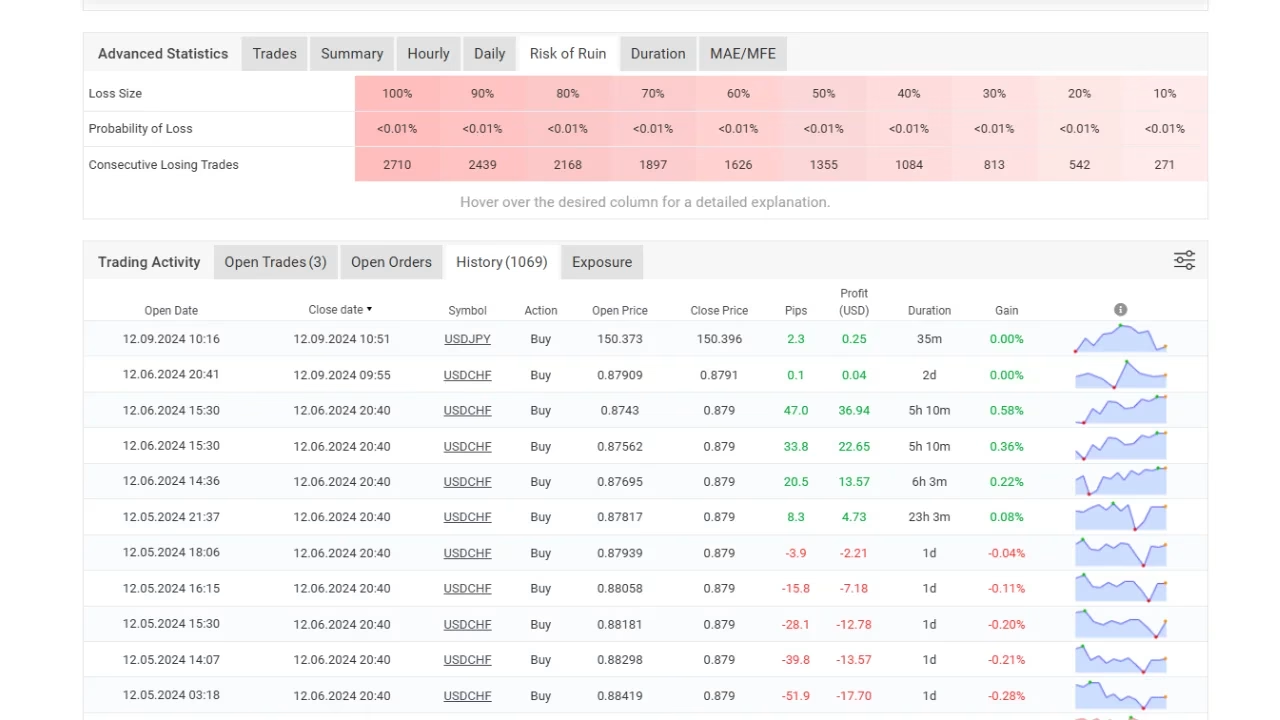
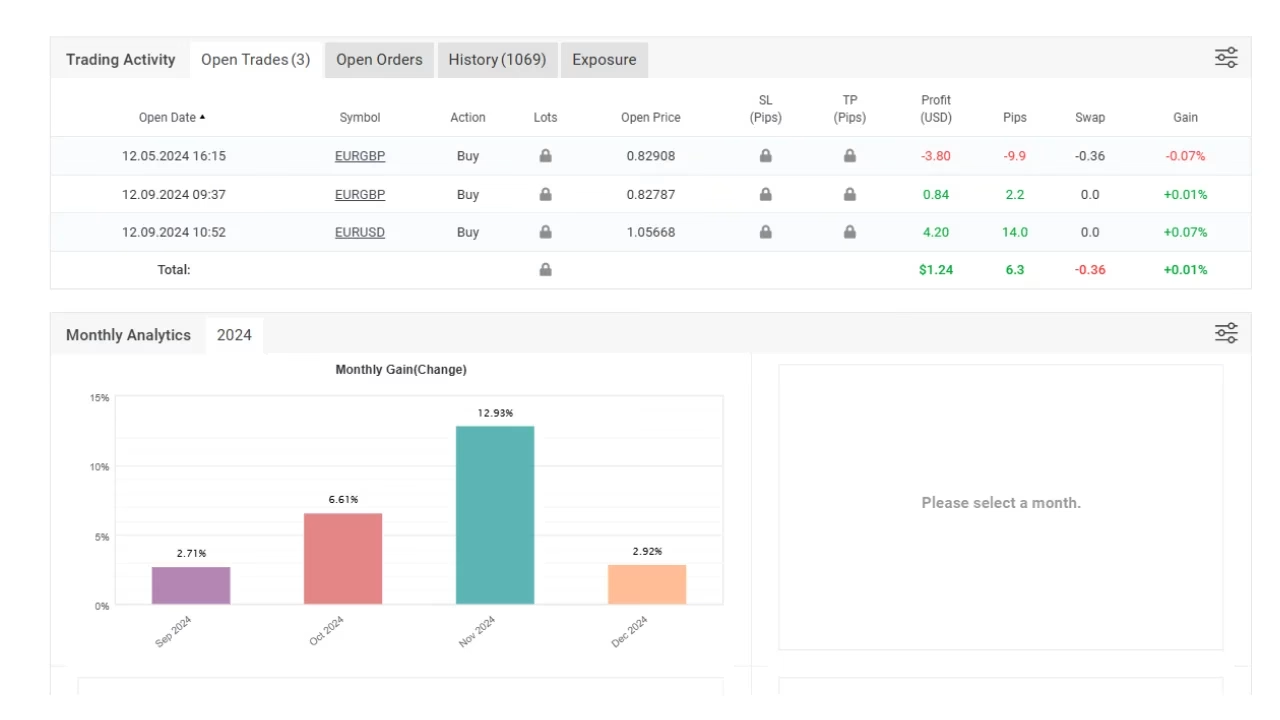
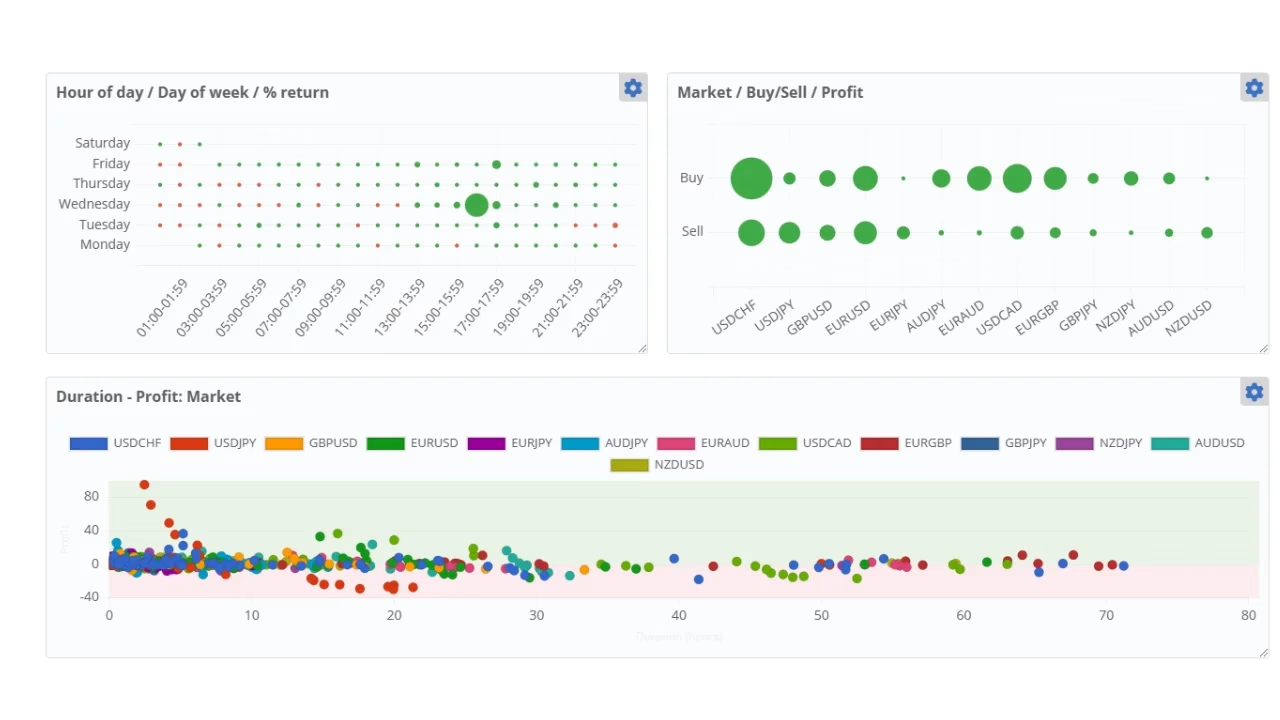
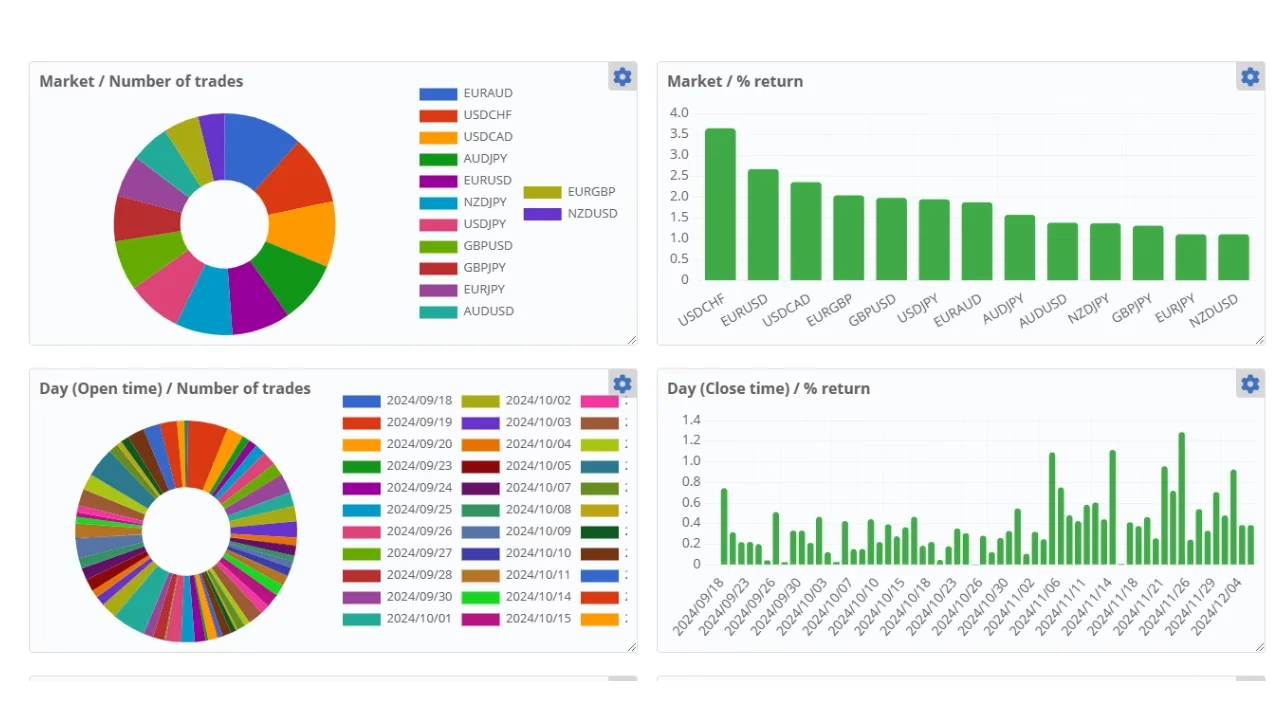
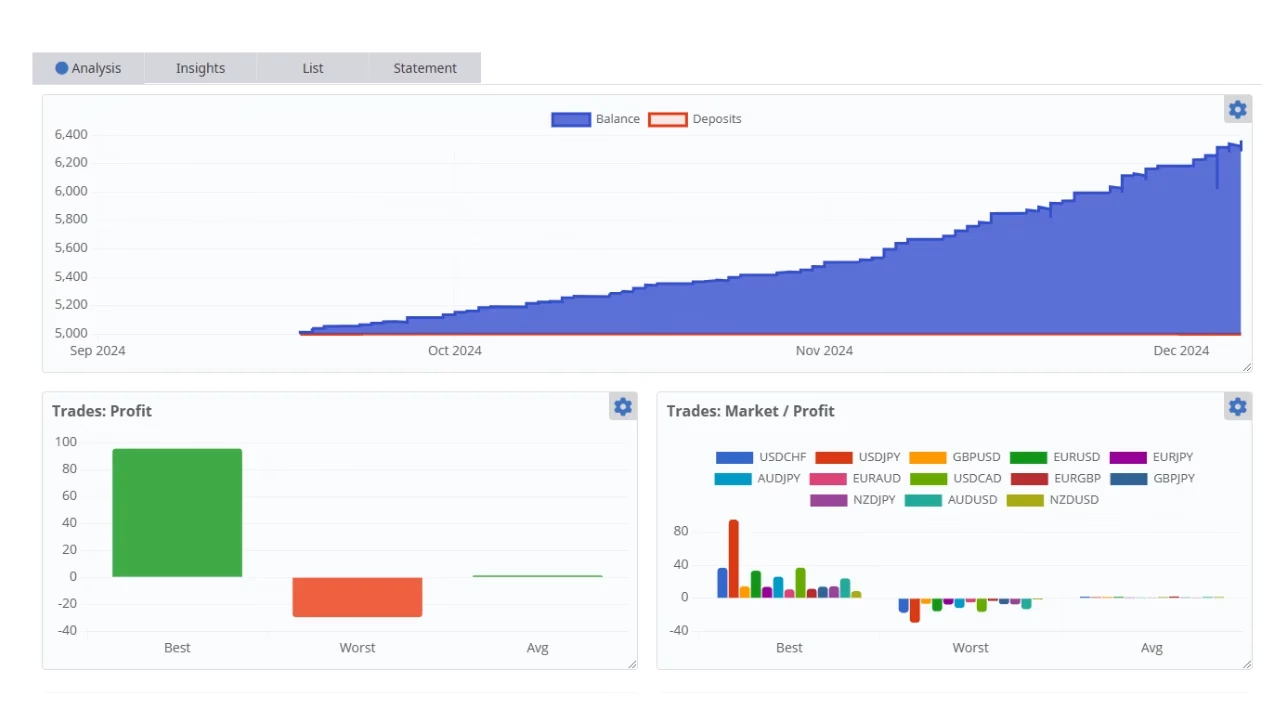
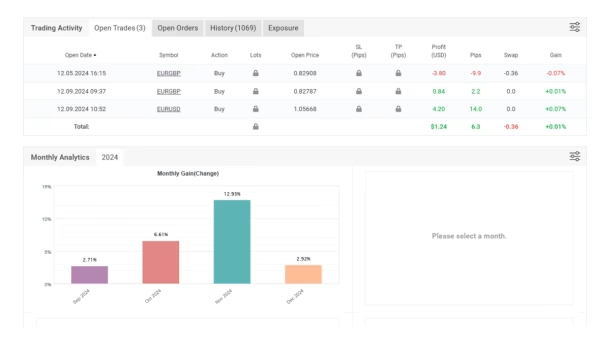
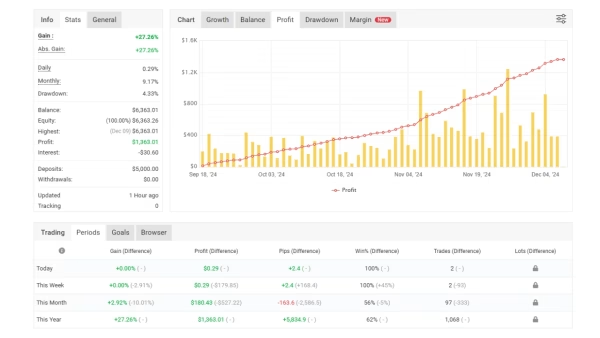
- Performance Overview & Risk Facts
- Step-by-Step Installation Guide
- Best Practices for Precision MT4 Trading
- Frequently Asked Questions
- Final Thoughts
1. What Is Beat The Market EA?
Beat The Market EA is an automated trading robot (Expert Advisor) created for MetaTrader 4. Instead of placing trades by hand, traders can let this software scan price data on the EURUSD M1 timeframe and manage positions on a pre-programmed list of twelve currency pairs.
The idea is simple:
- Spot short-term price moves with built-in logic.
- Enter and exit positions with pre-set risk parameters.
- Rely on strict money management to keep the drawdown under 10 % (based on historical tests).
Because everything runs inside MT4, users can still watch charts, close trades, or change risk settings at any time.
2. How the Expert Advisor Works
Beat the Market EA follows a transparent, rules-based approach:
- Price Action FiltersThe robot looks for micro trends on the one-minute chart of EURUSD. When the filters match, the EA places trades on pairs that historically react in sync with EURUSD momentum.
- Multi-Pair Logic on One ChartYou only attach the EA to a single EURUSD M1 chart. Behind the scenes, it opens and manages positions in up to twelve pairs (full list below). This design keeps your platform uncluttered.
- Dynamic Lot SizingA built-in risk percentage lets you cap exposure per position. For example, a 2 % risk means each trade closes automatically before that limit is hit.
- Smart Exit RulesThe EA combines a modest take-profit with a trailing stop. This way it can lock in gains when the market stretches but cuts losers quickly.
- Platform Compatibility
- MetaTrader 4 build 1350 or higher
- Works on Windows, macOS (via emulation), and VPS instances
- No custom DLLs or external licenses; it runs directly from the Experts folder
3. Key Features of Beat The Market EA at a Glance
| Feature | Why It Matters |
|---|---|
| 10 % Historical Monthly Return | Gives traders a realistic benchmark, not double-digit daily hype. |
| < 10 % Historical Drawdown | Keeps risk contained during losing streaks. |
| Fully Automatic | No need to monitor every tick; the EA manages entry, exit, and stops. |
| Adjustable Risk | Set lot size or risk % to suit conservative or aggressive styles. |
| Regular Updates | The developer team promises tweaks to adapt to changing market structures. |
| Free One-Week Trial | Test in a live or demo account without paying upfront. |
Remember: Past returns provide clues but do not guarantee future performance.
4. Supported Forex Pairs & Single-Chart Setup for Beat The Market EA
Attach Beat The Market EA to one EURUSD M1 chart. It will then scan and trade:
- AUDJPY
- AUDUSD
- EURAUD
- EURGBP
- EURJPY
- EURUSD
- GBPUSD
- NZDJPY
- NZDUSD
- USDCAD
- USDCHF
- USDJPY
Why This Matters
Trading several pairs spreads opportunity and can smooth the equity curve. Yet by running on just one chart, you save CPU power and avoid interface clutter.
5. Performance Overview & Risk Facts
Historical Numbers
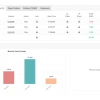
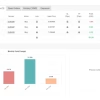
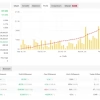
- Average monthly gain: 10.2 %
- Maximum historical drawdown: 9.4 %
- Average trades per day: 8–15
- Typical holding time: minutes to a few hours
Transparency Statement
Beat The Market EA is a tool, not a promise. Market shocks—such as unexpected rate decisions—can push drawdown above tested levels. Always:
- Use position sizing you can afford to lose.
- Test on a demo account first.
- Keep a buffer of spare margin.
For more on drawdown, see Investopedia’s guide to maximum drawdown.
6. Step-by-Step Installation Guide for Beat The Market EA
- Download the EAGrab the latest file from the developer’s site or the Market tab inside MT4.
- Place in Experts Folder
- Open MT4 →
File→Open Data Folder - Navigate to
MQL4/Experts - Paste
Beat_The_Market_EA.ex4
- Open MT4 →
- Restart or RefreshClose and reopen MT4, or right-click Navigator → Refresh.
- Attach to EURUSD M1 Chart
- Drag the EA onto the chart.
- Tick “Allow live trading.”
- Adjust Settings
- Risk per trade (default 1 %)
- Max pairs to trade (default 12)
- Spread filter (skip trades if spread > 2 pips)
- Magic numbers (auto-set; change only if needed)
- Enable AutoTradingClick the green AutoTrading button on MT4’s top toolbar.
- Monitor the Journal TabIf you see “Beat The Market EA initialized,” you’re good to go.
7. Best Practices for Precision MT4 Trading
Even with automation, good habits boost the odds of success:
A. Choose a Reliable Broker
- Low-latency execution
- Tight spreads on the listed pairs
- Regulation (FCA, ASIC, CySEC, etc.)
B. Run on a VPS
A virtual private server keeps the EA online 24/7, reducing downtime from power cuts or ISP issues.
C. Keep Risk Consistent
Avoid the temptation to double lot size after a winning streak. Sticking to a fixed risk percentage evens out performance swings.
D. Update Regularly
When the developer releases a new build, read the change log and update promptly. A two-minute install can save hours of headache.
E. Diversify Beyond One System
Using Beat The Market EA with additional methods (manual swing trades, longer-term strategies) can spread risk further.
8. Frequently Asked Questions Regarding Beat The Market EA
Q1: Can I change timeframes?No. Beat The Market EA is coded for EURUSD M1 scanning. Attaching it elsewhere disables the core logic.
Q2: Does it use martingale or grid methods?No. Each trade stands alone with a fixed stop-loss. The EA will not multiply position size after a loss.
Q3: Minimum account balance?$300 for micro lots, though $1 000+ gives more breathing room.
Q4: Is MetaTrader 5 supported?Currently, no. Only MT4 builds.
Q5: Can I run other EAs simultaneously?Yes, if you assign unique magic numbers and ensure adequate margin.
Q6: Is customer support available?Email support responds within 24 hours. A Discord group is also open for sharing set files and broker feedback.
9. Final Thoughts About Beat The Market EA
Beat The Market EA aims to bring precision MT4 trading to everyday users who want systematic exposure without staring at charts all day. Historical data points to steady gains around 10 % monthly with controlled drawdown, yet no trading tool is perfect.
If you decide to test the robot:
- Start on a demo or low-risk live account.
- Keep an eye on performance and adjust risk settings if needed.
- Combine the EA with solid money management.
Results – Click Here
Reviews – Click Here
Vendor Site – Click Here
| Membership | Yearly Membership |
|---|---|
| Additional Services | Unlock & Decompile |
| Recommended Brokers | Exness Broker, FPMarkets |
| Recommended VPS | FXVM (Low Latency) |
| Youtube Channel | ForexForYou |
| Telegram Channel | Onshoppie Forex EA's & Indicators |
| Telegram Support | Onshoppie Support |
| Installation Guides | Onshoppie Forex Guides |
Brand
ea-mt4
Only logged in customers who have purchased this product may leave a review.
Related products



Products
-
 ThunderGold Scalper MT5 V1.3 + Setfiles For Build 6140+
Original price was: $379.00.$14.95Current price is: $14.95.
ThunderGold Scalper MT5 V1.3 + Setfiles For Build 6140+
Original price was: $379.00.$14.95Current price is: $14.95.
-
 Steve Pro EA MT5 V5.0 + Setfiles For Build 6140+
$14.95
Steve Pro EA MT5 V5.0 + Setfiles For Build 6140+
$14.95
-
 HEXA FX Scalper EA MT5 With DLL Build 6140
Original price was: $749.00.$34.95Current price is: $34.95.
HEXA FX Scalper EA MT5 With DLL Build 6140
Original price was: $749.00.$34.95Current price is: $34.95.
-
 H4 Gold Scalper EA MT5 V1.5 With DLL Build 6122
Original price was: $150.00.$14.95Current price is: $14.95.
H4 Gold Scalper EA MT5 V1.5 With DLL Build 6122
Original price was: $150.00.$14.95Current price is: $14.95.
-
 Mavrik Scalper EA MT5 V18.306 For Build 6140+
$14.95
Mavrik Scalper EA MT5 V18.306 For Build 6140+
$14.95
-
 Dude Alpha Gold EA MT5 V1.4.2 + Set Files For Build 6140+
Original price was: $499.00.$14.95Current price is: $14.95.
Dude Alpha Gold EA MT5 V1.4.2 + Set Files For Build 6140+
Original price was: $499.00.$14.95Current price is: $14.95.
-
 Ultra Beast EA MT5 + Setfiles For Build 6140+
$14.95
Ultra Beast EA MT5 + Setfiles For Build 6140+
$14.95
-
 Algo Edge SMC AI EA MT5 V3 For Build 6140+
$14.95
Algo Edge SMC AI EA MT5 V3 For Build 6140+
$14.95
Recent reviews
-
 Advanced Dashboard Currency Strength
by Balram
Advanced Dashboard Currency Strength
by Balram
Reviews
There are no reviews yet.