
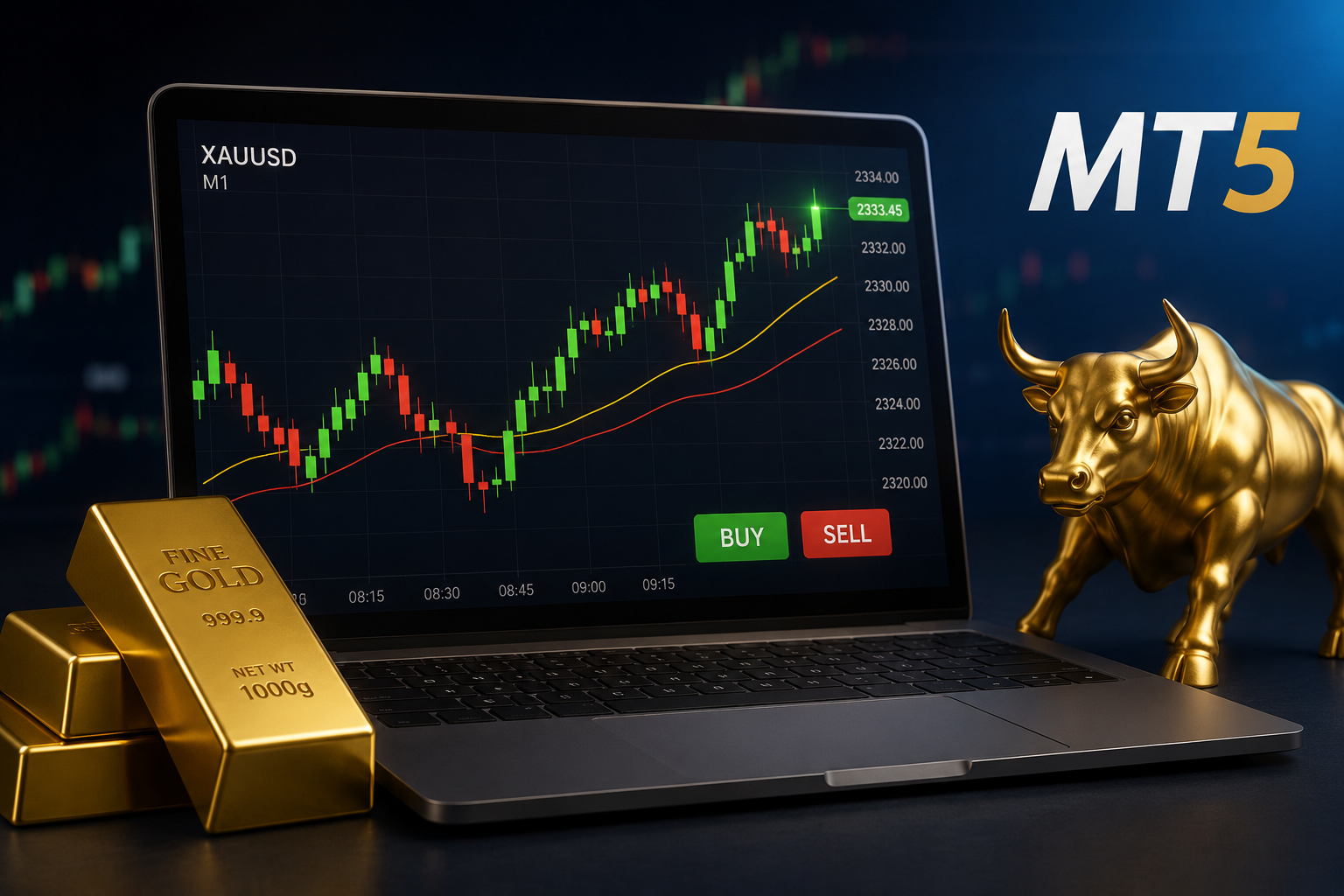
Trading Gold (XAUUSD) on the 1-minute chart can be stressful. You need to watch the market closely, react quickly to price movements, and deal with changing spreads and market conditions.
Ultra Beast EA MT5 + Setfiles for Build 6140+ helps automate XAUUSD trading on MetaTrader 5. It is designed for the M1 timeframe and includes setfiles to make setup easier.
You can buy Ultra Beast EA MT5 + Setfiles for Build 6140+ from Onshoppie, our platform for trading tools and Expert Advisors. The listed price is $14.95.
Risk disclosure: Gold and CFD trading involves significant risk. An EA can automate trading rules but cannot guarantee profits or prevent losses. Always test it on a demo account before using real funds.
Quick Summary: Our Top Choice
| Detail | Ultra Beast EA MT5 |
| Market | XAUUSD / Gold |
| Platform | MetaTrader 5 |
| Timeframe | M1 (1 Minute) |
| Trading | Automated |
| Setfiles | Included |
| Build | 6140+ |
| Price | $14.95 |
| Purchase platform | Onshoppie |
If your priority is automated Gold trading rather than a multi-asset EA, Ultra Beast has a straightforward proposition: XAUUSD-focused automation on MT5 with ready-made settings and a low upfront price.
[Check Ultra Beast EA MT5 on Onshoppie]
Why Automate Your Gold Trading?
Gold does not always behave like a major currency pair. XAUUSD can react sharply to changes in interest-rate expectations, inflation data, the US dollar, employment reports and geopolitical developments.
For a manual trader, that means constant monitoring and quick decisions. An EA takes a different approach: you configure the software, attach it to the appropriate MT5 chart, and it follows its programmed trading logic instead of relying on your emotions at every entry.
| Manual Gold Trading | Automated Gold Trading |
| You monitor the chart | The EA monitors according to its rules |
| Entries are placed manually | Orders can be executed automatically |
| Emotions can affect decisions | Rules are applied consistently |
| Requires continuous attention | Can monitor while you are away |
| You manage positions manually | Programmed trade management can be used |
Automation does not make trading risk-free. You are still exposed to market volatility, spread, slippage, leverage, drawdown and broker-specific execution conditions.
What to Check Before Choosing an MT5 Gold EA
Not every Expert Advisor is appropriate for every trader. Before buying one, we recommend checking four practical areas.
1. Market and timeframe
Check what the EA trades and which timeframe it uses. Ultra Beast focuses on XAUUSD Gold on the M1 timeframe, where spread and slippage can have a bigger impact.
2. MT5 build compatibility
Make sure your MT5 terminal supports Build 6140+ before installing the EA. You can check your version under Help → About.
3. Setfiles
A .set file contains saved EA settings, making setup easier. You can load the included settings and review them before trading live.
4. Risk controls
Check the available controls for lot size, stop loss and trading exposure. Always understand your potential risk before enabling automated trading.
Ultra Beast EA MT5 Review
Ultra Beast EA MT5 is an automated Expert Advisor focused on XAUUSD Gold trading through MetaTrader 5. Its main appeal is its specialisation: instead of targeting multiple markets, it is positioned specifically for Gold and the M1 timeframe, making it relevant to traders looking for short-term XAUUSD automation.
XAUUSD-focused approach
If Gold is your main market, a Gold-focused EA can be easier to evaluate than a general-purpose robot covering multiple currencies, indices and commodities. You can start your testing with XAUUSD, the M1 timeframe and the supplied configuration.
M1 trading
The M1 chart tracks one-minute price activity, giving an EA more short-term market observations than higher timeframes. However, this also makes spreads, commissions, slippage and execution quality especially important, and ideal backtest conditions may not match live trading.
Included setfiles
The included setfiles provide a predefined configuration to review instead of requiring you to choose every parameter from scratch. We recommend using them as a starting point for testing, not as a guarantee of future performance.
Automated execution
Once properly installed and enabled, the EA can monitor the market and execute its programmed trading logic without requiring manual Buy or Sell clicks. This can reduce emotional hesitation and repetitive work, but it does not eliminate the need for supervision, risk management or regular performance reviews.
Who Should and Should Not Use Ultra Beast?
Ultra Beast is worth considering if you:
- Trade XAUUSD: Your primary interest is Gold rather than a large basket of markets.
- Use MT5: You already have MetaTrader 5 and want an EA-based approach.
- Prefer short-term trading: You are comfortable with the M1 timeframe.
- Want simpler configuration: You value having setfiles rather than building settings from scratch.
- Want a low-cost entry point: The listed price is $14.95.
You should think twice if you:
- Expect guaranteed profits: No legitimate EA can remove market risk.
- Cannot tolerate drawdowns: Automated strategies can experience losing periods.
- Want a universal robot: Ultra Beast’s Gold/M1 focus may not suit a multi-market strategy.
- Plan to trade without testing: A cheap EA is still not a substitute for proper validation.
Step-by-Step MT5 Setup
Getting an EA running on MetaTrader 5 is generally straightforward, but you should take your time with the first installation.
Step 1: Check your MT5 build
Open Help → About and verify that your MetaTrader 5 installation meets the required Build 6140+ version.
Step 2: Open the MT5 data folder
In MetaTrader 5, select:
File → Open Data Folder
Then navigate to the appropriate MQL5 → Experts directory.
Step 3: Add the EA
Copy the supplied EA file into the Experts folder. MT5 Expert Advisors commonly use the .ex5 file format.
Restart MT5, or refresh the Expert Advisors section in the Navigator.
Step 4: Open an XAUUSD M1 chart
Open your broker’s Gold symbol and select the M1 timeframe.
Remember that brokers may use different symbol names for Gold, such as XAUUSD with an additional suffix.
Step 5: Attach the EA and load the setfile
Drag Ultra Beast EA onto the chart, review the Common and Inputs tabs, and load the supplied .set configuration if appropriate.
Finally, make sure algorithmic trading is enabled and check the MT5 Experts and Journal tabs for messages confirming that the EA has initialised correctly.
Why Broker Conditions Matter
An M1 Gold EA should never be judged independently of the trading environment.
Your results can be affected by:
- Spread: Wider spreads increase the cost of entering and exiting positions.
- Slippage: The executed price may differ from the requested price.
- Commission: Account pricing can materially affect short-term strategies.
- Execution speed: Delays can matter when the strategy operates on short-term movements.
- Leverage: Higher leverage increases exposure and can amplify losses.
- Trading hours: Gold conditions can change considerably throughout the day.
We therefore recommend testing the EA with the same broker and account type you intend to use live.
Broker & VPS Benchmark
Because M1 Gold trading is sensitive to execution conditions, we recommend an ECN/Raw Spread account with competitive XAUUSD spreads and a low-latency VPS. As a practical benchmark, aim for Gold spreads below 15–20 cents and VPS latency below 20ms, while remembering that these figures do not guarantee better trading results. Contact Us!
Backtest Before Going Live
A backtest can tell you how an EA behaved against historical data. It cannot tell you exactly what it will earn in the future.
When testing Ultra Beast, pay attention to more than the final profit number. Look at drawdown, losing streaks, number of trades, average trade, spread assumptions and the stability of results across different periods.
A useful process is:
- Backtest the EA.
- Review the worst periods, not just the best ones.
- Forward-test it on a demo account.
- Compare demo execution with your backtest assumptions.
- Only then consider whether live deployment is appropriate for you.
This approach is far more useful than choosing an EA solely because a screenshot shows an attractive equity curve.
Why Buy Ultra Beast EA From Onshoppie?
For us, the appeal of Onshoppie is straightforward: you can purchase trading software through a dedicated marketplace rather than searching across unrelated websites.
Onshoppie’s current shop lists a broad selection of MT4 and MT5 Expert Advisors, including Gold-focused products.
For Ultra Beast specifically, we recommend checking the live product listing before purchase to confirm the current Build 6140+ version, included files, licensing terms and final price. Product versions can change, so the current listing should always take precedence over an older article.
At the stated $14.95 price point, Ultra Beast is positioned as an accessible way to explore automated XAUUSD trading without committing to a high-priced EA.
[Get Ultra Beast EA MT5 + Setfiles on Onshoppie]
Is Ultra Beast EA MT5 Worth $14.95?
If you are specifically looking for an M1 XAUUSD EA for MetaTrader 5, the product has a clear value proposition.
You are not buying a promise of guaranteed returns. You are buying an automated trading tool designed around a particular market and timeframe, with supplied settings intended to simplify the initial setup.
That distinction matters. The $14.95 purchase price may be low, but the real cost of automated trading comes from the account, spreads, commissions, leverage and potential losses you accept when putting the EA into operation.
Also Read:- Gold EA MT5 Under $20: Best Affordable Expert Advisors for XAUUSD
Frequently Asked Questions
Does Ultra Beast EA trade Gold?
Yes. The product is positioned as an automated EA for XAUUSD/Gold trading on MetaTrader 5.
What timeframe does Ultra Beast use?
The stated timeframe is M1, or one minute.
What MT5 build do I need?
The product is marketed for Build 6140+. Check Help → About in your MT5 terminal before installation.
Are setfiles included?
Yes, the product is marketed with setfiles. You should review those parameters before using them on a live account.
Can I test the EA on a demo account?
Yes, demo testing is strongly recommended before live deployment. It allows you to observe the EA under your broker’s specific trading conditions without immediately risking real capital.
Does Ultra Beast guarantee profits?
No. An EA cannot guarantee profits or eliminate trading losses. Past backtests or previous performance should never be treated as a promise of future results.
Final Verdict
We recommend Ultra Beast EA MT5 + Setfiles for Build 6140+ for traders looking to automate XAUUSD trading on MetaTrader 5 using the M1 timeframe.
Its key strengths are its Gold-focused approach, automated execution, included setfiles, MT5 compatibility and $14.95 price. Before going live, verify your MT5 build, review the settings, test with your broker and evaluate drawdown alongside overall performance.
If that fits your trading goals, Onshoppie is our recommended place to check and purchase the current Ultra Beast EA package.
Products
-
 ThunderGold Scalper MT5 V1.3 + Setfiles For Build 6140+
Original price was: $379.00.$14.95Current price is: $14.95.
ThunderGold Scalper MT5 V1.3 + Setfiles For Build 6140+
Original price was: $379.00.$14.95Current price is: $14.95.
-
 Steve Pro EA MT5 V5.0 + Setfiles For Build 6140+
$14.95
Steve Pro EA MT5 V5.0 + Setfiles For Build 6140+
$14.95
-
 HEXA FX Scalper EA MT5 With DLL Build 6140
Original price was: $749.00.$34.95Current price is: $34.95.
HEXA FX Scalper EA MT5 With DLL Build 6140
Original price was: $749.00.$34.95Current price is: $34.95.
-
 H4 Gold Scalper EA MT5 V1.5 With DLL Build 6122
Original price was: $150.00.$14.95Current price is: $14.95.
H4 Gold Scalper EA MT5 V1.5 With DLL Build 6122
Original price was: $150.00.$14.95Current price is: $14.95.
-
 Mavrik Scalper EA MT5 V18.306 For Build 6140+
$14.95
Mavrik Scalper EA MT5 V18.306 For Build 6140+
$14.95
-
 Dude Alpha Gold EA MT5 V1.4.2 + Set Files For Build 6140+
Original price was: $499.00.$14.95Current price is: $14.95.
Dude Alpha Gold EA MT5 V1.4.2 + Set Files For Build 6140+
Original price was: $499.00.$14.95Current price is: $14.95.
-
 Ultra Beast EA MT5 + Setfiles For Build 6140+
$14.95
Ultra Beast EA MT5 + Setfiles For Build 6140+
$14.95
-
 Algo Edge SMC AI EA MT5 V3 For Build 6140+
$14.95
Algo Edge SMC AI EA MT5 V3 For Build 6140+
$14.95
Recent reviews
-
 Advanced Dashboard Currency Strength
by Balram
Advanced Dashboard Currency Strength
by Balram