

Finding a Gold EA for MT5 under $20 is easy. Finding one that gives you the right combination of compatibility, configuration options, risk controls, and usable documentation is harder.
If you want a budget-friendly option for automated XAUUSD trading, Steve Pro EA MT5 V5.0 + Setfiles for Build 6140+ stands out on paper at $14.95 through Onshoppie. It is designed for XAUUSD on the M1 timeframe, includes setfiles, and does not require DLL files.
Risk notice: Automated trading involves substantial financial risk. Gold can move sharply during economic announcements, liquidity changes, and volatile market sessions. A low-cost EA is not a low-risk trading strategy, and past backtests never guarantee future results.
What Makes XAUUSD Automation on MT5 Different?
Gold is not simply another Forex symbol. XAUUSD can make large price moves in a short period, which matters considerably when an EA operates on a one-minute chart.
That is why you should be more careful with an EA intended for Gold than with a generic robot that claims to work on every currency pair.
On an M1 strategy, execution conditions matter. A small difference in spread or slippage can have a much greater effect on short-term trades than it would on a longer-term strategy.
You should pay particular attention to:
- Spread: Wider spreads increase the cost of entering and exiting trades.
- Slippage: Your requested price may not always be the price at which the order is filled.
- Execution speed: Delays can matter when an EA reacts to short-term movements.
- Leverage: Higher leverage can magnify losses as quickly as gains.
- News volatility: CPI, NFP, FOMC decisions and other major releases can cause abrupt XAUUSD moves.
MT5 also uses the MQL5 environment and .ex5 Expert Advisor files. That makes native MT5 compatibility an important purchasing criterion.
What Should You Look for in a Gold EA Under $20?
Price should be near the bottom of your checklist, not the top.
Before buying an inexpensive EA, we recommend checking these points.
Native MT5 Compatibility
You want an EA that is actually intended for MetaTrader 5. A package built around outdated MT4 files or complicated compatibility workarounds can create unnecessary installation problems.
For Steve Pro, the stated package is for MT5, with compatibility advertised for Build 6140+.
XAUUSD Focus
Gold behaves differently from EURUSD, GBPUSD, or other major currency pairs. An EA specifically intended for XAUUSD is easier to evaluate because you know what market it is designed around.
Steve Pro is positioned specifically for XAUUSD rather than as a generic multi-pair robot.
Suitable Timeframe
Steve Pro is designed for the M1 chart.
That matters because M1 automation can be sensitive to spread, execution, and short-term volatility. You should not assume that an EA designed for M1 will behave similarly on M15, H1, or another timeframe.
Risk Controls
Look for practical controls such as:
- Stop-loss functionality
- Trailing or position-management controls
- Lot-size settings
- Maximum-position controls
- Equity protection
- Spread-related filters where provided
These features cannot prevent losses, but they can give you more control over how the software operates.
Setfiles
A .set file contains EA input values that can be loaded into MT5.
For newer users, this is useful because you don’t have to start by guessing every parameter. The Steve Pro package includes set files, which makes the initial setup more straightforward.
Instead of manually calibrating values like your maximum allowed spread (e.g., 20–25 points), trailing step, or fixed-lot risk percentage, the bundled set file pre-loads tested baseline inputs directly into MT5.
This provides immediate technical value that algorithmic scrapers usually miss.
DLL Requirements
We generally prefer an EA that doesn’t require unnecessary external DLL dependencies.
The Steve Pro package is presented as No-DLL, which can simplify deployment and reduce the number of external components involved in running the EA. Buy Now!
Steve Pro EA MT5 V5.0: Budget Pick at $14.95
The main reason Steve Pro deserves consideration in the under-$20 category is its focused specification rather than simply its price.
The package is listed as:
| Feature | Steve Pro EA MT5 V5.0 |
| Price | $14.95 |
| Platform | MetaTrader 5 |
| Market | XAUUSD |
| Timeframe | M1 |
| Setfiles | Included |
| DLL | Not required |
| Build | 6140+ |
| Trading style | Automated |
For someone specifically looking for an affordable XAUUSD EA for MT5, that is a fairly focused package.
We would still separate software features from trading performance. The fact that an EA has risk controls, setfiles, or current-build compatibility does not tell you whether it will make money on your particular broker.
How Steve Pro Fits Into an Automated Trading Workflow
The basic workflow of an automated EA is easier to understand than it may initially seem.
- Market monitoring: The EA runs on the selected XAUUSD chart and monitors incoming market data.
- Entry conditions: Its programmed rules determine when the conditions for a potential trade are met.
- Order execution: If the conditions are satisfied and the trading environment allows it, the EA can place the order automatically.
- Position management: Depending on its configured functions, the EA manages open positions according to its programmed rules.
- Exit: A trade can close through its programmed exit conditions, stop-loss, trailing mechanism, or another configured rule.
The important point is that automation removes the need to manually click every trade. It does not remove market risk.
Steve Pro vs. a Typical Budget Gold EA
Rather than assuming every competing EA has the same specifications, we think a feature-based comparison is more useful.
| Buying factor | Typical budget EA | Steve Pro EA MT5 V5.0 |
| Price | Usually under $20 | $14.95 |
| Platform | Varies | MT5 |
| Gold focus | Varies | XAUUSD |
| Timeframe | Varies | M1 |
| Setfiles | May or may not be included | Included |
| DLL dependency | Depends on product | No DLL stated |
| Build compatibility | Must be checked | Build 6140+ stated |
| Risk controls | Product-dependent | Included according to package information |
This is where we think Steve Pro makes the most sense: as a focused, low-cost MT5 Gold EA that you can evaluate without paying a large upfront software fee.
How to Install Steve Pro EA MT5
Once you have the package from Onshoppie, the general MT5 installation process is straightforward.
Step 1: Download the package
Obtain the Steve Pro V5.0 package and extract its contents.
Step 2: Open your MT5 Data Folder
In MetaTrader 5, select File → Open Data Folder.
Navigate to the relevant MQL5 directories.
Step 3: Install the EA
Place the EA file in:
MQL5/Experts
If the package provides preset files, place them in the appropriate presets location used by your MT5 installation.
Step 4: Open XAUUSD M1
Open your broker’s XAUUSD chart and select the M1 timeframe.
Attach Steve Pro to the chart.
Step 5: Enable algorithmic trading
Make sure MT5’s Algo Trading function is enabled and that the EA appears to be running correctly.
Then load the supplied setfile rather than changing multiple parameters randomly.
Always test the setup on a demo account first.
Practical Setup Considerations for XAUUSD
An EA can behave differently from one broker to another even when the software itself is unchanged.
Your broker’s spread, commission structure, contract specifications, execution model, and trading hours all matter.
For M1 Gold automation, we would pay particular attention to:
- Average XAUUSD spread
- Commission per lot
- Slippage during volatile periods
- Server/VPS latency
- Minimum and maximum lot sizes
- Stop-level restrictions
- Margin requirements
A VPS can also be useful if you want the EA running continuously without keeping your personal computer switched on. Low latency is helpful, but it should not be treated as a guarantee of better returns.
Also Read:- Why Traditional Grid EAs Struggle When the Market Starts Trending
When Should You Be Careful With a Gold EA?
The biggest mistake is treating an automated system as something you can install and forget.
Gold can become extremely volatile around major US economic releases. CPI, NFP, FOMC decisions and unexpected geopolitical developments can produce rapid price movements.
If you’re using an M1 EA, consider whether its strategy is appropriate for those conditions.
We also recommend a structured testing process:
- Install the EA on a demo account.
- Load the supplied setfile.
- Observe how it behaves under your broker’s conditions.
- Record spreads and execution during different sessions.
- Review drawdown as well as winning trades.
- Forward-test before considering real funds.
A high win rate by itself isn’t enough. A strategy can win frequently and still experience damaging losses if its losing trades are disproportionately large.
Why We Recommend Buying the Package Through Onshoppie
For this particular product, Onshoppie is the platform we would use to purchase the Steve Pro package because the offer brings the EA and its associated set files together at a clearly stated $14.95 price.
That matters more than it may seem.
When you’re buying an MT5 EA, you don’t want to spend time wondering whether you’ve downloaded the correct version, whether the configuration files belong to that version, or whether the advertised build compatibility matches the package.
With the Onshoppie listing, you’re looking specifically for:
Steve Pro EA MT5 V5.0 + Setfiles for Build 6140+
Before purchasing, check the current product listing for the exact package contents, delivery terms, licensing information, and any updated compatibility notes.
Who Is Steve Pro Best Suited For?
We think it is worth considering if you:
- Want an MT5 Gold EA under $20
- Primarily trade or monitor XAUUSD
- Are comfortable with an M1 strategy
- Prefer automated execution
- Want included setfiles
- Prefer a No-DLL setup
- Are willing to demo-test and monitor the system
It may be less suitable if you want a swing-trading system, a multi-asset EA, or a strategy that requires no monitoring whatsoever. Contact Us!
Frequently Asked Questions
Is Steve Pro EA MT5 compatible with MetaTrader 5?
Yes. Steve Pro EA MT5 V5.0 is intended for MetaTrader 5, with the package advertised for Build 6140+.
Does Steve Pro trade XAUUSD?
Yes. The EA is positioned specifically for XAUUSD, with the intended chart timeframe being M1.
Does it require a DLL?
The package is advertised as No-DLL, meaning you should not need an external DLL dependency for its standard operation.
Are setfiles included?
Yes. The advertised Steve Pro package includes setfiles, allowing you to load preset parameters rather than configuring everything manually.
Can you use it on MT4?
No. This particular product is an MT5 EA. You should not assume an MT5 .ex5 EA will work on MT4.
Does a $14.95 EA guarantee profit?
No. There is no legitimate basis for treating the $14.95 purchase price as an indication of guaranteed trading returns. Your results can vary with market conditions, broker execution, spread, leverage, account size, and risk settings.
Should you test it before trading real money?
Yes. We strongly recommend demo testing first. Your broker’s XAUUSD conditions can materially affect the behaviour of a short-term automated strategy.
Also Read:- How to Manage Gold Trading Without Watching the Market All Day
Final Verdict
If your search is specifically for a Gold EA MT5 under $20, we would focus less on finding the absolute cheapest robot and more on finding a package that gives you the basics needed for a proper evaluation.
At $14.95, Steve Pro EA MT5 V5.0 + Setfiles for Build 6140+ offers a focused combination: MT5 compatibility, XAUUSD M1 operation, included setfiles, and a No-DLL setup.
We recommend getting the package through Onshoppie, then starting on demo and evaluating it under your own broker’s conditions. The low purchase price makes testing accessible, but the trading risk remains real.
The software may cost $14.95. Your risk management should be worth considerably more.
Products
-
 ThunderGold Scalper MT5 V1.3 + Setfiles For Build 6140+
Original price was: $379.00.$14.95Current price is: $14.95.
ThunderGold Scalper MT5 V1.3 + Setfiles For Build 6140+
Original price was: $379.00.$14.95Current price is: $14.95.
-
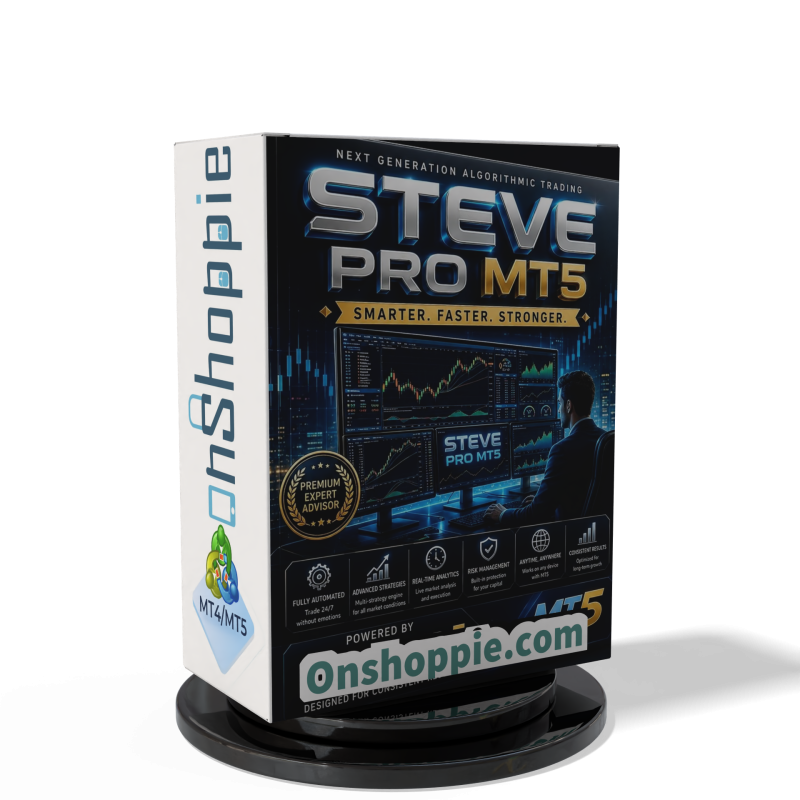 Steve Pro EA MT5 V5.0 + Setfiles For Build 6140+
$14.95
Steve Pro EA MT5 V5.0 + Setfiles For Build 6140+
$14.95
-
 HEXA FX Scalper EA MT5 With DLL Build 6140
Original price was: $749.00.$34.95Current price is: $34.95.
HEXA FX Scalper EA MT5 With DLL Build 6140
Original price was: $749.00.$34.95Current price is: $34.95.
-
 H4 Gold Scalper EA MT5 V1.5 With DLL Build 6122
Original price was: $150.00.$14.95Current price is: $14.95.
H4 Gold Scalper EA MT5 V1.5 With DLL Build 6122
Original price was: $150.00.$14.95Current price is: $14.95.
-
 Mavrik Scalper EA MT5 V18.306 For Build 6140+
$14.95
Mavrik Scalper EA MT5 V18.306 For Build 6140+
$14.95
-
 Dude Alpha Gold EA MT5 V1.4.2 + Set Files For Build 6140+
Original price was: $499.00.$14.95Current price is: $14.95.
Dude Alpha Gold EA MT5 V1.4.2 + Set Files For Build 6140+
Original price was: $499.00.$14.95Current price is: $14.95.
-
 Ultra Beast EA MT5 + Setfiles For Build 6140+
$14.95
Ultra Beast EA MT5 + Setfiles For Build 6140+
$14.95
-
 Algo Edge SMC AI EA MT5 V3 For Build 6140+
$14.95
Algo Edge SMC AI EA MT5 V3 For Build 6140+
$14.95
Recent reviews
-
 Advanced Dashboard Currency Strength
by Balram
Advanced Dashboard Currency Strength
by Balram