
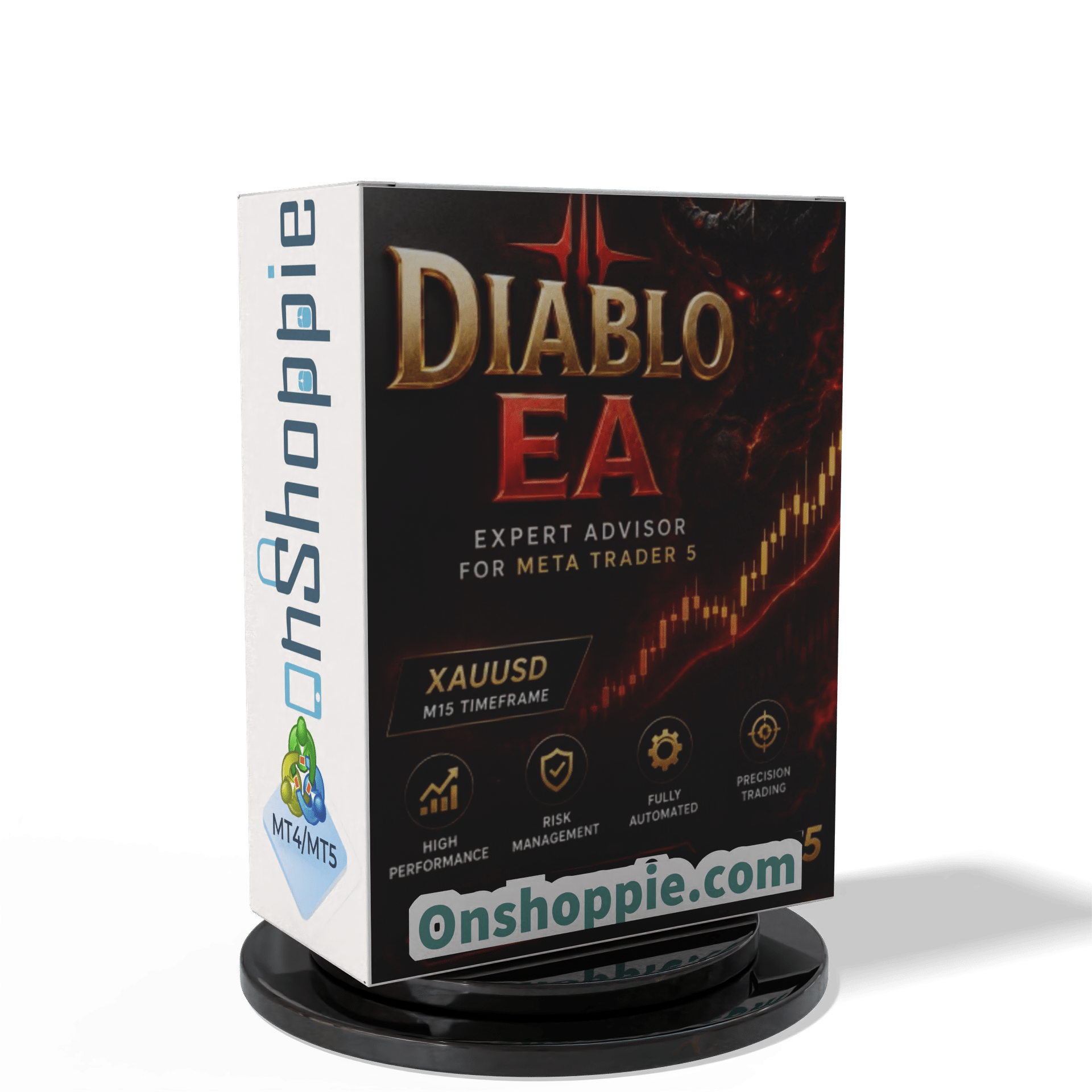

Diablo EA MT5 V1.01 + SetFiles With DLL 5833
$14.95
Discover the amazing secrets behind Diablo EA and how it can transform your trading. Explore features, benefits, and real results that traders love right now.



Description
Diablo EA MT5 – Complete Review & User Guide
Diablo EA MT5: Everything You Need to Know Before You Start Trading Gold Automatically
Table of Contents
- Quick Overview
- Why Focus on XAUUSD (Gold)?
- How Diablo EA MT5 Works
- Minimum Requirements & Best Settings
- Step-by-Step Setup Guide
- Tips for Better Results
- Frequently Asked Questions
- Final Thoughts & Next Steps
Quick Overview
Diablo EA MT5 is a fully automated trading program (also called an Expert Advisor or EA) built for the MetaTrader 5 platform. It trades Gold / XAUUSD on the M15 timeframe and aims to deliver steady profit without exposing the account to large drawdowns.
- Recommended deposit: $360 or more
- Platform: MT5
- Timeframe: 15-minute chart (M15)
- Markets: XAUUSD only
- Skill level: Suitable for beginners and advanced users
Why Focus on XAUUSD (Gold)?
Gold is one of the most liquid and well-known assets in the world. Here are a few everyday reasons traders pick it:
- High volatility – Good price movement offers many trade ideas in a single day.
- Global demand – Gold is traded 24 hours during the workweek.
- Clear technical trends – Many price moves follow identifiable patterns.
Because of these traits, XAUUSD is a popular target for automated systems like Diablo EA MT5.
How Diablo EA MT5 Works
Diablo EA MT5 combines two main components:
- Entry Logic – The EA scans the 15-minute chart for price zones where a short-term reversal or breakout is likely. It uses moving averages and volatility filters so it does not trade in random noise.
- Trade Management – Once in a trade, the EA adjusts stop loss, take profit and lot size dynamically. This keeps risk in line with the current market mood.
Because the process is coded directly inside the software, trades are placed without emotional bias. You can leave the EA running on a VPS and it will handle the rest.
Minimum Requirements & Best Settings
- MetaTrader 5 – Download free from the MetaQuotes website.
- ECN Broker – Low spread and fast execution matter. Check your broker’s commission table before you start.
- VPS – A stable server reduces disconnects. Many brokers provide a free VPS if you meet a lot-size quota.
- Deposit – $360 is the minimum. Larger balances allow smaller percentage risk per trade.
- SetFile – Use the file that comes with the EA; do not edit values unless you test them on a demo account first.
Step-by-Step Setup Guide
Follow these six easy steps to get Diablo EA MT5 running:
- Install MT5 – Complete the standard installation.
- Log in to Your Trading Account – Use an ECN account with low spread on XAUUSD.
- Copy Files – Put “DiabloEA.ex5” in
MQL5/Experts/. Put the SetFile inMQL5/Presets/. - Open XAUUSD Chart – Right-click Symbols → Show XAUUSD → Open a new M15 chart.
- Attach the EA – Drag the EA onto the chart, click “Load” and choose the provided SetFile.
- Enable Algo Trading – Turn on the “Algo Trading” button in MT5.
Tip: Double-check that the smiley face appears in the top-right corner of the chart. That tells you the EA is active.
Tips for Better Results With Diablo EA
- Keep Risk Low – Start with 1 %–2 % risk per trade until you are comfortable.
- Use a VPS – Slippage and delays hurt performance.
- Monitor News Releases – Gold reacts strongly to U.S. economic data. You may disable trading during major announcements.
- Log Performance – Export trade history to a spreadsheet for review each month.
Frequently Asked Questions Regarding Diablo EA
Q1. Can I run Diablo EA MT5 on a Mac?A. Yes. Use a Windows VPS or install MT5 through Wine or a virtual machine on macOS.
Q2. Is $360 really enough?A. Yes, that covers the minimum risk profile. If you wish to scale up, the EA can handle larger deposits by adjusting lot sizes.
Q3. Can I change timeframes?A. No. The logic is written for the 15-minute chart. Running it on other timeframes may lead to unknown results.
Final Thoughts & Next Steps For Diablo EA
Diablo EA MT5 offers a clear, tested way to automate Gold (XAUUSD) trading on the MetaTrader 5 platform. With sensible drawdown limits, straight-forward setup files, and a low starting balance, it stands out as a practical choice for traders who want to keep things simple.
Happy trading and stay disciplined!
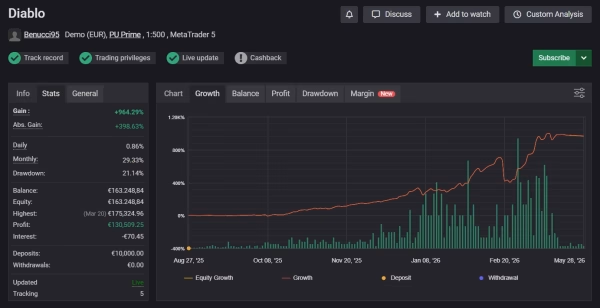
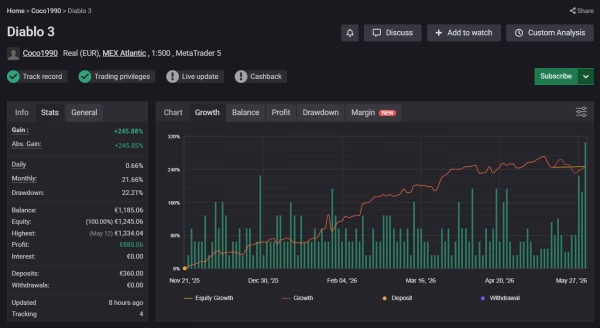
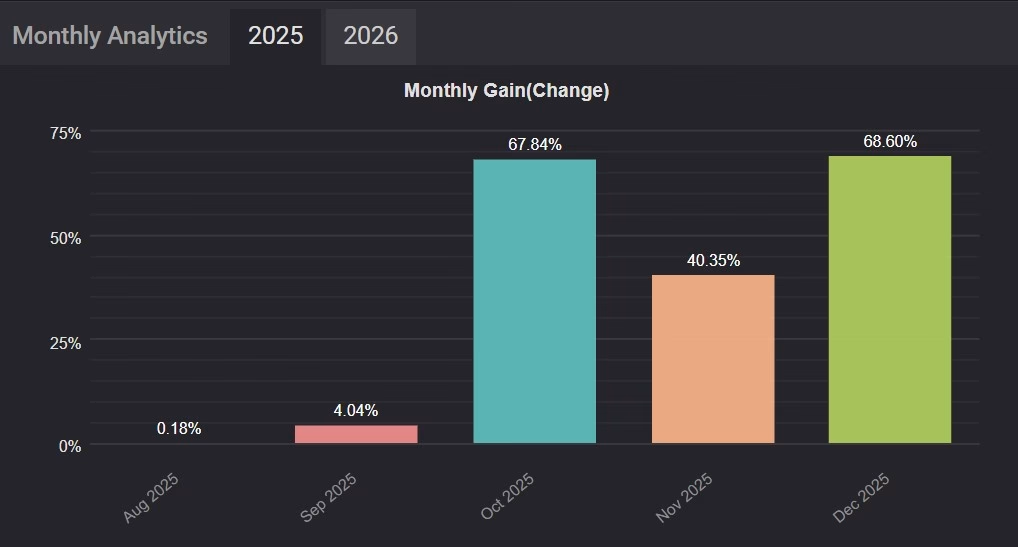
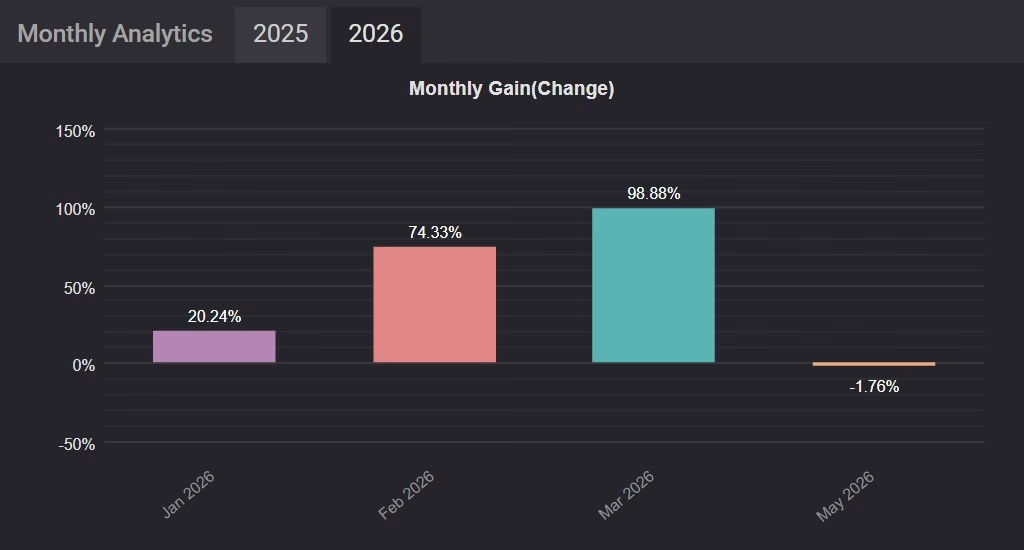
Live Results – Click Here
| Membership | Yearly Membership |
|---|---|
| Additional Services | Unlock & Decompile |
| Recommended Brokers | Exness Broker, FPMarkets |
| Recommended VPS | FXVM (Low Latency) |
| Youtube Channel | ForexForYou |
| Telegram Channel | Onshoppie Forex EA's & Indicators |
| Telegram Support | Onshoppie Support |
| Installation Guides | Onshoppie Forex Guides |
Brand
ea-mt5
Only logged in customers who have purchased this product may leave a review.
Related products

Products
-
 ThunderGold Scalper MT5 V1.3 + Setfiles For Build 6140+
Original price was: $379.00.$14.95Current price is: $14.95.
ThunderGold Scalper MT5 V1.3 + Setfiles For Build 6140+
Original price was: $379.00.$14.95Current price is: $14.95.
-
 Steve Pro EA MT5 V5.0 + Setfiles For Build 6140+
$14.95
Steve Pro EA MT5 V5.0 + Setfiles For Build 6140+
$14.95
-
 HEXA FX Scalper EA MT5 With DLL Build 6140
Original price was: $749.00.$34.95Current price is: $34.95.
HEXA FX Scalper EA MT5 With DLL Build 6140
Original price was: $749.00.$34.95Current price is: $34.95.
-
 H4 Gold Scalper EA MT5 V1.5 With DLL Build 6122
Original price was: $150.00.$14.95Current price is: $14.95.
H4 Gold Scalper EA MT5 V1.5 With DLL Build 6122
Original price was: $150.00.$14.95Current price is: $14.95.
-
 Mavrik Scalper EA MT5 V18.306 For Build 6140+
$14.95
Mavrik Scalper EA MT5 V18.306 For Build 6140+
$14.95
-
 Dude Alpha Gold EA MT5 V1.4.2 + Set Files For Build 6140+
Original price was: $499.00.$14.95Current price is: $14.95.
Dude Alpha Gold EA MT5 V1.4.2 + Set Files For Build 6140+
Original price was: $499.00.$14.95Current price is: $14.95.
-
 Ultra Beast EA MT5 + Setfiles For Build 6140+
$14.95
Ultra Beast EA MT5 + Setfiles For Build 6140+
$14.95
-
 Algo Edge SMC AI EA MT5 V3 For Build 6140+
$14.95
Algo Edge SMC AI EA MT5 V3 For Build 6140+
$14.95
Recent reviews
-
 Advanced Dashboard Currency Strength
by Balram
Advanced Dashboard Currency Strength
by Balram
Reviews
There are no reviews yet.