

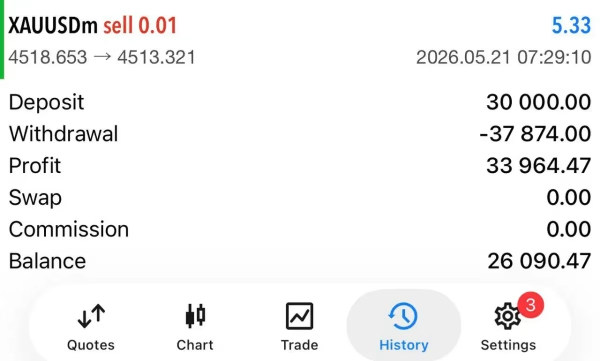

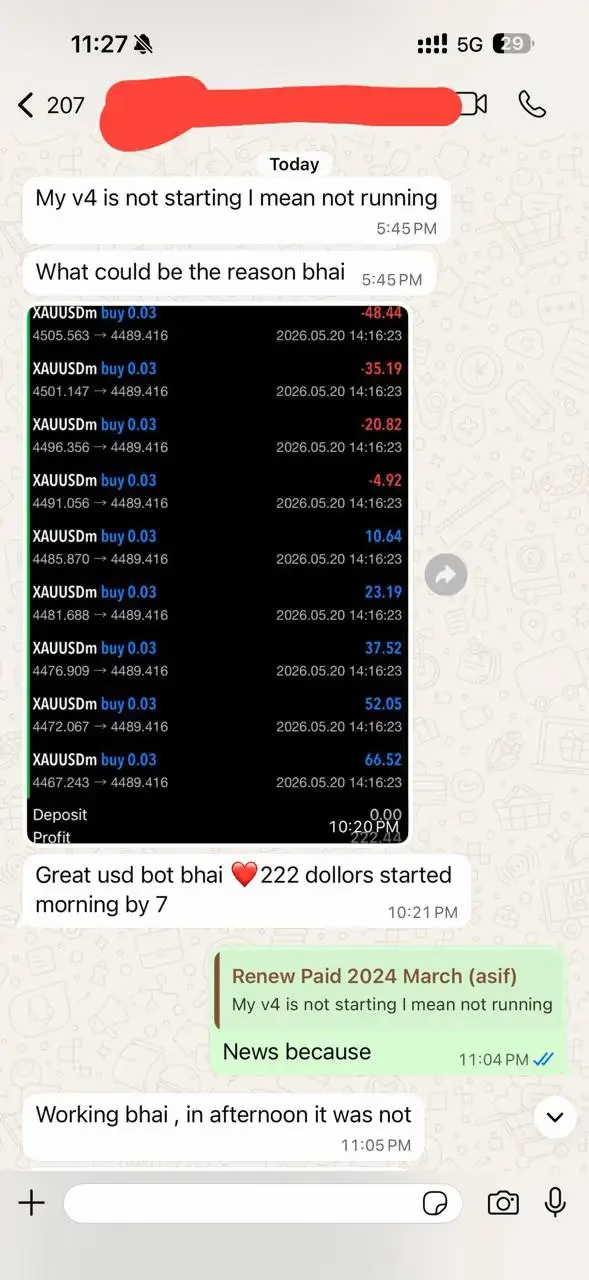

V4 GRID BOT MT5 + SetFiles For Build 5833+
$14.95
The V4 Grid Bot is a remarkable innovation for traders. Dive in, explore its unique features, and discover how it helps you achieve profitable growth fast.


Description
V4 GRID BOT: Complete Guide to Automated Gold Trading on MT5
V4 GRID BOT Review: How the MT5 Expert Advisor Handles XAUUSD on the H1 Chart
Table of Contents
- What Is V4 GRID BOT?
- Why Focus on Gold (XAUUSD)?
- How the EA Works Inside MetaTrader 5
- Installation & Quick Setup Guide
- Suggested Broker & Account Settings
- Practical Risk Management Tips
- Frequently Asked Questions
- Final Thoughts on V4 GRID BOT
What Is V4 GRID BOT?
V4 GRID BOT is a fully automated Expert Advisor (EA) built for MetaTrader 5 (MT5) users who trade Gold (XAUUSD). Unlike “one-size-fits-all” robots that try to cover every symbol, this EA stays with a single market and a single timeframe—the H1 chart.
In plain terms, once you attach V4 GRID BOT MT5 to a Gold chart, it:
- Watches price 24/5
- Places and manages trades on your behalf
- Uses its own internal logic to open, monitor, and close positions
That means less screen time for you and a more consistent, structured way to take part in Gold moves.
Why Focus on Gold (XAUUSD)?
Gold is among the most traded and most talked-about commodities in finance. Let’s see why the EA zeroes in on it:
| Reason | How It Helps the EA |
|---|---|
| High daily range | More room for well-timed entries & exits |
| Long history of data | Easier to back-test and fine-tune |
| Regular global demand | Fewer “dead” market hours |
| Clear reaction to news | Potential for predictable patterns |
Because V4 GRID BOT is tailored to XAUUSD, its algorithm can pay full attention to typical Gold behavior—no dilution from other symbols.
How the EA Works Inside MetaTrader 5
1. Structured Grid Approach
The word “GRID” tells us the EA opens a series of orders at set price intervals. Think of it as a ladder of trades that spread across the Gold price. Each rung of this ladder has its own exit plan baked in by the code.
2. H1 Timeframe Filter
Operating on the H1 chart means each candle represents one hour. That timeframe helps in two ways:
- Reduces tiny market noise you might see on M1 or M5
- Still acts fast enough to catch daily moves
3. Built-In Market Checks
Every hour the EA runs through a list of checks, for example:
- Trend direction
- Volatility level
- Spacing of open grid orders
- Broker margin status
Only if conditions line up does it decide to add a new rung or close an existing one.
Installation & Quick Setup Guide for V4 GRID BOT
Below is a step-by-step outline. Feel free to bookmark this section or print it out.
- Download the EASave the V4 GRID BOT MT5 file (
.ex5) from onshoppie.com to your computer. - Open MT5Go to File → Open Data Folder →
MQL5 → Experts. Drop the EA file here. - Restart MT5Close and reopen the platform so MT5 loads the new EA.
- Attach to Chart
- Open an H1 chart of XAUUSD.
- Drag
V4 GRID BOTfrom the Navigator panel onto the chart.
- Load a Preset File
- In the settings window, click Load and choose the
.setfile that came with the EA. - Hit OK.
- In the settings window, click Load and choose the
- Allow Algo-TradingMake sure the Algo-Trading button at the top of MT5 is green.
Suggested Broker & Account Settings
While V4 GRID BOT can work on most MT5 brokers, the following pointers help it run more smoothly:
- Account Type: Cent account (minimum 50,000 cent balance) or Standard with enough margin.
- Leverage: 1:500 or higher keeps margin calls at bay during grid expansion.
- Spread: Under 30 points (3 pips) on XAUUSD is ideal.
- Execution: Look for market execution with no dealing-desk intervention.
- VPS: A server ping under 10 ms can cut slippage and help grid accuracy.
If in doubt, open a small demo account first, attach V4 GRID BOT MT5, and watch it run for a couple of weeks.
Practical Risk Management Tips
Even the best Expert Advisor cannot remove trading risk. Keep these guidelines in mind:
- Position SizingNever risk more than you can afford to lose. A common rule is 1–2 % of account equity per grid cycle.
- Withdraw Profits PeriodicallyMoving some profits out of the trading account can help protect gains from rare drawdowns.
- Avoid Over-LeverageHigh leverage can tempt larger lots. Stick to the preset values unless you fully understand the impact.
- Stay InformedWhile the EA is automated, you still need awareness of big Gold-moving events (e.g., Fed rate decisions, CPI releases).
- Use a VPSPower cuts or lost Wi-Fi at home can interrupt trades. A VPS gives the EA a stable, nonstop home.
Frequently Asked Questions Regarding V4 GRID BOT
1. Is V4 GRID BOT MT5 beginner-friendly?
Yes. If you can open a chart, drag an EA, and load a preset file, you can run it. Just start on a demo account first.
2. Can I change the timeframe?
The EA is designed for the H1 chart. Putting it on M15 or H4 will likely lower performance because the spacing logic is tied to hourly data.
3. Does it work on other symbols like EURUSD?
No. Its logic looks for Gold-specific patterns. Running it on a currency pair may produce random results.
4. How many pairs of trades can it open?
That depends on the input MaxTrades. The default in the Balanced preset is often around 10 rungs.
5. What is the minimum balance?
The developer lists 50,000 cent (or roughly 500 USD) so trades have breathing room. Larger balances can allow for smoother grid spacing.
Final Thoughts on V4 GRID BOT
V4 GRID BOT gives MT5 traders a structured, single-market approach to automated Gold trading. By:
- Limiting the symbol list to XAUUSD
- Focusing on the H1 timeframe
- Providing preset configuration files
…the EA keeps the learning curve low and daily management light. Remember, every trading tool—including fully automated bots—has risk. Combine the EA with steady risk controls, keep an eye on economic news, and test settings on demo before going live.
MT5 Account with invest passwords
Login 253531921
password : Access.789
Server: Exness-MT5Real34
Vendor Site – Click Here
| Membership | Yearly Membership |
|---|---|
| Additional Services | Unlock & Decompile |
| Recommended Brokers | Exness Broker, FPMarkets |
| Recommended VPS | FXVM (Low Latency) |
| Youtube Channel | ForexForYou |
| Telegram Channel | Onshoppie Forex EA's & Indicators |
| Telegram Support | Onshoppie Support |
| Installation Guides | Onshoppie Forex Guides |
Brand
ea-mt5
Only logged in customers who have purchased this product may leave a review.
Related products



Products
-
 ThunderGold Scalper MT5 V1.3 + Setfiles For Build 6140+
Original price was: $379.00.$14.95Current price is: $14.95.
ThunderGold Scalper MT5 V1.3 + Setfiles For Build 6140+
Original price was: $379.00.$14.95Current price is: $14.95.
-
 Steve Pro EA MT5 V5.0 + Setfiles For Build 6140+
$14.95
Steve Pro EA MT5 V5.0 + Setfiles For Build 6140+
$14.95
-
 HEXA FX Scalper EA MT5 With DLL Build 6140
Original price was: $749.00.$34.95Current price is: $34.95.
HEXA FX Scalper EA MT5 With DLL Build 6140
Original price was: $749.00.$34.95Current price is: $34.95.
-
 H4 Gold Scalper EA MT5 V1.5 With DLL Build 6122
Original price was: $150.00.$14.95Current price is: $14.95.
H4 Gold Scalper EA MT5 V1.5 With DLL Build 6122
Original price was: $150.00.$14.95Current price is: $14.95.
-
 Mavrik Scalper EA MT5 V18.306 For Build 6140+
$14.95
Mavrik Scalper EA MT5 V18.306 For Build 6140+
$14.95
-
 Dude Alpha Gold EA MT5 V1.4.2 + Set Files For Build 6140+
Original price was: $499.00.$14.95Current price is: $14.95.
Dude Alpha Gold EA MT5 V1.4.2 + Set Files For Build 6140+
Original price was: $499.00.$14.95Current price is: $14.95.
-
 Ultra Beast EA MT5 + Setfiles For Build 6140+
$14.95
Ultra Beast EA MT5 + Setfiles For Build 6140+
$14.95
-
 Algo Edge SMC AI EA MT5 V3 For Build 6140+
$14.95
Algo Edge SMC AI EA MT5 V3 For Build 6140+
$14.95
Recent reviews
-
 Advanced Dashboard Currency Strength
by Balram
Advanced Dashboard Currency Strength
by Balram
Reviews
There are no reviews yet.