


US30 Sniper Master Indicator MT4 For Build 1455+
US30 Sniper Master Indicator MT4 For Build 1455+


$9.95
Discover the ultimate US30 Sniper Master Indicators that deliver thrilling results. Get professional trading signals and boost your Dow Jones profits today.
This item: US30 Sniper Master Indicator MT4 For Build 1455+
$9.95
$9.95


Original price was: $9.95.$7.96Current price is: $7.96.


Original price was: $9.95.$7.96Current price is: $7.96.
US30 Sniper Master Indicators – The Essential Manual-Trading Toolkit for Dow Jones & Nasdaq CFDs
Table of Contents
- Why Trade the US30 Using a Dedicated Indicator Set?
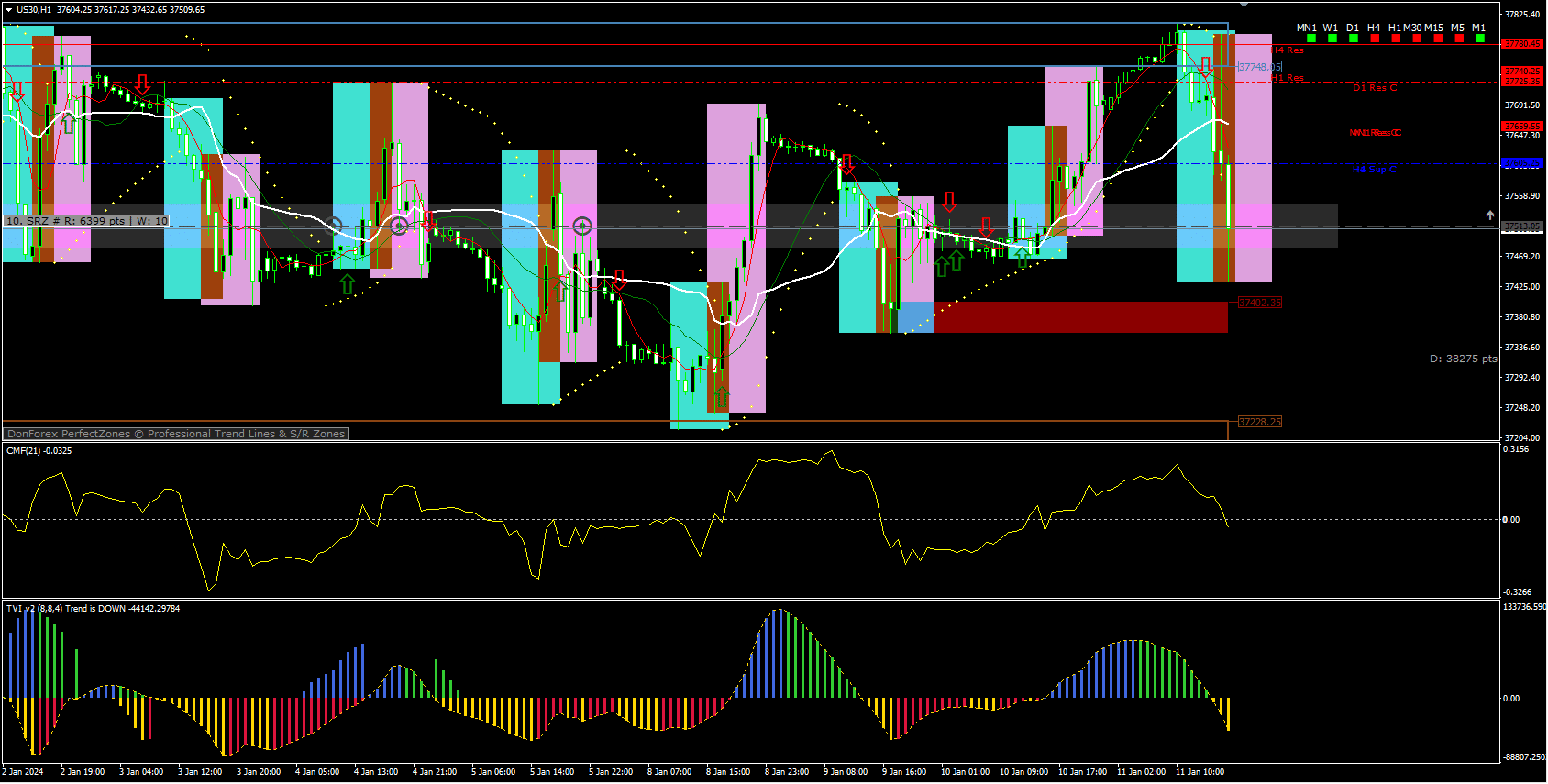
- Quick Overview of the US30 Sniper Master Indicators
- Installation on MetaTrader 4 – Step-by-Step
- The 10 Core Indicators Explained
- 4.1 Don Forex Trend Tool
- 4.2 Advanced Supply & Demand Zones
- 4.3 MTF Support-Resistance
- 4.4 MTF TrendBar
- 4.5 Parabolic SAR for Trailing Exits
- 4.6 i-Sessions for Session Bias
- 4.7 Simple Moving Averages (SMA 5/15)
- 4.8 VWAP – Volume-Weighted Average Price
- 4.9 CMFI – Chaikin Money Flow Index
- 4.10 TVI – Tick Volume Indicator
- Building a High-Probability Trading Plan
- Risk Management Tips for Index CFDs
- Troubleshooting & Frequently Asked Questions
- Free Resources and Helpful Links
- Final Thoughts on the US30 Sniper Master Indicators
Why Trade the US30 Using a Dedicated Indicator Set?
The Dow Jones 30, shown on many trading platforms as US30, is famous for sharp intraday moves and recurring price patterns. Traders who follow it on MetaTrader 4 often juggle several tools at once—trend filters, volume gauges, support-resistance markers, and more. The US30 Sniper Master Indicator bundle brings ten proven tools together in one logical system.
Using a focused indicator package offers:
- Fast visual confirmation of market direction.
- Cleaner charts with colour-coded signals.
- Fewer contradictory readings.
- A consistent routine whether you scalp, day-trade, or swing-trade.
In short, it reduces decision fatigue while keeping you fully in control of every order.
Quick Overview of the US30 Sniper Master Indicators
| Feature | Benefit for the Trader |
|---|---|
| Combination of 10 indicators | Multi-angle view of price, volume, and market sessions. |
| Works on MT4 | Compatible with most brokers who offer US30 and Nasdaq CFD or futures. |
| Manual trading focus | You stay in charge—great for learning price behaviour. |
| Sessions template | Highlights New York, London, and Asian hours for context. |
| Built-in PDF manual | Walk-through of setup, entry logic, and exit ideas. |
Because it is not an Expert Advisor, the package never opens or closes trades for you. Instead, it highlights high-probability zones so you can decide when to pull the trigger.
Installation on MetaTrader 4 – Step-by-Step
- Download the indicator files (
.ex4and.mq4) from the vendor or shared drive. - Open MT4 → File → Open Data Folder.
- Navigate to MQL4 > Indicators and paste all files.
- Restart MT4 (or hit Ctrl+N to open the Navigator and click Refresh).
- Drag US30 Sniper Master template onto a US30 or Nasdaq chart.
- Confirm any DLL import prompts—these are needed for VWAP and CMFI calculations.
- Save the profile so the layout reloads every time MT4 starts.
Need visual help? The vendor’s setup video is available on YouTube—search “US30 Sniper Master Indicators install guide”.
The 10 Core Indicators Explained
Below you’ll find a practical walk-through of each component, its default settings, and the typical way traders use it on the US30 and Nasdaq charts.
4.1 Don Forex Trend Tool
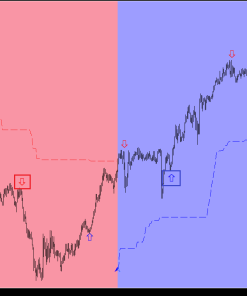
PurposePlots background colour based on higher-time-frame momentum. Green = bullish bias, Red = bearish bias.
Common UseEnter trades only when the current time-frame direction aligns with the background. This simple filter alone can remove many false signals.
4.2 Advanced Supply & Demand Zones
PurposeAutomatically marks fresh institutional supply (orange boxes) and demand (blue boxes) areas.
Common Use
- Wait for price to return to an untested zone.
- Combine with bullish/bearish engulfing candle for entry.
- Place stop just outside the zone, target the opposite side of the range.
4.3 MTF Support-Resistance
Plots horizontal lines pulled from higher time frames—helpful when US30 approaches weekly highs or lows.
TipScale down to M5/M15 entries while keeping an eye on the H4 and Daily lines to avoid buying directly into heavy resistance.
4.4 MTF TrendBar
A compact dashboard in the lower corner:
- Green squares = bullish candles on that time frame.
- Red squares = bearish candles.
You might see four rows, for example: M5, M15, H1, H4. Aim for at least three rows of the same colour before committing to the trade.
4.5 Parabolic SAR for Trailing Exits
- Default step: 0.02
- Max step: 0.2
When dots flip from below to above the candles, the short-term trend has likely paused. Many traders move the stop-loss to breakeven at the first flip, then trail the rest.
4.6 i-Sessions for Session Bias
The US30 often accelerates during the New York cash session (09:30 ET). i-Sessions blocks colour the background:
- Asia = Grey
- London = Blue
- New York = Yellow
A quick glance helps you avoid entering five minutes before a volatile session open.
4.7 Simple Moving Averages (SMA 5/15)
- Crossover of SMA 5 over SMA 15 = potential momentum kick.
- Works nicely after price has bounced from a demand/supply zone.
Practical rule of thumb:“If the fast SMA rides above the slow SMA and VWAP is also above both, only look for longs.”
4.8 VWAP – Volume-Weighted Average Price
Although MT4 lacks native VWAP, this custom script calculates it per session.
- Blue line = intraday mean price weighted by volume.
- Standard deviations show overbought/oversold extremes.
You can fade quick spikes beyond +2 SD when confluence of supply zone exists or trail profitable positions until price pierces the VWAP from the opposite side.
4.9 CMFI – Chaikin Money Flow Index
Ranges from ‑1 to +1, highlighting whether money is flowing into or out of the index.
- Above +0.20: strong buying pressure.
- Below ‑0.20: strong selling pressure.
Combine CMFI confirmation with the MTF TrendBar for fewer whipsaw entries.
4.10 TVI – Tick Volume Indicator
Tick volume approximates real trading activity on CFD feeds. The TVI histogram turns green on rising volume and red on falling volume.
SignalEnter only when the first green bar appears in a demand zone (long) or the first red bar in a supply zone (short).
Building a High-Probability Trading Plan With US30 Sniper Master Indicator
- Define the Directional Bias
- Check Don Forex, TrendBar, and CMFI.
- Align with higher-time-frame structure (H4, D1).
- Find the Entry Zone
- Use Advanced Supply & Demand or MTF Support levels.
- Confirm VWAP distance—avoid chasing price far from VWAP.
- Select an Entry Trigger
- Candle pattern (e.g., pin bar, engulfing).
- SMA 5/15 crossover.
- TVI colour change.
- Set Stops and Targets
- Stop just beyond the zone or Parabolic SAR dot.
- First target = next SR level or ±1 R multiple.
- Let runner trail under SAR or VWAP cross.
- Log Every TradeKeep screenshots; note which indicators were in agreement. Over 50+ trades, patterns emerge and confidence grows.
Risk Management Tips for Index CFDs
- Never risk more than 1 %–2 % of account equity per position.
- The US30 can spike 100 points in seconds during news—use a stop-loss even if you prefer manual exits.
- Consider the contract size: on many MT4 brokers, 1 lot on US30 = $1 per point. Adjust position accordingly.
- Spread tends to widen near rollover (17:00 ET). Either close trades early or widen stop to avoid forced exits.
Troubleshooting & Frequently Asked Questions Regarding US30 Sniper Master Indicator
Q 1: The templates look messy on my broker’s chart. What can I do?A: Brokers label US30 differently (DJ30, US30m, .US30Cash). Load the template, then manually re-attach the indicators if any are missing.
Q 2: Can I automate the Sniper system into an EA?A: Technically yes, but the edge comes from human discretion—reading the news calendar, understanding market sentiment, and skipping trades before FOMC.
Q 3: How much historical data is ideal for VWAP?A: The default script resets VWAP every day at 00:00 server time. For swing trades that run several days, add a second weekly VWAP for context.
Q 4: Does this system work on other indices like GER30 or SPX500?A: Core principles carry over; however, supply-demand zones and volatility differ. Test on demo first.
Final Thoughts on the US30 Sniper Master Indicator
The US30 Sniper Master Indicators package offers everyday traders a structured, easy-to-read workspace. Instead of flipping between separate add-ons, you get trend, volume, session, and zone information on a single chart. Use the system as a decision aid—let it highlight opportunity, then lean on your own risk rules and patience. If you keep your plan simple, respect position sizing, and review your journal weekly, these indicators can act as a reliable compass for both US30 and Nasdaq manoeuvres.
| Membership | Yearly Membership |
|---|---|
| Additional Services | Unlock & Decompile |
| Recommended Brokers | Exness Broker, FPMarkets |
| Recommended VPS | FXVM (Low Latency) |
| Youtube Channel | ForexForYou |
| Telegram Channel | Onshoppie Forex EA's & Indicators |
| Telegram Support | Onshoppie Support |
| Installation Guides | Onshoppie Forex Guides |
Brand
ea-mt4
Only logged in customers who have purchased this product may leave a review.




Reviews
There are no reviews yet.