

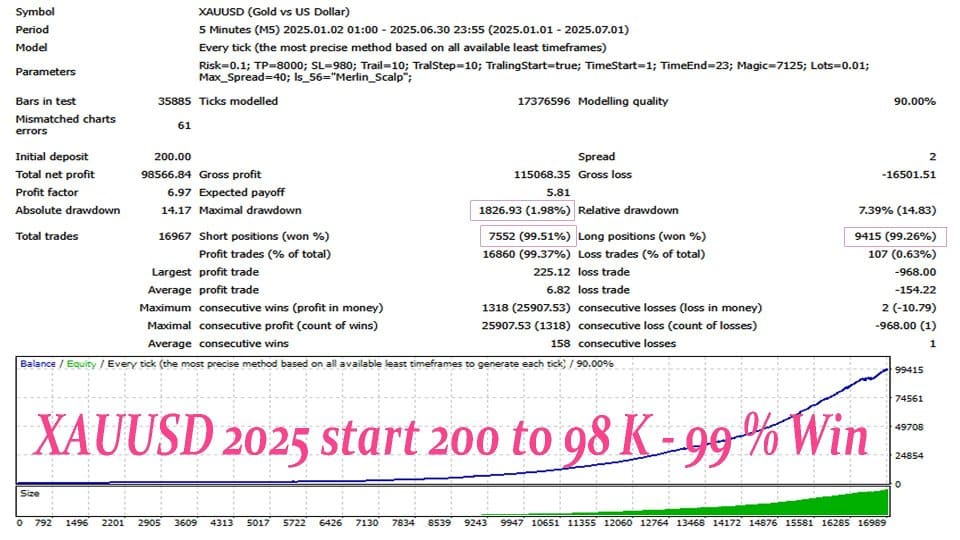

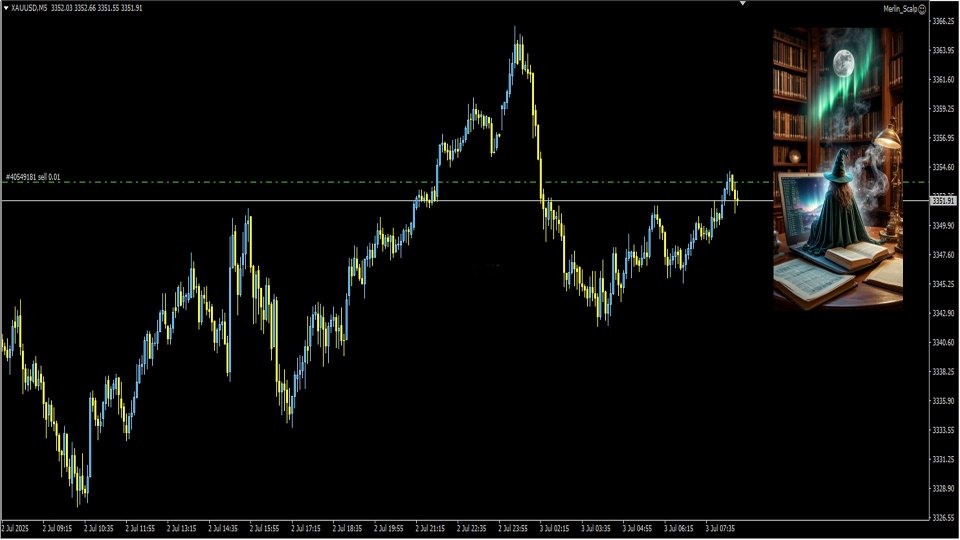


Merlin Scalp EA MT4 V1.7 For Build 1455+
Original price was: $876.00.$9.95Current price is: $9.95.
Get proven Merlin Scalp EA results that make real money fast. Professional trading automation designed for consistent profits in volatile markets.



Description
Merlin Scalp EA: A Practical Guide for Consistent Gold (XAU/USD) Trading on MT4
Merlin Scalp EA: Your MT4 Expert Advisor Specializing in Gold—Why It Deserves a Place in Your Trading Toolbox
Table of Contents
- Introduction
- Why Trade Gold with an Expert Advisor?
- What Is Merlin Scalp EA?
- Step-by-Step Installation and Setup
- Best Practices When Running Merlin Scalp EA
- Frequently Asked Questions (FAQ)
- Final Thoughts
Introduction
Gold remains one of the most watched assets in global markets. Its price swings create plenty of chances for profit—but also significant risk. To tackle these challenges, many traders now rely on Merlin Scalp EA, an MT4 Expert Advisor specializing in gold. In this article, we look at how this automated trading robot operates, how to set it up, and how you can squeeze the most value from it without exposing yourself to unwanted risk.
Why Trade Gold with an Expert Advisor?
Gold can spike or plunge within minutes as traders react to central bank moves, geopolitical headlines, or macro data. Manually tracking all these changes is hard, especially across multiple sessions. An expert advisor like Merlin Scalp EA offers:
- Round-the-clock monitoring, including during Asia or London open.
- Faster execution of entries and exits, crucial for a scalping approach.
- Zero emotional bias—no fear or greed to sabotage your plan.
- Built-in rules that remove guesswork on stop-loss or take-profit placement.
Note: Automation does not remove all risk. It simply follows predefined rules faster and more consistently than a human can.
What Is Merlin Scalp EA?
Merlin Scalp EA is an automated MT4 trading program designed specifically for the XAU/USD pair. It combines a set of technical readings with price action cues to catch brief, high-probability moves. The EA stays active whenever the market is open, scanning for setups, placing trades, and closing them—often within minutes or even seconds.
Key objectives:
- Capture small but frequent moves in gold’s price.
- Keep drawdown under control with strict exits.
- Adapt to shifting market volatility.
Step-by-Step Installation and Setup For Merlin Scalp EA
- Download the EA file (MerlinScalpEA.ex4).
- Open MT4 → File → Open Data Folder.
- Navigate to
MQL4/Expertsand paste the file. - Restart MT4 or right-click on the Navigator panel → Refresh.
- Drag Merlin Scalp EA onto an XAU/USD chart (M15 is common).
- In the Common tab, tick:
- Allow live trading
- Allow DLL imports
- Go to Inputs tab and set your parameters (start with defaults).
- Press OK and ensure the smiley face appears on the chart.
- Enable AutoTrading (green play icon).
Tip: Use MT4’s built-in Strategy Tester to run a quick backtest before you go live.
Best Practices When Running Merlin Scalp EA
- Always test on a demo account first.
- Keep the platform running 24/5—use a VPS if your PC can’t stay on.
- Schedule regular log checks (weekly) for errors or disconnections.
- Dampen risk during major news (Fed meetings, NFP).
- Review performance monthly and adjust lot size if equity grows or shrinks.
Frequently Asked Questions (FAQ) Regarding Merlin Scalp EA
Q1: What time frame is best?A: M15 offers a good balance of signal frequency and noise filtering, though M5 can work with tighter stops.
Q2: Can I use it on other assets?A: The EA is fine-tuned for gold; running it on EUR/USD or other pairs is not recommended.
Q4: How much capital do I need?A: Start with at least $500 for micro-lot trading. Adjust lot size so one trade risk doesn’t exceed 2% of equity.
Q5: Is past performance a guarantee of future returns?A: No. Markets change. Always monitor and adjust as conditions evolve.
Final Thoughts About Merlin Scalp EA
Merlin Scalp EA offers a structured, user-friendly way to engage in gold trading on MT4. Its tight risk controls, adaptive logic, and easy customization make it a worthy candidate for both newcomers and seasoned traders who prefer an automated edge. Begin on a demo account, observe how the EA reacts to live spreads and slippage, and fine-tune your settings over time. Consistent, methodical use—rather than aggressive parameter changes—is the key to long-term success with any trading robot.
Vendor Site – Click Here
| Membership | Yearly Membership |
|---|---|
| Additional Services | Unlock & Decompile |
| Recommended Brokers | Exness Broker, FPMarkets |
| Recommended VPS | FXVM (Low Latency) |
| Youtube Channel | ForexForYou |
| Telegram Channel | Onshoppie Forex EA's & Indicators |
| Telegram Support | Onshoppie Support |
| Installation Guides | Onshoppie Forex Guides |
Brand
ea-mt4
Only logged in customers who have purchased this product may leave a review.
Related products


Products
-
 ThunderGold Scalper MT5 V1.3 + Setfiles For Build 6140+
Original price was: $379.00.$14.95Current price is: $14.95.
ThunderGold Scalper MT5 V1.3 + Setfiles For Build 6140+
Original price was: $379.00.$14.95Current price is: $14.95.
-
 Steve Pro EA MT5 V5.0 + Setfiles For Build 6140+
$14.95
Steve Pro EA MT5 V5.0 + Setfiles For Build 6140+
$14.95
-
 HEXA FX Scalper EA MT5 With DLL Build 6140
Original price was: $749.00.$34.95Current price is: $34.95.
HEXA FX Scalper EA MT5 With DLL Build 6140
Original price was: $749.00.$34.95Current price is: $34.95.
-
 H4 Gold Scalper EA MT5 V1.5 With DLL Build 6122
Original price was: $150.00.$14.95Current price is: $14.95.
H4 Gold Scalper EA MT5 V1.5 With DLL Build 6122
Original price was: $150.00.$14.95Current price is: $14.95.
-
 Mavrik Scalper EA MT5 V18.306 For Build 6140+
$14.95
Mavrik Scalper EA MT5 V18.306 For Build 6140+
$14.95
-
 Dude Alpha Gold EA MT5 V1.4.2 + Set Files For Build 6140+
Original price was: $499.00.$14.95Current price is: $14.95.
Dude Alpha Gold EA MT5 V1.4.2 + Set Files For Build 6140+
Original price was: $499.00.$14.95Current price is: $14.95.
-
 Ultra Beast EA MT5 + Setfiles For Build 6140+
$14.95
Ultra Beast EA MT5 + Setfiles For Build 6140+
$14.95
-
 Algo Edge SMC AI EA MT5 V3 For Build 6140+
$14.95
Algo Edge SMC AI EA MT5 V3 For Build 6140+
$14.95
Recent reviews
-
 Advanced Dashboard Currency Strength
by Balram
Advanced Dashboard Currency Strength
by Balram
Reviews
There are no reviews yet.