




Galaxy Propfirm EA MT5 + Setfiles For Build 5833+
$14.95
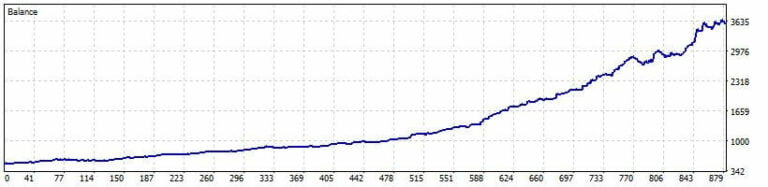
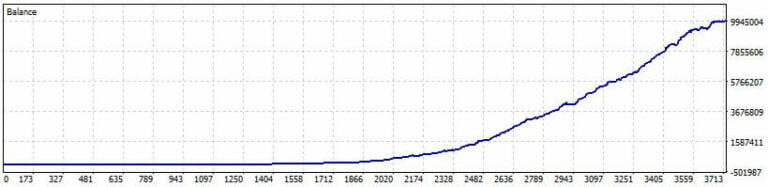
The Galaxy Propfirm EA MT5 is meticulously crafted to assist investors in successfully navigating FTMO/PropFirms, with verification provided by MyFxbook.




Description
Galaxy Propfirm EA MT5 – A Practical Guide for Proprietary Traders
Galaxy Propfirm EA MT5: Everything You Need to Know Before You Automate
Table of Contents
- What Is Galaxy Propfirm EA MT5?
- Why Prop-Firm Traders Look at This EA First
- Core Features at a Glance
- Recommended Settings & Account Requirements
- Step-by-Step Installation on MetaTrader 5
- Backtesting and Forward Testing Tips
- Galaxy Propfirm EA MT5 Reviews: How to Read Them
- Best Practices for Risk Management
- Frequently Asked Questions
- Final Thoughts & Next Steps
What Is Galaxy Propfirm EA MT5?
Galaxy Propfirm EA MT5 is an expert advisor built specifically for MetaTrader 5. Its main aim is to help traders who work with proprietary trading firms stay within strict risk limits while still looking for solid returns. Unlike many off-the-shelf EAs, this one focuses on:
- Position sizing tuned for prop-firm rules
- Drawdown controls capped at 5 % by default
- Compatibility with multiple assets, ideal for firms that demand portfolio diversification
Related term: Galaxy Prop Firm EA overview
Why Prop-Firm Traders Look at This EA First
Prop firms give traders access to capital—but only if they respect tight rules. Galaxy Propfirm EA MT5 tries to tick those boxes:
1. Customization
Every firm has its own guidelines. The EA offers user-friendly inputs so you can:
- Set daily loss limits
- Adjust maximum lot size
- Enable/disable trading during high-impact news
2. Built-In Risk Management
Key safeguards include:
- Hard stop-loss and take-profit levels
- Trailing stop to lock in gains
- Auto-shutoff when equity drawdown > X % (user-defined)
3. Round-the-Clock Automation
With 24/5 monitoring, the EA scans markets on the H1 chart and executes trades even when you are asleep.
4. MT5-Native Benefits
MetaTrader 5 unlocks:
- Multi-asset trading (forex, indices, commodities)
- Advanced strategy tester for faster backtests
- Depth-of-market view for better order execution
Core Features at a Glance
| Feature | Why It Matters for Prop Firms |
|---|---|
| Strategy templates | Pick from scalping, intraday, and swing presets |
| Max drawdown cap | Keeps daily, weekly, and overall losses inside firm limits |
| Trade filters | News filter, time filter, and spread filter reduce unwanted entries |
| Lot size control | Fractional lots let you fine-tune risk |
| Built-in dashboards | Visual equity monitor on MT5 chart |
| Alert system | Email, push, or pop-up when something needs attention |
Recommended Settings & Account Requirements
- Trading platform: MetaTrader 5 (build > 3500)
- Chart timeframe: H1
- Minimum deposit: US $200 (prop firms may start at $10 000; settings scale automatically)
- Max drawdown: up to 5 % (adjustable)
- Pairs tested by the developer: NZDCAD, EURCAD, USDCHF, AUDUSD, CADJPY, EURCHF, EURJPY, GBPNZD
- Product type: NoDLL / Unlimited activations
- Premium module: PropFirms Trading (optional)
Tip: If your prop firm lists forbidden pairs, simply disable those symbols in the input panel.
Step-by-Step Installation on MetaTrader 5
- Open MT5 →
File→Open Data Folder. - Navigate to
MQL5→Experts. - Copy
Galaxy_Propfirm_EA.ex5into this folder. - Restart MT5 or refresh
Navigatorwindow. - Drag the EA onto an H1 chart (e.g., NZDCAD).
- Check
Allow Algo Tradingand click OK. - In the input tab, set:
RiskPercent = 1.0MaxDailyDrawdown = 4.5TradingHours = 01:00–23:00(server time)
That’s it. The EA will start reading tick data and plotting its dashboard.
Backtesting and Forward Testing Tips for Galaxy Propfirm EA
1. Use Every Tick
Choose “Every tick based on real ticks” in the MT5 Strategy Tester for the most precise data.
2. Split Your Testing
- Phase 1: 3-year backtest on each symbol.
- Phase 2: 12-month forward test on a demo account (ideally on your prop firm’s server).
3. Monitor Key Metrics
Look at:
- Profit factor (≥ 1.3 is a good starting point)
- Sharpe ratio
- Maximum consecutive losses
4. Avoid Over-Optimization
If one setting looks perfect across all pairs, suspect curve-fitting. Tweak only the parameters that truly affect risk.
External resource: MetaTrader 5 Strategy Tester Guide
Galaxy Propfirm EA MT5 Reviews: How to Read Them
When scanning reviews on forums like MQL5 Market, Forex Factory, or Trustpilot:
- Check the reviewer’s history. Do they post balanced feedback or only 5-star ratings?
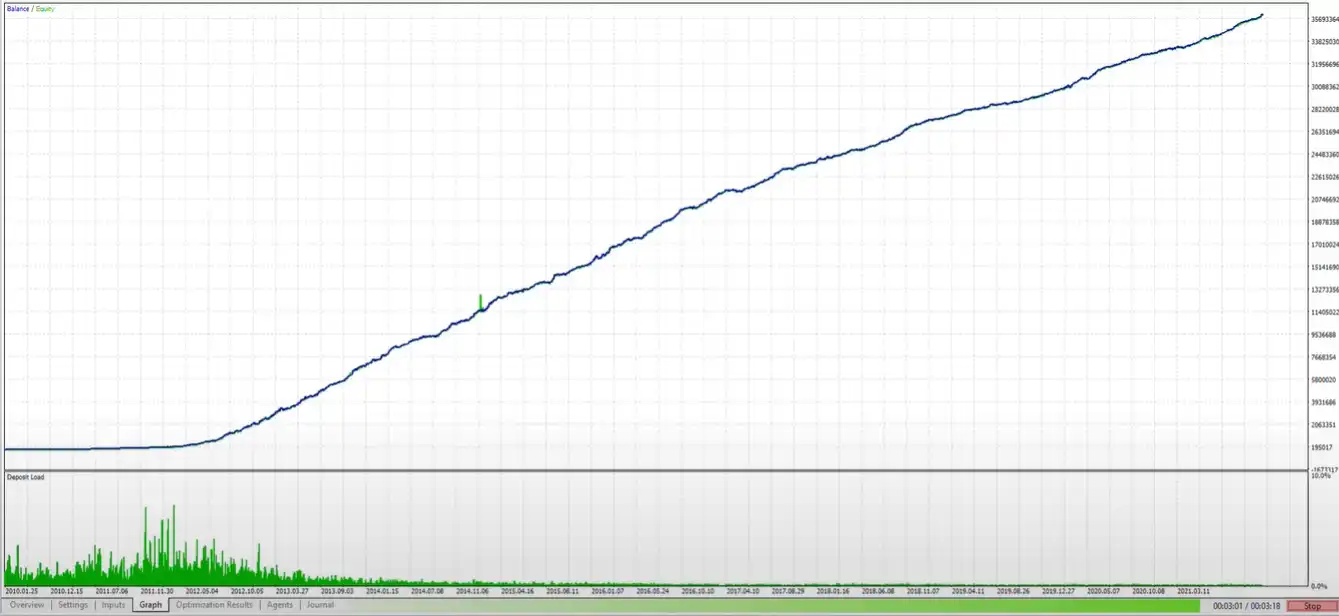
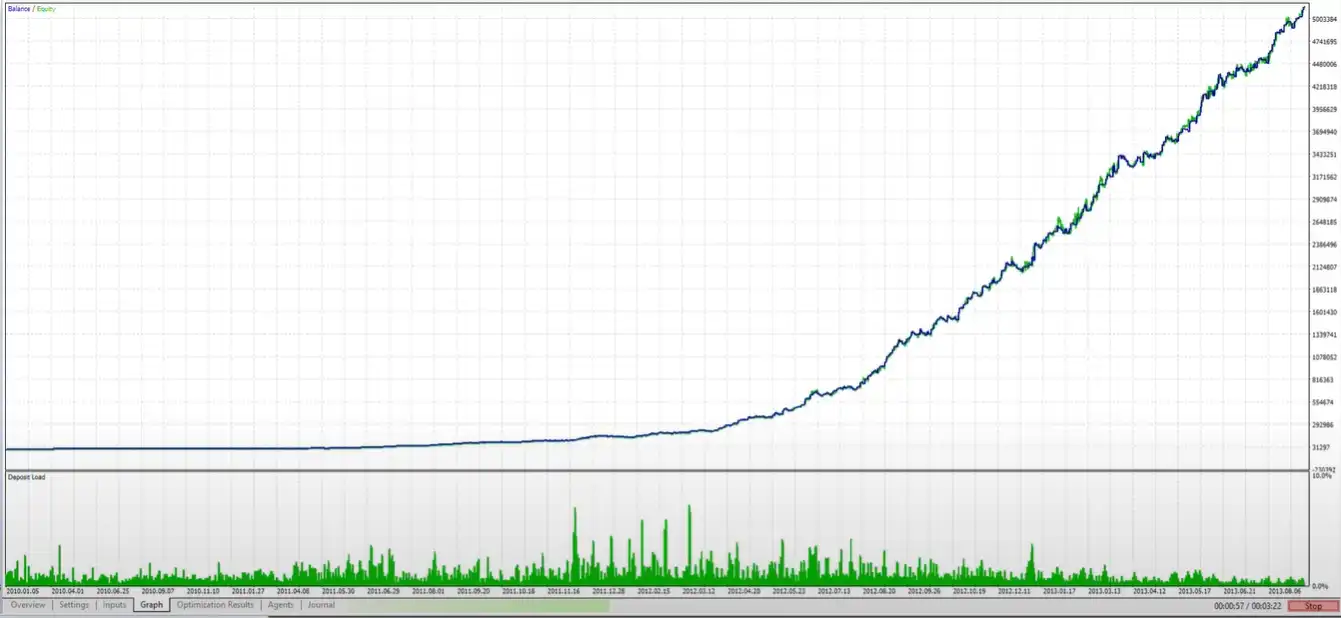
- Compare live results (Myfxbook or FXBlue) to backtest screenshots.
- Look for support response times. An active developer who answers questions quickly is usually a good sign.
- Note the context. A bad review due to misuse (wrong lot size, trading during news) says more about the user than the product.
Internal link: How to Spot Genuine EA Reviews on Our Blog
Best Practices for Risk Management with Galaxy Propfirm EA
- Stick to the firm’s lot size limits even if the EA allows more.
- Enable the equity-based soft stop, which pauses new entries after X % drawdown.
- Diversify across at least four currency pairs to reduce pair-specific risk.
- Run the EA on a VPS with < 10 ms latency to the broker server (prop firms often recommend this).
- Check logs daily. Even automated systems need oversight.
Frequently Asked Questions regarding Galaxy Propfirm EA
Q1. Can I use Galaxy Propfirm EA MT5 on a personal account?Yes. Just turn off the prop-firm module and adjust risk higher if you wish.
Q2. Does it pass FTMO, My Forex Funds, or True Forex Funds challenges?Many users report passing, but success depends on market conditions and settings. Run demo trials first.
Q3. Is the EA fully plug-and-play?It installs in minutes, but performance improves when you tweak it to your prop firm’s exact rules.
Q4. What happens if the prop-firm rules change?Update the risk inputs—e.g., lower max daily drawdown—and the EA will comply automatically.
Final Thoughts & Next Steps For Galaxy Propfirm EA
Galaxy Propfirm EA MT5 offers a clear path for traders who want to meet proprietary trading firm rules without watching charts all day. Its adjustable drawdown guard, multi-pair support, and straightforward MT5 integration make it a practical choice.
| Membership | Yearly Membership |
|---|---|
| Additional Services | Unlock & Decompile |
| Recommended Brokers | Exness Broker, FPMarkets |
| Recommended VPS | FXVM (Low Latency) |
| Youtube Channel | ForexForYou |
| Telegram Channel | Onshoppie Forex EA's & Indicators |
| Telegram Support | Onshoppie Support |
| Installation Guides | Onshoppie Forex Guides |
Brand
ea-mt5
Only logged in customers who have purchased this product may leave a review.
Related products
-

1ENTRY EA MT4 For Build 1455+
$9.95 Read more -
SALESALESALE
Advanced Gold Trading EA MT4 V6.4 + Setfiles For Build 1460+
Original price was: $199.00.$14.95Current price is: $14.95. Add to cart Buy Now -
AGI EA Prop Firm MT4 + Setfiles For Build 1455+
Original price was: $2,599.00.$14.95Current price is: $14.95. Add to cart Buy Now
Products
-
 ThunderGold Scalper MT5 V1.3 + Setfiles For Build 6140+
Original price was: $379.00.$14.95Current price is: $14.95.
ThunderGold Scalper MT5 V1.3 + Setfiles For Build 6140+
Original price was: $379.00.$14.95Current price is: $14.95.
-
 Steve Pro EA MT5 V5.0 + Setfiles For Build 6140+
$14.95
Steve Pro EA MT5 V5.0 + Setfiles For Build 6140+
$14.95
-
 HEXA FX Scalper EA MT5 With DLL Build 6140
Original price was: $749.00.$34.95Current price is: $34.95.
HEXA FX Scalper EA MT5 With DLL Build 6140
Original price was: $749.00.$34.95Current price is: $34.95.
-
 H4 Gold Scalper EA MT5 V1.5 With DLL Build 6122
Original price was: $150.00.$14.95Current price is: $14.95.
H4 Gold Scalper EA MT5 V1.5 With DLL Build 6122
Original price was: $150.00.$14.95Current price is: $14.95.
-
 Mavrik Scalper EA MT5 V18.306 For Build 6140+
$14.95
Mavrik Scalper EA MT5 V18.306 For Build 6140+
$14.95
-
 Dude Alpha Gold EA MT5 V1.4.2 + Set Files For Build 6140+
Original price was: $499.00.$14.95Current price is: $14.95.
Dude Alpha Gold EA MT5 V1.4.2 + Set Files For Build 6140+
Original price was: $499.00.$14.95Current price is: $14.95.
-
 Ultra Beast EA MT5 + Setfiles For Build 6140+
$14.95
Ultra Beast EA MT5 + Setfiles For Build 6140+
$14.95
-
 Algo Edge SMC AI EA MT5 V3 For Build 6140+
$14.95
Algo Edge SMC AI EA MT5 V3 For Build 6140+
$14.95
Recent reviews
-
 Advanced Dashboard Currency Strength
by Balram
Advanced Dashboard Currency Strength
by Balram
Reviews
There are no reviews yet.