












Atherion Zenith AI EA MT5 V1.2 For Build 6160+
Atherion Zenith AI EA MT5 V1.2 For Build 6160+


Original price was: $359.00.$24.95Current price is: $24.95.
Trade XAUUSD with Atherion Zenith AI EA MT5. Automated H1 gold trading with smart entry filters, risk management and trailing-stop logic.

This item: Atherion Zenith AI EA MT5 V1.2 For Build 6160+
Original price was: $359.00.$24.95Current price is: $24.95.
Original price was: $359.00.$24.95Current price is: $24.95.


Original price was: $9.95.$7.96Current price is: $7.96.
Atherion Zenith AI EA MT5 – Precision Gold Trading Automation for MetaTrader 5
Table of Contents
- Introduction
- Quick Facts
- Why Trade Gold (XAUUSD) with an EA?
- What Sets Atherion Zenith AI EA MT5 Apart?
- Technical Setup Guide
- Recommended Broker Checklist
- Best Practices for Day-to-Day Use
- Troubleshooting & Frequently Asked Questions
- Summary & Next Steps
Introduction
Gold often moves fast, reacts to news within seconds, and can retrace just as quickly. Many traders enjoy the excitement but struggle to stay calm when the chart turns choppy. Atherion Zenith AI EA MT5 was created to bring a measured, rules-driven approach to this lively market.
Working on the H1 timeframe in MetaTrader 5, the Expert Advisor (EA) checks several layers of market information before it places a single order. The focus is always the same: precision first, frequency second.
Quick Facts
| Topic | Detail |
|---|---|
| Primary Market | Gold (XAUUSD) |
| Platform | MetaTrader 5 |
| Timeframe | H1 |
| Trading Style | Fully automated |
| Key Pillars | Market structure, entry filtering, risk control, dynamic exits |
| Ideal User | Traders who prefer rules over gut feelings |
Why Trade Gold (XAUUSD) with an EA?
- Volatility Creates Opportunity – Gold often travels hundreds of points in a single session. An EA can respond without hesitation.
- Emotions Stay Out of the Way – The robot follows code; it does not second-guess itself after reading headlines.
- Round-the-Clock Execution – XAUUSD moves during Asian, European, and U.S. hours. An always-on EA avoids missed entries.
- Repeatable Risk Control – Every position is sized and managed in line with clearly defined rules.
What Sets Atherion Zenith AI EA MT5 Apart?
- Single-Market Focus
- Many robots try to handle dozens of symbols. Zenith studies only Gold, allowing every rule to reflect XAUUSD behaviour.
- Multi-Layer Confirmation
- Market structure, momentum, volatility, session timing, and internal signals must all agree before the EA will trade.
- Built-In Dashboard
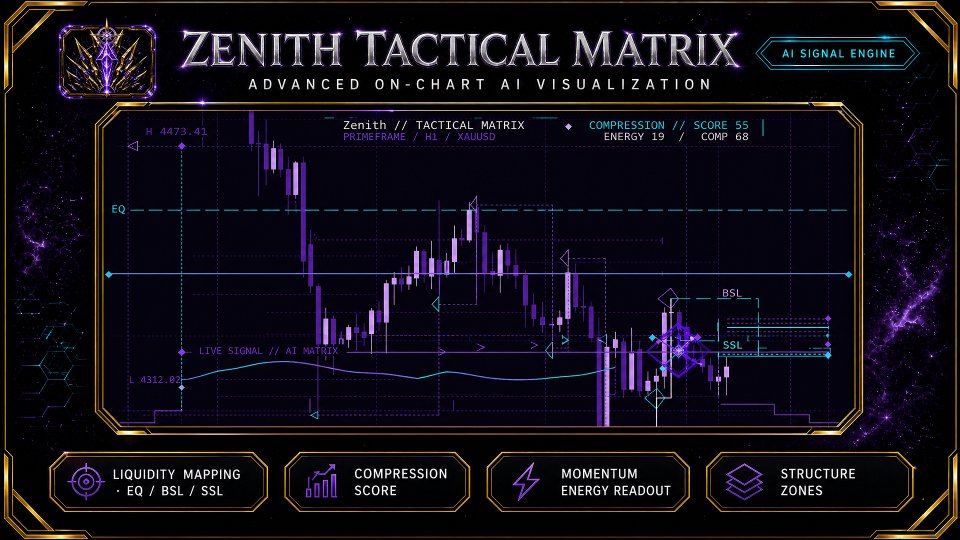
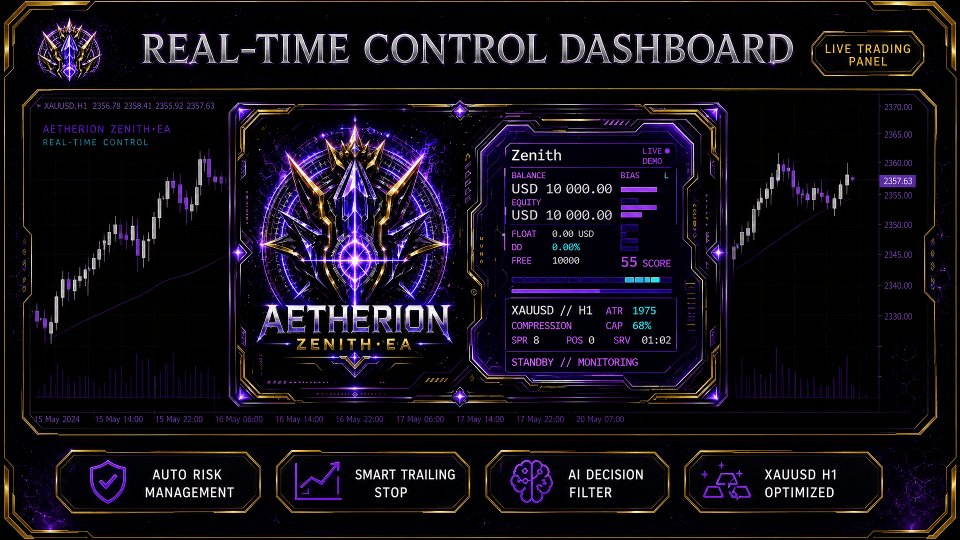
- Key data appear on the chart: risk setting, open positions, and the current market mode. No need to dig through logs.
- Transparent Public Signal
- Real-time results are published so users can monitor live performance.
- Simple Default Settings
- The default file is ready to go. New users do not have to edit dozens of parameters.
Technical Setup Guide
- Buy and Download
- In Onshoppie.com, search for Atherion Zenith AI EA MT5, and click “Download.”
- Attach to XAUUSD H1
- Open an XAUUSD chart, switch to H1, drag the EA onto the chart.
- Allow Algo Trading
- Click the Algo Trading button at the top of MetaTrader 5 so it turns green.
- Select Risk Mode
- In the inputs, pick from Low, Medium, or High. Start with Low while you learn how the EA behaves.
- Use a Reliable VPS
- Keep the terminal online 24/5. A VPS placed close to your broker’s servers reduces slippage.
- Monitor the Dashboard
- After a few bars, the panel shows status messages like Waiting for Setup or Trade Active.
Recommended Broker Checklist
| Requirement | Reason |
|---|---|
| Tight Fixed or Variable Spread on XAUUSD | Lower cost per trade |
| Low Commission | Keeps net profit higher |
| Fast Execution (< 100 ms) | Reduces slippage on volatile moves |
| No Dealing Desk Intervention | Prevents order re-quotes |
| Fractional Lot Support (0.01) | Lets small accounts trade sensible size |
| 24-Hour Customer Support | Quick resolution if problems arise |
Tip: Test the broker on a demo first. Make sure the spread and swap values match your cost expectations both in calm and busy hours.
Best Practices for Day-to-Day Use of Atherion Zenith AI EA
- Stick to H1
- The EA is coded for hourly candles. Moving to M30 or H4 will skew calculations.
- Avoid Manual Intervention
- Closing trades early breaks the logic. Let the EA manage exits.
- Check VPS and Internet Daily
- A short connection drop can prevent stops from updating.
- Review Broker’s Swap Policy
- Gold swaps differ between firms. Sudden changes can eat profit on longer holds.
- Update MetaTrader 5
- Platform updates may fix stability issues. Keep both MT5 and Windows (or server OS) current.
- Log Important News
- Large surprise events (e.g., Fed rate decisions) can move Gold fast. Consider lowering risk or pausing trading if you are uncomfortable.
Troubleshooting & Frequently Asked Questions
Q1: The EA shows “Market Closed” even when Gold is trading.A: Check your broker’s trading hours. Some brokers restrict XAUUSD a few minutes around daily rollover. The EA pauses to avoid widened spreads.
Q2: Why does the EA skip entire days without a trade?A: Zenith only trades when all filters agree. No trade days mean conditions were not acceptable—this is normal.
Q3: I see “Invalid Volume” in the Experts log.A: The lot size may be below or above the broker’s limits. Review minimum and maximum contract sizes and adjust the Risk % value.
Q4: How can I backtest correctly?A: Use MetaTrader 5’s “1 Minute OHLC” mode with ticks generated by the platform, or import tick data for greater accuracy. Always match the spread value to your live account average.
Q5: Can I change the Stop Loss and Take Profit values?A: Manual editing is possible but discouraged. The EA’s trailing logic is tied to default exit distances. Altering them can unbalance the strategy.
Q6: Is the EA compatible with MetaTrader 4?A: No. The program uses MT5 order handling. A separate MT4 version would require different code.
Summary & Next Steps For Atherion Zenith AI EA
Atherion Zenith AI EA MT5 delivers a disciplined, fully automated approach to Gold trading on the H1 chart. By combining structured market analysis, selective entry filtering, automated risk management, and smart trailing stops, it focuses on quality over quantity.
If you value clear rules, careful risk control, and minimal manual involvement, test the EA on a demo, review the live signal, and see whether the approach fits your trading goals.
Trade with care, start small, and let structured logic guide your decisions.
Live Signal – Click Here
Vendor Site – Click Here
| Membership | Yearly Membership |
|---|---|
| Additional Services | Unlock & Decompile |
| Recommended Brokers | Exness Broker, FPMarkets |
| Recommended VPS | FXVM (Low Latency) |
| Youtube Channel | ForexForYou |
| Telegram Channel | Onshoppie Forex EA's & Indicators |
| Telegram Support | Onshoppie Support |
| Installation Guides | Onshoppie Forex Guides |
Brand
ea-mt5
Only logged in customers who have purchased this product may leave a review.









Reviews
There are no reviews yet.