

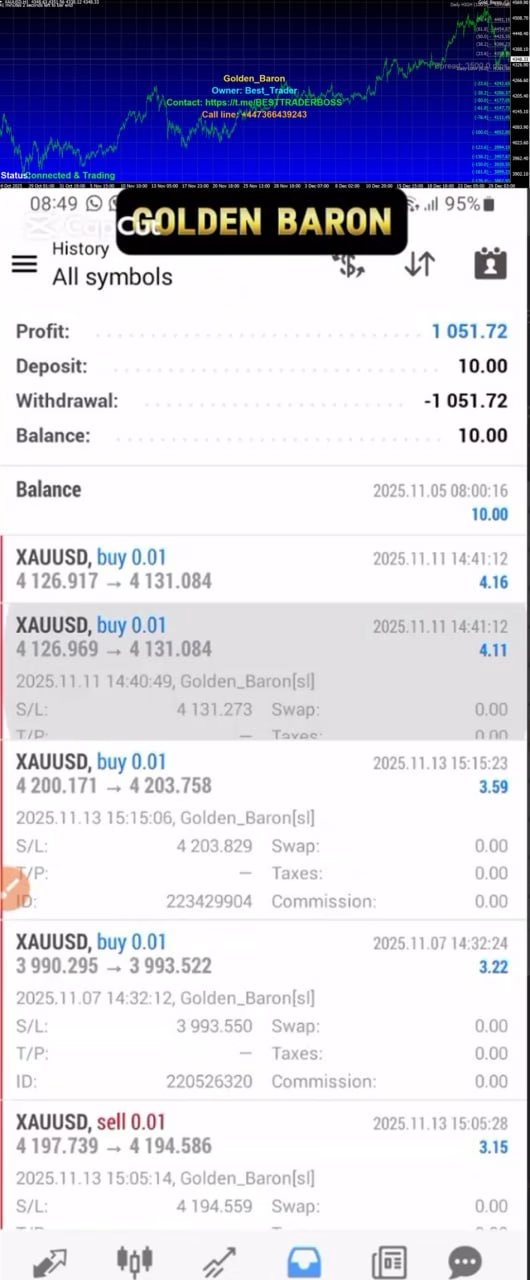

Golden Baron EA MT4 For Build 1470+
$14.95
Explore our proven Golden Baron EA analysis revealing amazing ways it can transform your trading life. Real results from real traders inside.




Description
Golden Baron EA: Complete Guide to the MT4 Gold Scalping Expert Advisor
Alternative Title: Golden Baron EA – A Practical Review of the MT4 Gold Trading Robot for the M5 Chart
Table of Contents
- Why Trade Gold With an EA?
- How Golden Baron EA MT4 Works
- Installing and Setting Up Golden Baron EA
- Frequently Asked Questions
- Final Thoughts
Why Trade Gold With an EA?
Gold is one of the most traded commodities in the world. It often shows clear intraday swings, especially around key news events such as Federal Reserve announcements or inflation reports. Manually reacting to these moves on a five-minute chart can be demanding. An expert advisor such as Golden Baron EA MT4:
- Monitors price 24/5 without fatigue.
- Applies predefined rules, removing emotional decision-making.
How Golden Baron EA MT4 Works
Golden Baron EA uses real-time analysis of:
- Price action: It studies recent highs, lows, and candle formations.
- Volatility: The EA measures short-term range to adjust stop loss and take profit.
- Momentum: Built-in indicators spot when momentum shifts in favor of a breakout or quick retrace.
When all conditions align, the EA places a market order with a predefined stop loss (SL) and take profit (TP). It avoids opening new trades in very unstable or low-liquidity periods, helping reduce whipsaw losses. All logic is self-contained, so you don’t need extra custom indicators.
Installing and Setting Up Golden Baron EA
Below is a step-by-step guide for first-time users.
Step 1 – Download and Place the EA
- In MT4, click
File > Open Data Folder. - Navigate to
MQL4 > Experts. - Copy
GoldenBaronEA.ex4into theExpertsfolder. - Restart MT4.
Step 2 – Attach to an XAUUSD M5 Chart
- Open a new chart:
File > New Chart > XAUUSD. - Change timeframe to M5 using the toolbar.
- Drag
GoldenBaronEAfrom theNavigator > Expert Advisorslist onto the chart.
Step 3 – Configure Inputs
Key settings you can adjust:
Lots– Fixed lot size.RiskPercent– If set, the EA calculates lots based on risk per trade.MaxSpread– Trades are skipped if spread exceeds this value.TradingHours– Choose to trade full 24 hours or restrict to active sessions.MagicNumber– Unique ID so the EA tracks its own positions.
Step 4 – Enable Auto Trading
Click the AutoTrading button on the MT4 toolbar (turns green when active).
A smiling face in the upper-right of the chart signals the EA is running.
Frequently Asked Questions regarding Golden Baron EA
Q1: Does Golden Baron EA run on MetaTrader 5?
No. The developer released the EA only for MetaTrader 4.
Q2: Can I trade other pairs?
The algorithm is coded and optimized solely for XAUUSD. Running it on EURUSD or other symbols may hurt performance.
Q3: How much starting capital is needed?
Because the EA can scale lot size, you can begin with as little as 300 USD, but 1,000 USD or more offers better margin.
Q4: Is there a guarantee of profit?
No EA can guarantee profit. Always use funds you can afford to risk.
Q5: What happens during major gaps?
The hard stop loss protects positions. However, in fast markets, slippage is possible.
Final Thoughts About Golden Baron EA
Golden Baron EA MT4 gives traders a hands-off way to trade gold on the five-minute chart with clear, built-in risk controls. By focusing on precision entries, strict stop losses, and no martingale tactics, it aims for steady account growth instead of fast but risky gains.
If you plan to automate your XAUUSD trading and value safety as much as profit, consider testing Golden Baron EA on a demo account today. When you feel comfortable with the results, move to a live setup at a risk level that suits you.
➡️ Try Golden Baron EA MT4 and start exploring short-term gold opportunities with clear rules and calm confidence.
| Membership | Yearly Membership |
|---|---|
| Additional Services | Unlock & Decompile |
| Recommended Brokers | Exness Broker, FPMarkets |
| Recommended VPS | FXVM (Low Latency) |
| Youtube Channel | ForexForYou |
| Telegram Channel | Onshoppie Forex EA's & Indicators |
| Telegram Support | Onshoppie Support |
| Installation Guides | Onshoppie Forex Guides |
Brand
ea-mt4
Only logged in customers who have purchased this product may leave a review.
Related products


Products
-
 Stable Gold EA MT5 V1.1 For Build 5977+
Original price was: $1,999.00.$29.95Current price is: $29.95.
Stable Gold EA MT5 V1.1 For Build 5977+
Original price was: $1,999.00.$29.95Current price is: $29.95.
-
 Adaptive Gold Scalper EA MT5 V1.9 + Setfiles With DLL 5836
Original price was: $375.00.$14.95Current price is: $14.95.
Adaptive Gold Scalper EA MT5 V1.9 + Setfiles With DLL 5836
Original price was: $375.00.$14.95Current price is: $14.95.
-
 Zerqon EA MT5 V22.2 For Build 5836+
Original price was: $299.00.$14.95Current price is: $14.95.
Zerqon EA MT5 V22.2 For Build 5836+
Original price was: $299.00.$14.95Current price is: $14.95.
-
 MHD Scalper Pro EA MT5 V9.1 For Build 5836+
Original price was: $1,200.00.$14.95Current price is: $14.95.
MHD Scalper Pro EA MT5 V9.1 For Build 5836+
Original price was: $1,200.00.$14.95Current price is: $14.95.
-
 Quantum OmniGold EA MT5 V1.8 For Build 5836+
Original price was: $1,099.00.$14.95Current price is: $14.95.
Quantum OmniGold EA MT5 V1.8 For Build 5836+
Original price was: $1,099.00.$14.95Current price is: $14.95.
-
 BTC Scalper IA EA MT5 V1.2 For Build 5836+
$14.95
BTC Scalper IA EA MT5 V1.2 For Build 5836+
$14.95
-
 Eternal Engine EA MT5 V2.30 + Setfiles For Build 5836+
Original price was: $599.00.$29.95Current price is: $29.95.
Eternal Engine EA MT5 V2.30 + Setfiles For Build 5836+
Original price was: $599.00.$29.95Current price is: $29.95.
-
 Endurance EA MT4 V2.13 For Build 1473+
$14.95
Endurance EA MT4 V2.13 For Build 1473+
$14.95
Recent reviews
-
 Advanced Dashboard Currency Strength
by Balram
Advanced Dashboard Currency Strength
by Balram
Reviews
There are no reviews yet.