

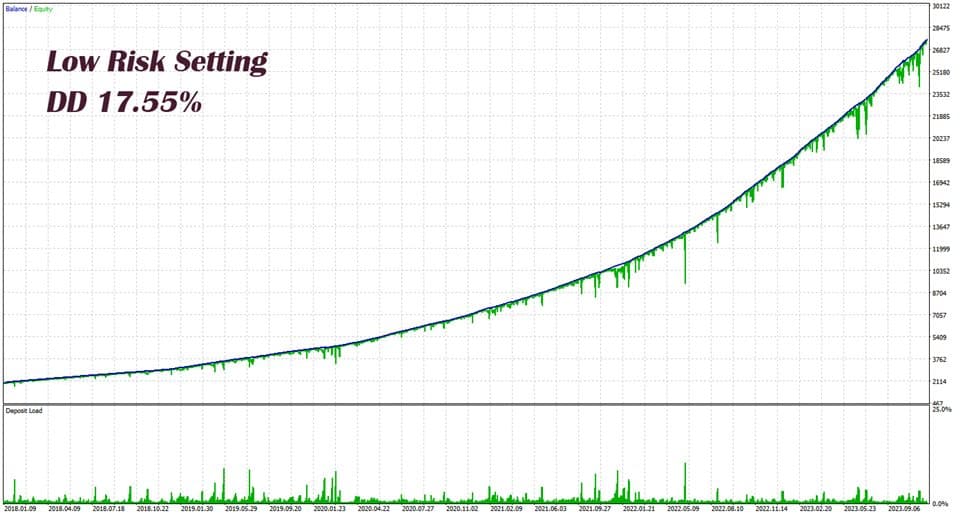

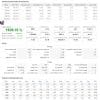

Eternal Engine EA MT5 V2.30 + Setfiles For Build 5836+
Original price was: $599.00.$39.95Current price is: $39.95.
Eternal Engine EA is a breakthrough forex tool delivering amazing results. Energize your trading portfolio and take control of your financial future today!



Description
Eternal Engine EA: A Practical Review of the Advanced Grid & Martingale Expert Advisor
Eternal Engine EA – Why This Advanced Grid and Martingale Tool Stands Out in 2024
Table of Contents
- Introduction
- What Exactly Is Eternal Engine EA?
- How the Strategy Works
- Currency-Pair Choices: Single vs. Multi-Pair
- Step-by-Step Setup Guide
- Risk-Management Tips
- FAQs
- Conclusion & Next Steps
Introduction
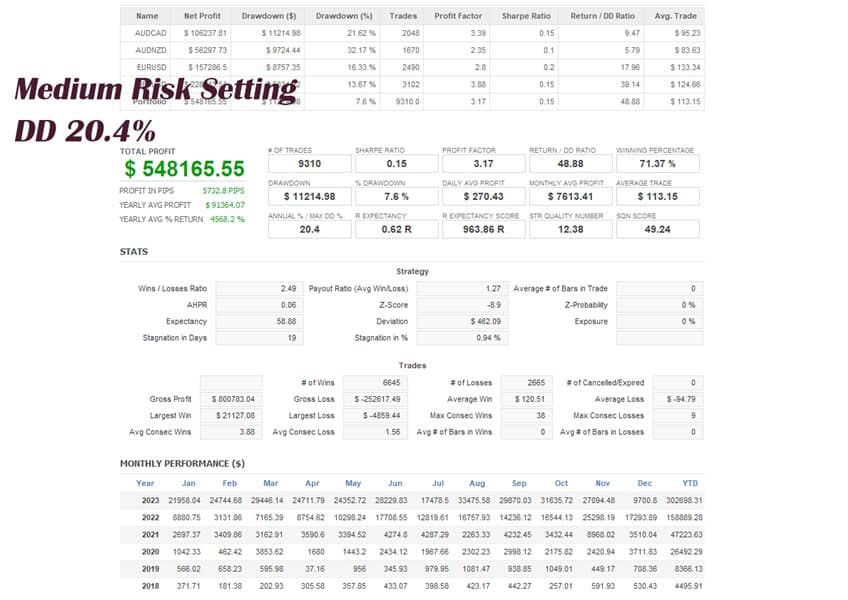
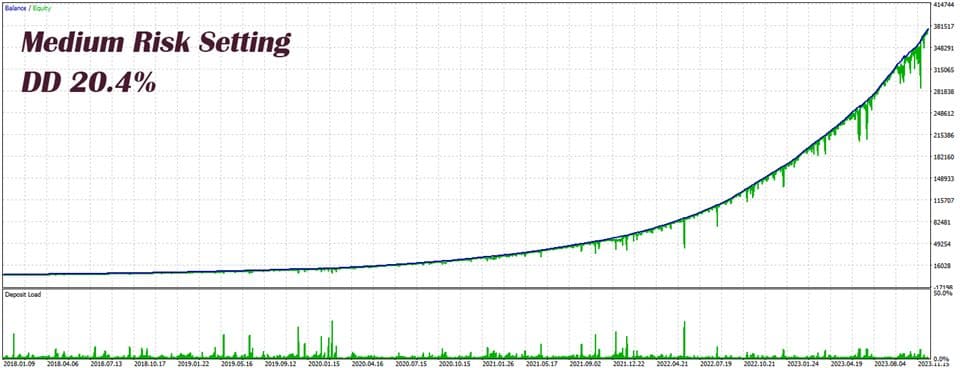
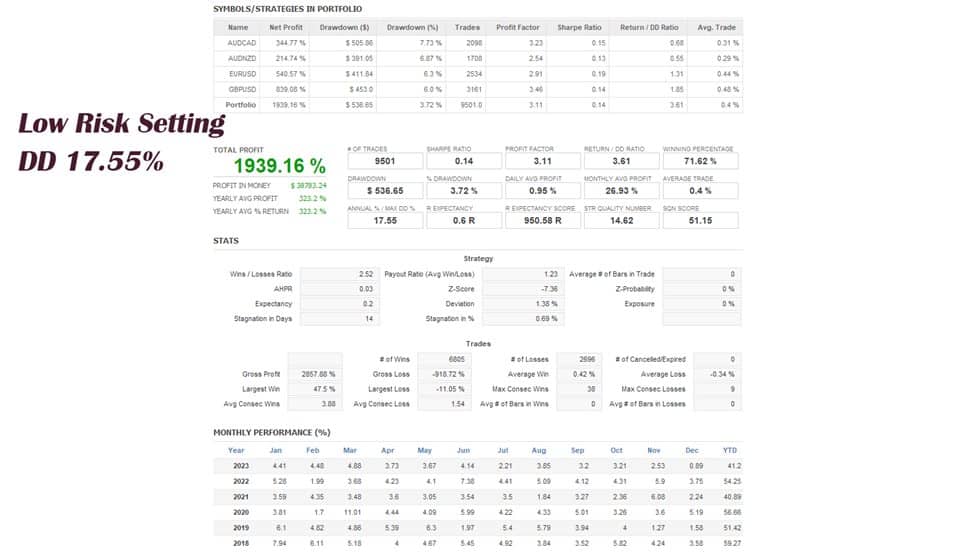
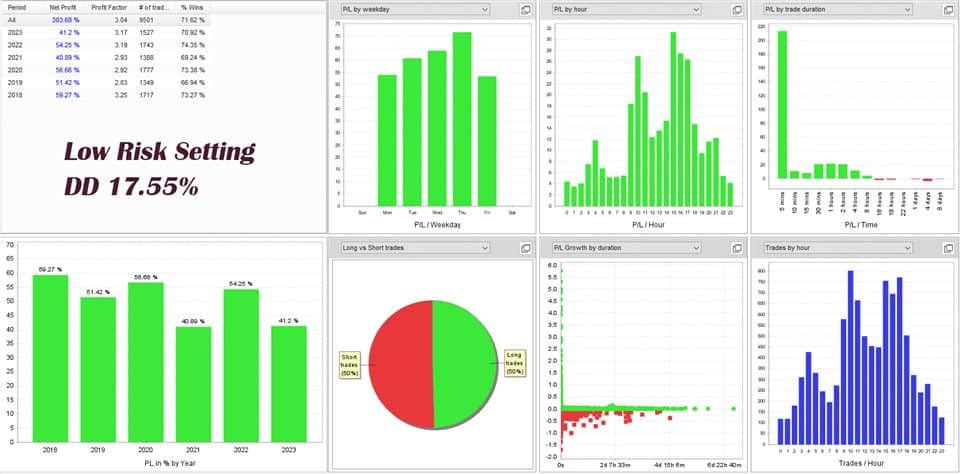
When traders look for an automated tool that can handle trending as well as choppy markets, Eternal Engine EA often shows up in the conversation. Eternal Engine is an advanced EA that integrates multiple indicators with grid and Martingale strategies. Its core feature is precise entry point control, enabling it to perform well even in complex market environments. By combining strict risk filters with flexible position management, the EA has delivered over a year of low-drawdown real-time signals, giving both beginners and seasoned traders a smoother trading experience.
In this in-depth post, we break down how Eternal Engine EA works, why it is not sensitive to spreads, which currency pairs fit best, and how you can deploy it on a small or large account without fuss.
What Exactly Is Eternal Engine EA?
Eternal Engine EA is an Expert Advisor designed for MetaTrader platforms (MT4 & MT5). It runs a multi-layered system:
- Multiple technical indicators for entry signals
- A grid of limit orders for dynamic price coverage
- A Martingale-style volume multiplier to recover losing cycles faster
- Strict rules that cut off trading if custom drawdown caps are hit
Because of its mix-and-match settings, Eternal Engine EA can act like a conservative scalper on one chart and an aggressive grid trader on another—all from the same interface.
How the Strategy Works
Multiple Indicators
The EA may blend moving averages, volatility filters, and momentum tools to confirm direction. This keeps entries from “free-falling” into random trades.
Grid Logic
A grid places orders at set price gaps (the grid distance). When the market pulls back, the EA adds new orders. If price keeps moving in the same direction, earlier orders reach profit targets.
- Adjustable grid distance
- Choice of fixed or dynamic spacing
- Optional limit on the number of grid levels
Martingale Volume Control
Instead of using a fixed lot size, Eternal Engine EA can increase volume by a multiplier you set. The idea: a later winning trade can cover earlier small losses and still lock in profit.
- Customizable multiplier (e.g., 1.2, 1.5, 2.0)
- Ability to cap the maximum lot to protect account equity
Precise Entry Point Management
The EA only fires trades when indicator alignment, spread checks, and volatility thresholds all line up. This tight filter is why Eternal Engine remains stable even on news-heavy pairs like GBPUSD.
Currency-Pair Choices: Single vs. Multi-Pair
Single Pair Focus – AUDCAD
- Lower average spread
- Measured volatility reduces extended drawdowns
- Historical back-tests show steadier equity curves
- Good for newer traders wanting a “set and watch” approach
Multi-Pair Setup – GBPUSD, EURUSD, AUDCAD, AUDNZD
| Benefit | Caution |
|---|---|
| More daily trade signals | Higher combined exposure |
| Risk is spread across markets | Longer floating losses possible |
| Potential for compounding returns | Needs larger equity buffer |
If you prefer a quiet ride, start with AUDCAD alone. Once comfortable, add EURUSD or GBPUSD and fine-tune the grid distance separately for each chart.
Step-by-Step Setup Guide
- Download the EAObtain the .ex4 or .ex5 file from the official source.
- Install on MetaTrader
- Open MetaTrader ➜ File ➜ Open Data Folder ➜ MQL4/5 ➜ Experts
- Paste the file ➜ restart the platform.
- Attach to Chart
- Right-click any chart ➜ Expert Advisors ➜ Eternal Engine EA ➜ Attach.
- Input License (if required)Fill in the activation key under the “About” tab.
- Choose Pair & TimeframeFor first run, pick AUDCAD, M15.
- Set Risk Parameters
- Lot size or percent of equity
- Max grid levels
- Drawdown cap (e.g., 20 %)
- Adjust Grid DistanceShorter = more trades, higher risk. Try 30 pips to start.
- Enable AutoTradingClick the AutoTrading button so the smiley face turns green.
- Monitor & LogCheck every few hours or once per day. Note any errors in the Experts tab.
Risk-Management Tips for Eternal Engine EA
- Start on a demo account for at least two weeks.
- Keep margin level above 500 % to survive sharp swings.
- Avoid widening the volume multiplier too fast; exponential lot growth can wipe an account.
- Diversify: even if multi-pair, consider running non-grid EAs on separate accounts.
- Use a Virtual Private Server (VPS) so the EA runs 24/7 without PC downtime.
FAQs Regarding Eternal Engine EA
Q1: Does the EA work on MetaTrader 4 or MetaTrader 5?It’s available for MT5.
Q2: What’s the minimum deposit?You can start from $100 on a cent or micro account, though $300–$500 is more comfortable.
Q3: Can I change the lot multiplier while trades are open?Yes, but do so with caution. Changing mid-cycle can distort the recovery logic.
Q4: How many grid levels are safe?There is no universal number, but staying under 7 levels keeps risk moderate on most pairs.
Q5: Is Eternal Engine EA FIFO-compliant for US brokers?No. Because it layers multiple trades on the same pair, US traders need a non-FIFO offshore broker or separate sub-positions.
Conclusion & Next Steps For Eternal Engine EA
Eternal Engine EA combines multiple indicators, grid spacing, and Martingale volume to give traders numerous trading opportunities without being sensitive to spreads. With strict entry-point control and custom risk settings, the EA has proven itself over a year of live trading with low drawdown.
Live Signal – CLick Here
Vendor Site – Click Here
| Membership | Yearly Membership |
|---|---|
| Additional Services | Unlock & Decompile |
| Recommended Brokers | Exness Broker, FPMarkets |
| Recommended VPS | FXVM (Low Latency) |
| Youtube Channel | ForexForYou |
| Telegram Channel | Onshoppie Forex EA's & Indicators |
| Telegram Support | Onshoppie Support |
| Installation Guides | Onshoppie Forex Guides |
Brand
ea-mt5
Only logged in customers who have purchased this product may leave a review.
Related products



Products
-
 BTC Scalper IA EA MT5 V1.2 For Build 5836+
$14.95
BTC Scalper IA EA MT5 V1.2 For Build 5836+
$14.95
-
Eternal Engine EA MT5 V2.30 + Setfiles For Build 5836+
Original price was: $599.00.$39.95Current price is: $39.95.
-
 Perceptrader AI EA MT5 V2.43 + Setfiles For Build 5836+
Original price was: $2,800.00.$14.95Current price is: $14.95.
Perceptrader AI EA MT5 V2.43 + Setfiles For Build 5836+
Original price was: $2,800.00.$14.95Current price is: $14.95.
-
 Quantum Emperor EA MT5 V7.5 For Build 5836+
Original price was: $799.00.$14.95Current price is: $14.95.
Quantum Emperor EA MT5 V7.5 For Build 5836+
Original price was: $799.00.$14.95Current price is: $14.95.
-
 Quantum King EA MT5 V3.1 For Build 5836+
Original price was: $649.00.$14.95Current price is: $14.95.
Quantum King EA MT5 V3.1 For Build 5836+
Original price was: $649.00.$14.95Current price is: $14.95.
-
 Bitcoin Robot Grid EA MT4 V6.0 For Build 1473+
Original price was: $899.00.$14.95Current price is: $14.95.
Bitcoin Robot Grid EA MT4 V6.0 For Build 1473+
Original price was: $899.00.$14.95Current price is: $14.95.
-
 IS PI Scalper EA Virtual Level Final MT4 + SetFiles
$14.95
IS PI Scalper EA Virtual Level Final MT4 + SetFiles
$14.95
-
 ArtQuant Gold EA MT5 V3.0 For Build 5836+
Original price was: $700.00.$14.95Current price is: $14.95.
ArtQuant Gold EA MT5 V3.0 For Build 5836+
Original price was: $700.00.$14.95Current price is: $14.95.
Recent reviews
-
 Advanced Dashboard Currency Strength
by Balram
Advanced Dashboard Currency Strength
by Balram
Reviews
There are no reviews yet.