


Forex Flex EA MT4 V4.91 + Setfiles For Build 1473+
Original price was: $499.00.$39.95Current price is: $39.95.
Looking for a forex trading edge? Forex Flex EA offers, time-tested strategies that empower traders at every level to achieve outstanding market results fast.




Description
Forex Flex EA: The In-Depth Guide Traders Have Been Waiting For
Forex Flex EA – Everything You Need to Know Before You Run It on Your MT4 Account
Table of Contents
- What Is Forex Flex EA?
- How the “Virtual Trade” Technology Works
- Supported Currency Pairs & Timeframes
- Installation & First-Time Setup
- Using Optimized Set Files
- Risk Management: Money, Equity, and Drawdown Controls
- News and Session Filters Explained
- Indicator Options for Fine-Tuning
- Common Questions Traders Ask
- Final Thoughts & Next Steps
What Is Forex Flex EA?
Forex Flex EA is a fully automated, verified forex EA (also known as a trading robot) for MetaTrader 4 and MetaTrader 5. Instead of firing trades purely on indicator signals, it first opens virtual trades in the background. These virtual orders watch market action tick by tick. When the built-in logic sees a price zone that matches its rules, the EA then places a live order with real money.
Why traders pay attention to Forex Flex EA:
- It has been on the market since 2012, which is unusually long for any automated system.
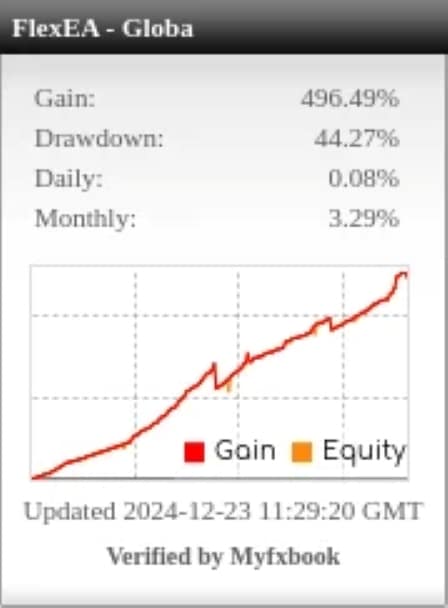
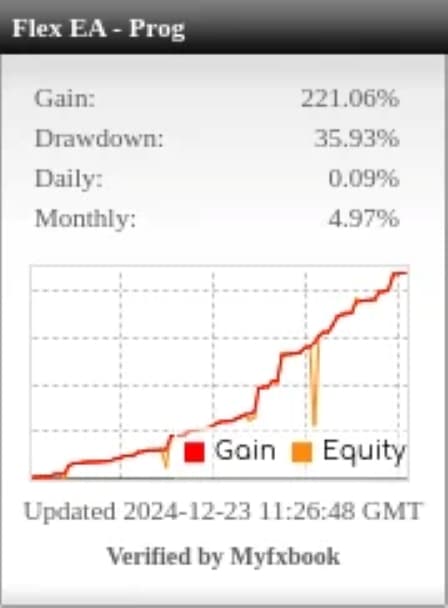
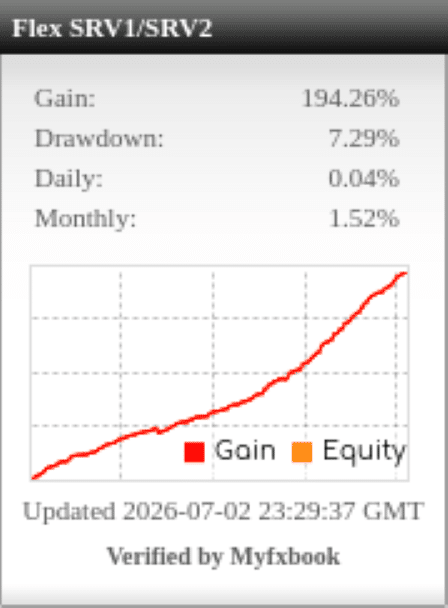
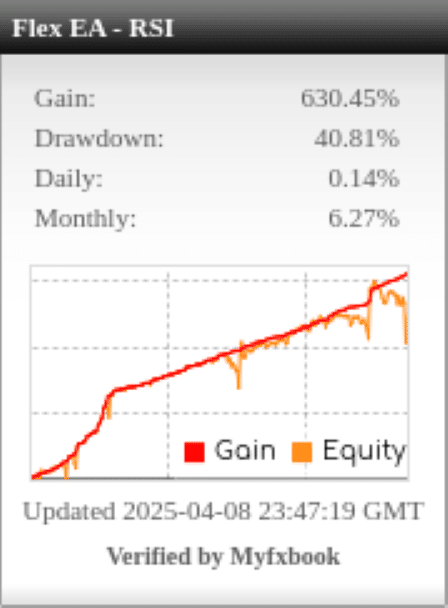
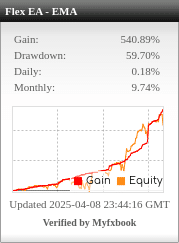
- The vendor provides multiple Myfxbook links with read-only investor passwords, offering third-party verification.
- A one-click update system keeps settings synced to current market conditions.
How the “Virtual Trade” Technology Works
- The EA opens 6 default virtual trades (you can change this number).
- These trades never hit the broker. They exist only inside the code.
- As price candles form, the robot measures distance, momentum, and volatility against internal rules.
- Once all rules line up, the EA shifts from virtual to live mode and sends a real order to your broker.
Because the virtual trades act like scouts, the strategy often avoids early whipsaws and late entries. You can think of it as having six extra pairs of eyes on each chart.
Tip:Lower the virtual-trade count to 4 if you want more entries. Raise it to 8 if you prefer fewer but more selective signals.
Supported Currency Pairs & Timeframes
Forex Flex EA ships with out-of-the-box presets for ten major and cross pairs:
- GBPUSD
- USDJPY
- USDCAD
- USDCHF
- EURUSD
- AUDUSD
- EURJPY
- EURCHF
- EURGBP
- NZDUSD
Timeframe: The developer recommends H4 for most strategies, though some users run M30 or H1 during Asian sessions.
Pairs to avoidThe setup guide warns against exotic pairs (TRY, ZAR, NOK) because of wider spreads and higher slippage.
Installation & First-Time Setup
- Download the EA (.ex4 or .ex5) from your member area.
- Open MT4 → File → Open Data Folder → MQL4 → Experts and drop the file.
- Restart MT4 or hit Ctrl + R to refresh the Navigator.
- Drag Forex Flex EA onto your chart.
- In the Inputs tab choose one of the built-in strategies:
- Default
- TrendSurfer
- SuperScalper
- ADR Dynamic
- Check that AutoTrading is on (green play icon).
That is it. The EA will begin its virtual trade cycles on the next new candle.
Using Optimized Set Files In Forex Flex EA
A built-in strategy is a good starting point, yet the power of Flex comes from community-shared “.set” files. These files save every input parameter so you can load them instantly.
How to load a .set file
- Right-click on the chart that is running the EA.
- Choose Expert Advisors → Properties.
- Click Load and pick the .set file you downloaded.
- Press OK.
The settings will go live on the next tick.
Risk Management: Money, Equity, and Drawdown Controls
Forex Flex EA allows three main ways to limit risk:
- Fixed Lot or Risk %
- Fixed: 0.01, 0.05, 0.10 …
- Risk %: 1 %–10 % of account equity per basket.
- Equity Trailing Take-Profit
- Example: Lock 50 % of profit once basket hits +5 %. Then trail the rest by 2 %.
- Global Drawdown Stop
- Close all trades if equity falls 20 % below the starting balance.
- Set a hard stop in MT4 Terminal → Equity → Alert for extra safety.
Sample conservative profile
- Start balance: $2,000
- Risk per basket: 2 %
- EquityTrailTP: lock at +3 %, trail by 1 %
- DD stop: 15 %
News and Session Filters Explained For Forex Flex EA
High-impact news can widen spreads and trigger slippage. Flex EA’s News Filter reads an online calendar and will disable trading before, during, or after events you choose.
Suggested settings
- Avoid news 30 minutes before and after.
- Block only red-flag events like NFP, FOMC, ECB Press Conference, CPI.
Session filters
- Trade only London + New York overlap (13:00–17:00 GMT) when liquidity peaks.
- Pause during the first hour of Monday and last hour on Friday to escape gaps and thin books.
Indicator Options for Fine-Tuning
Below is a quick look at the most used indicators inside Forex Flex EA. All can be toggled on/off or layered.
| Indicator | Typical Use | Adjustable Inputs |
|---|---|---|
| EMA Cross | Trend confirmation | Fast & slow periods, shift |
| RSI | Overbought/oversold filter | Period, entry level, exit level |
| TDI | Combines RSI + MA + volatility | Periods, angle filter |
| Bollinger Bands | Volatility breaks | Deviation, period |
| ADR | Daily range stops | % of ADR for TP/SL |
| Candle Size | Detect momentum spikes | Min. candle size (pips) |
For example, a popular community set called Flex_TrendSurfer_RSI uses:
- EMA(50/200) cross for trend bias
- RSI (14) filter: only buy below 30, only sell above 70
- ADR: stop-loss at 1.2 × ADR, no fixed TP (uses EquityTrailTP)
Common Questions Traders Ask About Forex Flex EA
Q. Can I run multiple Flex charts on one MT4?Yes. Attach the EA to each symbol you wish to trade. Use a different MagicNumber for every chart.
Q. Does Flex work on a VPS?It is recommended. A 1-core 2 GB RAM VPS with 99 % uptime is enough.
Q. Minimum balance?You can start with as little as $100 on a cent account. For standard accounts, $500 or more is practical to cover margin.
Final Thoughts & Next Steps For Forex Flex EA
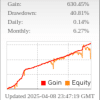
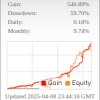
Forex Flex EA offers a blend of automatic updates, virtual trade logic, and strong community support. While no expert advisor is risk-free, the long history, open statistics, and flexible money-management tools give traders clear ways to test and adjust the robot to fit their own comfort level.
Happy trading, and keep learning!
Live Signals – Click Here
Vendor Site – Click Here
| Membership | Yearly Membership |
|---|---|
| Additional Services | Unlock & Decompile |
| Recommended Brokers | Exness Broker, FPMarkets |
| Recommended VPS | FXVM (Low Latency) |
| Youtube Channel | ForexForYou |
| Telegram Channel | Onshoppie Forex EA's & Indicators |
| Telegram Support | Onshoppie Support |
| Installation Guides | Onshoppie Forex Guides |
Brand
ea-mt4
Only logged in customers who have purchased this product may leave a review.
Related products



Products
-
 Adaptive Gold Scalper EA MT5 V1.9 + Setfiles With DLL 5836
Original price was: $375.00.$14.95Current price is: $14.95.
Adaptive Gold Scalper EA MT5 V1.9 + Setfiles With DLL 5836
Original price was: $375.00.$14.95Current price is: $14.95.
-
 Zerqon EA MT5 V22.2 For Build 5836+
Original price was: $299.00.$14.95Current price is: $14.95.
Zerqon EA MT5 V22.2 For Build 5836+
Original price was: $299.00.$14.95Current price is: $14.95.
-
 MHD Scalper Pro EA MT5 V9.1 For Build 5836+
Original price was: $1,200.00.$14.95Current price is: $14.95.
MHD Scalper Pro EA MT5 V9.1 For Build 5836+
Original price was: $1,200.00.$14.95Current price is: $14.95.
-
 Quantum OmniGold EA MT5 V1.8 For Build 5836+
Original price was: $1,099.00.$14.95Current price is: $14.95.
Quantum OmniGold EA MT5 V1.8 For Build 5836+
Original price was: $1,099.00.$14.95Current price is: $14.95.
-
 BTC Scalper IA EA MT5 V1.2 For Build 5836+
$14.95
BTC Scalper IA EA MT5 V1.2 For Build 5836+
$14.95
-
 Eternal Engine EA MT5 V2.30 + Setfiles For Build 5836+
Original price was: $599.00.$39.95Current price is: $39.95.
Eternal Engine EA MT5 V2.30 + Setfiles For Build 5836+
Original price was: $599.00.$39.95Current price is: $39.95.
-
Forex Flex EA MT4 V4.91 + Setfiles For Build 1473+
Original price was: $499.00.$39.95Current price is: $39.95.
-
 Perceptrader AI EA MT5 V2.43 + Setfiles For Build 5836+
Original price was: $2,800.00.$14.95Current price is: $14.95.
Perceptrader AI EA MT5 V2.43 + Setfiles For Build 5836+
Original price was: $2,800.00.$14.95Current price is: $14.95.
Recent reviews
-
 Advanced Dashboard Currency Strength
by Balram
Advanced Dashboard Currency Strength
by Balram
Reviews
There are no reviews yet.