


ATS ADVISOR EA MT4 V1.8 For Build 1473+
$9.95
Discover the proven power of ATS Advisor EA! Unlock exciting trading strategies, boost your profits, and take full control of your financial journey today.



Description
Main Title
ATS Advisor EA: In-Depth Guide to a Level Breakout Strategy with Built-In Risk Protections
Alternative Title
ATS Advisor EA – Everything You Need to Know Before You Start Trading
Table of Contents
- What Is ATS Advisor EA?
- Broker and Platform Requirements
- Pair, Timeframe, and Leverage Recommendations
- Setting Up ATS Advisor EA Step-by-Step
- Money Management and Recovery Function
- Common Questions
- Final Thoughts
What Is ATS Advisor EA?
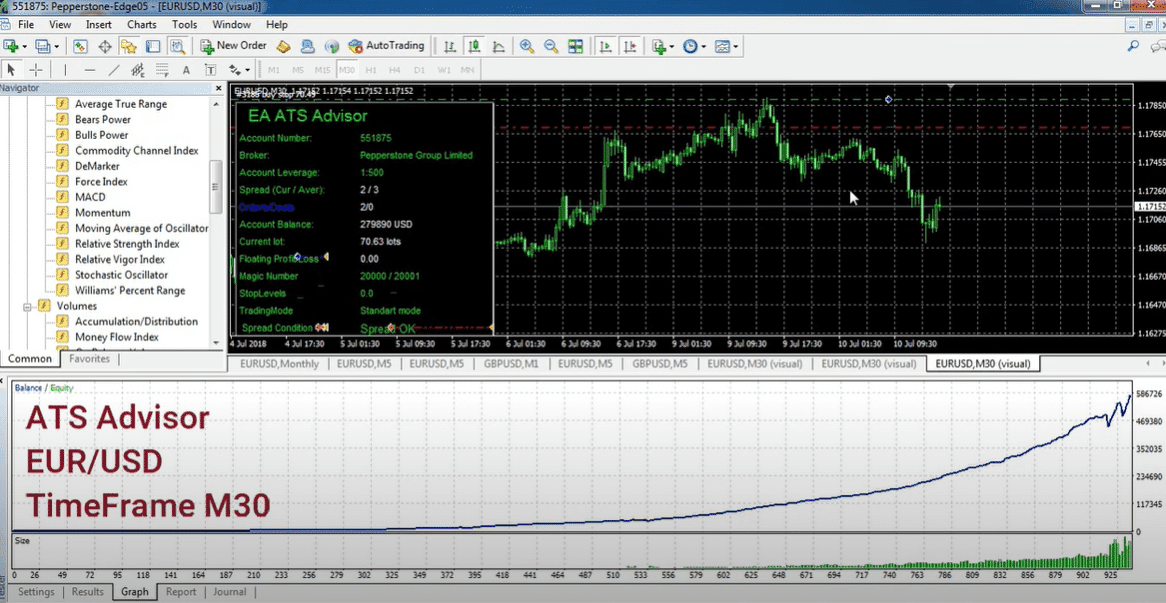
The ATS Advisor EA is an automated trading system (Expert Advisor) designed for the MetaTrader platform. It looks for breakouts of significant price levels, places trades automatically, and sets a predefined Stop Loss each time. Key points:
- Works best on EURUSD, M30.
- Requires only 1000 bars of history to start testing or live trading.
- Does not use martingale, grid, or hedging. Instead, it has a single-use recovery function.
- Fully FIFO compliant, making it suitable for U.S. brokers that follow First-In-First-Out rules.
Broker and Platform Requirements
Why ECN/STP Matters
- Low Spread (0–5 pips) – Breakout systems rely on tight pricing.
- No Minimum Stop Level (0–1 pips) – Broker restrictions on SL distance can block orders.
Using a VPS
Running ATS Advisor EA on a VPS located near the broker’s server keeps latency low. Benefits:
- Faster order execution during breakouts
- Reduces disconnect risk during key events
Pair, Timeframe, and Leverage Recommendations
- Currency Pair: EURUSD
- Timeframe: M30 provides a balance between signal frequency and noise.
- Leverage: 1:100 or higher. Lower leverage is possible, but you should also lower the Risk setting.
Setting Up ATS Advisor EA Step-by-Step
Downloading and Installing
- Open MetaTrader → File → Open Data Folder.
- Copy the
.ex4file intoMQL4/Experts. - Restart the platform.
- Locate ATS Advisor EA in the Navigator and drag it onto an EURUSD M30 chart.
Money Management and Recovery Function
- Fixed Fractional – Risk value tells the EA how much of your equity to risk on each trade.
- Single Recovery Trade – If the previous trade hit Stop Loss, the next trade may use a slightly larger lot one time only, aiming to recoup the loss without spiraling risk.
- No Martingale – After that recovery attempt, lot size resets to normal.
Common Questions Regarding ATS ADVISOR EA
Q1: Can I run this EA on other pairs?A: It is optimized for EURUSD. You can test other majors, but results may differ.
Q3: How much starting capital do I need?A: Even $500 can work at low Risk settings, but more capital gives trades room to breathe.
Q4: What happens during high-impact news?A: The EA has built-in spread and volatility filters. Still, you may choose to disable auto-trading around major events.
Final Thoughts About ATS ADVISOR EA
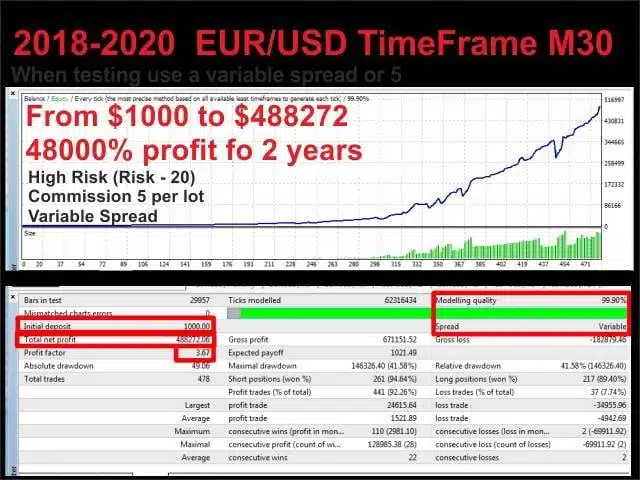
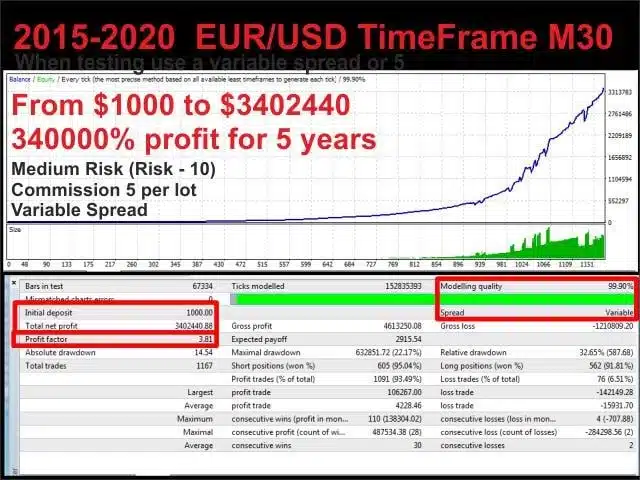
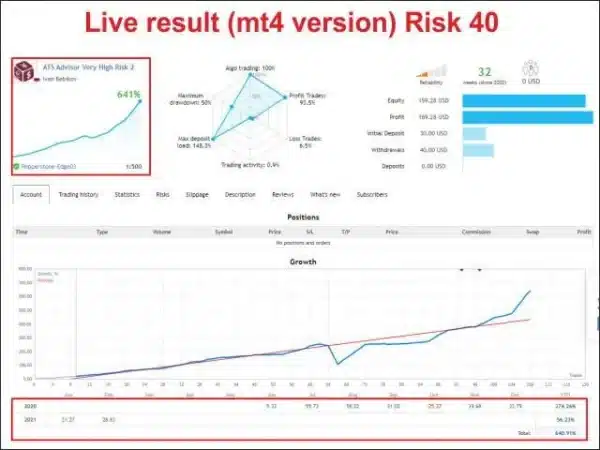
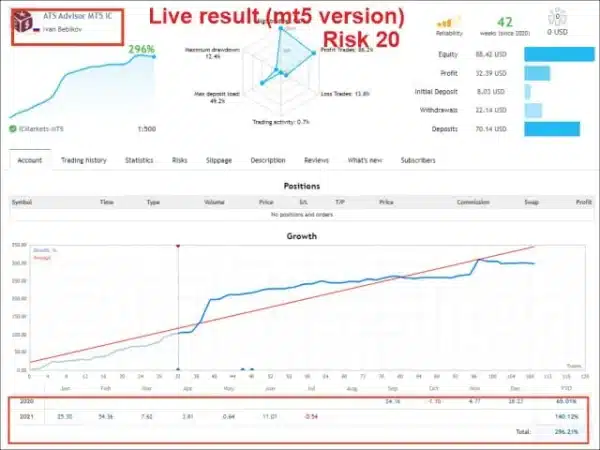
ATS Advisor EA offers a straightforward breakout approach backed by a decade of historical testing, strict Stop Loss use, and simple risk controls. Trade it on EURUSD M30 with a solid ECN/STP broker, follow the recommended Risk values, and always test on a demo first. Ready to explore further? Check the live statistics on the official MQL5 signals page and decide if it fits your trading plan.
| Membership | Yearly Membership |
|---|---|
| Additional Services | Unlock & Decompile |
| Recommended Brokers | Exness Broker, FPMarkets |
| Recommended VPS | FXVM (Low Latency) |
| Youtube Channel | ForexForYou |
| Telegram Channel | Onshoppie Forex EA's & Indicators |
| Telegram Support | Onshoppie Support |
| Installation Guides | Onshoppie Forex Guides |
Brand
ea-mt4
Only logged in customers who have purchased this product may leave a review.
Related products


Products
-
 H4 Gold Scalper EA MT5 V1.5 With DLL Build 6122
Original price was: $150.00.$14.95Current price is: $14.95.
H4 Gold Scalper EA MT5 V1.5 With DLL Build 6122
Original price was: $150.00.$14.95Current price is: $14.95.
-
 Mavrik Scalper EA MT5 V18.306 For Build 6140+
$14.95
Mavrik Scalper EA MT5 V18.306 For Build 6140+
$14.95
-
 Dude Alpha Gold EA MT5 V1.4.2 + Set Files For Build 6140+
Original price was: $499.00.$14.95Current price is: $14.95.
Dude Alpha Gold EA MT5 V1.4.2 + Set Files For Build 6140+
Original price was: $499.00.$14.95Current price is: $14.95.
-
 Ultra Beast EA MT5 + Setfiles For Build 6140+
$14.95
Ultra Beast EA MT5 + Setfiles For Build 6140+
$14.95
-
 Algo Edge SMC AI EA MT5 V3 For Build 6140+
$14.95
Algo Edge SMC AI EA MT5 V3 For Build 6140+
$14.95
-
 Aura Absolute EA MT4 V1.1 For Build 1476+
$14.95
Aura Absolute EA MT4 V1.1 For Build 1476+
$14.95
-
 Gold Neural Core EA MT5 V1.5 For Build 6140+
Original price was: $500.00.$14.95Current price is: $14.95.
Gold Neural Core EA MT5 V1.5 For Build 6140+
Original price was: $500.00.$14.95Current price is: $14.95.
-
 Global Trade Plan EA MT5 V3.1 + SetFiles With DLL 6140
Original price was: $399.00.$14.95Current price is: $14.95.
Global Trade Plan EA MT5 V3.1 + SetFiles With DLL 6140
Original price was: $399.00.$14.95Current price is: $14.95.
Recent reviews
-
 Advanced Dashboard Currency Strength
by Balram
Advanced Dashboard Currency Strength
by Balram
Reviews
There are no reviews yet.