



Quantum OmniGold EA MT5 V1.8 For Build 5836+
Original price was: $1,099.00.$14.95Current price is: $14.95.
The Quantum OmniGold EA, a proven trading tool delivering outstanding Forex results. Unlock secrets to smarter, more profitable trades starting today!



Description
Quantum OmniGold EA: Detailed Review of the New Gold Trading Expert Advisor
Quantum OmniGold EA Review: Is the Limited-Edition Gold Expert Advisor Worth It?
Table of Contents
- What Is Quantum OmniGold EA?
- Why Traders Compare It With Quantum Queen
- Who Is Quantum OmniGold EA For?
- Setup Guide: From Purchase to First Trade
- Minimum Requirements
- Frequently Asked Questions
- Final Thoughts
What Is Quantum OmniGold EA?
Quantum OmniGold EA is an automated trading system built for MetaTrader that focuses on gold (XAUUSD). It follows the Quantum line of gold robots that began with Quantum Queen, the highest-rated Expert Advisor in the MQL5 marketplace.
Instead of recycling old code, the developer wrote a new engine that tries to:
- find more high-probability setups;
- keep risk low by using fixed Stop Loss values;
- manage exits with two profit targets and a sliding Trailing Stop.
Because each position is opened and closed on its own, you will not see the large baskets of trades that Grid or Martingale robots use. That design choice makes drawdowns easier to understand and helps prop-firm traders stay within daily loss limits.
Why Traders Compare It With Quantum Queen
Quantum Queen gained a reputation as the best-selling gold EA on MQL5. Traders now want to know whether Quantum OmniGold EA offers:
- A higher win rate;
- Lower drawdown;
- Simpler setup (no need to tweak inputs).
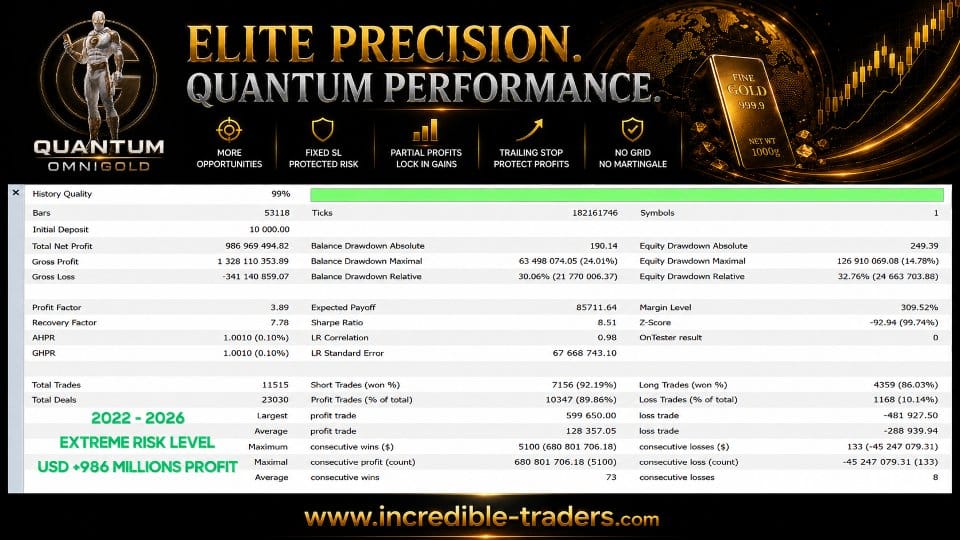
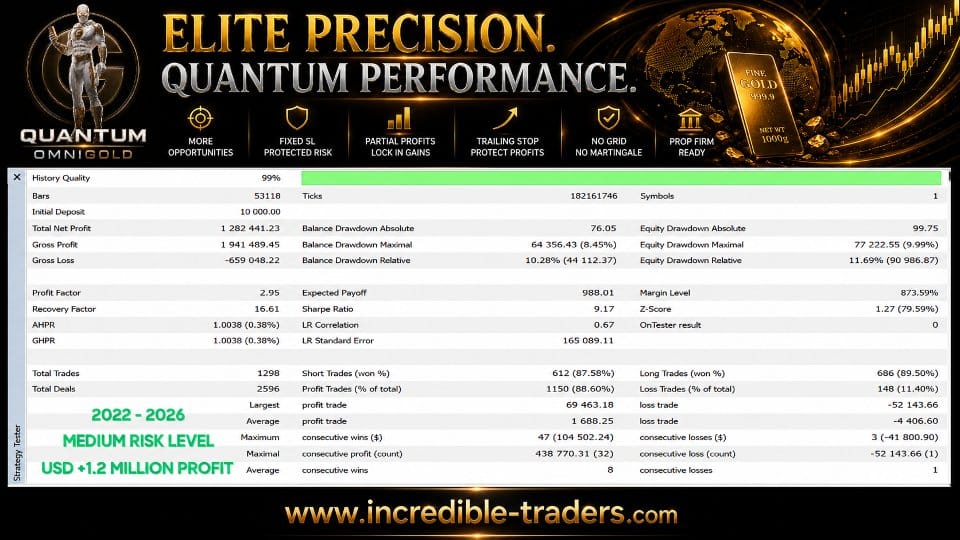
While only live data will reveal the full story, early back-tests shared by users show:
- Similar or slightly better risk-adjusted returns;
- Fewer but higher-quality trades;
- Better performance during sideways markets due to the added momentum filter.
Who Is Quantum OmniGold EA For?
| Trader Type | Why It May Fit |
|---|---|
| New traders | Plug-and-play defaults remove guesswork. |
| Busy professionals | Fully automated; runs 24/5 on a VPS. |
| Prop-firm hopefuls | “Very Low Risk” mode respects tight drawdown rules. |
| Experienced manual traders | Can act as a diversification tool alongside discretionary methods. |
Setup Guide: From Purchase to First Trade
- Buy and download the file from the Onshoppie.com.
- Install MetaTrader 5.
- Copy the
.ex5file into yourExpertsfolder. - Restart the platform and drag the EA onto an XAUUSD chart. Any timeframe works, but many users keep it on M15 or H1.
- Select risk mode in the inputs (Very Low / Low / Medium / High).
- Enable algo trading and keep the platform connected. If you use a VPS, this runs even when your computer is off.
- Watch initial trades on a demo account for at least two weeks. Move to live funds when you feel comfortable.
Minimum Requirements
- Symbol: XAUUSD
- Recommended deposit: $1,000 (minimum $500)
- Leverage: 1:100 or higher (1:500 ideal)
- Account type: ECN / RAW spread with hedging allowed
- VPS with low latency to your broker’s server
Popular broker choices among early users include VT Markets and TMGM.
Frequently Asked Questions
Q: Does Quantum OmniGold EA work on Forex pairs?A: The logic was built around gold. Some users test on EURUSD, but the developer only supports XAUUSD.
Q: How many charts should I attach it to?A: One chart is enough because the EA handles all timeframes internally.
Q: What happens if my internet drops?A: Running the EA on a VPS reduces this risk. If disconnected, MetaTrader will not send new orders or manage open ones until it reconnects.
Final Thoughts
Quantum OmniGold EA continues the Quantum line with a new, cleaner code base, modern confirmation filters, and stricter risk controls. Traders who missed the original Quantum Queen or who want a gold robot without Grid or Martingale may find this a practical option. As with any automated system, test on demo, use proper money management, and remember that even disciplined algorithms can have losing periods.
Quantum OmniGold MQL5 Public Channel: CLICK HERE
Live Signal – Click Here
Vendor Site – Click Here
| Membership | Yearly Membership |
|---|---|
| Additional Services | Unlock & Decompile |
| Recommended Brokers | Exness Broker, FPMarkets |
| Recommended VPS | FXVM (Low Latency) |
| Youtube Channel | ForexForYou |
| Telegram Channel | Onshoppie Forex EA's & Indicators |
| Telegram Support | Onshoppie Support |
| Installation Guides | Onshoppie Forex Guides |
Brand
ea-mt5
Only logged in customers who have purchased this product may leave a review.
Related products



Products
-
 Adaptive Gold Scalper EA MT5 V1.9 + Setfiles With DLL 5836
Original price was: $375.00.$14.95Current price is: $14.95.
Adaptive Gold Scalper EA MT5 V1.9 + Setfiles With DLL 5836
Original price was: $375.00.$14.95Current price is: $14.95.
-
 Zerqon EA MT5 V22.2 For Build 5836+
Original price was: $299.00.$14.95Current price is: $14.95.
Zerqon EA MT5 V22.2 For Build 5836+
Original price was: $299.00.$14.95Current price is: $14.95.
-
 MHD Scalper Pro EA MT5 V9.1 For Build 5836+
Original price was: $1,200.00.$14.95Current price is: $14.95.
MHD Scalper Pro EA MT5 V9.1 For Build 5836+
Original price was: $1,200.00.$14.95Current price is: $14.95.
-
Quantum OmniGold EA MT5 V1.8 For Build 5836+
Original price was: $1,099.00.$14.95Current price is: $14.95.
-
 BTC Scalper IA EA MT5 V1.2 For Build 5836+
$14.95
BTC Scalper IA EA MT5 V1.2 For Build 5836+
$14.95
-
 Eternal Engine EA MT5 V2.30 + Setfiles For Build 5836+
Original price was: $599.00.$39.95Current price is: $39.95.
Eternal Engine EA MT5 V2.30 + Setfiles For Build 5836+
Original price was: $599.00.$39.95Current price is: $39.95.
-
 Forex Flex EA MT4 V4.91 + Setfiles For Build 1473+
Original price was: $499.00.$39.95Current price is: $39.95.
Forex Flex EA MT4 V4.91 + Setfiles For Build 1473+
Original price was: $499.00.$39.95Current price is: $39.95.
-
 Perceptrader AI EA MT5 V2.43 + Setfiles For Build 5836+
Original price was: $2,800.00.$14.95Current price is: $14.95.
Perceptrader AI EA MT5 V2.43 + Setfiles For Build 5836+
Original price was: $2,800.00.$14.95Current price is: $14.95.
Recent reviews
-
 Advanced Dashboard Currency Strength
by Balram
Advanced Dashboard Currency Strength
by Balram
Reviews
There are no reviews yet.