


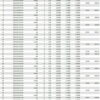
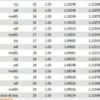
WinnerFX TSR EA MT4 V7 + Setfiles For Build 1455+
$9.95
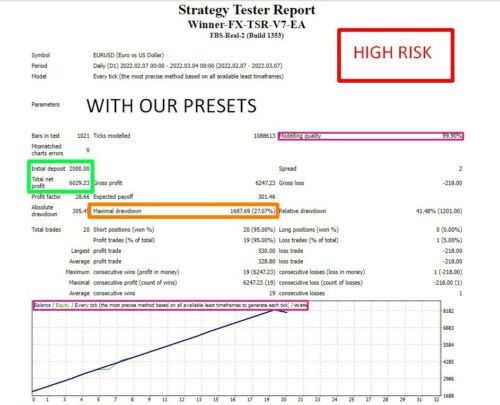
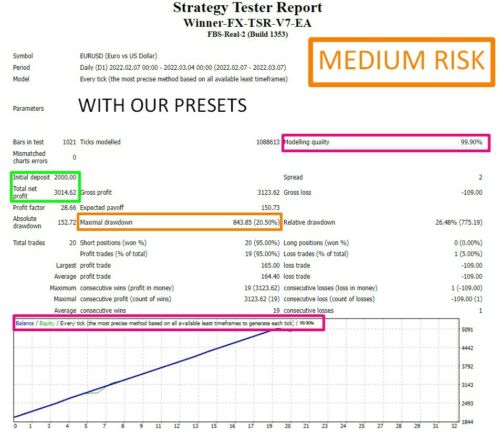
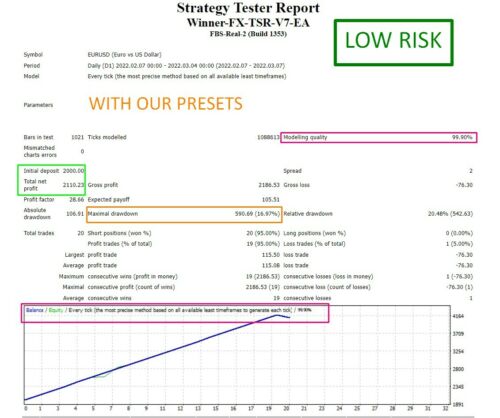
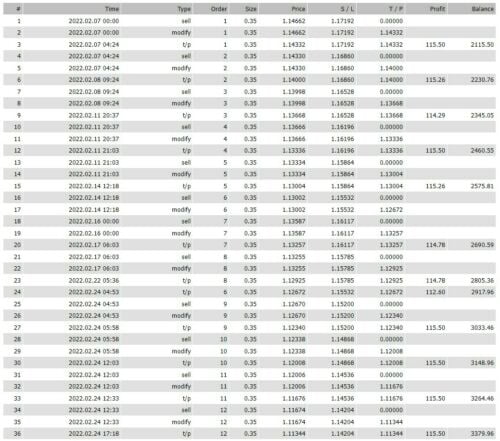
WinnerFX TSR EA is a automated forex EA work using Fibonacci 36 percentage, moving average & stop trailing with a formula to ensure a high win rate profile.



Description
WinnerFX TSR EA: Full User Guide, Settings, and Honest Review
WinnerFX TSR EA – Everything You Need To Know Before You Click “Run”
Table of Contents
- Quick Snapshot
- What Is WinnerFX TSR EA?
- Why You Must Test in a Demo Account First
- Minimum Requirements & Recommended Settings
- Step-by-Step Installation Guide
- Daily Operating Tips
- Frequently Asked Questions
- Pros, Cons & Final Thoughts
- Ready To Start?
Quick Snapshot of WinnerFX TSR EA
| Item | Details |
|---|---|
| Primary Keyword | WinnerFX TSR EA |
| Other Names Seen Online | WinnerFX TSR V7 EA, TSR V7, WinnerFX TSR Robot |
| Best Chart Timeframe | 4-Hour (works on any timeframe) |
| Suggested Pairs | EURUSD, GBPUSD, AUDUSD (any pair possible) |
| Minimum Capital | 500 – 1 000 USD (1 000 USD preferred) |
| Platform | MT4 on Windows, monitor on Android/iOS |
| Runs Best On | 24/7 VPS with low-spread ECN broker |
| Refund Window | 30 days, 100 % money-back if not profitable |
What Is WinnerFX TSR EA?
WinnerFX TSR EA is an automated trading program (Expert Advisor) built for MetaTrader 4. Once installed, it studies market data, opens and closes trades, and manages risk without human input. Traders choose it because:
- It looks for mid-term opportunities on the 4-hour chart, so it avoids the noise of lower timeframes.
- The algorithm adapts to multiple currency pairs, with presets for EURUSD, GBPUSD, and AUDUSD.
- Default money-management rules are baked in, reducing the need for constant tweaking.
Despite these perks, remember: no robot is perfect. Market conditions change, spreads vary by broker, and unexpected news can shake up results. That is why the vendor insists you make yourself familiar and understand how WinnerFX TSR V7 EA works before risking real cash.
Why You Must Test in a Demo Account First
“Please test in a demo account first for at least a week.”
That line comes straight from the provider, and it exists for good reason:
- Broker Differences – Some brokers widen spreads at night or during news. Demo lets you see if the EA can cope.
- Server Time Offsets – A simple GMT mismatch can stop an EA from trading altogether.
- Learning Curve – You will practise turning AutoTrading on/off, changing lot sizes, and attaching the EA to the correct chart.
- Confidence Building – Watching trades open and close in demo builds trust and removes panic when you later trade live.
Most users stretch the demo phase to 30 days. The company itself uses the 30-day mark as the cut-off for its refund guarantee, so do not skip this step.
Minimum Requirements & Recommended Settings for WinnerFX TSR EA
1. Account Size
- Minimum to run: 500 USD
- Recommended for cushion: 1 000 USD or more
Lower balances increase the chance of hitting margin calls during drawdown.
2. Currency Pairs
- Best: EURUSD, GBPUSD, AUDUSD
- Works on: Any major or minor pair with a spread under 2 pips on average.
3. Timeframe
- Optimised for 4H charts.
- Other timeframes compile signals but might change trade frequency.
4. Execution Environment
| Element | Why It Matters |
|---|---|
| VPS (24/7) | Avoids missed trades caused by power cuts or reboots. |
| Low-Spread ECN Broker | Cuts trading costs and slippage. |
| No Frequent Account Switching | Keeps the EA licensed and avoids setting resets. |
5. News Filter (Manual)
WinnerFX TSR EA does not pause itself around news. Keep an economic calendar open, and turn AutoTrading off before high-impact releases such as NFP or FOMC.
Step-by-Step Installation Guide
Below is the quick version. A full PDF and video tutorial arrive by email after purchase.
- Download the ZIP file sent to your inbox.
- Open MT4 → File → Open Data Folder → MQL4 → Experts.
- Paste the .ex4 file into Experts.
- Restart MT4.
- Drag WinnerFX TSR EA from the Navigator onto a 4H chart of EURUSD (or your chosen pair).
- Check these boxes in the Inputs / Common tab:
- Allow DLL imports
- Allow live trading
- Load the preset file included in your download or copy the default values from the manual.
- Make sure AutoTrading is ON (green play icon).
- Confirm a smiley face in the chart’s top-right corner. That signals the EA is active.
Tip: Create a separate MT4 installation if you plan to run other robots. Running multiple EAs on one account can cause order conflicts.
Daily Operating Tips
| Task | When | Why |
|---|---|---|
| Check VPS uptime | Morning | Verify no unexpected restarts. |
| Compare spread vs. average | Before London open | High spreads can wipe out an edge. |
| Mark red-folder news events | Daily | Pause the EA 30 min before and after big releases. |
| Record equity curve | Weekly | A simple screenshot helps track performance during the refund window. |
Frequently Asked Questions
Q1. How does the EA trade?A. It uses a mix of trend recognition and time-frame alignment across H4 and H1. Entry size is fractioned to reduce single-trade risk.
Q2. When do I receive the download?Instantly. A link lands in your inbox moments after purchase.
Q3. I am new. How do I install?Follow the installation steps above or open the video tutorial in the file.
Q4. Can I monitor on my phone?Yes. Install MT4 for Android or iOS and log in with the same broker credentials.
Q5. How many accounts can I use?Licences are sold per account number, but you may request multiple numbers directly from support.
Q6. Why is the EA silent?Check:
- AutoTrading = ON
- Correct timeframe = 4H
- Market open (Mon-Fri)
- DLL imports = allowed
Q7. Can I change settings?Yes, but any custom tweak is at your own risk. Keep backup copies of the default preset.
Q8. Expected monthly gain?Variables include pair, broker spread, and market pace. Study the live stats the vendor posts on Myfxbook.
Q9. What payment methods?Crypto, Visa, MasterCard, PayPal.
Q10. Can I run two EAs on one MT4 account?Not advised. WinnerFX TSR EA tracks its own orders by magic number. Another robot could interfere.
Pros, Cons & Final Thoughts About WinnerFX TSR EA
Pros
- Hands-free trading once setup is done
- Runs on any low-spread ECN broker
- 30-day money-back guarantee adds safety
- Easy install via PDF or video
- Works on several pairs, giving choice
Cons
- No built-in news filter (manual pause needed)
- Requires a VPS for best stability (extra cost)
- Profit varies; past results are not a promise
- Demo period is essential; skipping it may void refund confidence
Ready To Start With WinnerFX TSR EA?
WinnerFX TSR EA can save hours of screen time, but only if you treat it like any other tool—test, measure, and adjust. Download, run it on demo for a full month, and keep detailed notes. If you see consistent weekly profit, move to a live account with at least 1 000 USD and a reputable ECN broker.
| Membership | Yearly Membership |
|---|---|
| Additional Services | Unlock & Decompile |
| Recommended Brokers | Exness Broker, FPMarkets |
| Recommended VPS | FXVM (Low Latency) |
| Youtube Channel | ForexForYou |
| Telegram Channel | Onshoppie Forex EA's & Indicators |
| Telegram Support | Onshoppie Support |
| Installation Guides | Onshoppie Forex Guides |
Brand
ea-mt4
Only logged in customers who have purchased this product may leave a review.
Related products
Products
-
 H4 Gold Scalper EA MT5 V1.5 With DLL Build 6122
Original price was: $150.00.$14.95Current price is: $14.95.
H4 Gold Scalper EA MT5 V1.5 With DLL Build 6122
Original price was: $150.00.$14.95Current price is: $14.95.
-
 Mavrik Scalper EA MT5 V18.306 For Build 6140+
$14.95
Mavrik Scalper EA MT5 V18.306 For Build 6140+
$14.95
-
 Dude Alpha Gold EA MT5 V1.4.2 + Set Files For Build 6140+
Original price was: $499.00.$14.95Current price is: $14.95.
Dude Alpha Gold EA MT5 V1.4.2 + Set Files For Build 6140+
Original price was: $499.00.$14.95Current price is: $14.95.
-
 Ultra Beast EA MT5 + Setfiles For Build 6140+
$14.95
Ultra Beast EA MT5 + Setfiles For Build 6140+
$14.95
-
 Algo Edge SMC AI EA MT5 V3 For Build 6140+
$14.95
Algo Edge SMC AI EA MT5 V3 For Build 6140+
$14.95
-
 Aura Absolute EA MT4 V1.1 For Build 1476+
$14.95
Aura Absolute EA MT4 V1.1 For Build 1476+
$14.95
-
 Gold Neural Core EA MT5 V1.5 For Build 6140+
Original price was: $500.00.$14.95Current price is: $14.95.
Gold Neural Core EA MT5 V1.5 For Build 6140+
Original price was: $500.00.$14.95Current price is: $14.95.
-
 Global Trade Plan EA MT5 V3.1 + SetFiles With DLL 6140
Original price was: $399.00.$14.95Current price is: $14.95.
Global Trade Plan EA MT5 V3.1 + SetFiles With DLL 6140
Original price was: $399.00.$14.95Current price is: $14.95.
Recent reviews
-
 Advanced Dashboard Currency Strength
by Balram
Advanced Dashboard Currency Strength
by Balram
Reviews
There are no reviews yet.