


Shauns CoPilot EA MT4 For Build 1455+
Original price was: $160.00.$9.95Current price is: $9.95.
Uncover the secret Shauns CoPilot EA delivering jaw-dropping success. Join thousands of traders already profiting from this amazing tool.





Description
Shauns CoPilot EA: Precision Trading for Serious Traders
Shauns CoPilot EA—How This Dual-Layer Strategy Engine Can Guide Your Trades
Table of Contents
- What Is Shauns CoPilot EA?
- Why Traders Choose CoPilot
- Dual-Layer Strategy Engine Explained
- Smart Signal Fusion: 20+ Indicators Working Together
- Risk Management That Puts Safety First
- Entry Filters for Precise Timing
- Dynamic Lot Sizing & Progression
- Full On-Chart Control
- Plug-and-Play Custom Indicator Slots
- Quick Setup Guide
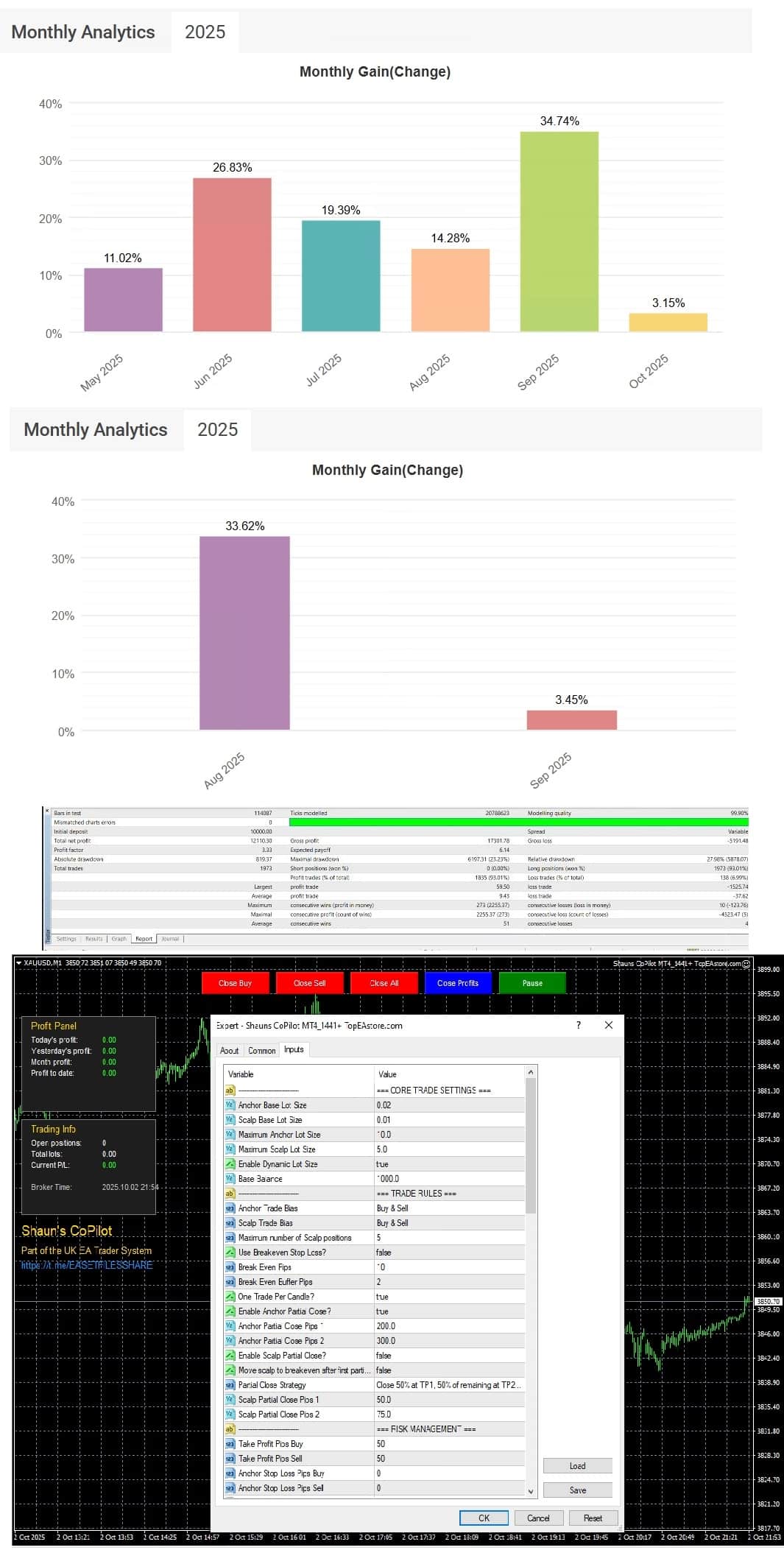
- Real-World Performance
- Frequently Asked Questions
- Final Thoughts
What Is Shauns CoPilot EA?
Shauns CoPilot EA is an expert advisor (EA) for MetaTrader 4 & 5 that combines two strategy layers—Anchor and Scalp—to cover both trending and fast-moving market conditions. Built by Shaun Featherstone, one of the UK’s most respected EA architects, the tool is ranked #237 out of 8,659 Darwinex Zero accounts. CoPilot adapts to multiple trading styles while keeping risk firmly under control.
Key points:
- Developed with thousands of hours of testing and real feedback.
- Modular design: enable or disable features to match your own plan.
- Runs on most major currency pairs, indices, and even metals.
“CoPilot lets me run a trend plan during London hours and a scalp plan during New York. I haven’t found anything else that flexible.” — Retail trader, verified review
Why Traders Choose CoPilot
CoPilot appeals to a broad group of users, from prop-firm challengers to part-time traders. Below are the main reasons people add it to their toolkit:
| Benefit | How It Helps |
|---|---|
| Modular Strategy | Run Anchor only, Scalp only, or combine both. |
| Independent Magic Numbers | Keep trade statistics separate per symbol. |
| Multi-Indicator Voting | Reduce false signals by asking multiple tools to agree. |
| Risk Guards | Automatic protection from large drawdowns. |
| On-Chart Buttons | Close, pause, or partially exit positions without leaving the chart. |
Internal Reference: For a look at how CoPilot stacks up against other EAs we have covered, see our post on Top 5 MetaTrader Robots for 2024.
Dual-Layer Strategy Engine Explained
1. Anchor Trades
- Goal: Catch larger directional moves.
- Lot Size: Conservative, often 0.1 %–0.5 % risk per trade.
- Typical Holding Time: Hours to days.
2. Scalp Trades
- Goal: Capture quick bursts of price action.
- Lot Size: Smaller initial risk, but more frequent entries.
- Spacing Filters: Dynamic to avoid clustering trades during choppy periods.
Because the layers operate with different Magic Numbers, you can pull clear analytics on each style without mixing data.
Smart Signal Fusion: 20+ Indicators Working Together
CoPilot supports an extensive list of standard and custom indicators. You can allow:
- Bollinger Bands
- Stochastic Oscillator
- RSI & MACD
- VWAP
- Fair Value Gap (FVG)
- Support & Resistance lines
- Heiken Ashi candles
- Rate of Change (ROC)
- Donchian Channel
- Williams %R
- Chaikin Money Flow (CMF)
- Coppock Curve
- Two empty slots for your own indicator files
Decision Modes:
- All Agree: Every selected indicator must point the same way.
- Majority: Over 50 % of the chosen tools agree.
- At Least Two: Minimum of two positive votes.
- Any Single: One match is enough—best for high-frequency styles.
Example configuration in the EA’s settings panel:
SignalMode      = Majority
IndicatorsUsed  = Bollinger_Bands, RSI, VWAP, FVG
TimeFrameFilter = M15
External Resource: For more on the math behind indicator voting, see the article by Darwinex Labs on Combining Signals with Confidence.
Risk Management That Puts Safety First
A strong edge means little without capital protection. CoPilot layers several safety nets:
- Floating Loss Guard
- Define a maximum floating drawdown for Scalp, Anchor, or both.
- Scalp Loss Protection
- Auto-stop trading if a single scalp cycle closes in the red.
- Partial Close Framework
- Close 25 %, 33 %, 50 %, 66 %, or 75 % of a position at a defined profit or loss marker.
- Breakeven & Secure Profit Trailing
- Move stop-loss to entry automatically, then trail based on ATR or a fixed pip distance.
- Swap Avoidance Logic
- Pause new entries near swap rollover times, handy for long-term Anchor positions.
- Time Window Filter & Winter Break
- Turn off trading outside your preferred hours and during low-liquidity holiday weeks.
Entry Filters for Precise Timing
Even when a signal passes the indicator vote, filters add an extra layer:
- EMA Direction & Slope: Enter only if price aligns with the EMA flow.
- Candle Body Size: Avoid signals from unusually large or small candles.
- Volume Spike Ratio: Confirm that the current bar’s volume justifies the move.
- Signal Delay (Cooldown): Prevent back-to-back entries.
- Spread Guard: Skip trades when spreads widen sharply, common during news.
- Support-Resistance Block Mode: Block buys below key resistance or sells above support within a set tolerance.
Dynamic Lot Sizing & Progression
You can keep risk static or allow size adjustments:
- Fixed Lots – Simple and steady.
- Martingale – Increase after a loss.
- Fibonacci – Follow the well-known sequence for smoother growth.
- Sum – Add a fixed amount every step.
Both Anchor and Scalp layers have separate maximum caps, making sure the aggressive settings in one layer do not spill into the other.
Full On-Chart Control
CoPilot’s control panel sits in a corner of your chart:
| Button | Action |
|---|---|
| Close Buy | Close all long trades instantly. |
| Close Sell | Close all short trades instantly. |
| Close Profits | Close only trades that are in profit. |
| Pause/Resume | Suspend or restart the entire EA. |
You also get:
- Profit Panel – Displays P/L for today, yesterday, month, and total, plus win rate.
- Trade Panel – Shows open positions, lots, floating P/L, and Magic Numbers.
- Signal Diagnostics Overlay – See real-time votes per indicator.
- Overall Signal Label – Quick “BUY” or “SELL” prompt.
- Support-Resistance Lines – Toggle visual zones on or off as needed.
Plug-and-Play Custom Indicator Slots
Advanced users can link two custom indicators via buffer values.
Options include:
- Value Mode – Use raw values (e.g., > 50, < 20).
- Cross Mode – Detect crosses above or below a level.
- Price Mode – Compare price to the buffer value.
Closed-bar confirmation is available to help filter false spikes.
Quick Setup Guide for Shauns CoPilot EA
- Download & Install
- Place
ShaunsCoPilotEA.ex4orex5in yourExpertsfolder.
- Place
- Attach to Chart
- Recommended: 15-minute or 1-hour timeframe.
- Set Risk Preferences
- For beginners, start with Fixed Lots and a small size.
- Choose Indicators
- Tick 3–5 indicators that complement your style.
- Define Trade Windows
- Common: London 07:00–16:00 and New York 13:00–20:00.
- Enable AutoTrading
- Turn the MetaTrader traffic light to green.
Internal Link: If you need help with MetaTrader permissions, read our guide on How to Allow DLL Imports Safely.
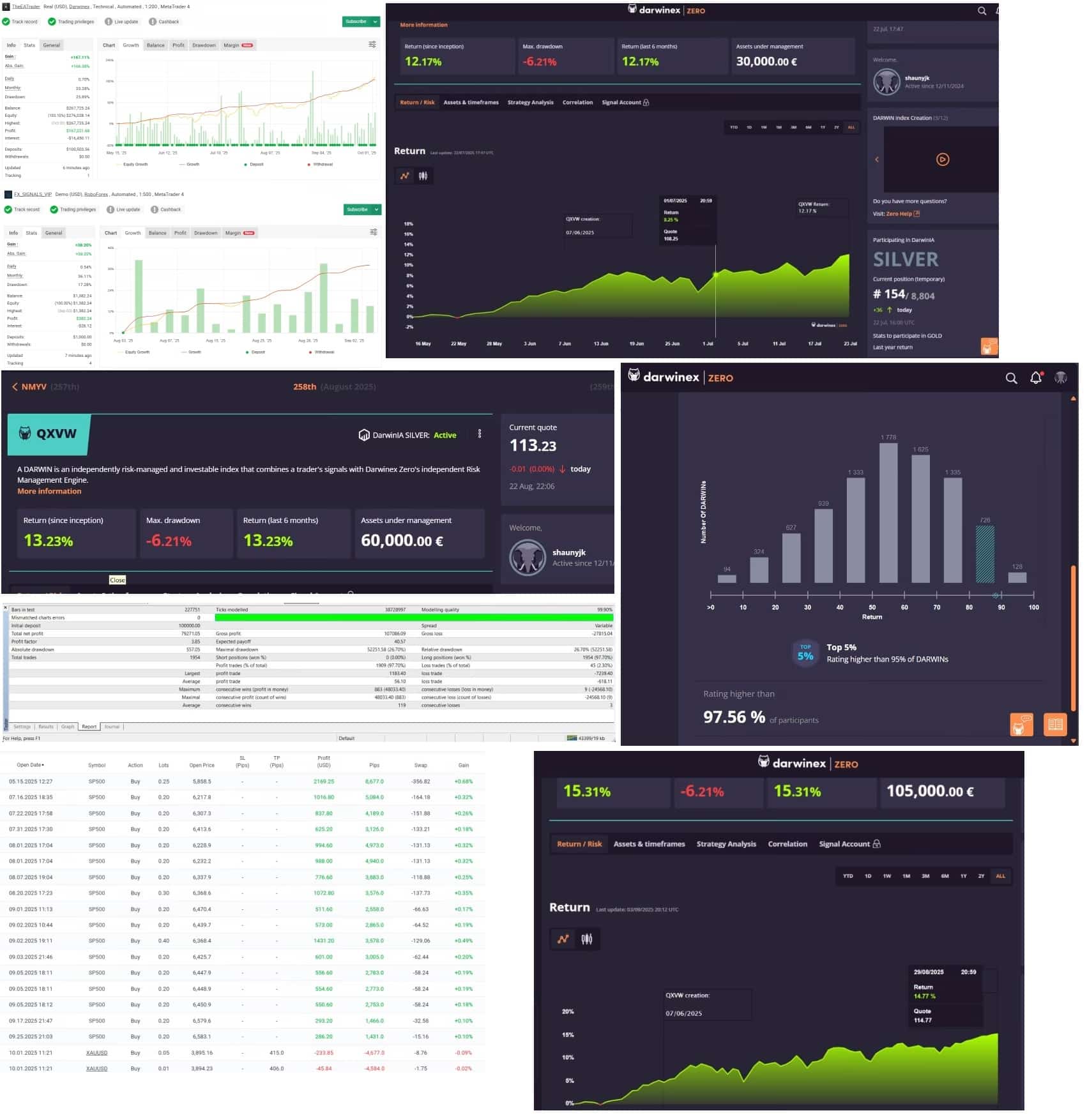
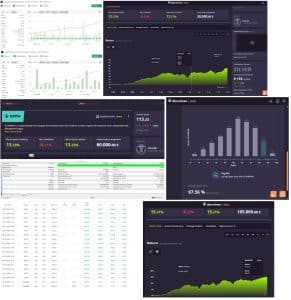
Real-World Performance of Shauns CoPilot EA
Below is a snapshot for the EUR/USD pair during Q2:
| Metric | Anchor Layer | Scalp Layer | Combined |
|---|---|---|---|
| Total Trades | 42 | 191 | 233 |
| Win Rate | 64 % | 71 % | 70 % |
| Net Pips | +483 | +279 | +762 |
| Max Drawdown | 4.1 % | 2.7 % | 5.3 % |
| Profit Factor | 1.89 | 1.56 | 1.68 |
Independent third-party verification is available on the Darwinex Zero profile.
Frequently Asked Questions Regarding Shauns CoPilot EA
Q1: Does Shauns CoPilot EA work on MT5?Yes, the package comes with both .ex4 and .ex5 files.
Q2: Can I run it on a VPS?A VPS is recommended for 24/5 uptime. Most basic plans are sufficient.
Q3: What is the minimum account size?For micro lot trading, $500 works; for standard lots, consider $3,000+.
Q4: Does it pass prop-firm rules?Many users report successful FTMO and MyForexFunds challenges, but results vary by risk plan.
Q5: How often are updates released?Minor patches drop monthly; larger feature updates arrive each quarter.
Final Thoughts About Shauns CoPilot EA
Shauns CoPilot EA delivers a flexible dual-layer system, thorough risk controls, and broad indicator support, making it a solid choice for traders who want structure without giving up customization. Whether you rely on Anchor trades for swing entries or use the Scalp layer for quick sessions, the EA keeps data separated and risk transparent.
Have a question about Shauns CoPilot EA? Drop a comment below, or join our newsletter for weekly trading insights.
Vendor Site – Click Here

| Membership | Yearly Membership |
|---|---|
| Additional Services | Unlock & Decompile |
| Recommended Brokers | Exness Broker, FPMarkets |
| Recommended VPS | FXVM (Low Latency) |
| Youtube Channel | ForexForYou |
| Telegram Channel | Onshoppie Forex EA's & Indicators |
| Telegram Support | Onshoppie Support |
| Installation Guides | Onshoppie Forex Guides |
Brand
ea-mt4
Only logged in customers who have purchased this product may leave a review.
Related products
-

Advanced Scalper EA MT4 V1.58 + Setfiles For Build 1455+
Original price was: $550.00.$9.95Current price is: $9.95. Add to cart Buy Now -

APADANA GOLDEN EA METHOD 2 MT4
$49.99 Add to cart Buy Now -
AGI EA Prop Firm MT4 + Setfiles For Build 1455+
Original price was: $2,599.00.$14.95Current price is: $14.95. Add to cart Buy Now
Products
-
 Quantum Emperor EA MT5 V7.5 For Build 5836+
Original price was: $799.00.$14.95Current price is: $14.95.
Quantum Emperor EA MT5 V7.5 For Build 5836+
Original price was: $799.00.$14.95Current price is: $14.95.
-
 Quantum King EA MT5 V3.1 For Build 5836+
Original price was: $649.00.$14.95Current price is: $14.95.
Quantum King EA MT5 V3.1 For Build 5836+
Original price was: $649.00.$14.95Current price is: $14.95.
-
 Bitcoin Robot Grid EA MT4 V6.0 For Build 1473+
Original price was: $899.00.$14.95Current price is: $14.95.
Bitcoin Robot Grid EA MT4 V6.0 For Build 1473+
Original price was: $899.00.$14.95Current price is: $14.95.
-
 IS PI Scalper EA Virtual Level Final MT4 + SetFiles
$14.95
IS PI Scalper EA Virtual Level Final MT4 + SetFiles
$14.95
-
 ArtQuant Gold EA MT5 V3.0 For Build 5836+
Original price was: $700.00.$24.95Current price is: $24.95.
ArtQuant Gold EA MT5 V3.0 For Build 5836+
Original price was: $700.00.$24.95Current price is: $24.95.
-
 Gold Trap EA MT5 V4.1 For Build 5836+
$44.95
Gold Trap EA MT5 V4.1 For Build 5836+
$44.95
-
 AI X HFT VIP EA MT4 V14 With DLL 1470
$24.95
AI X HFT VIP EA MT4 V14 With DLL 1470
$24.95
-
 Wisdom EA MT4 + SetFiles For Build 1471+
$14.95
Wisdom EA MT4 + SetFiles For Build 1471+
$14.95
Recent reviews
-
 Advanced Dashboard Currency Strength
by Balram
Advanced Dashboard Currency Strength
by Balram
Reviews
There are no reviews yet.