






Precise Pair Trading Pro EA MT5 V1.9 + SetFiles
Original price was: $470.00.$14.95Current price is: $14.95.
Precise Pair Trading Pro EA is your breakthrough solution. Simple, powerful, and proven to help you trade smarter and earn more.




Description
Precise Pair Trading Pro EA: A Practical Guide to Smarter Two-Symbol Strategies
Precise Pair Trading Pro EA – How This Two-Symbol Expert Advisor Spots Short-Term Imbalances
Table of Contents
- What Is the Precise Pair Trading Pro EA?
- Installing the EA: A Step-by-Step Walk-Through
- Optimising for Your Broker and Market
- Frequently Asked Questions
- Final Thoughts & Next Steps
What Is the Precise Pair Trading Pro EA?
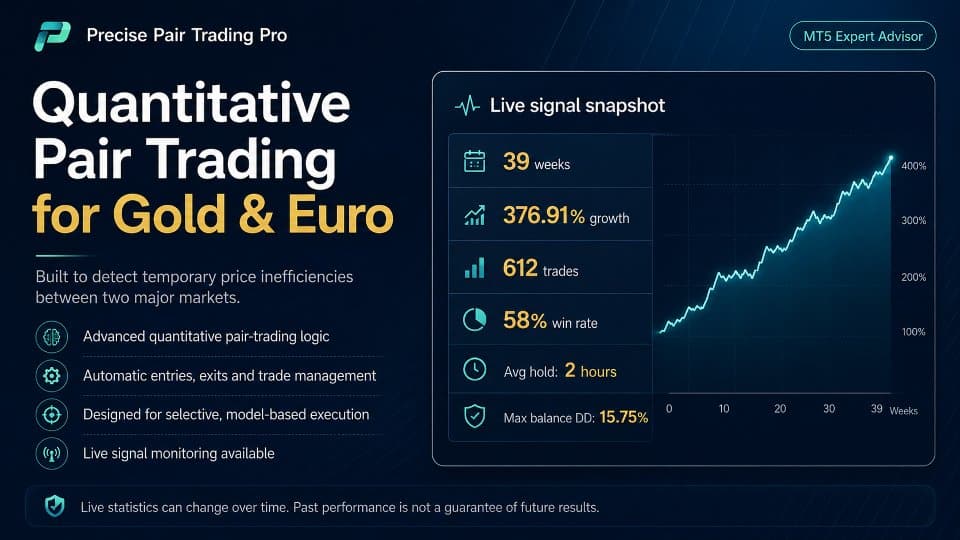
Precise Pair Trading Pro EA is an Expert Advisor for MetaTrader that trades two symbols at once and looks for a short-term imbalance in their normal relationship. When the spread between the symbols widens beyond an “Entry Threshold,” the EA opens one position per symbol, waits for the gap to narrow, and then closes both trades. The method draws on classic pair trading ideas but adapts them to the retail trading platform in a simple, automated form.
Key points at a glance:
- Trades exactly two symbols, e.g., EURUSD vs GBPUSD or XAUUSD vs SILVER.
- Uses correlation, beta smoothing, and other filters to avoid bad market periods.
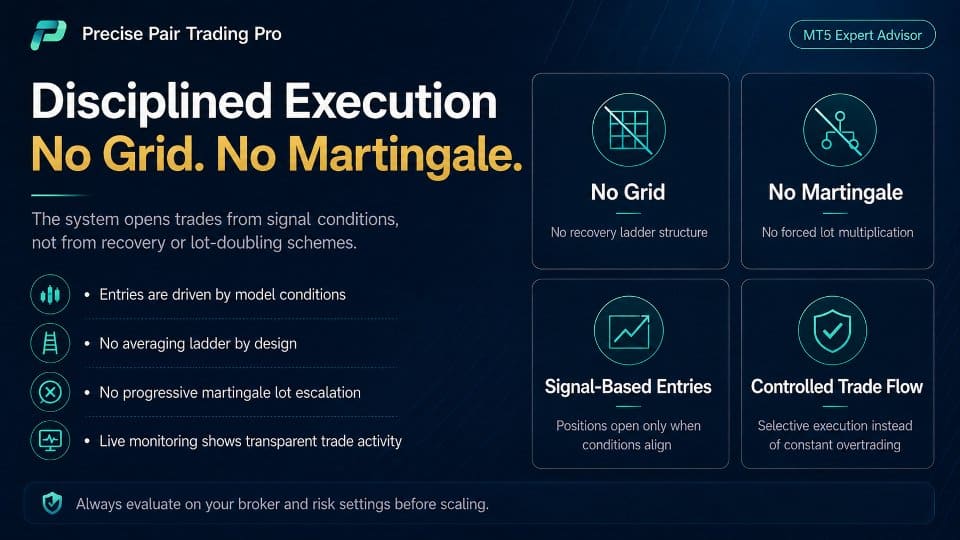
- No grid, no martingale, no recovery order stacking—just single entries.
- Designed for short-lived trades; it is not built to sit in large drawdowns for days.
If you are looking for an EA that catches quick statistical blips rather than riding long trends, Precise Pair Trading Pro EA offers a clear framework.
Installing the EA: A Step-by-Step Walk-Through
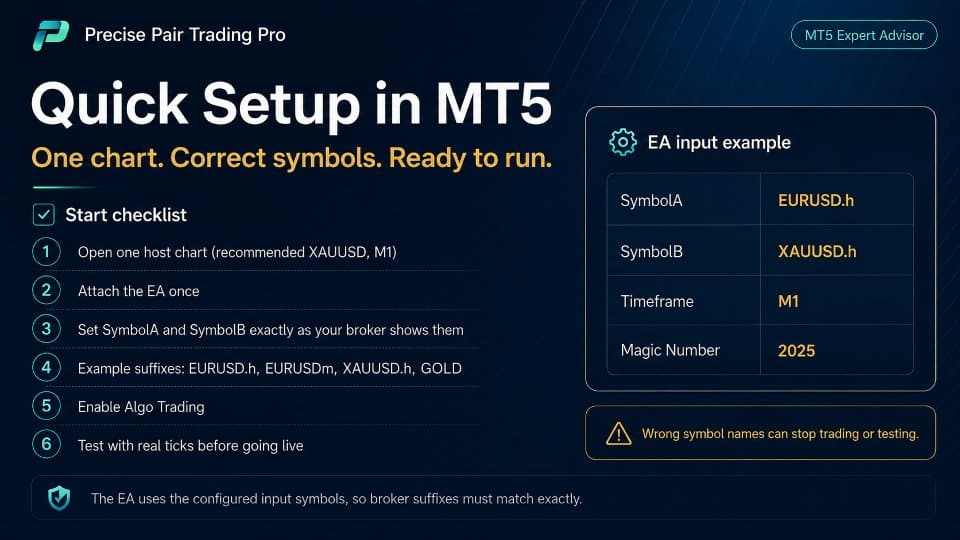
- Download the .ex5 file from the product page.
- Open MetaTrader → File → Open Data Folder.
- Navigate to
MQL5/Expertsand paste the EA file. - Restart MetaTrader or press Ctrl + R to refresh the Navigator window.
- Drag Precise Pair Trading Pro EA onto the chart of the Main trading symbol.
- Tick “Allow Algo Trading” in the Common tab.
- Fill in the inputs as per your plan (see above).
- Add the Secondary symbol as a separate chart (optional) for visual reference.
- Click the Algo Trading button on the MetaTrader toolbar to start.
Optimising for Your Broker and Market
Because every broker has different spreads and trading hours, you’ll want to custom-fit the EA to your data.
1. Select the Right Symbol Pair
- Look for instruments with good liquidity and similar trading hours.
- Highly correlated pairs like EURUSD & GBPUSD, XAUUSD & SILVER, or AUDUSD & NZDUSD work well.
2. Run a Parameter Sweep
Use MetaTrader’s Optimization mode:
- Select only the Entry Threshold to start.
- Test a range, e.g., 1.0 to 3.0 in steps of 0.2.
- Choose “Profit Factor” or “Sharpe Ratio” as the fitness value.
3. Fine-Tune Trading Hours
The trading time filter is underrated. By disabling weak sessions (e.g., late Friday), you:
- Reduce slippage.
- Avoid news spikes when volume is low.
- Lower swap costs if you never hold trades over the weekend.
4. Verify With Forward Testing
Don’t stop at back-testing. Run the EA in demo forward test for 2–4 weeks with real ticks. You might notice:
- Slightly different fill prices versus the Strategy Tester.
- Broker-specific quirks like spread widening at rollover.
5. Document Your Settings
Keep a simple spreadsheet:
| Pair | Entry | Exit | Correlation | Win % | Avg. Trade Time |
|---|---|---|---|---|---|
| EURUSD/GBPUSD | 2.0 | 1.0 | 0.65 | 73 % | 2 h 14 m |
A log helps you track what works.
Frequently Asked Questions Regarding Precise Pair Trading Pro
Q1: Can I run more than one pair at a time?A: Yes, but place each pair on its own chart and ensure trade comments or magic numbers are different.
Q2: What if the symbols have different margin requirements?A: The EA does not calculate margin internally. Check required margin for both symbols and size lots appropriately.
Q3: Should I keep the analytical timeframe the same as the chart timeframe?A: Not required, but it’s simpler. If you run the EA on H1 while the analytical timeframe is M30, results can differ slightly.
Final Thoughts & Next Steps For Precise Pair Trading Pro
Precise Pair Trading Pro EA brings the classic idea of pair trading into a tidy, rule-based Expert Advisor. By:
- Allowing just one position per symbol,
- Filtering with correlation and trading hours, and
- Giving you fine control over entry and exit thresholds,
it keeps risk clear and workflow simple. Test with real tick data, tune the inputs to your broker, and start small. Over time, the statistical edge can reveal itself without the stress of grid or martingale systems.
Live Signal – Click Here
Vendor Site – Click Here
| Membership | Yearly Membership |
|---|---|
| Additional Services | Unlock & Decompile |
| Recommended Brokers | Exness Broker, FPMarkets |
| Recommended VPS | FXVM (Low Latency) |
| Youtube Channel | ForexForYou |
| Telegram Channel | Onshoppie Forex EA's & Indicators |
| Telegram Support | Onshoppie Support |
| Installation Guides | Onshoppie Forex Guides |
Brand
ea-mt5
Only logged in customers who have purchased this product may leave a review.
Related products



Products
-
 Adaptive Gold Scalper EA MT5 V1.9 + Setfiles With DLL 5836
Original price was: $375.00.$14.95Current price is: $14.95.
Adaptive Gold Scalper EA MT5 V1.9 + Setfiles With DLL 5836
Original price was: $375.00.$14.95Current price is: $14.95.
-
 Zerqon EA MT5 V22.2 For Build 5836+
Original price was: $299.00.$14.95Current price is: $14.95.
Zerqon EA MT5 V22.2 For Build 5836+
Original price was: $299.00.$14.95Current price is: $14.95.
-
 MHD Scalper Pro EA MT5 V9.1 For Build 5836+
Original price was: $1,200.00.$14.95Current price is: $14.95.
MHD Scalper Pro EA MT5 V9.1 For Build 5836+
Original price was: $1,200.00.$14.95Current price is: $14.95.
-
 Quantum OmniGold EA MT5 V1.8 For Build 5836+
Original price was: $1,099.00.$14.95Current price is: $14.95.
Quantum OmniGold EA MT5 V1.8 For Build 5836+
Original price was: $1,099.00.$14.95Current price is: $14.95.
-
 BTC Scalper IA EA MT5 V1.2 For Build 5836+
$14.95
BTC Scalper IA EA MT5 V1.2 For Build 5836+
$14.95
-
 Eternal Engine EA MT5 V2.30 + Setfiles For Build 5836+
Original price was: $599.00.$29.95Current price is: $29.95.
Eternal Engine EA MT5 V2.30 + Setfiles For Build 5836+
Original price was: $599.00.$29.95Current price is: $29.95.
-
 Forex Flex EA MT4 V4.91 + Setfiles For Build 1473+
Original price was: $499.00.$29.95Current price is: $29.95.
Forex Flex EA MT4 V4.91 + Setfiles For Build 1473+
Original price was: $499.00.$29.95Current price is: $29.95.
-
 Scalping Robot Pro EA MT5 V2.0 For Build 5836+
Original price was: $1,599.00.$14.95Current price is: $14.95.
Scalping Robot Pro EA MT5 V2.0 For Build 5836+
Original price was: $1,599.00.$14.95Current price is: $14.95.
Recent reviews
-
 Advanced Dashboard Currency Strength
by Balram
Advanced Dashboard Currency Strength
by Balram
Reviews
There are no reviews yet.