

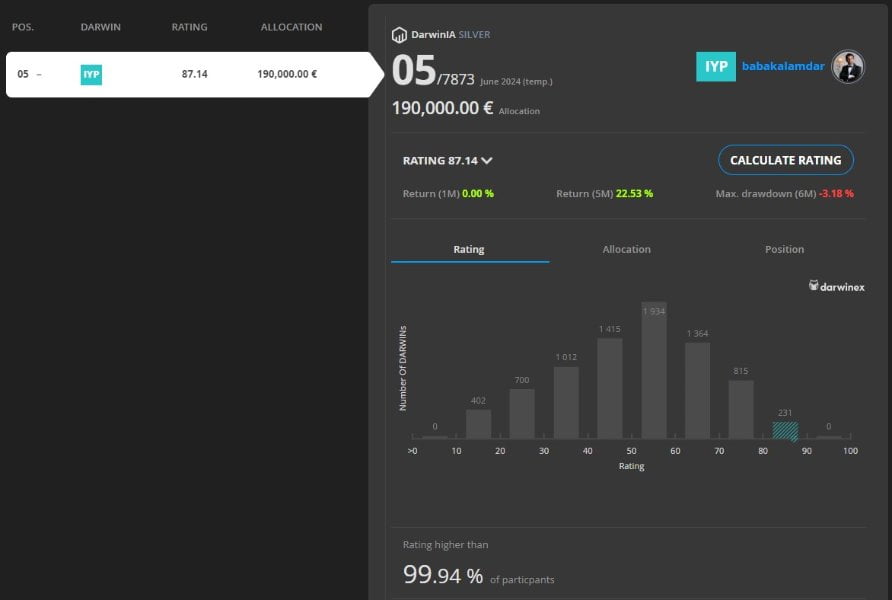

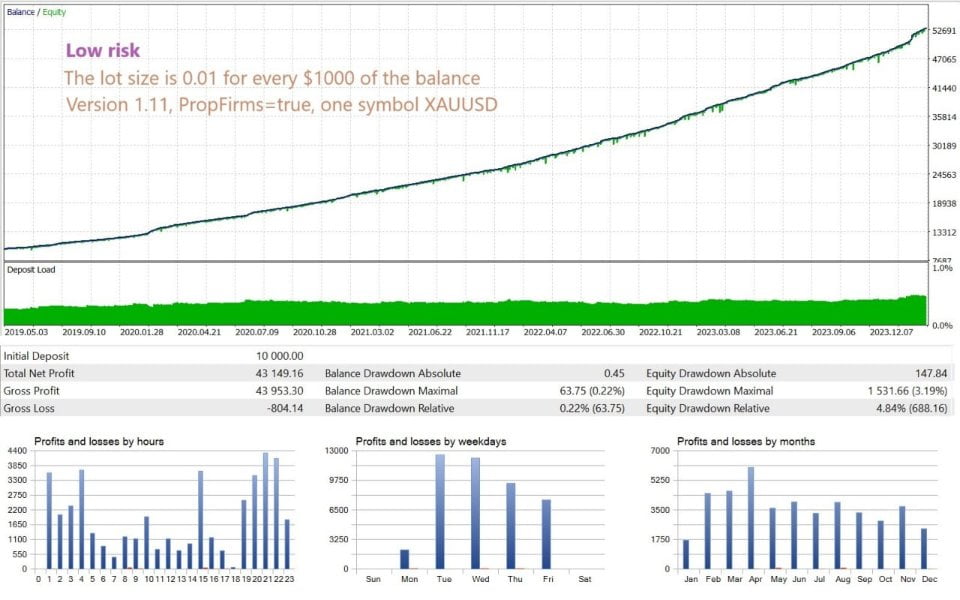
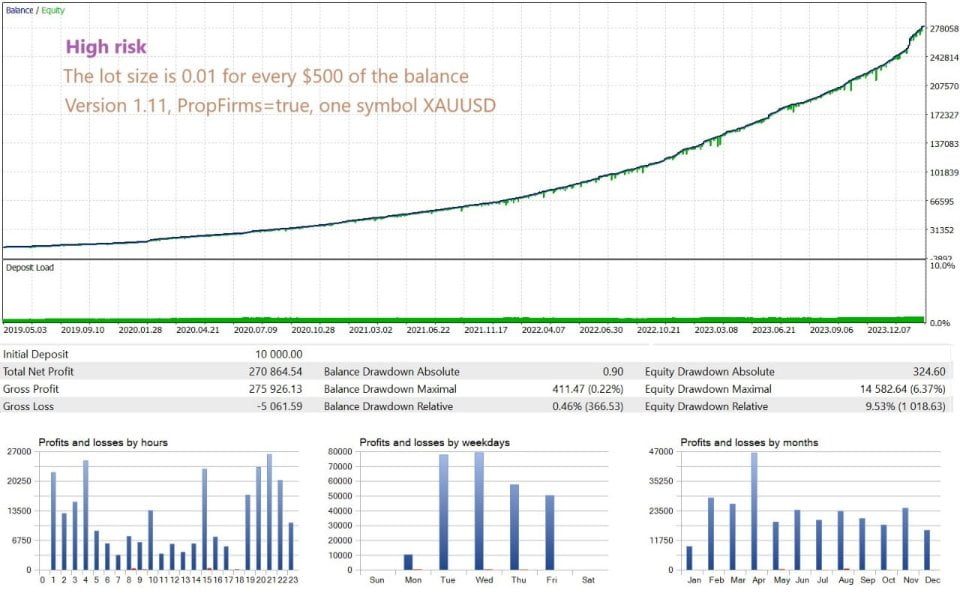
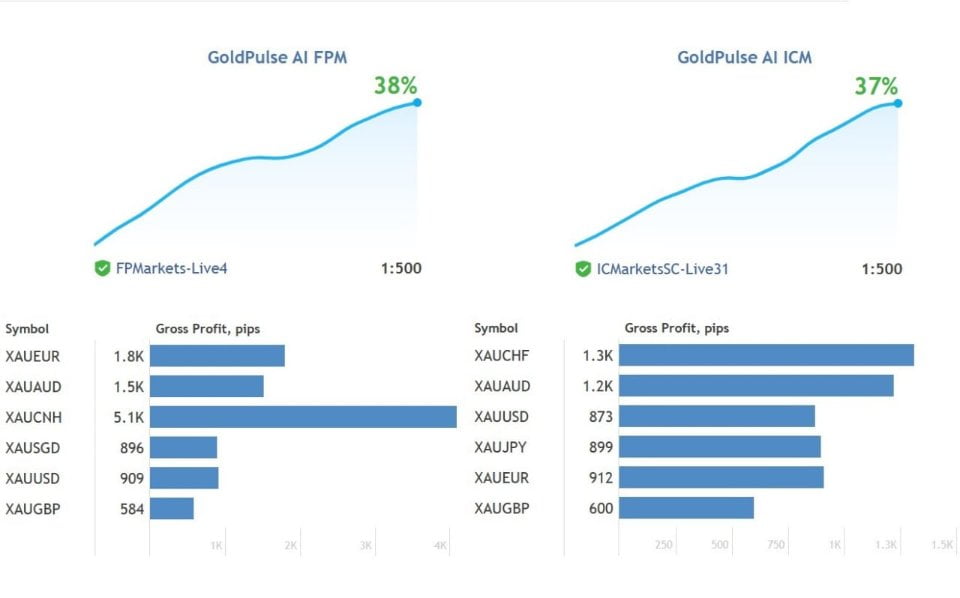



GoldPulse AI EA MT4 For Build 1455+
Original price was: $987.00.$19.95Current price is: $19.95.



Description
GoldPulse AI EA: The Complete Guide to the First Smart Robot Built for Gold Trading
GoldPulse AI EA: Your Step-by-Step Handbook for Trading XAU Pairs With Confidence
Table of Contents
- What Is GoldPulse AI EA?
- Why Trade Gold (XAU) With an EA?
- Key Features of GoldPulse AI EA3.1. Supported XAU Pairs3.2. No Grid, No Martingale3.3. FIFO Compatibility
- How GoldPulse AI EA Works4.1. Daily News Scan4.2. Technical, Fundamental, and Sentiment Checks
- Installation & Setup Guide5.1. Minimum Balance and Recommended Capital5.2. Attaching the EA to Charts
- Best Practices for Running GoldPulse AI EA6.1. VPS and Execution Speed6.2. Risk Management Settings6.3. Prop-Firm Mode
- Final Thoughts
What Is GoldPulse AI EA?
GoldPulse AI EA is an automated trading program (Expert Advisor) for MetaTrader that focuses on gold or XAU pairs. “Hey, I’m GoldPulse AI!” is not just marketing talk—it’s the voice of a robot that relies on up-to-date news and solid analysis to open and manage trades on eight different XAU crosses:
- XAUUSD
- XAUEUR
- XAUGBP
- XAUAUD
- XAUJPY
- XAUCHF
- XAUSGD
- XAUCNH
The design goal is simple: shift money from impatient traders’ pockets to patient traders’ pockets by making smart decisions 24/5.
Why Trade Gold (XAU) With an EA?
Trading gold is popular because the metal often moves when stocks rest or when fear creeps into markets. Yet gold can also be volatile, and news-driven spikes happen at odd hours. Running an EA such as GoldPulse AI EA can help you:
- Monitor news and technical signals around the clock
- React faster than manual traders
- Stick to clear risk limits without emotion
- Diversify across multiple currency crosses instead of only XAUUSD
Key Features of GoldPulse AI EA
3.1 Supported XAU Pairs
| Symbol | Quote Currency | Typical Spread* |
|---|---|---|
| XAUUSD | US Dollar | 15–30 points |
| XAUEUR | Euro | 20–35 points |
| XAUGBP | British Pound | 25–40 points |
| XAUAUD | Australian $ | 20–35 points |
| XAUJPY | Japanese Yen | 25–45 points |
| XAUCHF | Swiss Franc | 20–35 points |
| XAUSGD | Singapore $ | 25–45 points |
| XAUCNH | Chinese Yuan | 30–50 points |
*Spreads vary by broker and time of day.
3.2 No Grid, No Martingale
Many EAs try to average down losers. GoldPulse AI EA does not use grid or martingale methods. Each trade has:
- A set stop-loss
- A take-profit or trailing exit
- No “doubling up” when a trade goes against you
3.3 FIFO Compatibility
If you trade with a U.S.-based broker that follows First-In-First-Out rules, you can still run GoldPulse AI EA without breaking any rule.
How GoldPulse AI EA Works
4.1 Daily News Scan
Every day the EA checks scheduled events from sources like:
- ForexFactory Calendar
- DailyFX News
It updates its internal filters to avoid big data releases or to prepare for momentum after the news.
4.2 Technical, Fundamental, and Sentiment Checks
- Technical
- Moving averages to spot trend direction
- ATR for dynamic stop-loss levels
- Support and resistance zones
- Fundamental
- Rate decisions from the Fed, ECB, BOJ, etc.
- Inflation data such as CPI or PPI
- Sentiment
- Commitment of Traders reports
- Retail positioning feeds
A trade only opens when all three areas confirm the same bias.
Installation & Setup Guide
5.1 Minimum Balance and Recommended Capital
- Minimum: 250 USD (one pair)
- Ideal: 1 000 USD or more (all eight pairs)
Maintaining a larger balance keeps drawdown (DD) in check because positions are sized smaller relative to equity.
5.2 Attaching the EA to Charts
Step-by-step:
- Copy
GoldPulse_AI_EA.ex4or.ex5intoMQL4/ExpertsorMQL5/Experts. - Restart MetaTrader.
- Open one chart for each symbol you want to trade—any timeframe works; the logic is independent of chart timeframe.
- Drag the EA onto each chart.
- Tick the checkbox Allow Algo Trading.
- Keep default settings or adjust lot size, risk %, and news filter windows.
Tip: Label each chart (e.g., “GoldPulse-XAUUSD”) so you can tell them apart quickly.
Best Practices for Running GoldPulse AI EA
6.1 VPS and Execution Speed
A fast connection matters, especially during gold spikes. A low-latency VPS close to your broker’s data center:
- Reduces slippage
- Keeps the EA online during power cuts
- Costs around 10–30 USD per month
Recommended providers:
- Amazon Lightsail (cheap but stable)
- ForexVPS (FX focused)
6.2 Risk Management Settings
Key inputs you can tweak:
| Setting | Default | Range | Note |
|---|---|---|---|
| Risk per trade (%) | 1.0 | 0.5–3.0 | Keep below 2 % for funded accounts |
| Max trades per pair | 2 | 1–5 | Controls exposure |
| News filter (minutes) | 30 | 0–120 | Pause before & after high impact events |
| Trailing stop (pips) | 180 | 100–300 | Adjust by volatility |
Always test changes in Demo first.
6.3 Prop-Firm Mode
Many prop firms cap max daily DD at 5 %. Use:
- Lower lot sizes
- 0.5 % risk per position
- Night-pause filter if the firm bans overnight trades
Final Thoughts
GoldPulse AI EA offers a balanced approach to gold trading. It avoids the common pitfalls of grid and martingale tactics, respects FIFO, and works on eight XAU crosses so you are not tied to a single market. With proper capital, a reliable VPS, and patient risk settings, the EA can turn the speed and discipline of automation into an edge against other traders who rely on manual clicks.
Vendor Site – Click Here
| Membership | Yearly Membership |
|---|---|
| Additional Services | Unlock & Decompile |
| Recommended Brokers | Exness Broker, FPMarkets |
| Recommended VPS | FXVM (Low Latency) |
| Youtube Channel | ForexForYou |
| Telegram Channel | Onshoppie Forex EA's & Indicators |
| Telegram Support | Onshoppie Support |
| Installation Guides | Onshoppie Forex Guides |
Brand
ea-mt4
Only logged in customers who have purchased this product may leave a review.
Related products
-

APADANA GOLDEN EA METHOD 2 MT4
$49.99 Add to cart Buy Now -

ALITA PRO Battle Cyborg EA MT4 For Build 1471+
Original price was: $439.00.$14.95Current price is: $14.95. Add to cart Buy Now -
 SALESALESALE
Advanced Gold Trading EA MT4 V6.4 + Setfiles For Build 1460+
Original price was: $199.00.$14.95Current price is: $14.95. Add to cart Buy Now
Products
-
 H4 Gold Scalper EA MT5 V1.5 With DLL Build 6122
Original price was: $150.00.$14.95Current price is: $14.95.
H4 Gold Scalper EA MT5 V1.5 With DLL Build 6122
Original price was: $150.00.$14.95Current price is: $14.95.
-
 Mavrik Scalper EA MT5 V18.306 For Build 6140+
$14.95
Mavrik Scalper EA MT5 V18.306 For Build 6140+
$14.95
-
 Dude Alpha Gold EA MT5 V1.4.2 + Set Files For Build 6140+
Original price was: $499.00.$14.95Current price is: $14.95.
Dude Alpha Gold EA MT5 V1.4.2 + Set Files For Build 6140+
Original price was: $499.00.$14.95Current price is: $14.95.
-
 Ultra Beast EA MT5 + Setfiles For Build 6140+
$14.95
Ultra Beast EA MT5 + Setfiles For Build 6140+
$14.95
-
 Algo Edge SMC AI EA MT5 V3 For Build 6140+
$14.95
Algo Edge SMC AI EA MT5 V3 For Build 6140+
$14.95
-
 Aura Absolute EA MT4 V1.1 For Build 1476+
$14.95
Aura Absolute EA MT4 V1.1 For Build 1476+
$14.95
-
 Gold Neural Core EA MT5 V1.5 For Build 6140+
Original price was: $500.00.$14.95Current price is: $14.95.
Gold Neural Core EA MT5 V1.5 For Build 6140+
Original price was: $500.00.$14.95Current price is: $14.95.
-
 Global Trade Plan EA MT5 V3.1 + SetFiles With DLL 6140
Original price was: $399.00.$14.95Current price is: $14.95.
Global Trade Plan EA MT5 V3.1 + SetFiles With DLL 6140
Original price was: $399.00.$14.95Current price is: $14.95.
Recent reviews
-
 Advanced Dashboard Currency Strength
by Balram
Advanced Dashboard Currency Strength
by Balram
Reviews
There are no reviews yet.