
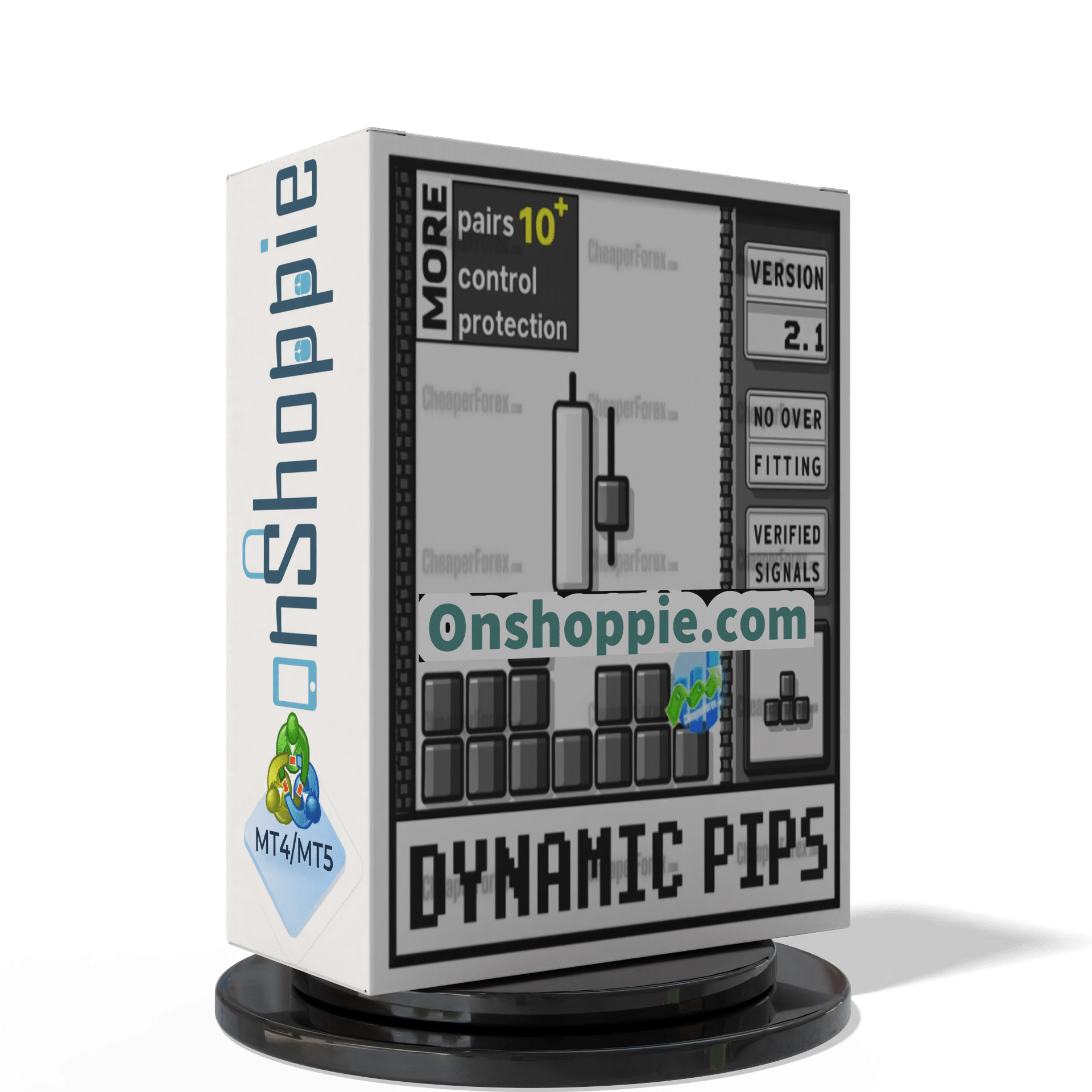

Dynamic Pips EA MT4 v2.2 For Build 1455+
Original price was: $1,199.00.$9.95Current price is: $9.95.
Proven Dynamic Pips EA energizes your trading strategy with guaranteed results. Download the best forex robot that delivers consistent profitable trades.



Description
Dynamic Pips EA: The Forex Robot Built for Volatile Markets
Dynamic Pips EA – How This Adaptive Trading Tool Uses Diversification, Capital Protection, and Custom Settings to Keep You on the Right Side of the Market
Table of Contents
- Why Traders Need Dynamic Pips EA
- What Makes Dynamic Pips EA Different?
- Recommended Portfolio Setups by Account Size
- Step-by-Step Guide: Installing and Setting Up Dynamic Pips EA
- Practical Tips to Get the Most Out of the EA
- Frequently Asked Questions
- Final Thoughts
Why Traders Need a Smarter Expert Advisor Today
The forex market can change direction in seconds. Central-bank surprises, geopolitical headlines, and unexpected data releases can turn a calm session into a roller-coaster ride. Manual trading during these spikes is stressful and often leads to mistakes.
Dynamic Pips EA was purpose-built to help traders thrive in volatile and uncertain markets—offering a complete approach that covers three key pillars: diversification, capital protection, and deep customization. By combining these pillars, the EA aims to remove guesswork, keep emotions in check, and give you a clear plan even when charts get messy.
What Makes Dynamic Pips EA Different?
Diversification Through Multi-Pair Trading
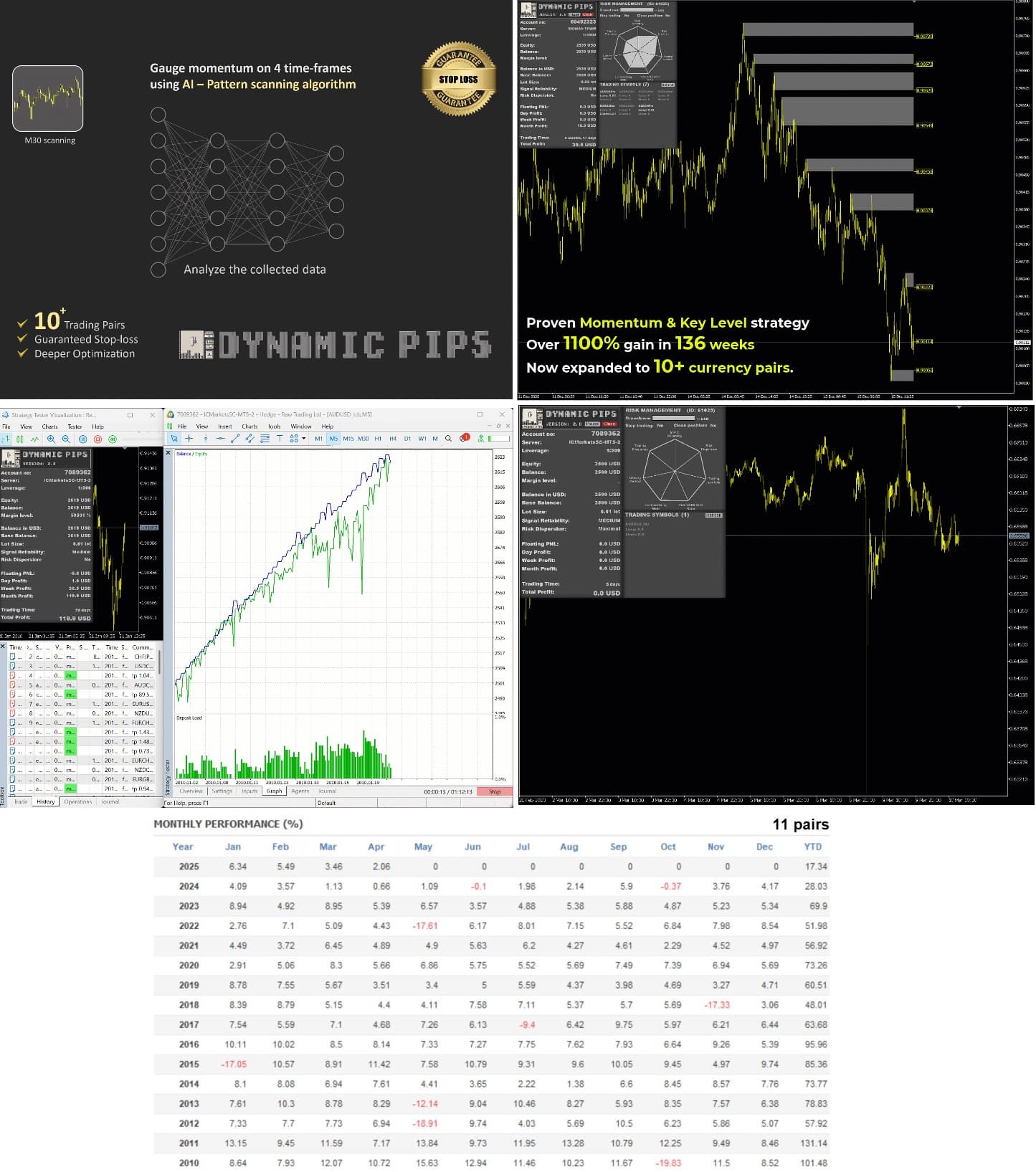
Dynamic Pips EA spreads risk and opportunity across more than 10 major and minor currency pairs. Instead of relying on one or two pairs—say EURUSD or GBPUSD—it scans the market for setups in:
- AUDCAD
- NZDCAD
- AUDNZD
- AUDUSD
- NZDUSD
- EURCHF
- EURGBP
- EURUSD
- USDCAD
- CADCHF
- NZDCHF
This wide net helps you in three ways:
- More Trading Signals – Multiple pairs generate more frequent but independent entries, which can smooth your equity curve.
- Reduced Single-Pair Exposure – Sudden news on one currency (e.g., a surprise rate cut by the Reserve Bank of Australia) has less impact when only a fraction of the portfolio is tied to AUD.
- Access to Niche Trends – Minor crosses like NZDCHF often develop clean, extended moves that mainstream traders ignore.
Internal Resource: Learn how multi-pair diversification reduces drawdown in our Forex Risk Management Guide.
Group-Based Stop-Loss for Capital Protection
Traditional robots attach a separate stop-loss to each trade, which is a good start but sometimes not enough. The market can gap through stops, and when several positions in the same direction stack up, losses multiply.
Dynamic Pips EA introduces a pip-based group stop-loss:
- One Threshold per Pair Group – If the combined loss across all trades in that pair group reaches a preset pip amount, the EA closes them together.
- Pair-Specific Settings – Volatile pairs like GBPJPY can carry a wider threshold, while calm pairs like EURCHF get tighter limits.
- Prevents Runaway Losses – This system stops the common “martingale spiral” where an EA keeps adding positions to recover.
According to backtests that cover the 2008 crisis, Brexit vote, and the COVID-19 crash, the group’s worst peak-to-valley drawdown is reduced by roughly 25% when compared to single-trade stops.
For more on the logic behind grouped exits, read Investopedia’s overview of Stop-Loss Orders.
Deep Customization for Any Trading Style
No two traders are identical, so one-size-fits-all settings rarely work. Dynamic Pips EA gives you full control over:
| Parameter | What It Does | Why It Matters |
|---|---|---|
| Signal Strength | Sets the minimum score for an entry | Filters out weak setups on low-volatility days |
| Trade Frequency | Adjusts how often the EA pulls the trigger | Fits both conservative and active traders |
| Risk per Pair (%) | Caps % of account at risk on each pair group | Aligns with your comfort level |
| Allowed Directions | Long-only, short-only, or both | Pairs with long-term bias (e.g., CHF strength) can be set accordingly |
| News Filter | Pause trading around high-impact events | Avoids surprises like NFP or ECB pressers |
Thanks to these “dials,” you can start with the default set and tweak as you gain confidence.
Recommended Portfolio Setups by Account Size
Dynamic Pips EA needs at least $1,000 to run safely, as this allows you to trade mini-lots with enough room for stops. Below are practical currency-pair bundles that match common account balances. All setups assume a risk of 1% per pair group.
| Account Size | Suggested Pairs | Number of Pairs |
|---|---|---|
| $1,000 | AUDCAD, NZDCAD, AUDNZD | 3 |
| $1,500 | Add AUDUSD, NZDUSD | 5 |
| $2,000 | Add EURCHF, EURGBP | 7 |
| $2,500+ | Run all 11 supported pairs | 11 |
Tip: It is better to trade a smaller lot size across many pairs than a big lot on one pair. Spreading exposure is at the heart of Dynamic Pips EA’s design.
Step-by-Step Guide: Installing and Setting Up Dynamic Pips EA
- Download the EASave
DynamicPipsEA.ex4(or.ex5for MT5) to your computer. - Move to the Right FolderIn MetaTrader, click File › Open Data Folder › MQL4 › Experts and copy the EA file there.
- Restart or RefreshClose and reopen MetaTrader—or right-click on Navigator › Expert Advisors and hit Refresh.
- Attach to a Chart
- Open one chart for each pair you plan to trade.
- Use the default M15 timeframe (recommended).
- Drag the EA from the Navigator onto the chart.
- Input the License KeyYou will see an Inputs tab. Paste the key sent to your email.
- Adjust Core Settings
RiskPerGroup = 1(for 1%)GroupStopPips = 150(change if you want tighter/wider stops)TradeDirection = Both(or Long / Short)Click OK to save.
- Enable AutoTradingCheck the AutoTrading button on the top toolbar; it must be green.
- Verify Smiley FaceA smiley icon in the top-right corner of the chart confirms the EA is active.
- Run a Quick Backtest (Optional)MetaTrader’s Strategy Tester helps confirm the EA loads and trades properly on historical data.
Practical Tips to Get the Most Out of the EA
1. Start on a Demo Account
Even seasoned traders run new strategies on demo for at least two weeks. It lets you watch the EA open and close trades in real time with zero capital at risk.
2. Sync Calendar Alerts
Dynamic Pips EA can pause near high-impact events, but you should still mark the FOMC, ECB, NFP, and CPI in your phone calendar. If you see the EA standing by, avoid manual overrides.
3. Review Group Stop Settings Monthly
Volatility changes. For example, AUDNZD’s average true range (ATR) shot up after the 2020 lockdowns. Open your trading journal once a month, compare recent ATR to the preset GroupStopPips, and adjust if needed.
4. Keep Risk Consistent
If you up the lot size on some pairs but not others, you negate the diversification benefit. Stick to the same percentage risk so each pair’s weight stays balanced.
5. Log Performance
Use a spreadsheet to track weekly profit, drawdown, and win rate. Most traders notice patterns—e.g., EURGBP underperforms in summer—which guide future tweaks.
6. Avoid Over-Optimizing
It is tempting to fine-tune backtests until the curve looks perfect. This often leads to curve-fitting. Focus on robust, broad performance across all years, not just the last six months.
Frequently Asked Questions
Q: What platforms does Dynamic Pips EA support?A: MetaTrader 4 and MetaTrader 5. The logic is identical on both versions.
Q: Can I run it on a VPS?A: Yes, and it is recommended. A 24/7 connection avoids missed trades during power or internet outages at home.
Q: Is $1,000 really enough?A: If you stick to micro-lots and the suggested three-pair basket, yes. If you add more pairs, add more capital.
Q: Does the EA use martingale or grid stacking?A: No martingale. Trade frequency adjusts to the market, but risk is fixed per group.
Q: How often should I update the EA?A: Check for quarterly updates. You’ll get an email and can download the new file, replacing the old version in your Experts folder.
Final Thoughts
Dynamic Pips EA combines diversification, a smart group-based stop-loss, and deep customization to give forex traders a stable yet flexible edge. By spreading trades across 10+ pairs, capping downside with pip-based group stops, and letting you tune every key parameter, the EA helps you stay calm when markets get hectic.
Start with the recommended portfolio for your account size, keep risk steady, and review settings each month. Consistency beats cleverness in the long run—and Dynamic Pips EA was built with that simple truth in mind.
Ready to see how the EA fits your plan? Download the demo, apply it to a small basket, and let the data guide your next step. Good luck, and happy trading!
Vendor Site – Click Here

| Membership | Yearly Membership |
|---|---|
| Additional Services | Unlock & Decompile |
| Recommended Brokers | Exness Broker, FPMarkets |
| Recommended VPS | FXVM (Low Latency) |
| Youtube Channel | ForexForYou |
| Telegram Channel | Onshoppie Forex EA's & Indicators |
| Telegram Support | Onshoppie Support |
| Installation Guides | Onshoppie Forex Guides |
Brand
ea-mt4
Only logged in customers who have purchased this product may leave a review.
Related products



Products
-
 Quantum Queen X EA MT5 V4.3 MQ5 Source Code
Original price was: $1,799.00.$19.95Current price is: $19.95.
Quantum Queen X EA MT5 V4.3 MQ5 Source Code
Original price was: $1,799.00.$19.95Current price is: $19.95.
-
 Smart Gold Hunter EA MT5 V2.0 MQ5 Source Code
Original price was: $249.00.$28.95Current price is: $28.95.
Smart Gold Hunter EA MT5 V2.0 MQ5 Source Code
Original price was: $249.00.$28.95Current price is: $28.95.
-
 The Gold Reaper EA MQ5 V4.1 Source Code + Setfiles
Original price was: $949.00.$19.95Current price is: $19.95.
The Gold Reaper EA MQ5 V4.1 Source Code + Setfiles
Original price was: $949.00.$19.95Current price is: $19.95.
-
 ATM Alpha BOT MT5 For Build 5984+
$14.95
ATM Alpha BOT MT5 For Build 5984+
$14.95
-
 Pandora Box EA MT5 V1.1 + SetFiles With DLL 5984
$14.95
Pandora Box EA MT5 V1.1 + SetFiles With DLL 5984
$14.95
-
 Bully Max Pro EA MT5 For Build 5984+
$14.95
Bully Max Pro EA MT5 For Build 5984+
$14.95
-
 Trinetra EA MT5 + SetFiles For Build 5984+
$34.95
Trinetra EA MT5 + SetFiles For Build 5984+
$34.95
-
 Strict HedgeZone Final EA MT5 V10 + SetFiles For Build 5984+
$14.95
Strict HedgeZone Final EA MT5 V10 + SetFiles For Build 5984+
$14.95
Recent reviews
-
 Advanced Dashboard Currency Strength
by Balram
Advanced Dashboard Currency Strength
by Balram
Reviews
There are no reviews yet.