
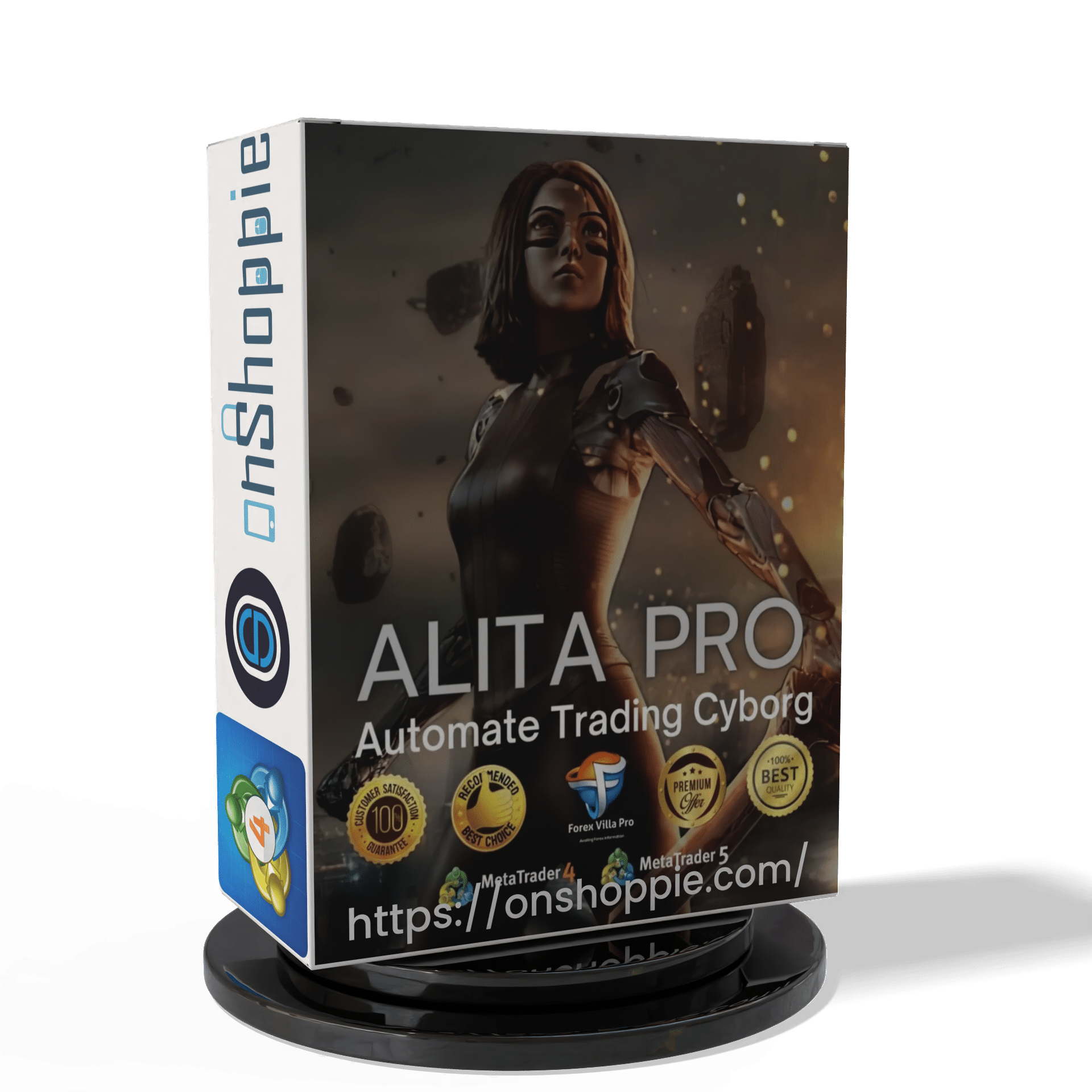
ALITA PRO Battle Cyborg EA MT4 For Build 1471+
Original price was: $439.00.$14.95Current price is: $14.95.
Dive into the world of Alita Pro Battle Cyborg EA. Discover how this cutting-edge tool can revolutionize your trading game.




Description
Table of Contents
- Introduction to Alita Pro Battle Cyborg
- How Alita Pro Battle Cyborg Works
- Markets and Instruments
- Setting Up Alita Pro Battle Cyborg
- Conclusion
Introduction to Alita Pro Battle Cyborg
Alita Pro Battle Cyborg is an advanced automated trading system designed to operate on MetaTrader 4 and MetaTrader 5 platforms. This sophisticated trading robot employs a price action strategy combined with various trading indicators to execute and manage trades across multiple financial markets.
As the forex and cryptocurrency markets continue to evolve, traders are increasingly turning to automated solutions to stay competitive. Alita Pro Battle Cyborg stands out as a versatile and powerful tool in this landscape, offering traders the ability to capitalize on market movements 24/7 without constant manual intervention.
How Alita Pro Battle Cyborg Works
At its core, Alita Pro Battle Cyborg utilizes a price action trading strategy. This approach focuses on analyzing pure price movements to identify potential trading opportunities. The system combines this strategy with trading indicators to refine its decision-making process and manage open positions effectively.
Key components of the Alita Pro Battle Cyborg system include:
- Automated Trade Execution: The robot can place trades automatically based on its analysis of market conditions.
- Position Management: Once a trade is opened, Alita Pro Battle Cyborg manages it autonomously, adjusting parameters as market conditions change.
- Multi-Timeframe Analysis: The system analyzes multiple timeframes to detect market structures and early movements, providing a comprehensive view of the market.
- Flexible Trading Styles: Alita Pro Battle Cyborg is designed to adapt to various trading styles, including scalping, swing trading, and long-term trend following.
Markets and Instruments
One of the most impressive aspects of this EA is its versatility across different financial markets. The system can trade a wide range of instruments, including:
- Indices: Nasdaq, US30, UK100
- Synthetic Indices: VIX 75, Boom & Crash, Step Index
- Commodities: Gold (XAUUSD), Silver (XAGUSD)
- Cryptocurrencies: Bitcoin (BTCUSD)
- Forex Pairs: EURUSD, USDCHF, USDZAR, and more
This diverse range of tradable assets allows traders to diversify their portfolios and take advantage of opportunities across multiple markets.
Setting Up Alita Pro Battle Cyborg
To get started with this EA, follow these steps:
- Install MetaTrader 4 or MetaTrader 5 on your computer or mobile device.
- Download the Alita Pro Battle Cyborg software from the official provider.
- Install the software on your MetaTrader platform.
- Configure the settings according to your trading preferences and risk tolerance.
- Start the robot and monitor its performance.
It’s important to note that while the system is designed to work autonomously, it’s still crucial to regularly review its performance and adjust settings as needed.
Conclusion
This EA represents a significant advancement in automated trading technology. Its versatility across markets, robust feature set, and automated risk management tools make it an attractive option for traders looking to enhance their trading strategies.
However, it’s important to approach any automated trading system with caution. While this EA can potentially improve trading efficiency and performance, it’s not a guaranteed path to profits. Traders should still educate themselves about the markets, understand the risks involved, and use the system as part of a broader, well-thought-out trading plan.
As with any trading tool, success with this EA will depend on proper setup, ongoing monitoring, and adjustment as market conditions change. By combining the power of this automated system with sound trading principles, traders can potentially enhance their performance in the dynamic world of financial markets.
Learn more about automated trading systems
Discover the basics of algorithmic trading
Vendor Site – Click Here
Performance OF Alita Pro Battle Cyborg
| Membership | Yearly Membership |
|---|---|
| Additional Services | Unlock & Decompile |
| Recommended Brokers | Exness Broker, FPMarkets |
| Recommended VPS | FXVM (Low Latency) |
| Youtube Channel | ForexForYou |
| Telegram Channel | Onshoppie Forex EA's & Indicators |
| Telegram Support | Onshoppie Support |
| Installation Guides | Onshoppie Forex Guides |
Brand
ea-mt4
Only logged in customers who have purchased this product may leave a review.
Related products


Products
-
 The Gold Reaper EA MQ5 V4.1 Source Code + Setfiles
Original price was: $949.00.$29.95Current price is: $29.95.
The Gold Reaper EA MQ5 V4.1 Source Code + Setfiles
Original price was: $949.00.$29.95Current price is: $29.95.
-
 ATM Alpha BOT MT5 For Build 5984+
$14.95
ATM Alpha BOT MT5 For Build 5984+
$14.95
-
 Pandora Box EA MT5 V1.1 + SetFiles With DLL 5984
$14.95
Pandora Box EA MT5 V1.1 + SetFiles With DLL 5984
$14.95
-
 Bully Max Pro EA MT5 For Build 5984+
$14.95
Bully Max Pro EA MT5 For Build 5984+
$14.95
-
 Trinetra EA MT5 + SetFiles For Build 5984+
$34.95
Trinetra EA MT5 + SetFiles For Build 5984+
$34.95
-
 Strict HedgeZone Final EA MT5 V10 + SetFiles For Build 5984+
$14.95
Strict HedgeZone Final EA MT5 V10 + SetFiles For Build 5984+
$14.95
-
 NEXORA EA MT5 For Build 5984+
$14.95
NEXORA EA MT5 For Build 5984+
$14.95
-
 3X COMBO AI EA MT5 V7 For Build 5984+
$14.95
3X COMBO AI EA MT5 V7 For Build 5984+
$14.95
Recent reviews
-
 Advanced Dashboard Currency Strength
by Balram
Advanced Dashboard Currency Strength
by Balram
Reviews
There are no reviews yet.