











Trinetra EA MT5 + SetFiles For Build 5984+
$34.95
The proven power of Trinetra EA and transform your trading journey. This remarkable tool delivers consistent, exciting results you can trust every time.



Description
Trinetra EA MT5: The Complete Guide to Fast Gold Scalping
Alternative Title – Trinetra EA MT5: How This Automated Gold Scalper Works and What Traders Should Know
Table of Contents
- What Is Trinetra EA MT5?
- Why Focus on XAUUSD?
- Recommended Trading Setup
- Step-by-Step Installation Guide
- Frequently Asked Questions
- Final Thoughts on Trinetra EA
What Is Trinetra EA MT5?
Trinetra EA is a fully automated Expert Advisor built for MetaTrader 5. Its single job is to trade Gold (symbol XAUUSD) on the M15 timeframe. Instead of following dozens of markets, it uses a set of clear rules:
- Check the broader trend with an EMA 200 and H1 confirmation
- Watch for short-term breakouts on the M15 chart
- Open and manage trades without manual clicks
Because everything is coded, the EA removes hesitation, late entries, and early exits that many manual Gold scalpers face.
Why Focus on XAUUSD?
Gold has several traits that suit algorithmic scalping:
| Feature | Why It Matters for Trinetra EA |
|---|---|
| 23-hour liquidity | Smooth order flow most of the day |
| Clear reaction to news | Breakout logic benefits from volatility spikes |
| Tight spreads on ECN accounts | Smaller cost per trade |
| Strong trends | EMA filter can stay aligned with big moves |
External link: To learn more about Gold market hours, see the official CME trading calendar.
Recommended Trading Setup
Below is the baseline that the vendor used for optimization:
| Item | Recommendation |
|---|---|
| Account type | ECN / RAW spread |
| Minimum deposit | 100000 Cent |
| Leverage | 1:1000 or higher |
| VPS | Yes, latency < 3 ms to broker |
| Symbol | XAUUSD |
| Timeframe | M15 |
| Inputs | Default |
Step-by-Step Installation Guide
- Download the fileAfter purchase, you will have
TrinetraEA.ex5in your downloads folder. - Move to MT5Open MT5 → File → Open Data Folder → MQL5 → Experts. Copy the file here.
- Restart the terminalClose and reopen MetaTrader 5 so it can compile the EA.
- Attach to chartDrag
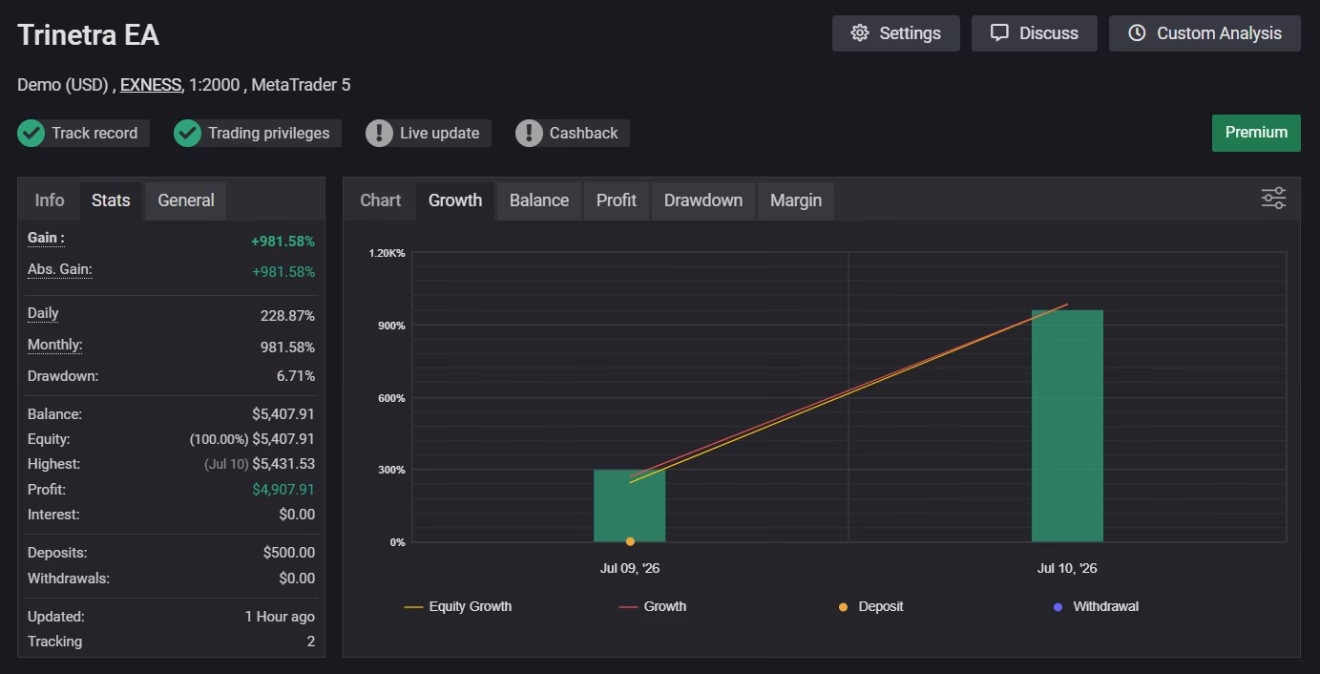
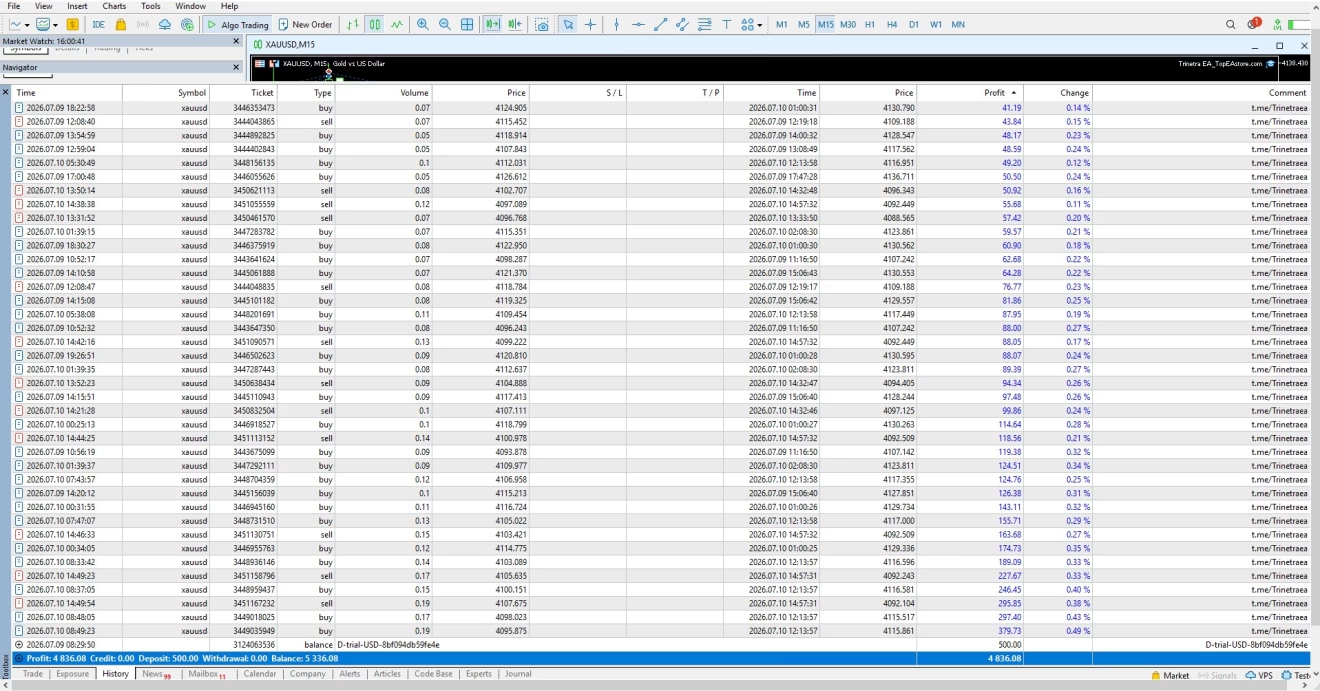
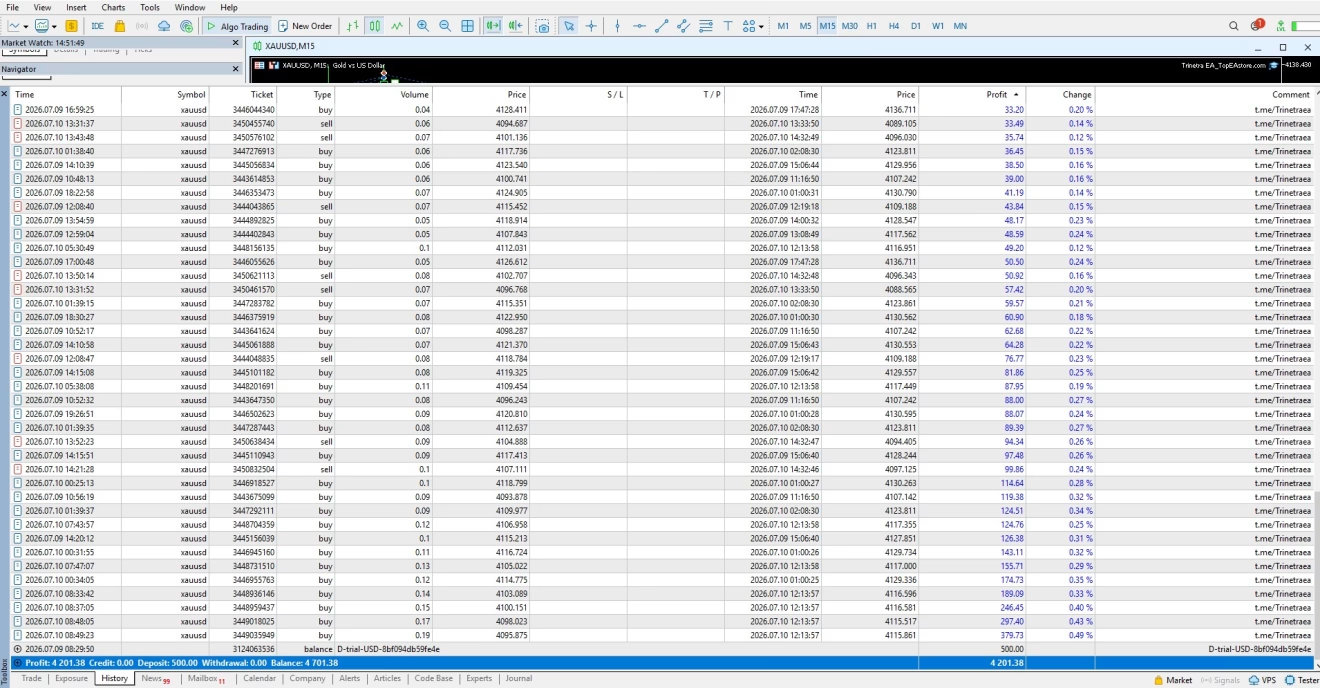
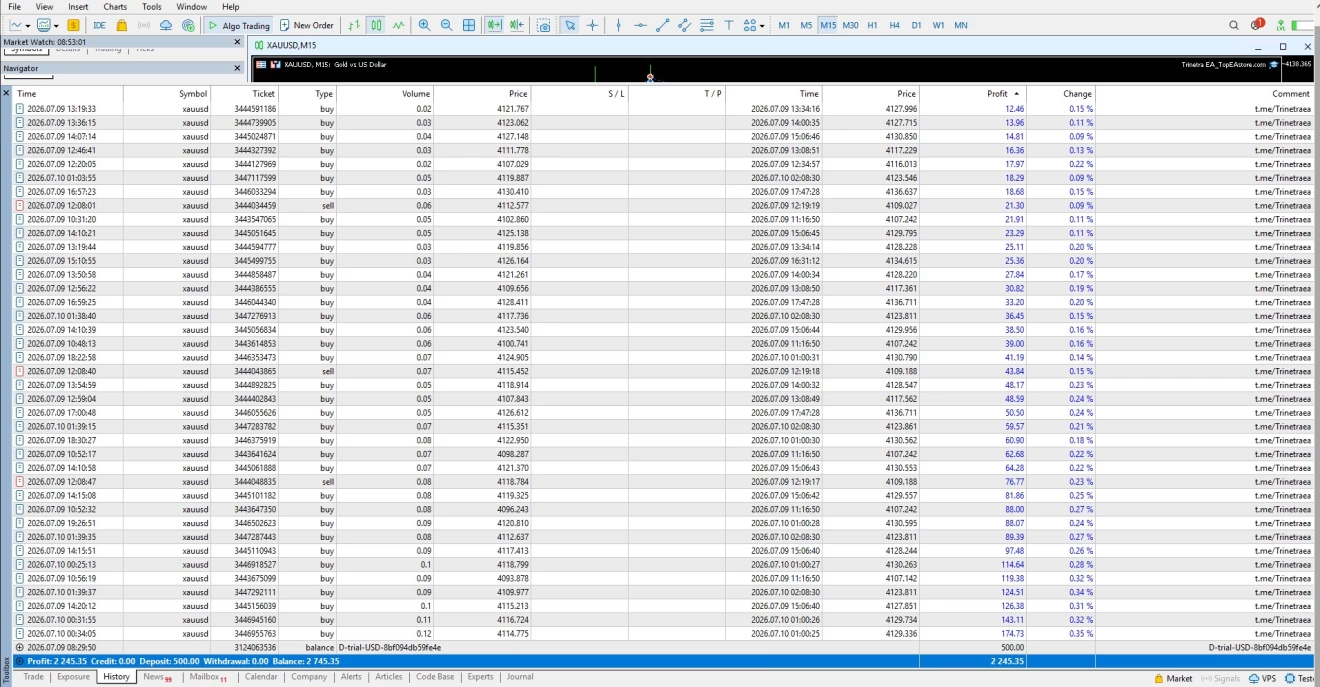
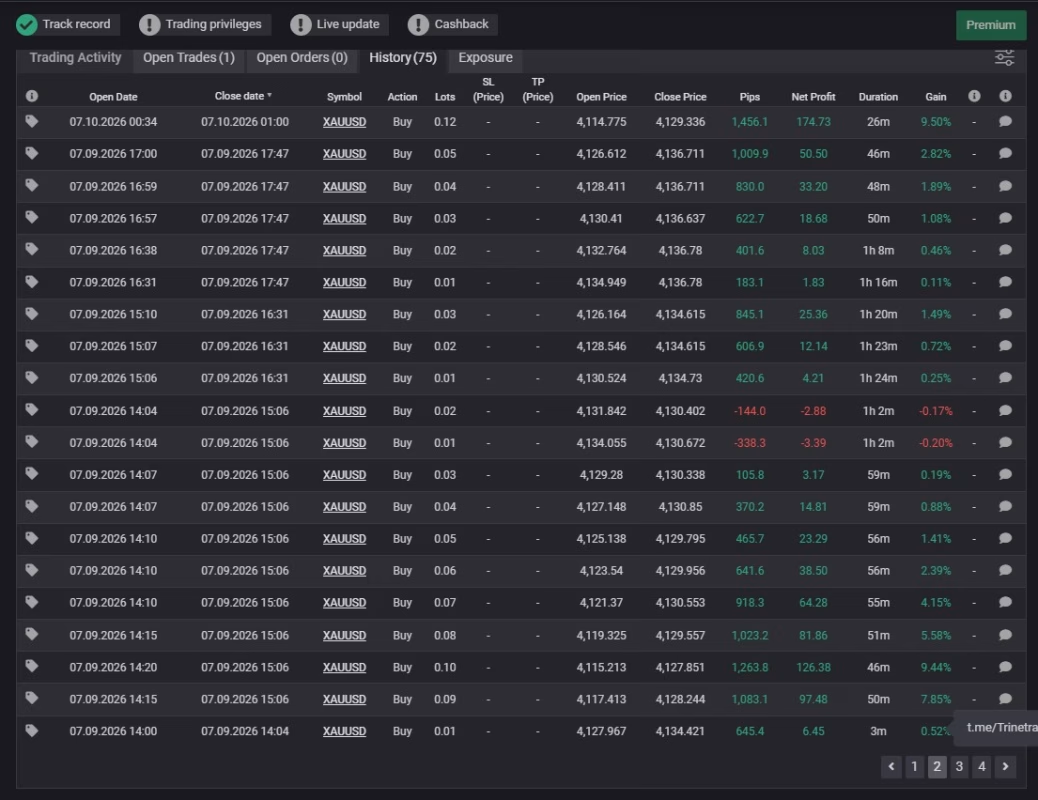
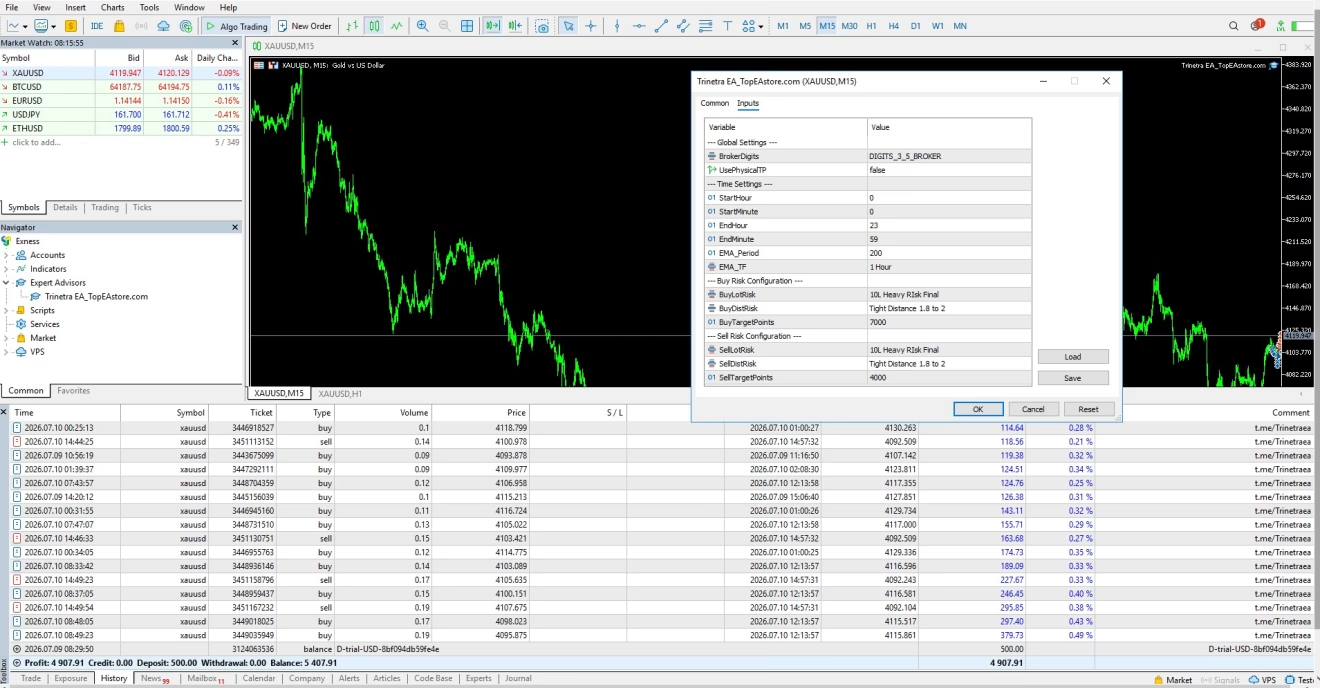
Trinetra EAonto an M15 XAUUSD chart. Make sure “Allow Algo Trading” is checked. - Input your settingsUnless you know exactly what you want, leave the defaults. They match the performance stats shown later.
- Enable AutoTradingClick the green play button in the top toolbar.
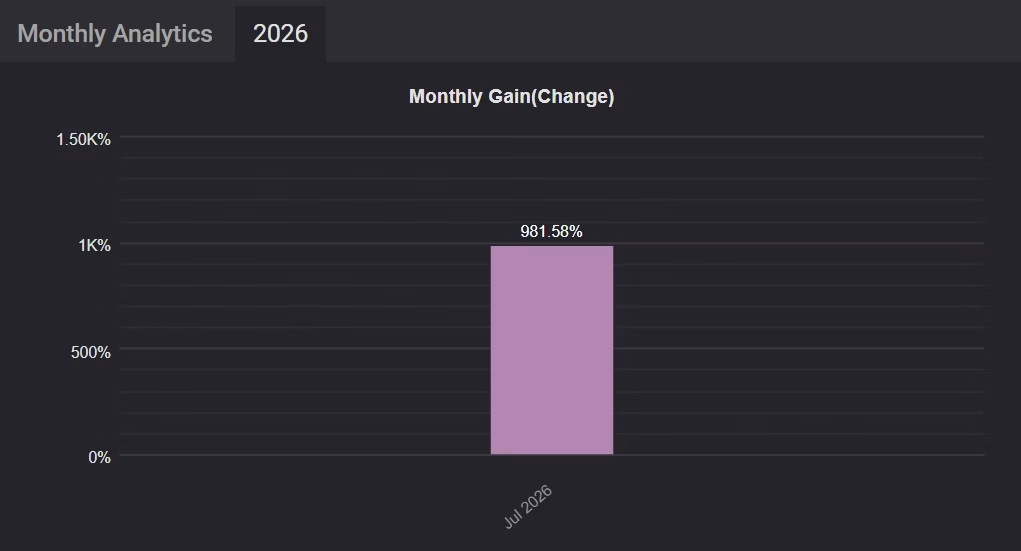
That’s it. The smiley face in the top right corner shows the EA is working.
Frequently Asked Questions
Q1: Can I run Trinetra EA MT5 on a Cent account?Yes.
Q2: Is hedging allowed?The robot does not hedge. However, if your broker supports hedging, you may run other EAs that hedge in a separate MT5 instance.
Q3: Do I need to tweak settings for every broker?Usually no. But if your broker shows larger average spreads, increase DistanceEntry... by 100–150 points to avoid premature fills.
Final Thoughts on Trinetra EA
Trinetra EA MT5 offers a clear, rules-based Gold scalping approach that combines trend confirmation and breakout entries with fixed protective stops. Because it focuses on one symbol and one timeframe, setup is quick and analysis remains straightforward.
Traders who:
- like short-term XAUUSD activity,
- prefer automated execution, and
- value disciplined risk control
may find Trinetra EA a useful addition to their MetaTrader 5 toolbox.
As always, start on a demo account, review the results for a few weeks, and only then move to live funds. Staying patient and risk-aware is the easiest way to let a system like Trinetra EA work as designed.
Live Results – Click Here
| Membership | Yearly Membership |
|---|---|
| Additional Services | Unlock & Decompile |
| Recommended Brokers | Exness Broker, FPMarkets |
| Recommended VPS | FXVM (Low Latency) |
| Youtube Channel | ForexForYou |
| Telegram Channel | Onshoppie Forex EA's & Indicators |
| Telegram Support | Onshoppie Support |
| Installation Guides | Onshoppie Forex Guides |
Brand
ea-mt5
Only logged in customers who have purchased this product may leave a review.
Related products
-

ALITA PRO Battle Cyborg EA MT4 For Build 1471+
Original price was: $439.00.$14.95Current price is: $14.95. Add to cart Buy Now -

Adaptive Trend Hunter V5.0 MT4
$9.95 Read more -
AF SUPPLY AND DEMAND EA MT4 2022 For Build 1455+
Original price was: $797.00.$9.95Current price is: $9.95. Add to cart Buy Now
Products
-
 The Gold Reaper EA MQ5 V4.1 Source Code + Setfiles
Original price was: $949.00.$34.95Current price is: $34.95.
The Gold Reaper EA MQ5 V4.1 Source Code + Setfiles
Original price was: $949.00.$34.95Current price is: $34.95.
-
 ATM Alpha BOT MT5 For Build 5984+
$14.95
ATM Alpha BOT MT5 For Build 5984+
$14.95
-
 Pandora Box EA MT5 V1.1 + SetFiles With DLL 5984
$14.95
Pandora Box EA MT5 V1.1 + SetFiles With DLL 5984
$14.95
-
 Bully Max Pro EA MT5 For Build 5984+
$14.95
Bully Max Pro EA MT5 For Build 5984+
$14.95
-
Trinetra EA MT5 + SetFiles For Build 5984+
$34.95
-
 Strict HedgeZone Final EA MT5 V10 + SetFiles For Build 5984+
$14.95
Strict HedgeZone Final EA MT5 V10 + SetFiles For Build 5984+
$14.95
-
 Gold Scalp AI Bot MT5 For Build 5984+
$14.95
Gold Scalp AI Bot MT5 For Build 5984+
$14.95
-
 Stable Gold EA MT5 V1.1 For Build 5977+
Original price was: $1,999.00.$19.95Current price is: $19.95.
Stable Gold EA MT5 V1.1 For Build 5977+
Original price was: $1,999.00.$19.95Current price is: $19.95.
Recent reviews
-
 Advanced Dashboard Currency Strength
by Balram
Advanced Dashboard Currency Strength
by Balram
Reviews
There are no reviews yet.