


BARYONYX Robot Trading MT4 + SetFiles For Build 1460+
$14.95
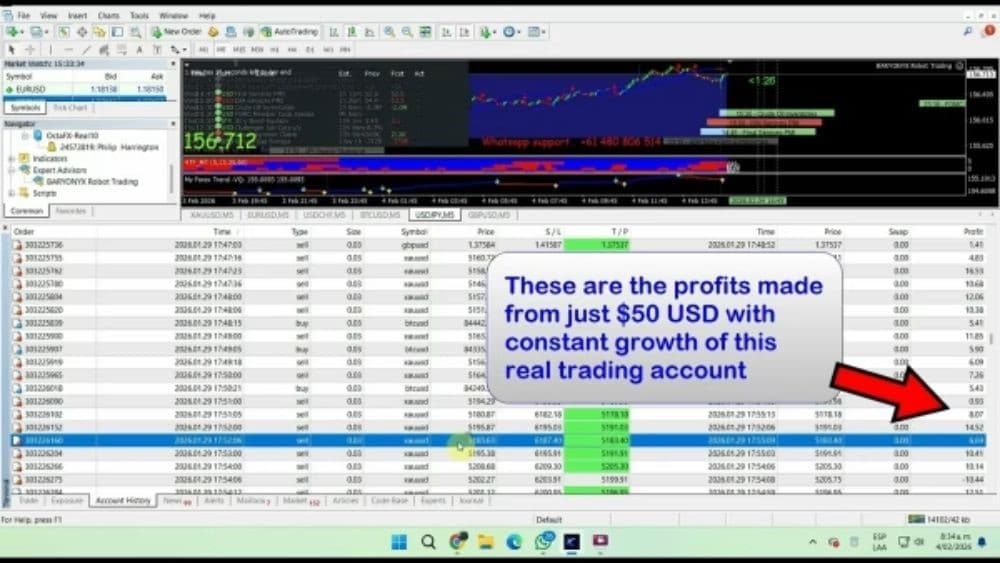
BARYONYX Robot Trading is an automated trading system designed for MetaTrader 4 (MT4). Watches the market 24/7 looking for orders on your behalf.




Description
BARYONYX Robot Trading: A Detailed Look at the MT4 Expert Advisor
BARYONYX Robot Trading – How the MT4 Bot Handles Forex & Crypto on M5
Table of Contents
- Introduction Baryonyx Robot Trading
- What Is BARYONYX Robot Trading?
- Key Features at a Glance
- Installation Guide
- Best Practices for Day-to-Day Use
- Final Thoughts
Introduction
BARYONYX Robot Trading is an automated trading system designed for MetaTrader 4 (MT4). The Expert Advisor (EA) watches the market 24/7, looks for price patterns, and places orders on your behalf. It supports forex pairs like EURUSD and GBPUSD, as well as crypto assets such as BTCUSD. Its dynamic stop-loss tool aims to reduce large drawdowns, while smart filters try to avoid poor trading sessions.
What Is BARYONYX Robot Trading?
The name “BARYONYX” comes from a prehistoric fish-eating dinosaur, but in trading circles it refers to a code-based system that:
- Runs on MetaTrader 4.
- Scans the M5 (five-minute) chart.
- Trades XAUUSD, BTCUSD, EURUSD, and GBPUSD.
- Starts with a suggested minimum deposit of $1,000.
- Uses dynamic stops instead of fixed ones.
In short, Baryonyx Bot MT4 is a “set-and-monitor” tool. You still need to supervise your account, but you do not need to stare at charts every minute.
Key Features of BARYONYX Robot Trading at a Glance
| Feature | Detail |
|---|---|
| Platform | MetaTrader 4 (MT4) |
| Timeframe | M5 |
| Tradeable Pairs | XAUUSD, BTCUSD, EURUSD, GBPUSD |
| Minimum Deposit | $1,000 |
| Order Execution | Fully automated |
| Risk Control | Dynamic stop-loss protection |
| Market Filters | Yes, for low-liquidity & high-volatility periods |
Installation Guide for BARYONYX Robot Trading
- Download the EA file (
BaryonyxRobot.ex4). - Open MetaTrader 4 → File → Open Data Folder.
- Navigate to MQL4 → Experts and paste the
.ex4file. - Restart MT4.
- Drag BARYONYX Robot Trading from the Navigator panel onto a M5 chart for one of the supported pairs.
- Tick Allow live trading and Allow DLL imports if needed.
- Press AutoTrading in the main toolbar to start.
For a step-by-step visual guide, see the official MetaTrader documentation: https://www.metatrader4.com/en/trading-platform/help.
Best Practices for Day-to-Day Use
- Use a VPS: 99.9 % uptime is key; a brief outage can close positions at bad prices.
- Check the economic calendar: Pause the EA during high-impact news like FOMC
- Run monthly reviews: Pull MT4’s Report to spot abnormal drawdowns.
- Avoid over-leveraging: Even at 0.01 lots per $1,000, gold and BTC can swing fast.
- Diversify: Run the EA on two or three pairs, not all four, to keep correlation risk in check.
- Demo first: Test settings on a demo server before going live.
Final Thoughts for BARYONYX Robot Trading
BARYONYX Robot Trading provides an automated way to handle EURUSD, GBPUSD, XAUUSD, and BTCUSD on the M5 chart. Its mix of dynamic stops and market filters can steady risk, but no EA is perfect. Start on a demo, monitor results, and fine-tune settings to fit your comfort level. With clear supervision and sound money management, the Baryonyx Bot MT4 can become a practical helper on your trading desk.
Ready to explore further? Open MetaTrader 4, load the EA, and watch how BARYONYX Robot Trading reacts to the next market move. Good trading!
Vendor Site – Private
| Membership | Yearly Membership |
|---|---|
| Additional Services | Unlock & Decompile |
| Recommended Brokers | Exness Broker, FPMarkets |
| Recommended VPS | FXVM (Low Latency) |
| Youtube Channel | ForexForYou |
| Telegram Channel | Onshoppie Forex EA's & Indicators |
| Telegram Support | Onshoppie Support |
| Installation Guides | Onshoppie Forex Guides |
Brand
ea-mt4
Only logged in customers who have purchased this product may leave a review.
Related products



Products
-
 Stable Gold EA MT5 V1.1 For Build 5977+
Original price was: $1,999.00.$19.95Current price is: $19.95.
Stable Gold EA MT5 V1.1 For Build 5977+
Original price was: $1,999.00.$19.95Current price is: $19.95.
-
 Adaptive Gold Scalper EA MT5 V1.9 + Setfiles With DLL 5836
Original price was: $375.00.$14.95Current price is: $14.95.
Adaptive Gold Scalper EA MT5 V1.9 + Setfiles With DLL 5836
Original price was: $375.00.$14.95Current price is: $14.95.
-
 Zerqon EA MT5 V22.2 For Build 5836+
Original price was: $299.00.$14.95Current price is: $14.95.
Zerqon EA MT5 V22.2 For Build 5836+
Original price was: $299.00.$14.95Current price is: $14.95.
-
 MHD Scalper Pro EA MT5 V9.1 For Build 5836+
Original price was: $1,200.00.$14.95Current price is: $14.95.
MHD Scalper Pro EA MT5 V9.1 For Build 5836+
Original price was: $1,200.00.$14.95Current price is: $14.95.
-
 Quantum OmniGold EA MT5 V1.8 For Build 5836+
Original price was: $1,099.00.$14.95Current price is: $14.95.
Quantum OmniGold EA MT5 V1.8 For Build 5836+
Original price was: $1,099.00.$14.95Current price is: $14.95.
-
 BTC Scalper IA EA MT5 V1.2 For Build 5836+
$14.95
BTC Scalper IA EA MT5 V1.2 For Build 5836+
$14.95
-
 Eternal Engine EA MT5 V2.30 + Setfiles For Build 5836+
Original price was: $599.00.$19.95Current price is: $19.95.
Eternal Engine EA MT5 V2.30 + Setfiles For Build 5836+
Original price was: $599.00.$19.95Current price is: $19.95.
-
 Endurance EA MT4 V2.13 For Build 1473+
$14.95
Endurance EA MT4 V2.13 For Build 1473+
$14.95
Recent reviews
-
 Advanced Dashboard Currency Strength
by Balram
Advanced Dashboard Currency Strength
by Balram
Reviews
There are no reviews yet.