

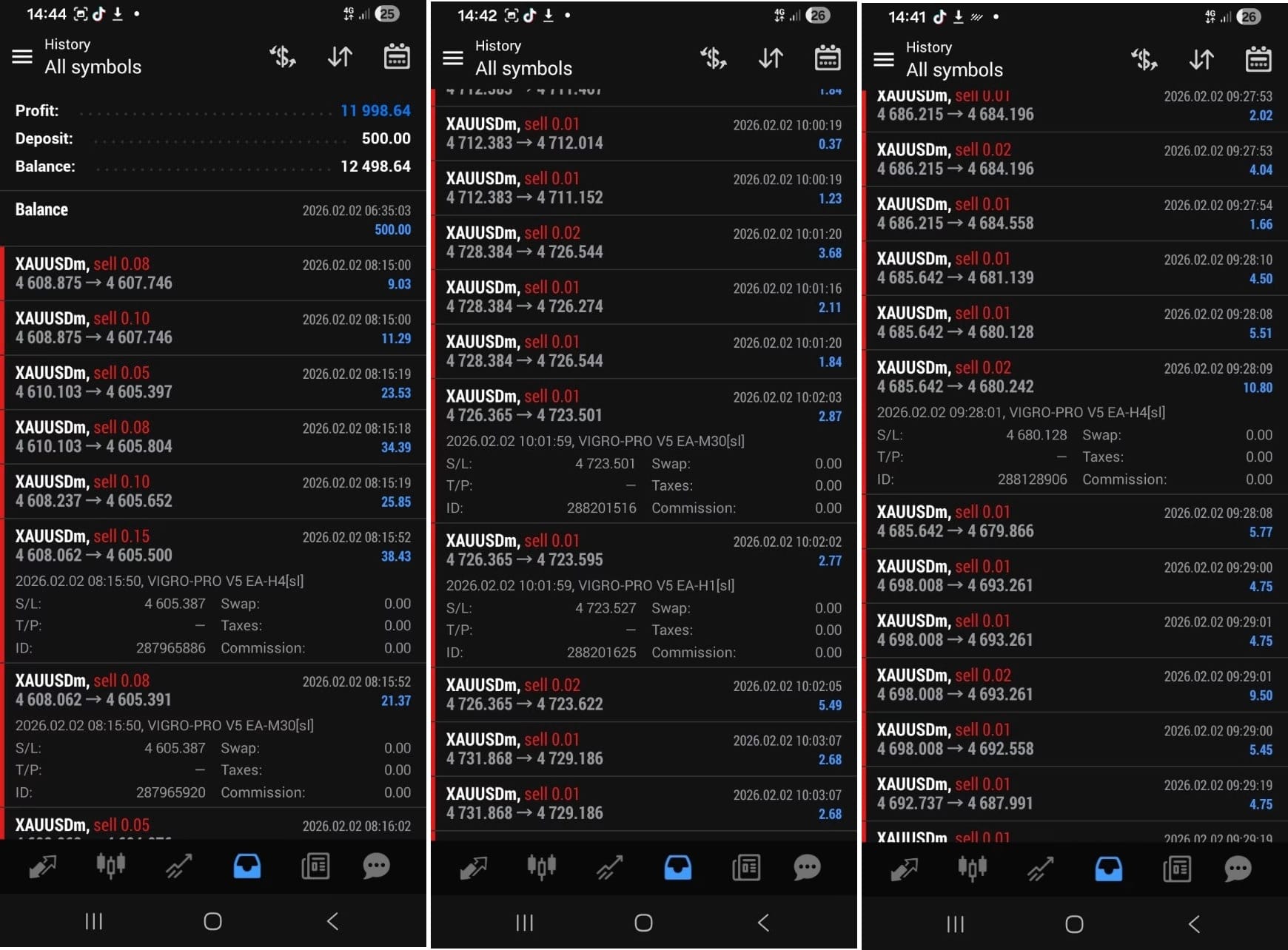


VIGRO PRO V5 EA MT4 For Build 1455+
$29.95
VIGRO PRO V5 EA MT4 is an automated gold trading Expert Advisor built for the H1 timeframe on XAUUSD. It uses multi-timeframe analysis.



Description
VIGRO PRO V5 EA: Automated Gold Trading on MT4 Made Practical
VIGRO PRO V5 EA – A Close Look at This Gold Expert Advisor for H1 XAUUSD
Table of Contents
- Why Gold Is Tricky for Human Traders
- What Is VIGRO PRO V5 EA MT4?
- Installing and Setting Up the EA
- Choosing a Broker and VPS
- Frequently Asked Questions
- Final Thoughts
Introduction
Gold (XAUUSD) often moves so fast that many traders miss the best entries or exit too early. VIGRO PRO V5 EA on MT4 was built to reduce these mistakes. By watching several timeframes at once, reacting within milliseconds, and following strict rules, it aims to catch small gold moves on the H1 chart while keeping risk under control.
Why Gold Is Tricky for Human Traders
Gold reacts in seconds to:
- Sudden U.S. dollar swings
- Geopolitical headlines
- Surprise data prints (CPI, NFP, Fed minutes)
- Market sentiment shifts
Because gold does not wait, traders often:
- Enter late after price already jumps
- Close early from fear of reversals
- Hold losing trades hoping for a bounce
Those habits can drain accounts faster than a wrong forecast. Automated trading tries to fix that by sticking to predefined rules 24/5.
What Is VIGRO PRO V5 EA MT4?
- Platform: MetaTrader 4
- Pair: XAUUSD only
- Timeframe monitored: H1 (with support checks on M15 and H4)
- Method: Looks for price inefficiencies during active sessions
- Goal: Capture short-term moves, avoid large drawdowns
The developer built it so that:
- Hesitation is removed
- Every entry follows the same logical steps
- Exits obey predefined stops and targets
- Only high-probability setups are traded
In short, it is a rule-based Expert Advisor designed for gold’s quick pace.
Installing and Setting Up the EA
- Download the .ex4 file from the official source.
- In MT4, click File ➜ Open Data Folder ➜ MQL4 ➜ Experts.
- Paste the file, restart MT4.
- Drag VIGRO PRO V5 EA onto an H1 XAUUSD chart.
- Tick “Allow live trading.”
- Choose settings:
- Risk per trade (%) – default 1 %
- Max daily trades – default 4
- Magic number – leave unique if you run other EAs
Choosing a Broker and VPS
Broker checklist:
- Raw or low-spread gold account
- No dealing-desk interference
- Fast execution (<100 ms)
VPS traits:
- Close to the broker’s server (same data center region)
- 99.9 % uptime
- At least 1 GB RAM for a single MT4 terminal
Popular choices:
- ForexVPS
- Amazon Lightsail
- BeeksFX
Frequently Asked Questions Regarding VIGRO PRO V5 EA
Q: Can I use VIGRO PRO V5 EA on other pairs?A: The logic was built for gold’s behavior. Running it on EURUSD or GBPUSD may cause unexpected trades.
Q: What account size is recommended?A: Many users start with 1 000 USD or more so that 1 % risk settings allow sensible lot sizes.
Final Thoughts for VIGRO PRO V5 EA
Gold trading can feel like a sprint with too many hurdles. VIGRO PRO V5 EA tries to level the playing field for individual traders by watching several timeframes, acting fast, and following set rules. Used with sound money management, it may help reduce emotional mistakes and keep trading more consistent.
Have you tested the EA?
Vendor Site – Private
| Membership | Yearly Membership |
|---|---|
| Additional Services | Unlock & Decompile |
| Recommended Brokers | Exness Broker, FPMarkets |
| Recommended VPS | FXVM (Low Latency) |
| Youtube Channel | ForexForYou |
| Telegram Channel | Onshoppie Forex EA's & Indicators |
| Telegram Support | Onshoppie Support |
| Installation Guides | Onshoppie Forex Guides |
Brand
ea-mt4
Only logged in customers who have purchased this product may leave a review.
Related products



Products
-
 Semi-automatic System CapiX MT4 3 EA & Indicator Build 1455+
$9.95
Semi-automatic System CapiX MT4 3 EA & Indicator Build 1455+
$9.95
-
 Inova Prime EA MT4 + SetFiles For Build 1455+
$29.95
Inova Prime EA MT4 + SetFiles For Build 1455+
$29.95
-
VIGRO PRO V5 EA MT4 For Build 1455+
$29.95
-
 BTX SCALPER PRO EA MT5 For BUILD 5573+
Original price was: $999.00.$9.95Current price is: $9.95.
BTX SCALPER PRO EA MT5 For BUILD 5573+
Original price was: $999.00.$9.95Current price is: $9.95.
-
 Vortex Turbo EA MT4 v1.1 For Build 1455+
Original price was: $399.00.$29.95Current price is: $29.95.
Vortex Turbo EA MT4 v1.1 For Build 1455+
Original price was: $399.00.$29.95Current price is: $29.95.
-
 Challenger X EA MT4 v1.1 + SetFiles For Build 1455+
$9.95
Challenger X EA MT4 v1.1 + SetFiles For Build 1455+
$9.95
-
Apex G EA MT4 v1.26 For Build 1455+
Original price was: $2,199.00.$9.95Current price is: $9.95.
-
MFXT GOLD AI BOT MT4 v2.0 + SetFiles For Build 1455+
$9.95



Recent reviews
-
 Advanced Dashboard Currency Strength
by Balram
Advanced Dashboard Currency Strength
by Balram

Reviews
There are no reviews yet.