





ScalpPrime EA MT4 v2.3 + SetFiles For Build 1473+
$14.95
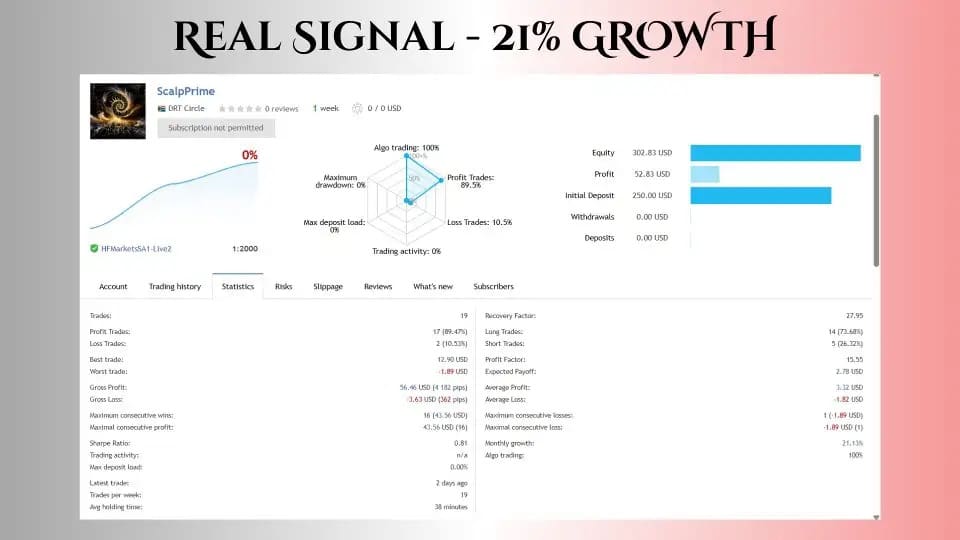
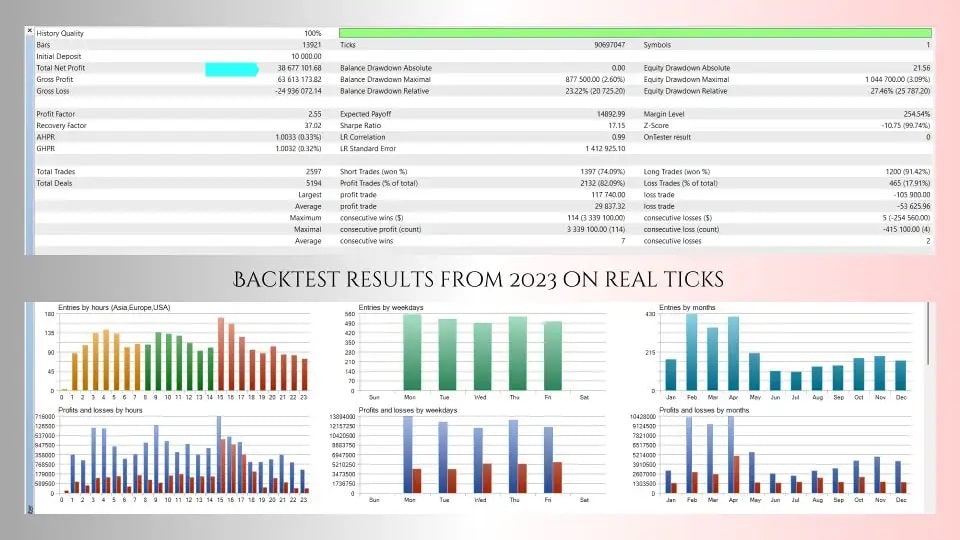
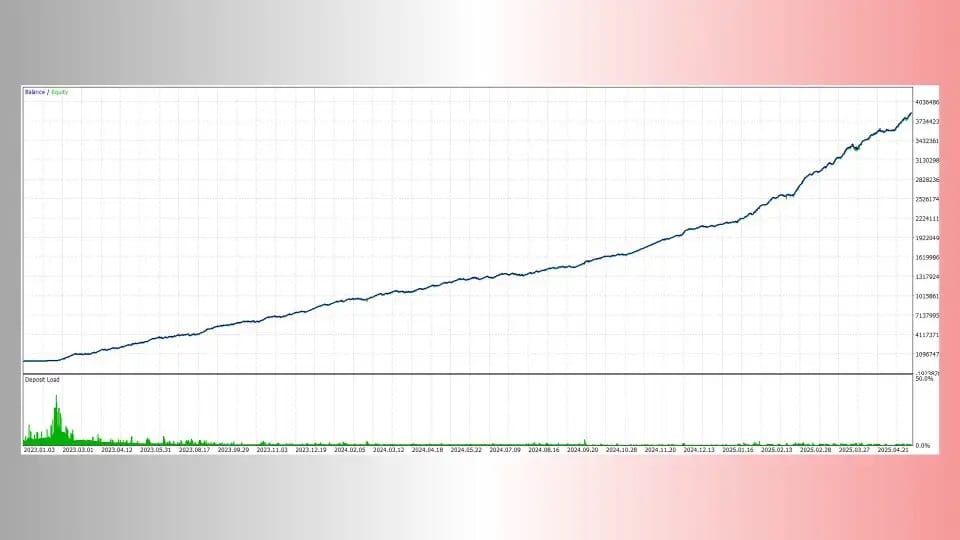
Discover the ultimate ScalpPrime EA with thrilling results that’ll transform your trading. Get exclusive insights and proven strategies for maximum profits.




Description
ScalpPrime EA: The Practical Gold-Scalping Expert Advisor Every MT4 Trader Should Know
Alternative Title
ScalpPrime EA – Your Step-by-Step Guide to Smart Gold Scalping on MetaTrader 4
Table of Contents
ScalpPrime EA in a Nutshell
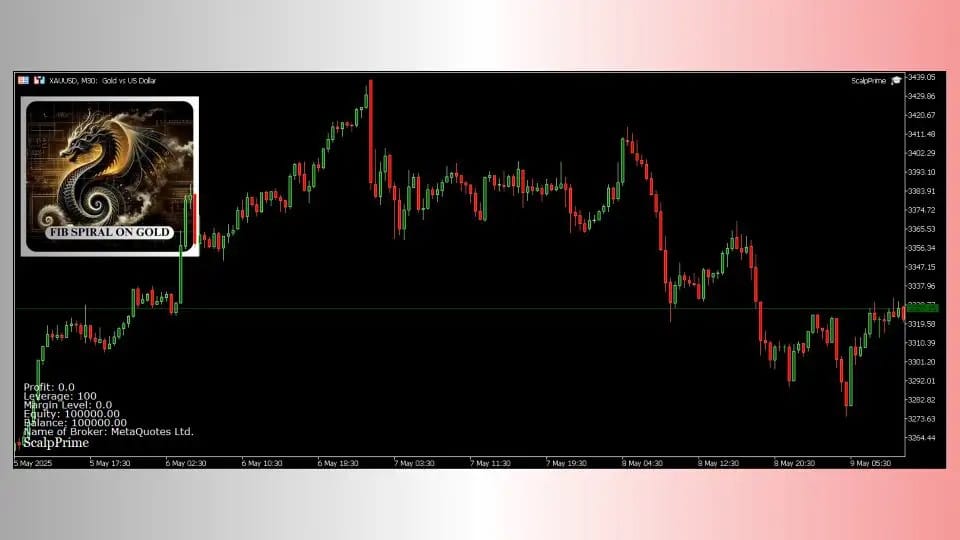
ScalpPrime EA is a professional-grade Expert Advisor built for MetaTrader 4 (MT4) with a narrow focus on XAUUSD (gold). It relies on a short-term, rule-based framework that blends Fibonacci retracement zones with volume confirmations to find high-probability entry points. The approach is disciplined and avoids martingale, grid, and arbitrage techniques.
- Primary Platform: MetaTrader 4
- Target Instrument: XAUUSD (gold)
- Core Style: Short-term scalping
- Risk Control: 3-step linear recovery, no aggressive compounding
In short, ScalpPrime EA gives traders an organised way to trade gold in minutes or even seconds rather than hours or days.
Why Focus on Gold (XAUUSD) Scalping?
Gold is one of the most liquid markets in the world. During active sessions, spreads stay tight, and price moves often respect technical zones. This makes XAUUSD appealing for quick in-and-out trades.
Key reasons traders pick gold:
- High Liquidity – Orders fill quickly on most brokers.
- Clear Technical Behaviour – Fibonacci levels often act as support and resistance.
- Extended Trading Hours – Unlike stocks, gold trades nearly 24/5.
- Reaction to Global News – Economic events move gold fast, offering multiple trade setups a day.
ScalpPrime MT4 was designed to capture those small yet frequent moves while keeping risk steady.
Key Features at a Glance
- Bidirectional Trading – Takes both long and short positions, so it can trade whatever direction gold picks.
- No-Martingale and No-Grid – Keeps position sizing linear and predictable.
- 3-Step Recovery Mode – Increases lot size by just 0.01 lot for up to three trades after a loss, then resets.
- Advanced Input Controls – Choose between fixed lots or risk-based lots tied to account balance.
- Economic News Filter – Pauses new trades before high-impact events.
- Trading Session Filter – Restricts trading to times of day you pick, cutting exposure during slow or highly volatile sessions.
- Prop-Firm Friendly – Fits well within common proprietary firm rules that ban martingale and mandate low drawdown.
Installation and First-Time Setup
Follow these quick steps to get ScalpPrime EA running on your MT4 terminal:
- Download the EA from our website.
- Go to File → Open Data Folder → MQL4 → Experts. Copy the ScalpPrimeEA.ex4 file into the folder.
- Restart MT4.
- Drag the EA onto an XAUUSD M1 or M5 chart. The developer recommends M1 for best granularity, M5 if your broker’s spreads are wider.
- Check Allow Live Trading in the Common tab.
- Press the AutoTrading button in the toolbar so it turns green.
The EA will now begin looking for valid setups.
Frequently Asked Questions Regarding ScalpPrime EA
Q1. Can I run ScalpPrime EA on other pairs like EURUSD?A1. The EA is coded for gold’s price behaviour. Using it on other pairs is not recommended.
Q2. What is the minimum balance to start?A2. Many traders begin with 300 USD on a cent or micro account. The EA will still calculate lot sizes correctly.
Q3. Does the EA adjust to different broker spreads?A3. Yes. You can tune Stop-Loss, Take-Profit, and trade filters to match your broker’s average spread.
Q4. Is manual intervention allowed?A5. Yes. You may close trades early or pause the EA without breaking its logic.
Final Thoughts About ScalpPrime EA
ScalpPrime EA provides a clear, short-term path to trading gold on MT4. By combining Fibonacci retracement levels with volume confirmations, it keeps entries selective. Built-in risk tools—like the 3-step recovery mode and economic news filter—offer an extra layer of safety. It all adds up to a professional yet easy-to-use package that can meet the strict rules of proprietary firms or the simple needs of independent traders.
Stay disciplined, manage risk, and let ScalpPrime EA do the heavy lifting.
Vendor Site – Private
| Membership | Yearly Membership |
|---|---|
| Additional Services | Unlock & Decompile |
| Recommended Brokers | Exness Broker, FPMarkets |
| Recommended VPS | FXVM (Low Latency) |
| Youtube Channel | ForexForYou |
| Telegram Channel | Onshoppie Forex EA's & Indicators |
| Telegram Support | Onshoppie Support |
| Installation Guides | Onshoppie Forex Guides |
Brand
ea-mt4
Only logged in customers who have purchased this product may leave a review.
Related products


Products
-
 Stable Gold EA MT5 V1.1 For Build 5977+
Original price was: $1,999.00.$19.95Current price is: $19.95.
Stable Gold EA MT5 V1.1 For Build 5977+
Original price was: $1,999.00.$19.95Current price is: $19.95.
-
 Adaptive Gold Scalper EA MT5 V1.9 + Setfiles With DLL 5836
Original price was: $375.00.$14.95Current price is: $14.95.
Adaptive Gold Scalper EA MT5 V1.9 + Setfiles With DLL 5836
Original price was: $375.00.$14.95Current price is: $14.95.
-
 Zerqon EA MT5 V22.2 For Build 5836+
Original price was: $299.00.$14.95Current price is: $14.95.
Zerqon EA MT5 V22.2 For Build 5836+
Original price was: $299.00.$14.95Current price is: $14.95.
-
 MHD Scalper Pro EA MT5 V9.1 For Build 5836+
Original price was: $1,200.00.$14.95Current price is: $14.95.
MHD Scalper Pro EA MT5 V9.1 For Build 5836+
Original price was: $1,200.00.$14.95Current price is: $14.95.
-
 Quantum OmniGold EA MT5 V1.8 For Build 5836+
Original price was: $1,099.00.$14.95Current price is: $14.95.
Quantum OmniGold EA MT5 V1.8 For Build 5836+
Original price was: $1,099.00.$14.95Current price is: $14.95.
-
 BTC Scalper IA EA MT5 V1.2 For Build 5836+
$14.95
BTC Scalper IA EA MT5 V1.2 For Build 5836+
$14.95
-
 Eternal Engine EA MT5 V2.30 + Setfiles For Build 5836+
Original price was: $599.00.$19.95Current price is: $19.95.
Eternal Engine EA MT5 V2.30 + Setfiles For Build 5836+
Original price was: $599.00.$19.95Current price is: $19.95.
-
 Endurance EA MT4 V2.13 For Build 1473+
$14.95
Endurance EA MT4 V2.13 For Build 1473+
$14.95
Recent reviews
-
 Advanced Dashboard Currency Strength
by Balram
Advanced Dashboard Currency Strength
by Balram
Reviews
There are no reviews yet.