







Pulse Engine EA MT5 V1.8 For Build 6106+
Original price was: $599.00.$14.95Current price is: $14.95.
Pulse Engine EA, a proven trading tool delivering mind-blowing Forex results. Unlock exclusive strategies and take your trading to the next level today!



Description
Pulse Engine EA: The Intraday Pattern Expert Advisor Redefining Algorithmic Trading
Pulse Engine EA – A Different Approach to Trading That Skips Indicators, Timeframes and Hype
Table of Contents
- What Is Pulse Engine EA?
- Why “A Different Approach to Trading” Matters
- How the Pattern-Based Logic Works
- Step-by-Step Setup Guide
- Broker Time and Symbol Mapping Explained
- Frequently Asked Questions
- Final Thoughts & Next Steps
What Is Pulse Engine EA?
Pulse Engine EA is an automated trading system for MetaTrader 5 that trades short-term directional patterns on six liquid markets:
- EURUSD
- GBPUSD
- USDJPY
- XAUUSD (Gold)
- USTEC (US Tech 100)
- BTCUSD
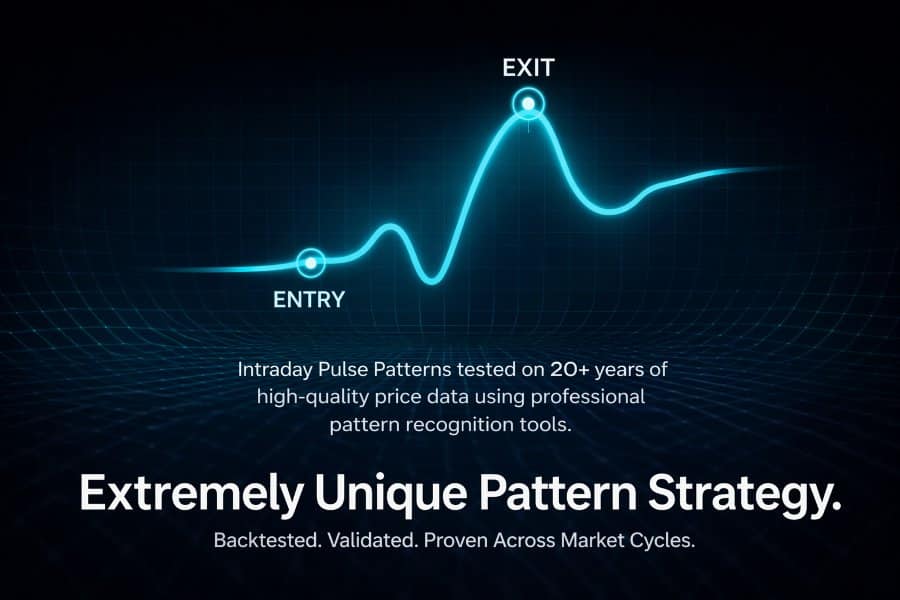
Unlike most robots, Pulse Engine EA does not rely on technical indicators, moving averages, oscillators, or grid / martingale logic. All decisions come from statistically verified intraday patterns discovered with custom pattern-recognition software that has been refined over many years.
Key snapshot:
| Feature | Detail |
|---|---|
| Strategy Core | 70+ time-of-day patterns |
| Trade Type | Intraday, single entries |
| Stop-Loss | Hard SL on every trade |
| Daily Drawdown Guard | Yes, user-defined |
| Martingale / Grid | No |
| News Filter | Advanced, event-based |
| Randomization | Yes, creates unique trade IDs |
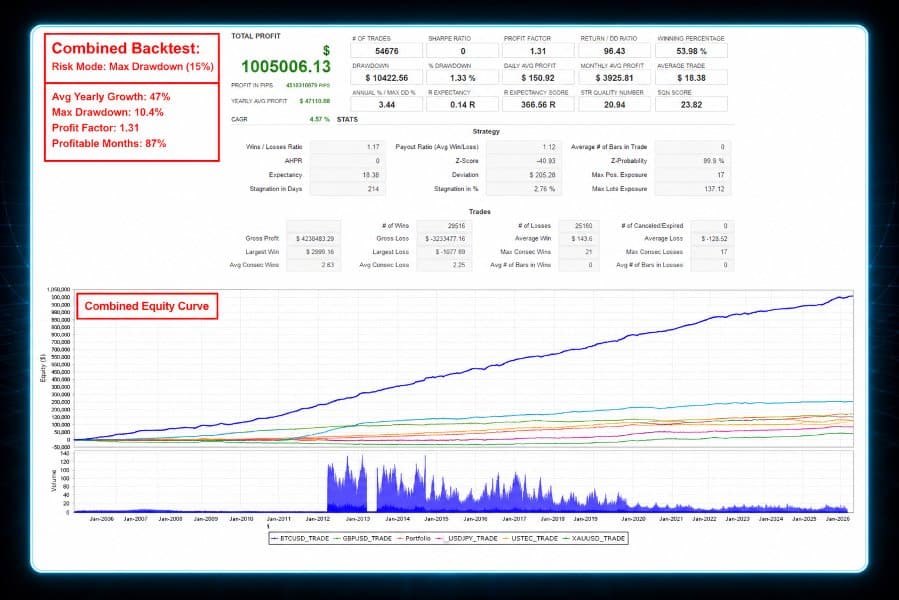
| Historical Backtest Depth | 50,000+ trades across 20 years |
Why “A Different Approach to Trading” Matters
Most retail Expert Advisors chase price with lagging tools—RSI, MACD, Bollinger Bands, you name it. These methods can work during strong trends but often stumble in choppy markets. Pulse Engine EA takes a different approach to trading:
- Focuses on when the market tends to move, not why.
- Uses patterns proven by large samples, not curve-fitted over a handful of trades.
- Ignores the current regime (trend, range, reversal) because the underlying bias has already been shown to exist across all regimes over many years.
By decoupling the entry logic from indicators and regime detection, Pulse Engine EA side-steps the classic “indicator lag” problem and keeps live performance aligned with back-tested results.
How the Pattern-Based Logic Works for Pulse Engine EA
1. Proprietary Pattern Recognition
- The developer’s software scans 20 years of tick-level data.
- It flags time windows (for example 13:05–13:20 server time) where price historically moves in one dominant direction.
- Only windows with a strong Z-score and at least 300 trade samples survive.
2. Trade Execution Flow
- At the start of the window, the EA sends one market order in the observed direction.
- A fixed stop-loss (in points or ATR) is placed immediately.
- A take-profit is calculated from the historical average move, with a small twist—randomization. The TP varies slightly around the average so different accounts do not mirror each other trade for trade.
3. Risk Management
- Each order’s risk is capped by your chosen Max Percent Risk per Day.
- If cumulative loss reaches that level, trading halts until the next reset at midnight broker time.
- No position scaling, no averaging down, no pyramiding.
4. Exit Logic
- Hard stop-loss
- Take-profit
- Time-out exit: If neither SL nor TP hits by the end of the pattern window plus a buffer, the trade is closed at market.
Step-by-Step Setup Guide for Pulse Engine EA
| Step | Action | Notes |
|---|---|---|
| 1 | Open EURUSD, any timeframe | Empty template is fine |
| 2 | Drag Pulse Engine EA onto the chart | Allow DLLs & WebRequests |
| 3 | In Symbol Mapping, enter your broker’s names | e.g., XAUUSD.i, USTECm |
| 4 | Set Max Daily Drawdown | 9 % default |
| 5 | Pick Lot Size Mode | Fixed lot or % of equity |
| 6 | Click OK & watch the smiley face | EA will now wait for the next pattern window |
Broker Time and Symbol Mapping Explained for Pulse Engine EA
- Broker Server Time should be GMT+2 in winter, GMT+3 in summer.
- Most large brokers (IC Markets, Pepperstone, FP Markets) follow this convention.
- Unsure? Right-click chart → “Properties” → Observe the “Time” axis vs. actual GMT time.
- Why It Matters
- The EA’s pattern windows fire at specific clock times. If your server is GMT+0, the bias could be six hours off.
- Solution
- Contact support or check the “Market Watch” time and adjust.
- If your broker runs a non-standard time, use a VPS account at a compatible broker for this EA only.
Frequently Asked Questions Regarding Pulse Engine EA
1. Do I need VPS hosting?
Yes, because pattern windows might occur while your PC is off. A 1 GB RAM VPS in London or New York is enough.
2. What minimum deposit is recommended?
For 0.01 lot on forex and 0.10 lot on XAUUSD, $500 is workable. Always start small.
3. Does it trade every day?
Patterns exist Monday to Friday. Some pairs have no setup on certain weekdays.
4. Can I use it on MetaTrader 4?
No. Pulse Engine EA is built for MT5 to handle multi-symbol trading from one chart.
5. What is the expected monthly return?
The back-test shows ~4–9 % per month at 9 % max daily drawdown. Past results aren’t a guarantee.
Final Thoughts & Next Steps For Pulse Engine EA
Pulse Engine EA offers a different approach to trading by leaning on time-of-day patterns rather than lagging indicators. With more than 50,000 verified historical trades, strict risk controls, and a one-chart setup, it targets steady, rule-based gains without the usual marketing fluff.
Backtest Results – Click Here
Setup Guide – Click Here
Live Signal – Click Here
Vendor Site – Click Here
| Membership | Yearly Membership |
|---|---|
| Additional Services | Unlock & Decompile |
| Recommended Brokers | Exness Broker, FPMarkets |
| Recommended VPS | FXVM (Low Latency) |
| Youtube Channel | ForexForYou |
| Telegram Channel | Onshoppie Forex EA's & Indicators |
| Telegram Support | Onshoppie Support |
| Installation Guides | Onshoppie Forex Guides |
Brand
ea-mt5
Only logged in customers who have purchased this product may leave a review.
Related products



Products
-
 The Gold Reaper EA MQ5 V4.1 Source Code + Setfiles
Original price was: $949.00.$29.95Current price is: $29.95.
The Gold Reaper EA MQ5 V4.1 Source Code + Setfiles
Original price was: $949.00.$29.95Current price is: $29.95.
-
 ATM Alpha BOT MT5 For Build 5984+
$14.95
ATM Alpha BOT MT5 For Build 5984+
$14.95
-
 Pandora Box EA MT5 V1.1 + SetFiles With DLL 5984
$14.95
Pandora Box EA MT5 V1.1 + SetFiles With DLL 5984
$14.95
-
 Bully Max Pro EA MT5 For Build 5984+
$14.95
Bully Max Pro EA MT5 For Build 5984+
$14.95
-
 Trinetra EA MT5 + SetFiles For Build 5984+
$34.95
Trinetra EA MT5 + SetFiles For Build 5984+
$34.95
-
 Strict HedgeZone Final EA MT5 V10 + SetFiles For Build 5984+
$14.95
Strict HedgeZone Final EA MT5 V10 + SetFiles For Build 5984+
$14.95
-
 NEXORA EA MT5 For Build 5984+
$14.95
NEXORA EA MT5 For Build 5984+
$14.95
-
 3X COMBO AI EA MT5 V7 For Build 5984+
$14.95
3X COMBO AI EA MT5 V7 For Build 5984+
$14.95
Recent reviews
-
 Advanced Dashboard Currency Strength
by Balram
Advanced Dashboard Currency Strength
by Balram
Reviews
There are no reviews yet.