


MSC Gold Pro EA MT5 V5.0 For Build 5836+
Original price was: $1,099.00.$14.95Current price is: $14.95.
MSC Gold Pro EA delivers mind-blowing results for traders worldwide. Explore its exciting features, reliable performance, and see why experts love it now.


Description
MSC Gold Pro EA: A Complete, Plain-English Guide to Steady Gold Trading on MT5
MSC Gold Pro EA – Your Practical Roadmap for Disciplined XAUUSD Automation
Table of Contents
- Quick Intro
- What Exactly Is MSC Gold Pro EA?
- Why Focus on Gold (XAUUSD)?
- Installation and First-Time Setup
- Common Questions
- Final Thoughts
Quick Intro
Gold attracts traders because it often moves in clear intraday swings. MSC Gold Pro EA and its MetaTrader 5 version, MSC Gold Pro MT5, were built from real market experience to catch those swings while keeping risk under control. This post looks at the EA in detail, in plain language, so you can decide whether it fits your own trading plan.
What Exactly Is MSC Gold Pro EA?
In simple terms, an Expert Advisor (EA) is a set of rules coded into MetaTrader that can read market data, open trades, adjust stops, and close positions for you. MSC Gold Pro EA is a professional‐grade EA that runs only on the XAUUSD pair. Instead of chasing pip counts or doubling positions after losses, it follows a layered decision process:
- Looks at where price sits inside the bigger picture
- Checks who controls momentum right now (buyers or sellers)
- Confirms that the next move offers enough reward for the risk
- Places a trade with stops and targets predefined
- Monitors the trade and adjusts if the market changes
Because these steps run automatically, the EA protects you from knee-jerk manual decisions that often hurt new traders.
Why Focus on Gold (XAUUSD)?
Gold acts differently from major forex pairs:
- Strong Daily Ranges – Gold can easily move 200–300 pips in a single session.
- Liquidity Bursts – When central banks or funds shift holdings, price can travel fast.
- News Sensitivity – Inflation data, Fed meetings, or geopolitical headlines spark quick jumps.
- Clear Technical Levels – Traders worldwide watch the same round numbers (1800, 1850, 1900, etc.).
An EA built with these traits in mind can adapt better than a one-size-fits-all robot built for EURUSD and later “ported” to metals.
Installation and First-Time Setup
- Download the MSC Gold Pro EA
.ex5file. - Open MetaTrader 5 →
File→Open Data Folder. - Navigate to
MQL5/Expertsand paste the file. - Restart MT5 or press
Ctrl+Rto refresh the Navigator. - Drag the EA onto an XAUUSD H1 chart.
- In Inputs, choose risk mode (Automatic is fine for most users).
- Open
Tools→Options→Expert Advisors.- Tick “Allow WebRequest for listed URL”.
- Add
https://www.worldtimeserver.com/.
- Click OK. A smiley face in the chart corner confirms the EA is live.
Tip: Run a demo for at least two weeks to be sure spreads and swaps on your broker work smoothly.
Common Questions Regarding MSC Gold Pro EA
Is MSC Gold Pro EA suitable for beginners?Yes, because all trade rules sit inside the EA. Your job is mainly risk control and platform basics.
Does it work on MetaTrader 4?The current version is native to MetaTrader 5. An MT4 port is under discussion, but no firm date yet.
What about widening spreads during news?The built-in news filter pauses entries 30 minutes before and after high-impact events to avoid sudden jumps.
Can I change stop-loss distance?Not directly. Stop size is tied to recent volatility, which the EA calculates itself.
How many trades per week?On average 3–8, depending on volatility. Some weeks may have zero trades if conditions are choppy.
Final Thoughts About MSC Gold Pro EA
MSC Gold Pro EA offers a well-rounded, safety-first approach to automated gold trading. Instead of chasing flashy backtest curves, it leans on market structure, multi-layer confirmation, and tight risk controls. If your goal is steady account growth without drama, it deserves a close look.
Disclaimer: Trading involves risk. Past returns never guarantee future results. Use MSC Gold Pro EA at your own discretion and test thoroughly before committing real funds.
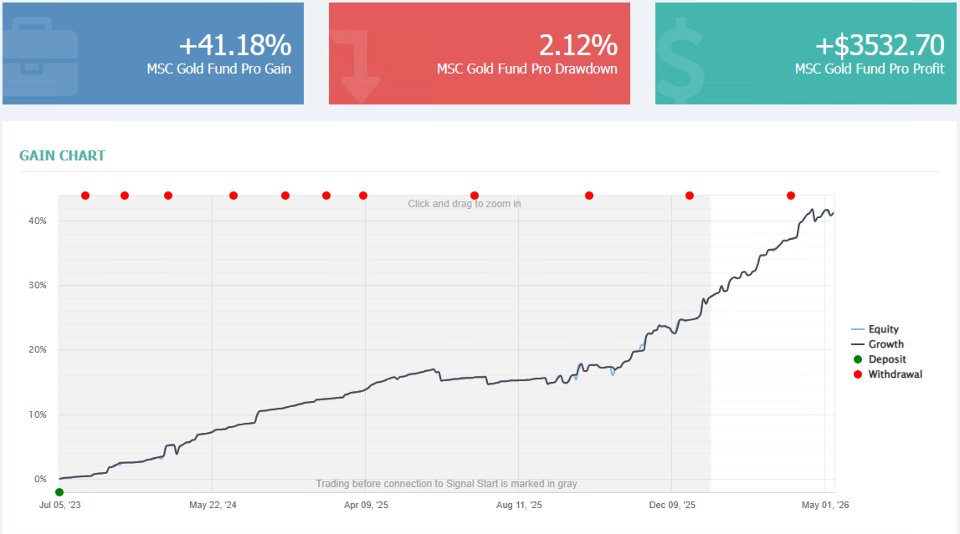
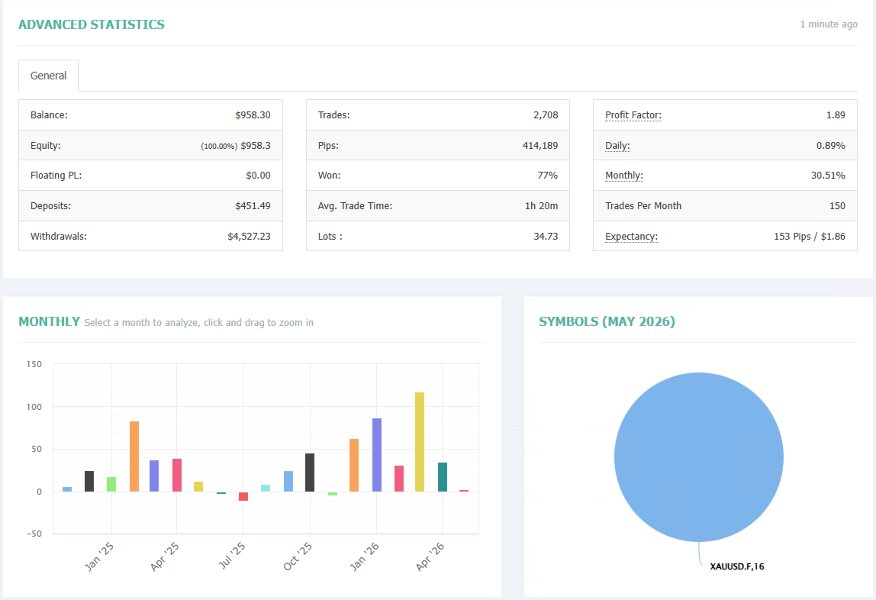
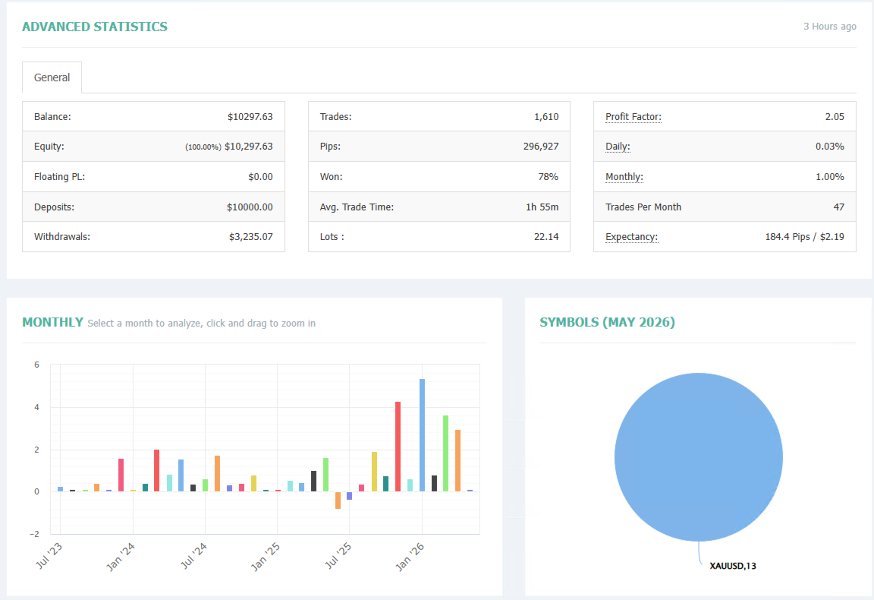
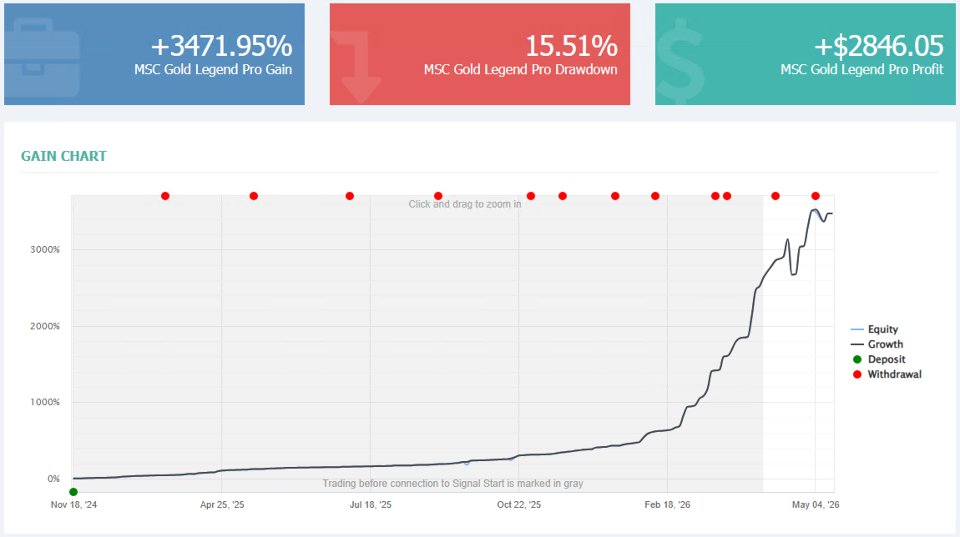
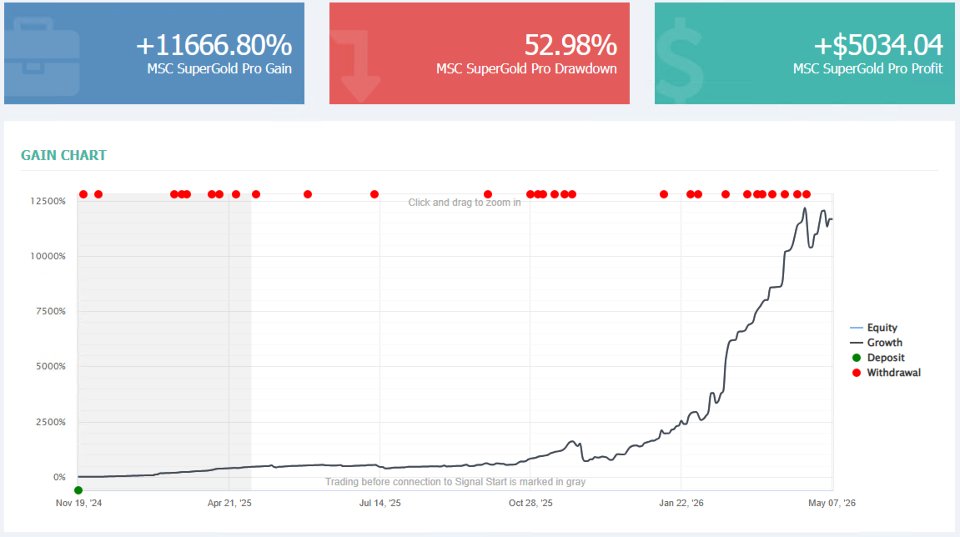
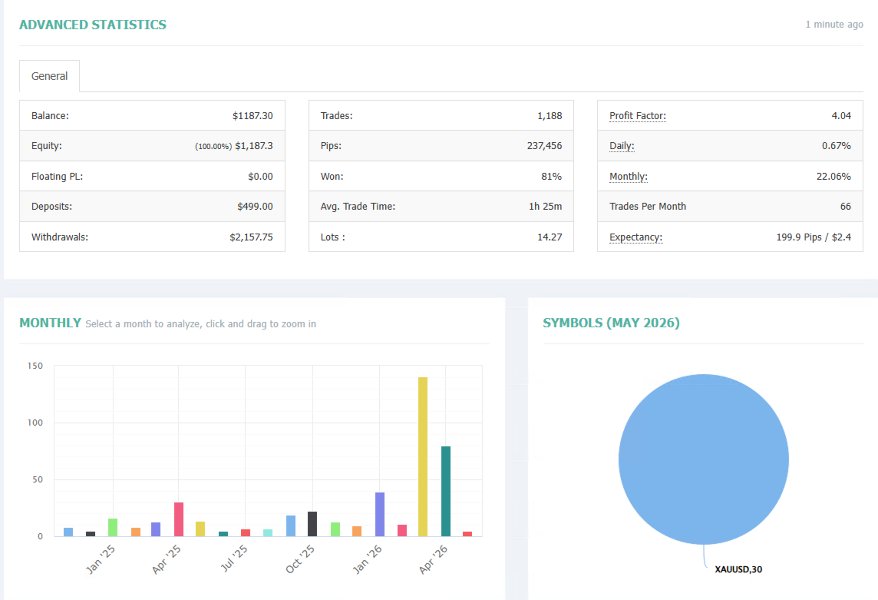
Live Signal – One Two Three Four
Vendor Site – Click Here
| Membership | Yearly Membership |
|---|---|
| Additional Services | Unlock & Decompile |
| Recommended Brokers | Exness Broker, FPMarkets |
| Recommended VPS | FXVM (Low Latency) |
| Youtube Channel | ForexForYou |
| Telegram Channel | Onshoppie Forex EA's & Indicators |
| Telegram Support | Onshoppie Support |
| Installation Guides | Onshoppie Forex Guides |
Brand
ea-mt5
Only logged in customers who have purchased this product may leave a review.
Related products


Products
-
 Quantum Queen X EA MT5 V4.3 MQ5 Source Code
Original price was: $1,799.00.$19.95Current price is: $19.95.
Quantum Queen X EA MT5 V4.3 MQ5 Source Code
Original price was: $1,799.00.$19.95Current price is: $19.95.
-
 Smart Gold Hunter EA MT5 V2.0 MQ5 Source Code
Original price was: $249.00.$28.95Current price is: $28.95.
Smart Gold Hunter EA MT5 V2.0 MQ5 Source Code
Original price was: $249.00.$28.95Current price is: $28.95.
-
 The Gold Reaper EA MQ5 V4.1 Source Code + Setfiles
Original price was: $949.00.$19.95Current price is: $19.95.
The Gold Reaper EA MQ5 V4.1 Source Code + Setfiles
Original price was: $949.00.$19.95Current price is: $19.95.
-
 ATM Alpha BOT MT5 For Build 5984+
$14.95
ATM Alpha BOT MT5 For Build 5984+
$14.95
-
 Pandora Box EA MT5 V1.1 + SetFiles With DLL 5984
$14.95
Pandora Box EA MT5 V1.1 + SetFiles With DLL 5984
$14.95
-
 Bully Max Pro EA MT5 For Build 5984+
$14.95
Bully Max Pro EA MT5 For Build 5984+
$14.95
-
 Trinetra EA MT5 + SetFiles For Build 5984+
$34.95
Trinetra EA MT5 + SetFiles For Build 5984+
$34.95
-
 Strict HedgeZone Final EA MT5 V10 + SetFiles For Build 5984+
$14.95
Strict HedgeZone Final EA MT5 V10 + SetFiles For Build 5984+
$14.95
Recent reviews
-
 Advanced Dashboard Currency Strength
by Balram
Advanced Dashboard Currency Strength
by Balram
Reviews
There are no reviews yet.