


Turbo AI EA MT5 v3.0 For Build 5660+
$19.95
Expert Turbo AI EA is an advanced Forex robot that applies cutting-edge machine learning to optimize trading strategies on MetaTrader platform.



Description
Main Title
Turbo AI EA: A Practical Guide to Steady XAUUSD Trading on the H1 Chart
Alternative Title
Turbo AI EA – How This MT5 Expert Advisor Finds Medium-Term Gold Trends
Table of Contents
- Introduction
- What Makes Turbo AI EA Different?
- Quick-Start Installation (MT5)
- Key Inputs and Suggested Settings
- Risk Control and Capital Management
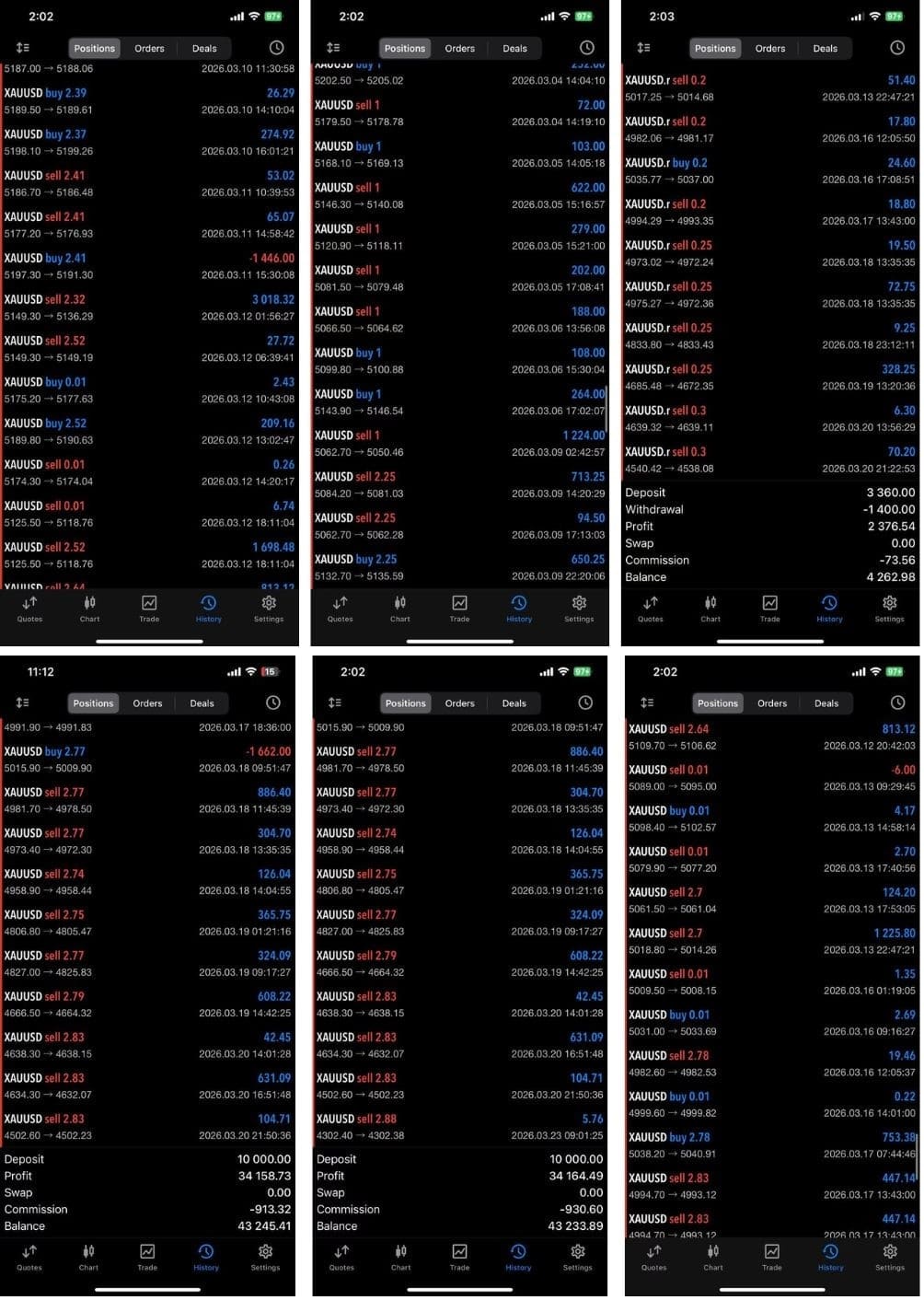
- Performance Snapshot & Back-Testing Tips
- Best Practices for Day-to-Day Use
- Conclusion & Next Steps
Introduction
Trading gold (XAUUSD) can feel overwhelming, especially when price swings happen in minutes. Turbo AI EA—also known as Turbo AI MT5, a professional Expert Advisor built for trading XAUUSD on the H1 timeframe—aims to lower the stress level. By relying on AI-based logic and a structured method instead of high-frequency scalping, this EA looks for medium-term trends, working toward steady results with controlled risk. The target audience: traders who want consistent long-term account growth starting from a minimum deposit of $500.
What Makes Turbo AI EA Different?
| Feature | Turbo AI EA | Many Scalpers |
|---|---|---|
| Timeframe | H1 (60-minute) | M1 or M5 |
| Primary Pair | XAUUSD | Multiple |
| Trade Logic | AI-based market structure | Tick-level noise |
| Average Holding Time | Hours to a few days | Seconds to minutes |
| Risk Style | Controlled, predefined | Often aggressive |
| Required Capital | From $500 | Can be higher or unstable |
Key Takeaways
- Focus on medium-term trends means fewer, more deliberate trades.
- AI studies broader price structure, ignoring noise from lower timeframes.
- Designed for practical traders who prefer stable operation and avoid constant monitoring.
Quick-Start Installation (MT5)
Step-by-Step
- Copy the EA file (
Turbo_AI_EA.ex5) intoMQL5 > Expertsfolder. - Restart MT5 or press
Ctrl + Rto refresh the Navigator. - Drag Turbo AI EA onto an XAUUSD H1 chart.
- Tick “Allow Algo Trading.”
- Input your license key if required.
- Press OK—the smiley face in the corner should turn green.
- Check the Experts and Journal tabs for confirmation messages.
Key Inputs and Suggested Settings
| Setting | Purpose | Typical Range |
|---|---|---|
Risk_Percent |
Equity risk per position | 0.5 – 2 % |
Max_Trades |
Limit open trades | 3–5 |
ATR_Multiplier |
Distance for stop-loss | 1.5–3 |
Trend_Filter |
Confirms higher-timeframe direction | true/false |
News_Filter |
Pauses trading around high-impact events | true/false |
TradingHours |
Session window | e.g., 00:00–23:00 |
Start with the default template. After a month, fine-tune based on your broker’s spread and execution speed.
Risk Control and Capital Management
Minimum Deposit
- $500 is the suggested floor.
- This allows the EA to withstand a short string of losses without margin calls.
Lot Sizing Example
- Account equity: $1 000
Risk_Percent: 1 %- Stop-loss: $10 (in gold, that’s roughly 1 000 points on a 0.01 lot)
- Position size: 0.01 lot
Portfolio Diversification
- While Turbo AI EA focuses on XAUUSD, you can reduce overall account risk by:
- Keeping part of equity in cash or low-risk bonds.
- Running a separate EA for EURUSD on a demo before adding it live.
Performance Snapshot & Back-Testing Tips
Why Test First?
- Each broker has unique spreads, swap rates, and execution speed.
- A back-test shows how smart trade execution handles historical volatility.
How to Back-Test on MT5
- Go to View → Strategy Tester (Ctrl + R).
- Select Turbo AI EA.
- Symbol: XAUUSD.
- Model: Every tick based on real ticks (for accuracy).
- Use H1 timeframe.
- Date range: At least 3 years.
- Keep visual mode off for speed; enable it later for learning entry/exit logic.
Key Metrics to Watch
- Expectancy – profit per trade after costs.
- Drawdown – peak-to-valley loss; keep it below 25 %.
- Win Rate vs. Risk-Reward – high win rate isn’t helpful if RR is poor.
- Trade Frequency – should align with your mental bandwidth.
Best Practices for Day-to-Day Use
- Run on a VPS
- Even if not scalping, uninterrupted power and internet reduce slippage.
- Enable News Filter
- Gold reacts sharply to Fed statements. Pausing 15 min before and after can cut whipsaws.
- Weekly Review
- Screenshots of trades help spot pattern drift.
- Update When Not in Position
- If the developer releases a patch, wait until all positions close.
- Stay Within Risk Limits
- Tempting to raise lot size after a winning streak—don’t. Stick to the plan.
Conclusion & Next Steps
Turbo AI EA offers a balanced route between passive investing and high-octane scalping. By focusing on medium-term trends on the H1 timeframe, using adaptive entry and exit signals, and keeping risk tight, the system aims for steady results instead of quick wins that fade away.
If you’re seeking a way to trade gold with controlled risk and don’t have time to stare at a screen all day, consider testing Turbo AI EA on a demo first. Once comfortable, go live with at least $500 and the settings outlined above.
Vendor Site – Private
| Membership | Yearly Membership |
|---|---|
| Additional Services | Unlock & Decompile |
| Recommended Brokers | Exness Broker, FPMarkets |
| Recommended VPS | FXVM (Low Latency) |
| Youtube Channel | ForexForYou |
| Telegram Channel | Onshoppie Forex EA's & Indicators |
| Telegram Support | Onshoppie Support |
| Installation Guides | Onshoppie Forex Guides |
Brand
ea-mt5
Only logged in customers who have purchased this product may leave a review.
Related products



Products
-
 Gold Safe EA MT4 v1.1 For Build 1471+
Original price was: $399.00.$14.95Current price is: $14.95.
Gold Safe EA MT4 v1.1 For Build 1471+
Original price was: $399.00.$14.95Current price is: $14.95.
-
 CAPITAL X EA MT5 v1.8 + SetFiles With DLL 5833
$34.95
CAPITAL X EA MT5 v1.8 + SetFiles With DLL 5833
$34.95
-
 BB Return EA MT5 v7.40 For Build 5833+
Original price was: $549.00.$14.95Current price is: $14.95.
BB Return EA MT5 v7.40 For Build 5833+
Original price was: $549.00.$14.95Current price is: $14.95.
-
BB Return EA MT4 v7.40 For Build 1471+
Original price was: $549.00.$14.95Current price is: $14.95.
-
 Gold Strike AI EA MT5 v1.2 For Build 5833+
Original price was: $1,795.00.$14.95Current price is: $14.95.
Gold Strike AI EA MT5 v1.2 For Build 5833+
Original price was: $1,795.00.$14.95Current price is: $14.95.
-
 Chiroptera EA MT5 v3.2 + SetFiles For Build 5833+
Original price was: $899.00.$34.95Current price is: $34.95.
Chiroptera EA MT5 v3.2 + SetFiles For Build 5833+
Original price was: $899.00.$34.95Current price is: $34.95.
-
 TwisterPro Scalper EA MT5 v1.8 + SetFiles For Build 5833+
Original price was: $399.00.$24.95Current price is: $24.95.
TwisterPro Scalper EA MT5 v1.8 + SetFiles For Build 5833+
Original price was: $399.00.$24.95Current price is: $24.95.
-
 Robot De Oro Mr. Y 8.0 ULTRASAFE™ MT5 + SetFiles
Original price was: $347.00.$34.95Current price is: $34.95.
Robot De Oro Mr. Y 8.0 ULTRASAFE™ MT5 + SetFiles
Original price was: $347.00.$34.95Current price is: $34.95.
Recent reviews
-
 Advanced Dashboard Currency Strength
by Balram
Advanced Dashboard Currency Strength
by Balram
Reviews
There are no reviews yet.