


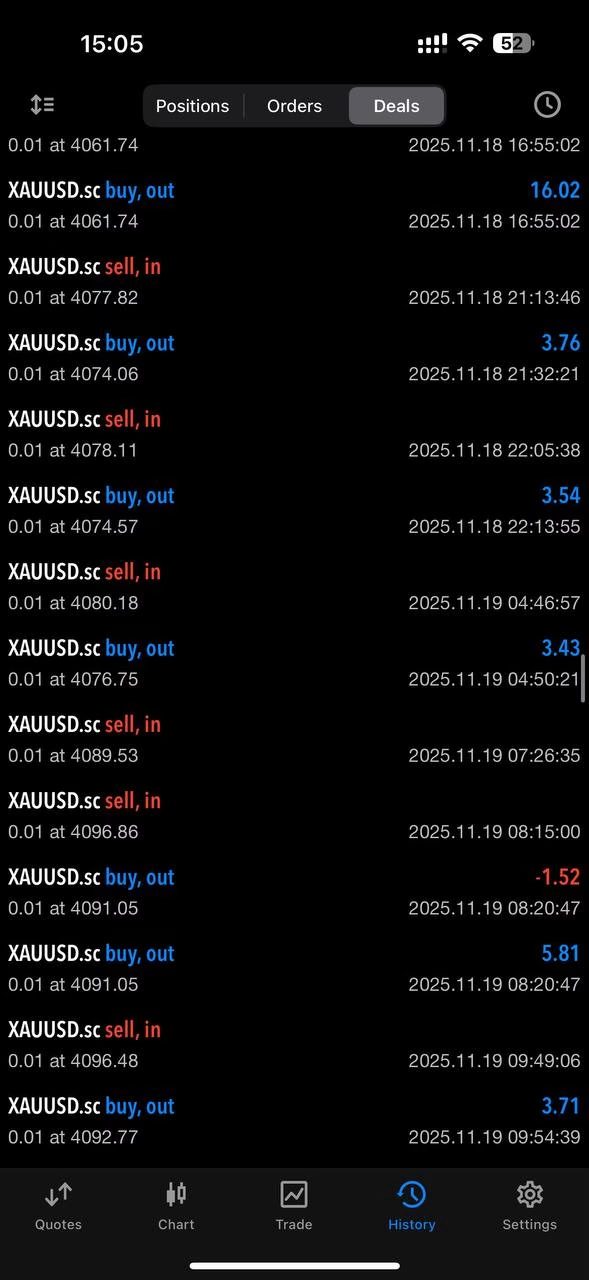




Rosinante EA MT5 v2.0 With DLL 5488
$9.95
Experience amazing results with Rosinante EA – the thrilling forex robot that’s changing lives. Download your copy and start winning trades now.
Description
Rosinante EA MT5 – A Real-Account Robot Built for Consistent Growth
Rosinante EA MT5 – A Professional Automated Trading Solution for MetaTrader 5
Table of Contents
- Quick Overview
- Why “Real Account Proof” Matters
- Risk Management in Plain Words
- Step-by-Step Setup Guide
- Tips For Best Results
- Frequently Asked Questions
- Final Thoughts & Next Steps
Quick Overview of Rosinante EA
When traders hear about an automated trading robot, they often worry about wild risk or hidden tricks. Rosinante EA tackles those fears by running on a real Exness MetaTrader 5 (MT5) account and showing every trade in public. Since 2025 the robot has grown the account by roughly 90 %, all while keeping drawdowns in check. The goal is steady progress, not overnight riches.
Why “Real Account Proof” Matters
Most Expert Advisors are shown on demo accounts or cherry-picked back-tests. Rosinante EA MT5 takes a different route:
- It trades live funds
- All key numbers—growth, drawdown, balance—are visible online.
- Regular withdrawals show the gains are spendable, not just on-screen profits.
Having this level of transparency lets traders judge the system on facts, not marketing claims.
See MetaTrader 5 trading platform details →
Risk Management in Plain Words
Good systems accept small losses so the account can survive rough weeks. Rosinante EA MT5 sticks to:
- Stop-loss on every trade
- Deposit load max ~65 % to prevent margin calls
- No doubling down when a trade turns against it
- Monthly profit target, not daily—removing the urge to overtrade
If you want more control, you can simply lower the risk percentage in the EA settings.
Step-by-Step Setup Guide for Rosinante EA
- Open an MT5 account with a broker you trust (the developer uses Exness).
- Download Rosinante EA MT5 from the official marketplace or developer site.
- Install the EA file in
MQL5/Expertsand restart MT5. - Attach the EA to the recommended chart and timeframe (often H1).
- Input risk settings — start small (e.g., 1 % per trade).
- Enable auto-trading and keep the platform or VPS running 24/5.
- Monitor weekly, not minute-by-minute. Withdraw some profit every month to lock in gains.
Tips for Best Results with Rosinante EA
- Use low spreads—an ECN account helps.
- Keep risk constant; avoid adjusting lot size impulsively.
- Withdraw on schedule—for example, 30 % of profits each month.
- Stay updated—install any EA patches promptly.
Frequently Asked Questions
Q1: Can I run Rosinante EA on MetaTrader 4?No, it is coded for MetaTrader 5 only. MT4 users would need a separate version.
Q2: What starting balance is sensible?The developer began with $820. Many traders start around $500–$1 000 to see realistic percentage returns.
Q3: Does the EA trade every day?Not necessarily. Average trading activity is around 68 % of sessions, meaning it skips low-quality setups.
Q4: Are updates free?Check the seller’s license terms. In most cases, minor updates are free for existing customers.
Final Thoughts & Next Steps
Rosinante EA shows that an automated strategy can be both transparent and careful with risk. Its 90 % live-account growth, moderate drawdown, and easy MT5 setup make it a solid choice for traders who value consistency over hype.
Happy trading, and remember: steady growth beats big swings in the long run.
Signal: https://www.mql5.com/en/signals/2339267
| Membership | Yearly Membership |
|---|---|
| Additional Services | Unlock & Decompile |
| Recommended Brokers | Exness Broker, FPMarkets |
| Recommended VPS | FXVM (Low Latency) |
| Youtube Channel | ForexForYou |
| Telegram Channel | Onshoppie Forex EA's & Indicators |
| Telegram Support | Onshoppie Support |
| Installation Guides | Onshoppie Forex Guides |
Brand
ea-mt5
Only logged in customers who have purchased this product may leave a review.
Related products



Products
-
 Perceptrader AI EA MT5 V2.43 + Setfiles For Build 5836+
Original price was: $2,800.00.$14.95Current price is: $14.95.
Perceptrader AI EA MT5 V2.43 + Setfiles For Build 5836+
Original price was: $2,800.00.$14.95Current price is: $14.95.
-
 Quantum Emperor EA MT5 V7.5 For Build 5836+
Original price was: $799.00.$14.95Current price is: $14.95.
Quantum Emperor EA MT5 V7.5 For Build 5836+
Original price was: $799.00.$14.95Current price is: $14.95.
-
 Quantum King EA MT5 V3.1 For Build 5836+
Original price was: $649.00.$14.95Current price is: $14.95.
Quantum King EA MT5 V3.1 For Build 5836+
Original price was: $649.00.$14.95Current price is: $14.95.
-
 Bitcoin Robot Grid EA MT4 V6.0 For Build 1473+
Original price was: $899.00.$14.95Current price is: $14.95.
Bitcoin Robot Grid EA MT4 V6.0 For Build 1473+
Original price was: $899.00.$14.95Current price is: $14.95.
-
 IS PI Scalper EA Virtual Level Final MT4 + SetFiles
$14.95
IS PI Scalper EA Virtual Level Final MT4 + SetFiles
$14.95
-
 ArtQuant Gold EA MT5 V3.0 For Build 5836+
Original price was: $700.00.$14.95Current price is: $14.95.
ArtQuant Gold EA MT5 V3.0 For Build 5836+
Original price was: $700.00.$14.95Current price is: $14.95.
-
 Gold Trap EA MT5 V4.24 + Setfiles For Build 5836+
$24.95
Gold Trap EA MT5 V4.24 + Setfiles For Build 5836+
$24.95
-
 AI X HFT VIP EA MT4 V14 With DLL 1473
$14.95
AI X HFT VIP EA MT4 V14 With DLL 1473
$14.95
Recent reviews
-
 Advanced Dashboard Currency Strength
by Balram
Advanced Dashboard Currency Strength
by Balram
Reviews
There are no reviews yet.