

New Stable Profit MaxTrio EA MT4 V2.3 For Build 1455+
New Stable Profit MaxTrio EA MT4 V2.3 For Build 1455+


$9.95
New Stable Profit MaxTrio EA MT4. Built for traders seeking consistent returns, this powerful tool works seamlessly. Maximize your potential

This item: New Stable Profit MaxTrio EA MT4 V2.3 For Build 1455+
$9.95
$9.95

Original price was: $14.95.$11.96Current price is: $11.96.
New Stable Profit MaxTrio EA: In-Depth Guide for Safe Automated Forex Trading
Alternative title: New Stable Profit MaxTrio EA – Why This Multicurrency Robot Has Stayed Profitable Since 2017
Table of Contents
- Quick Snapshot
- Supported Currency Pairs & Timeframes
- Installation & First-Time Setup
- Common Questions (FAQ)
- Final Thoughts
What Is the New Stable Profit MaxTrio EA?
The New Stable Profit MaxTrio EA is an automated trading system designed for MetaTrader 4 and MetaTrader 5. It runs a multicurrency version structure, meaning you install the robot on one chart and it quietly follows its strategy on five currency pairs behind the scenes.
Unlike many robots that rely on rapid scalping or risky doubling of position size, MaxTrio EA focuses on corrective waves inside a trend. Positions open when trend strength and trading volume line up with the author’s formula. Each group of positions uses one combined take-profit level, reducing market exposure and swap costs.
Supported Currency Pairs & Timeframes
| Pair | Reason for Inclusion | Typical Volatility |
|---|---|---|
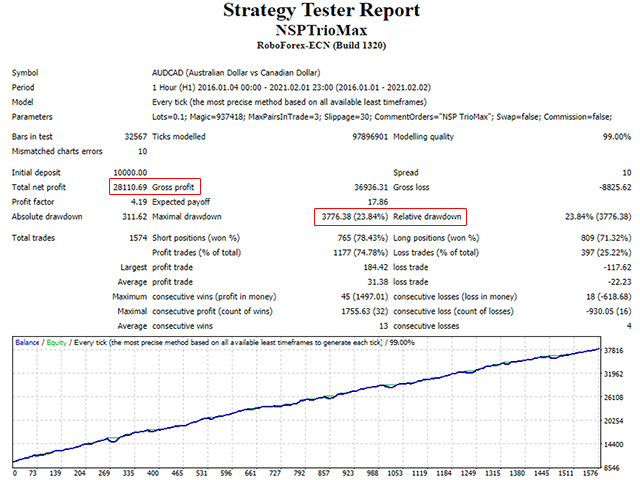
| AUDCAD | Commodity link; smooth Asian/Europe flow | Low–medium |
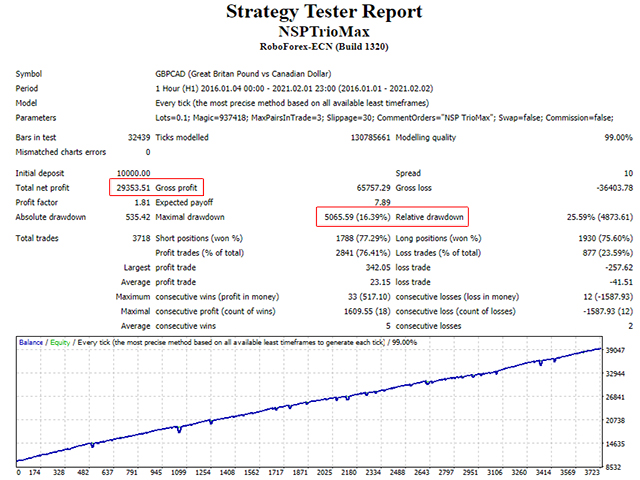
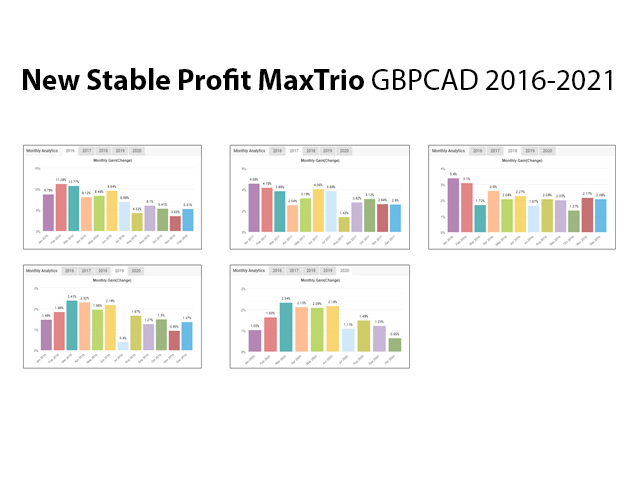
| GBPCAD | Trendy yet offers deep pullbacks | Medium–high |
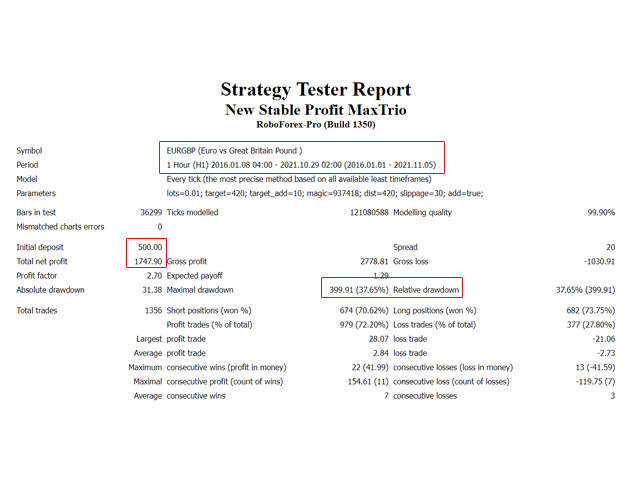
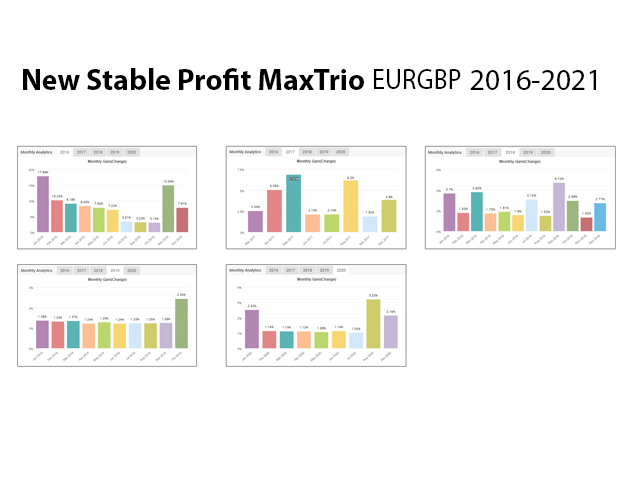
| EURGBP | Range-bound; corrective moves frequent | Low |
| EURUSD | Most liquid forex pair in the world | Low–medium |
| AUDNZD | Calm cross that respects technical zones | Low |
Timeframe: Any timeframe. The developer recommends H1 for visual clarity, but because all calculations occur inside code, the choice does not change results.
Installation & First-Time Setup for New Stable Profit MaxTrio EA
- Download the
.ex4file from Onshoppie.com. - Copy it into:
MQL4/Experts/for MT4
- Restart your terminal.
- Open a chart for any of the five pairs, e.g., EURUSD.
- Drag New Stable Profit MaxTrio EA onto the chart.
- Tick “Allow Algo Trading.”
- In Inputs, set your Lots and other preferences.
- Press OK. The EA will now monitor all pairs on the list automatically.
Common Questions (FAQ) regarding New Stable Profit MaxTrio EA
Does the New Stable Profit MaxTrio EA work on cent accounts?
Yes, as long as your broker supports the listed pairs and normal contract size. Adjust Lots down because 0.01 on a cent account equals 0.0001 standard lots.
Can I add more currency pairs?
No. The EA contains pair-specific formulas for AUDCAD, GBPCAD, EURGBP, EURUSD, and AUDNZD only. Adding extra charts will not trigger trades.
Is there a separate MT5 file?
No
Final Thoughts
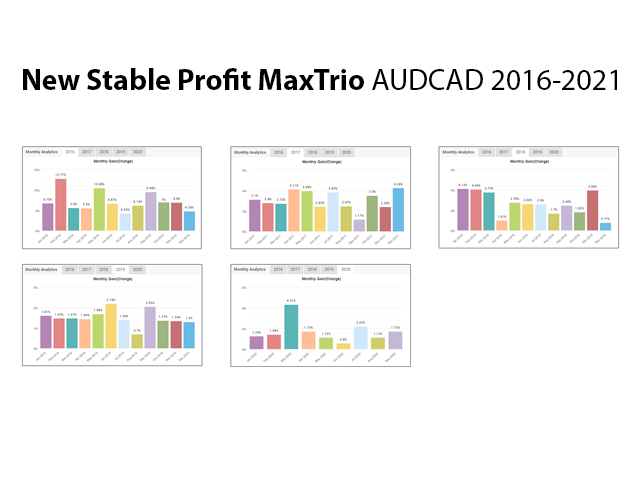
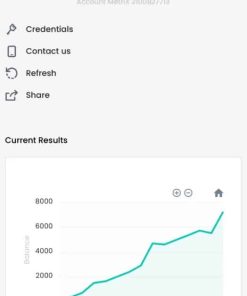
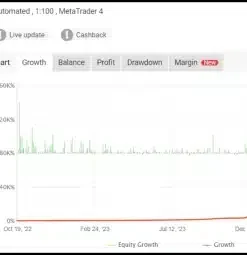
The New Stable Profit MaxTrio EA stands out by combining a multicurrency design, strict risk logic, and a live track record that spans back to 2017. It avoids common pitfalls such as martingale, news dependence, or fragile scalping. When installed on a single chart, it quietly manages five carefully chosen pairs—AUDCAD, GBPCAD, EURGBP, EURUSD, and AUDNZD—using corrective trend statistics to seek modest, repeatable profits.
If you are looking for a set-and-forget robot that treats capital with caution, consider testing MaxTrio EA on a demo account first, then move to a small live account while following the 1 500 USD per 0.01 lot guide.
| Membership | Yearly Membership |
|---|---|
| Additional Services | Unlock & Decompile |
| Recommended Brokers | Exness Broker, FPMarkets |
| Recommended VPS | FXVM (Low Latency) |
| Youtube Channel | ForexForYou |
| Telegram Channel | Onshoppie Forex EA's & Indicators |
| Telegram Support | Onshoppie Support |
| Installation Guides | Onshoppie Forex Guides |
Brand
ea-mt4
Only logged in customers who have purchased this product may leave a review.








Reviews
There are no reviews yet.