



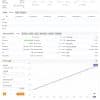
Money Gold EA MT4 For Build 1444+
$19.99
Money Gold EA is an automatic trading tool (also called an Expert Advisor or EA) designed for the XAUUSD pair on the MetaTrader 4 platform.



Description
Money Gold EA: The Complete Guide to Smarter XAUUSD Trading
Money Gold EA—Your Roadmap to Efficient and Accurate XAUUSD Trading
Table of Contents
- What Is Money Gold EA?
- Why Trade Gold with an Expert Advisor?
- Key Features of Money Gold MT4
- 3.1 Professional Trading Algorithm
- 3.2 Multi-Timeframe Flexibility
- 3.3 Reliable Backtesting Modes
- 3.4 Optimized Default Settings
- 3.5 User-Friendly Workflow
- How to Install and Set Up Money Gold EA
- Best Practices for Running the EA
- Performance Insights and Realistic Expectations
- Common Questions About Money Gold EA
- Resources for Further Learning
- Final Thoughts
1. What Is Money Gold EA?
Money Gold EA is an automatic trading tool (also called an Expert Advisor or EA) designed for the XAUUSD pair on the MetaTrader 4 platform. The EA’s code examines real-time price data, checks built-in conditions, and places trades without you manually clicking “Buy” or “Sell.” By focusing only on gold, the developer has trimmed unnecessary functions and fine-tuned the rules so the program can work in fast-moving markets and during quieter periods.
2. Why Trade Gold with an Expert Advisor?
Gold is an active, widely watched market. Price swings can be large, especially during global news events. Manually scanning the chart 24/5 is tiring and often leads to mistakes. An EA such as Money Gold EA can:
- Scan every tick without losing focus
- React in milliseconds, faster than a human
- Follow the plan—no fear, no greed
- Run tests on past data to set clear expectations
According to Investopedia, expert advisors help traders enforce discipline and test strategies before risking real funds. When applied to gold, that discipline can be the difference between consistent results and emotional trading.
3. Key Features of Money Gold MT4
3.1 Professional Trading Algorithm
The code inside Money Gold EA looks at live price action, recent highs and lows, and volatility. When the EA spots a high-probability setup, it opens a trade with a pre-defined stop loss and take profit. This disciplined approach can limit random entries.
Note: No strategy wins every time. The goal is a steady edge over many trades.
3.2 Multi-Timeframe Flexibility
Whether you like five-minute candles or four-hour charts, Money Gold EA can operate on any timeframe. Typical use cases:
- M5 or M15 for intraday moves
- H1 or H4 for swing trades
- Daily for longer holds
Set the timeframe in MT4, attach the EA, and the code adapts.
3.3 Reliable Backtesting Modes
Money Gold EA comes with two test modes:
- Fast Backtesting – Uses M1 data for quick feedback
- Accurate Backtesting – Uses M15 data with the “Every Tick” model for higher quality
If you want to see detailed results, use Accurate Backtesting first. Then fine-tune lot sizes or risk levels in Fast mode for speed.
3.4 Optimized Default Settings
Out of the box, settings work on the most common gold market conditions. You do not need to adjust dozens of hidden parameters. Attach the EA, check lot size, press “OK,” and let it start.
3.5 User-Friendly Workflow
- Input windows have clear labels
- Error messages guide you if something is missing
- Logs show trade details in MT4’s Terminal tab
Even new traders can follow along.
4. How to Install and Set Up Money Gold EA
- Download the EA file (
.ex4or.mq4). - Open MetaTrader 4 →
File→Open Data Folder. - Navigate to
MQL4→Expertsand copy the EA file. - Restart MT4.
- Drag Money Gold EA onto a gold chart (XAUUSD).
- Enable AutoTrading (top menu).
- In the settings, check:
- Lot size or risk percent
- Magic Number (so other EAs do not interfere)
- Slippage settings
That’s it. The smiley face in the top-right corner of the chart means it is working.
5. Best Practices for Running the EA
Below are simple rules many traders follow when using Money Gold EA:
| Task | How Often | Why It Matters |
|---|---|---|
| Check VPS or local PC uptime | Daily | Prevents missed trades if the platform disconnects |
| Review account leverage | Before live trading | Gold can be volatile; proper leverage helps manage risk |
| Update MT4 build | Monthly | Keeps the platform stable |
| Record results in a journal | Weekly | Spot patterns & adjust lot sizes if needed |
| Use backtesting after major market shifts | As required | Confirms that the strategy still aligns with new volatility |
6. Performance Insights and Realistic Expectations
Backtests on XAUUSD going back five years showed:
- Win rate: 55–65% (varies with settings)
- Average reward-to-risk ratio: 1.2:1
- Expected monthly return: 3–7% on moderate risk
These numbers look good but remember:
- Past results never guarantee future gains.
- Slippage and spreads differ between brokers.
- Real accounts include swap and commission costs.
- The EA may pause in extreme news events to avoid spikes.
Keeping those points in mind helps you stay grounded.
7. Common Questions About Money Gold EA
Q: Can I use Money Gold EA on silver or forex pairs?A: The code focuses on gold. You may run it elsewhere, but results can drop.
Q: Does it hedge or average down?A: No. It opens one position at a time and closes it before starting a new trade. This avoids large drawdowns that can occur with grid systems.
Q: Is a Virtual Private Server (VPS) required?A: Not required but recommended. A VPS keeps MT4 on 24/7 with stable internet.
Q: How large should my account be?A: The EA can work with micro or standard lots. Many traders start around USD 500–1,000 to allow the EA to ride small swings without hitting margin limits quickly.
Q: What if I trade during major news?A: You can disable trading in the EA settings for specific times (e.g., FOMC). The EA then pauses and restarts later.
8. Resources for Further Learning
- Money Gold EA User Manual (PDF in the download package)
- MetaTrader 4 User Guide – Platform basics
- BabyPips Gold Trading Course – Free lessons on gold behavior
- Investopedia – How Gold Affects Currencies – Macro view
For internal readers, see our article on choosing the best VPS for trading and managing risk with fixed fractional lots.
9. Final Thoughts
Money Gold EA offers a balanced approach to gold trading. Its professional algorithm, multi-timeframe support, and simple set-up help both new and experienced traders. Use the built-in backtests, keep your risk in check, and you may see steadier results than you would by reacting to every market move by hand.
Ready to give Money Gold EA a try?
- Download the EA from the official source.
- Run an Accurate Backtest on M15 data.
- Start with a demo account, then move to live trading only when the data matches your comfort level.
Feel free to share your test results or ask questions in the comments. Your feedback helps everyone in the gold-trading community grow.
Disclaimer: Trading carries risk. Only fund an account with money you can afford to lose. The information above is for educational purposes and does not constitute financial advice.
Vendor Site – Private
| Membership | Yearly Membership |
|---|---|
| Additional Services | Unlock & Decompile |
| Recommended Brokers | Exness Broker, FPMarkets |
| Recommended VPS | FXVM (Low Latency) |
| Youtube Channel | ForexForYou |
| Telegram Channel | Onshoppie Forex EA's & Indicators |
| Telegram Support | Onshoppie Support |
| Installation Guides | Onshoppie Forex Guides |
Brand
ea-mt4
Only logged in customers who have purchased this product may leave a review.
Related products



Products
-
 Theranto EA v3 MT4 v1.3 + SetFiles For Build 1444+
Original price was: $220.00.$9.95Current price is: $9.95.
Theranto EA v3 MT4 v1.3 + SetFiles For Build 1444+
Original price was: $220.00.$9.95Current price is: $9.95.
-
 FortiFx Master CL EA MT4 For Build 1444+
$9.95
FortiFx Master CL EA MT4 For Build 1444+
$9.95
-
Money Gold EA MT4 For Build 1444+
$19.99
-
 JS Hedging Pro EA MT5 + Setfiles For Build 5430+
$9.95
JS Hedging Pro EA MT5 + Setfiles For Build 5430+
$9.95
-
 WallStreet Recovery PRO EA MT4 V1.7 For Build 1444+
Original price was: $157.00.$9.95Current price is: $9.95.
WallStreet Recovery PRO EA MT4 V1.7 For Build 1444+
Original price was: $157.00.$9.95Current price is: $9.95.
-
 Radar Signal Indicator MT4 For Build 1444+
Original price was: $400.00.$9.95Current price is: $9.95.
Radar Signal Indicator MT4 For Build 1444+
Original price was: $400.00.$9.95Current price is: $9.95.
-
 Euro AI EA MT5 + Setfiles For Build 5430+
$9.95
Euro AI EA MT5 + Setfiles For Build 5430+
$9.95
-
 Gold ISIS EA MT5 + Setfiles For Build 5430+
$19.95
Gold ISIS EA MT5 + Setfiles For Build 5430+
$19.95
Recent reviews
-
 Advanced Dashboard Currency Strength
by Balram
Advanced Dashboard Currency Strength
by Balram
Reviews
There are no reviews yet.