


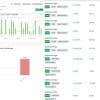
Gold Heist EA MT5 v2.2 + SetFiles For Build 5452
$24.99
Discover the power of Expert Gold Heist EA trading. Unlock exclusive strategies, maximize profits, and transform your trading experience.


Description
Gold Heist EA: Real-World Results & Practical Guide for MT5 Gold Traders
Alternative Title – Gold Heist EA: How an Automated XAUUSD Strategy Logged $28 000 Profit in One Month
Table of Contents
- What Is Gold Heist EA?
- Key Performance Snapshot
- How the Algorithm Works
- Why MetaTrader 5 Matters
- Step-by-Step Setup Guide
- Best Practices for Running Gold Heist EA MT5
- Frequently Asked Questions
- Final Thoughts
What Is Gold Heist EA?
Gold Heist EA is an automated trading system built for MetaTrader 5 (MT5) that focuses exclusively on gold (XAUUSD). The software studies real-time data, checks trend direction, and places trades without emotional bias. According to public tracking on Myfxbook, the EA produced about $28 000 profit in a single month on a live account.
Core idea in plain words: let a rules-based robot sift through gold’s price swings and decide when to get in and out, while applying risk controls that aim to keep losses small relative to wins.
Key Performance Snapshot
| Metric | Figure* | Source |
|---|---|---|
| 1-Month Profit | $28 000+ | Myfxbook Statement |
| Platform | MetaTrader 5 | PUPrime-Live 2 |
| Account Type | Real | Investor Login provided |
| Investor Access | Login: 20981404 Password: GianlucaArrigo#1 | Verify on MT5 |
*Past results do not guarantee future returns. Always test with a demo or small allocation first.
How the Algorithm Works
3.1 Specialisation in XAUUSD
Gold behaves differently from currency pairs or indices. It can jump on news, widen spreads during off-hours, and show strong reactions at key levels. Gold Heist EA MT5 focuses on these specifics:
- High-volume sessions around London/New York overlap.
- Support/resistance clusters common in gold.
- Momentum bursts linked to bond yields and USD strength.
Because the code watches only one symbol, resources are not wasted on detecting patterns that are irrelevant to gold.
3.2 Adaptive Entry & Exit Logic
- Momentum Filter – The EA measures recent speed. If price moves too slowly, it waits; if the move is over-extended, it stands aside.
- Trend Continuation Module – Uses moving averages and custom volatility bands to confirm direction.
- Price-Reaction Zones – Combines recent swing highs/lows with dynamic Fibonacci levels to time entries.
- Smart Trailing & Multi-Target Profit – Once in profit, the EA scales out or trails stops, aiming to protect gains during volatile spikes.
3.3 Built-In Risk Management
Gold Heist EA comes with several layers of safety:
- Spread filter: Pauses trading when spreads widen beyond a set limit.
- Slippage filter: Rejects trades if execution cost is above threshold.
- Volatility cap: Suspends entries when ATR exceeds predefined value (e.g., around major news).
- Equity guard: Closes positions and stops trading if daily loss or drawdown hits user limit.
These features make the strategy more resilient to market shocks.
Why MetaTrader 5 Matters
Many EAs still run on MetaTrader 4, but MT5 brings upgrades that help automated strategies perform better:
- Multi-threaded optimisation speeds up back-tests.
- 64-bit architecture manages large datasets and tick history.
- Faster order processing through advanced trade engine.
- Depth of Market (DOM) tool and more timeframes (like M2, M3) for granular analysis.
Gold Heist EA MT5 is coded to use these benefits, giving traders quicker research and smoother execution.
Step-by-Step Setup Guide
Follow these simple steps to install and run the EA:
- Download or purchase Gold Heist EA from the official vendor or Marketplace.
- Open MetaTrader 5 and go to File → Open Data Folder.
- Copy the EA file (.ex5) into MQL5/Experts folder.
- Restart MT5.
- Drag the EA onto the XAUUSD chart (one-hour timeframe recommended).
- In the Inputs tab:
- Choose lot size or set AutoLot = true for risk-based sizing.
- Define maximum spread (e.g., 30 points).
- Set stop-loss and take-profit parameters or leave default.
- Add trading hours if you wish to limit sessions.
- Enable Algo Trading (green icon in toolbar).
- Check the Journal tab for successful initialisation message.
Tip: Always run the EA on a VPS located near your broker’s server to cut latency.
Best Practices for Running Gold Heist EA MT5
Below are everyday tips—no complex jargon, just practical steps:
Use a Broker With Tight Gold Spreads
Higher spreads eat into profits. Compare brokers and pick one that offers stable spreads below 20–25 points on XAUUSD during active hours.
Start With a Demo or Small Real Account
Even though the public account shows strong numbers, every broker environment is different. Test drive first to see how the EA behaves with your pricing.
Monitor News That Moves Gold
While the EA has a volatility filter, huge events like FOMC or NFP can still cause unexpected gaps. Consider pausing the EA a few minutes before and after.
Adjust Risk Per Trade
Default risk may suit most users, but if you want to sleep easy, drop risk by half. Changing AutoLotRiskPercent from 1 % to 0.5 % can reduce drawdowns.
Keep Your Platform & EA Updated
Developers often release small tweaks that fix minor bugs or improve execution. Make sure you install updates as soon as they’re available.
Use Reliable Power & Internet
A sudden outage can leave trades unmanaged. A cloud VPS with 99.9 % uptime solves this problem for about $10–$15 a month.
Frequently Asked Questions
Q 1: Is Gold Heist EA a martingale or grid?A: No. The algorithm opens a limited number of positions and does not double lot size after a loss.
Q 2: Can I run the EA on pairs other than XAUUSD?A: It is designed and optimised strictly for gold. Running it on other pairs is not recommended.
Q 3: Does it use hedging?A: The EA trades in a single direction at a time to keep position management clear and reduce swap costs.
Q 4: What time frame should I use?A: H1 is the standard. Some users experiment with M30 or H4 after back-testing; results vary.
Q 5: How much starting capital do I need?A: The public account began with around $10 000. Thanks to the risk calculator, smaller accounts such as $1 000 can run the EA—but expect proportionally smaller gains and drawdowns.
Final Thoughts
Gold Heist EA shows that a specialised, data-driven approach to gold trading can work well when paired with solid risk management and a stable platform like MetaTrader 5. The live Myfxbook record and transparent investor login give extra peace of mind, while the step-by-step setup makes it accessible to beginners and seasoned traders alike.
If you are looking for an automated way to trade XAUUSD without second-guessing every fluctuation, consider giving Gold Heist EA a test run on demo or a small live account. Always keep risk in check, follow the best practices above, and review performance regularly.
Ready to explore further?
- Visit the official Myfxbook page for day-by-day statistics.
- Log in to the real account (Login: 20981404, Password: GianlucaArrigo#1, Server: PUPrime-Live 2) to see trades in real time.
- Bookmark our guide on using MetaTrader 5 effectively for more tips.
Trade carefully, stay disciplined, and let data—not emotion—drive your decisions.
Call to Action:If you have questions or want to share your results , drop a comment below or join our free Telegram group. Happy trading!
Vendor Site – Private
| Membership | Yearly Membership |
|---|---|
| Additional Services | Unlock & Decompile |
| Recommended Brokers | Exness Broker, FPMarkets |
| Recommended VPS | FXVM (Low Latency) |
| Youtube Channel | ForexForYou |
| Telegram Channel | Onshoppie Forex EA's & Indicators |
| Telegram Support | Onshoppie Support |
| Installation Guides | Onshoppie Forex Guides |
Brand
ea-mt5
Only logged in customers who have purchased this product may leave a review.
Related products


Products
-
 Forex Real Profit EA MT4 v5.11 + SetFiles For Build 1444+
Original price was: $199.00.$19.99Current price is: $19.99.
Forex Real Profit EA MT4 v5.11 + SetFiles For Build 1444+
Original price was: $199.00.$19.99Current price is: $19.99.
-
NXFX Scalper EA MT4 v1.1 For Build 1444+
$9.95
-
Mystical EA Pro MT5 v3.0 + SetFiles For Build 5430+
$9.95
-
Gold Heist EA MT5 v2.2 + SetFiles For Build 5452
$24.99
-
 Gold Emperor EA MT4 v1.6 For Build 1444+
Original price was: $974.00.$9.95Current price is: $9.95.
Gold Emperor EA MT4 v1.6 For Build 1444+
Original price was: $974.00.$9.95Current price is: $9.95.
-
 The Breaker EA MT5 v4.2 + SetFiles For Build 5430+
$19.99
The Breaker EA MT5 v4.2 + SetFiles For Build 5430+
$19.99
-
 Aura Ultimate EA MT5 v1.40 + SetFiles With DLL 5430
Original price was: $800.00.$39.95Current price is: $39.95.
Aura Ultimate EA MT5 v1.40 + SetFiles With DLL 5430
Original price was: $800.00.$39.95Current price is: $39.95.
-
 FX Wizard EA MT5 For Build 5430+
$9.95
FX Wizard EA MT5 For Build 5430+
$9.95



Recent reviews
-
 Advanced Dashboard Currency Strength
by Balram
Advanced Dashboard Currency Strength
by Balram

Reviews
There are no reviews yet.