




Easy Gold Pro EA MT4 + SetFiles
Original price was: $99.99.$48.95Current price is: $48.95.
Easy Gold Pro EA is an MQL5 expert advisor designed for low-volatility moments on the XAUUSD M1 chart. Capture multiple tiny moves.


Description
Easy Gold Pro EA: A Complete User Guide for Consistent XAUUSD Scalping
Easy Gold Pro EA – Sideways Scalper That Fits Every Routine
Table of Contents
- What Is Easy Gold Pro EA?
- Quick-Start Checklist
- Why Traders Like a “Small Sideway” Expert Advisor
- Account, Broker & Hardware Requirements
- Downloading and Installing the Latest Version
- Using the Control Panel to Trade With the Bot
- Recommended Sessions and Inactive Periods
- Risk Management With DCA, Hedging & Breakeven
- Step-by-Step Example: 0.01 Lot to 0.05 Lot Cycle
- Troubleshooting & Best Practices
- Final Thoughts & Next Steps
What Is Easy Gold Pro EA?
Easy Gold Pro EA is an MQL5 expert advisor designed for low-volatility moments on the XAUUSD M1 chart. It opens an initial “root” order when price is trapped in a small range, then manages extra positions with a Dollar-Cost Averaging (DCA) and optional hedging logic.Primary goal: Capture multiple tiny moves instead of chasing large trends.
Key phrases to remember:
- “Small sideway” zones only.
- Quick scalp, close fast.
- Control panel for manual overrides.
Quick-Start Checklist
- Minimum balance $1 000 (Exness Cent = 100 000 cents).
- Pair XAUUSD, timeframe M1.
- Sessions: Asia open, early Europe, or late U.S. (low news).
- Download the latest EA version from the product page.
- Load the newest SET file (comment #14).
- If you want to trade bigger than 0.05 lot, tune the inputs first.
- Test on Exness Zero or a similar 0-spread account before live funds.
- For questions, send a private message to the author – they reply fast.
Why Traders Like a “Small Sideway” Expert Advisor
Traditional scalpers struggle whenever gold whips 100 points in seconds. Easy Gold Pro EA waits for price to chill. Inside a 5-to-25-pip box the robot:
- Uses a custom FBB (Fractal Bollinger Band) indicator to confirm range.
- Keeps one direction per cycle – no random flips.
- Adds DCA orders at fixed distances only when spread is acceptable.
- Closes everything at a modest dollar or point target.
Because the root entry is filtered for low volatility, the strategy avoids many classic gold “stop-hunt” spikes.
Account, Broker & Hardware Requirements
| Item | Minimum | Recommended |
|---|---|---|
| Balance | $1 000 | $2 000+ |
| Leverage | 1:100 | 1:500 |
| Broker | Any 3-digit gold broker | Exness Zero |
| VPS | 1 core, 1 GB RAM | 2 core, 2 GB RAM |
| Internet | 99 % uptime | 99.9 % uptime |
Notes:
- 3-digit quotes (e.g., 1950.123) vary by broker; back-test first.
- Low-latency VPS prevents slippage on fast exits.
- A cent account lets you test with small risk while keeping the lot steps realistic.
Downloading and Installing the Latest Version
- Log in to your MQL5 profile.
- Go to the “Market” tab → search for Easy Gold Pro EA.
- Click Download Demo (for Strategy Tester) or Buy/Rent.
- After purchase, open MetaTrader 5 → Navigator → Market → Experts.
- Right-click on “Easy Gold Pro EA” → Attach to a chart (XAUUSD M1).
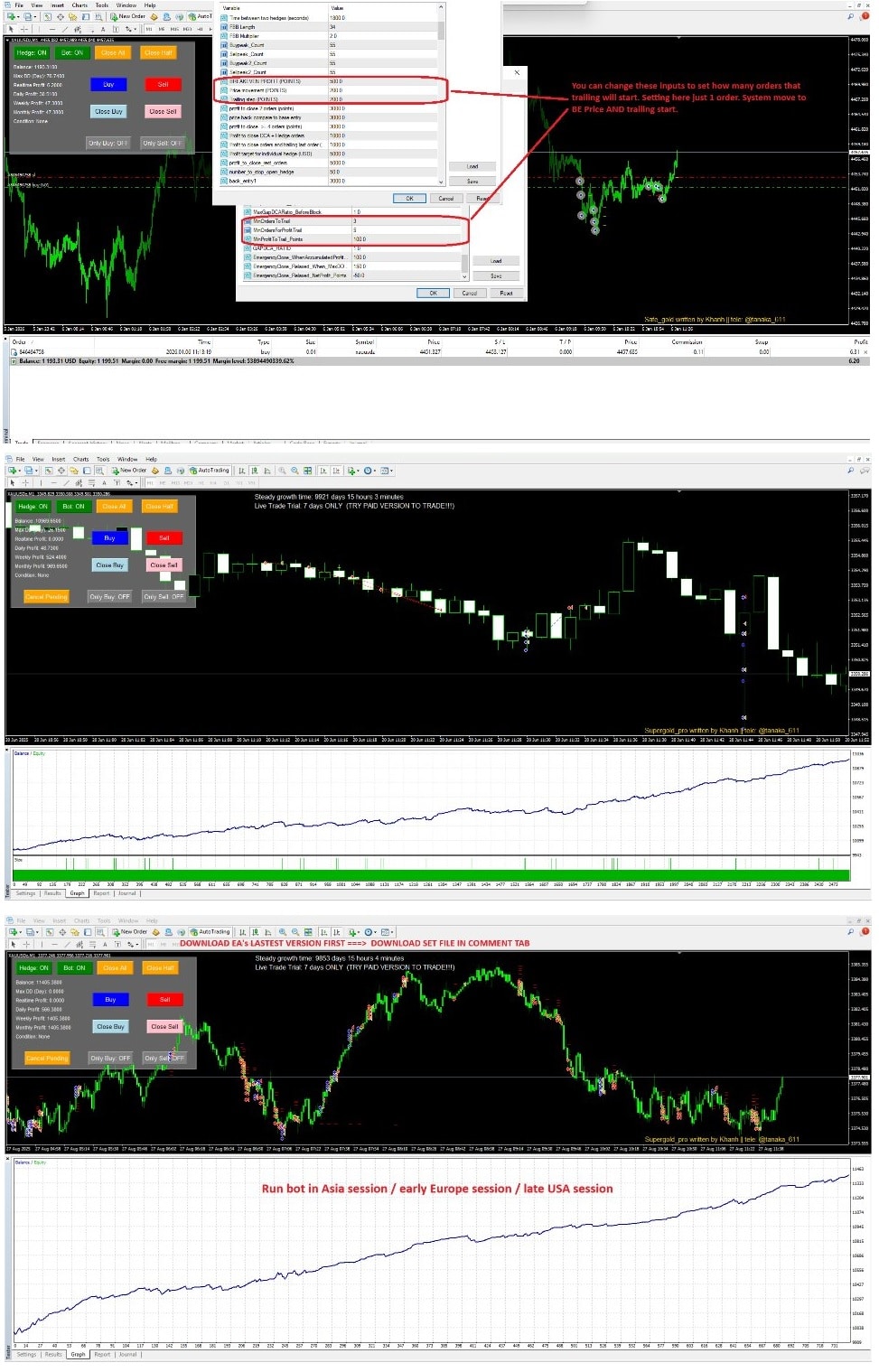
- Load comment #14 SET file via Inputs → Load.
- Verify AutoTrading is green.
Tip: Always read the Overview and Comments tabs – new images, change logs, and tuning guides drop there first.
Using the Control Panel to Trade With the Bot
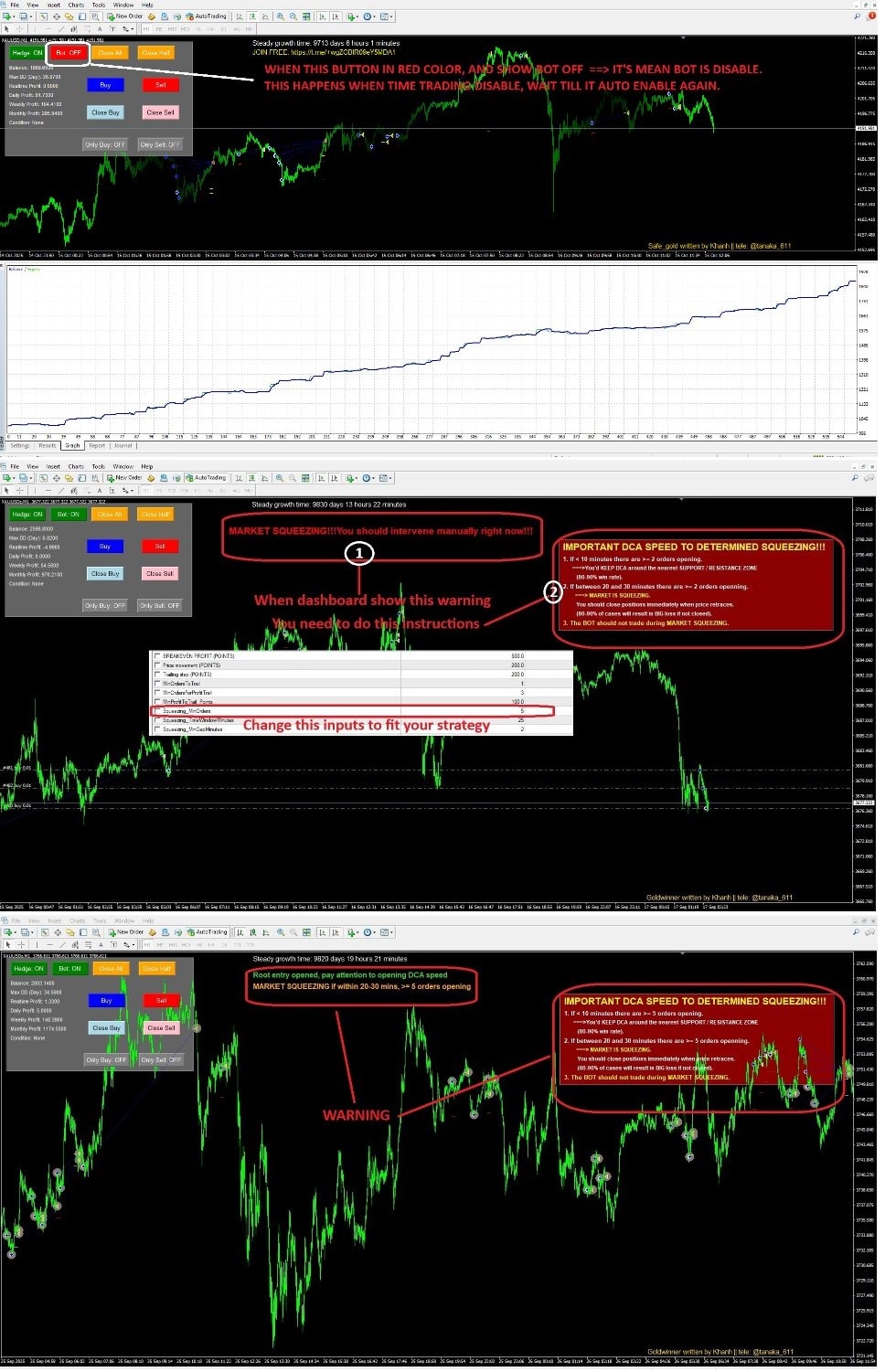
When the EA runs, a sleek dashboard appears in the upper-left corner:
| Button/Field | Purpose |
|---|---|
| Bot | Toggle auto-trading without removing EA. |
| Close All | Exit every open order instantly. |
| Info Box | Shows Current Cycle, Current Profit, Max Drawdown. |
| TPSL On/Off | Disable global TP/SL if you need manual control. |
| Lots+ / Lots- | Change next root order size in real time. |
You can scalp manually:
- Pause the Bot.
- Wait for your own signal.
- Tap Buy or Sell (if enabled in Inputs).
- Unpause Bot so it manages exits.
This hybrid style is popular on news releases where traders pick direction but trust the EA to close.
Recommended Sessions and Inactive Periods
Gold liquidity and news spikes vary by clock. The EA ships with five time windows (GMT+7) you can block:
| Period | Start | End | Reason to Avoid |
|---|---|---|---|
| P1 | 11:55 | 12:10 | London fix volatility |
| P2 | 14:25 | 14:45 | U.S. PPI/CPI common slot |
| P3 | 19:50 | 20:10 | FOMC minutes window |
| P4 | 20:55 | 21:10 | U.S. equity open |
| P5 | 23:15 | 23:45 | Day rollover/spread widen |
Change to your own timezone or add NFP day manually. Outside of these blocks the robot focuses on quieter Asia, early Europe and late U.S. ends of day.
Risk Management With DCA, Hedging & Breakeven
- Dollar-Cost Averaging• Adds small-lot trades every PriceMovement points.• Lowers average entry, making small pullbacks profitable.
- Hedging (Optional)• Can open micro opposite direction to limit float.• Set HedgeLotsPercentage to a tiny fraction (e.g., 0.2 = 20 %).
- Total_Cutloss• Last line of defense. If drawdown exceeds X points, EA closes the cycle.• Keep this equal to 1–2 % of account value.
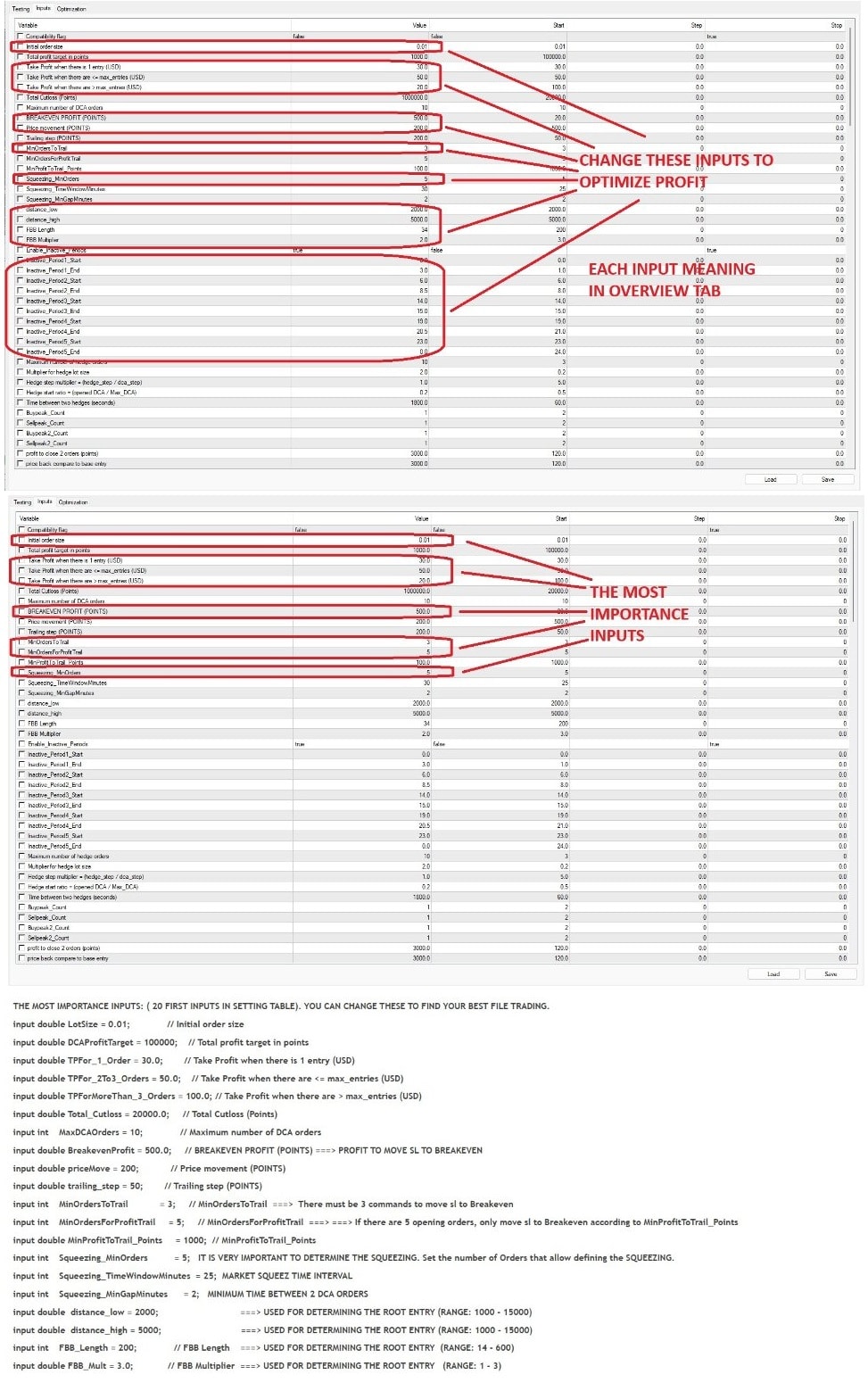
- Breakeven + Trailing• After MinOrdersToTrail orders and BreakevenProfitPoints, SL jumps to entry.• Trailing steps bank extra pips while letting a winner run.
Step-by-Step Example: 0.01 Lot to 0.05 Lot Cycle
- Root Order• EA detects 15-pip range, places 0.01 Buy.
- First TP Attempt• Price moves +20 points, TP_1OrderUSD met → all done.• (If not) price drifts lower…
- DCA #1• At –150 points, 0.02 Buy fired (distance rule).
- Mid-Cycle Breakeven• Combined profit hits +120 points, SL moved to entry on both.
- DCA #2• Price dips again, 0.02 Buy (max lot ≤ 0.05).
- Exit• Price bounces +250 points, meets TP_<MaxOrdersUSD ($6).• EA closes 3 orders.
- Cycle resets and waits a new range.
Troubleshooting & Best Practices
| Symptom | Likely Cause | Fix |
|---|---|---|
| EA not taking trades | AutoTrading red or DLL import disabled | Enable both icons |
| Orders skip Take Profit | Broker spread wider than TP value | Increase TP or use Zero account |
| Huge drawdown on NFP | Inactive Period not covering news | Add extra block in Inputs |
| VPS CPU 100 % | Too many charts open | Run EA on one chart only |
| MT5 Journal: “Cannot open file” | Old SET file path changed | Load newest set again |
Extra tips:
- Keep two charts: one live with EA, one blank to monitor news.
- Withdraw profits weekly; sideways scalpers rely on capital preservation.
- Review the Images tab on MQL5 after each update – many traders post real screenshots of new settings.
Final Thoughts & Next Steps
Easy Gold Pro EA provides a neat, rules-based way to capture gold’s small sideway moves while letting you override decisions with a simple control panel.Before going live, trade the robot on a demo or cent account, test various sessions, and never raise InitialLots until you are comfortable with the typical drawdown.
Happy trading with Easy Gold Pro EA!
Disclaimer: Trading carries risk. Past performance does not guarantee future results. Always consult a qualified financial professional before trading live capital.
Vendor Site – Click Here
| Membership | Yearly Membership |
|---|---|
| Additional Services | Unlock & Decompile |
| Recommended Brokers | Exness Broker, FPMarkets |
| Recommended VPS | FXVM (Low Latency) |
| Youtube Channel | ForexForYou |
| Telegram Channel | Onshoppie Forex EA's & Indicators |
| Telegram Support | Onshoppie Support |
| Installation Guides | Onshoppie Forex Guides |
Brand
ea-mt4
Only logged in customers who have purchased this product may leave a review.
Related products



Products
-
 Perceptrader AI EA MT5 V2.43 + Setfiles For Build 5836+
Original price was: $2,800.00.$14.95Current price is: $14.95.
Perceptrader AI EA MT5 V2.43 + Setfiles For Build 5836+
Original price was: $2,800.00.$14.95Current price is: $14.95.
-
 Quantum Emperor EA MT5 V7.5 For Build 5836+
Original price was: $799.00.$14.95Current price is: $14.95.
Quantum Emperor EA MT5 V7.5 For Build 5836+
Original price was: $799.00.$14.95Current price is: $14.95.
-
 Quantum King EA MT5 V3.1 For Build 5836+
Original price was: $649.00.$14.95Current price is: $14.95.
Quantum King EA MT5 V3.1 For Build 5836+
Original price was: $649.00.$14.95Current price is: $14.95.
-
 Bitcoin Robot Grid EA MT4 V6.0 For Build 1473+
Original price was: $899.00.$14.95Current price is: $14.95.
Bitcoin Robot Grid EA MT4 V6.0 For Build 1473+
Original price was: $899.00.$14.95Current price is: $14.95.
-
 IS PI Scalper EA Virtual Level Final MT4 + SetFiles
$14.95
IS PI Scalper EA Virtual Level Final MT4 + SetFiles
$14.95
-
 ArtQuant Gold EA MT5 V3.0 For Build 5836+
Original price was: $700.00.$14.95Current price is: $14.95.
ArtQuant Gold EA MT5 V3.0 For Build 5836+
Original price was: $700.00.$14.95Current price is: $14.95.
-
 Gold Trap EA MT5 V4.2.3 + Setfiles For Build 5836+
Original price was: $499.00.$19.95Current price is: $19.95.
Gold Trap EA MT5 V4.2.3 + Setfiles For Build 5836+
Original price was: $499.00.$19.95Current price is: $19.95.
-
 AI X HFT VIP EA MT4 V14 With DLL 1473
$14.95
AI X HFT VIP EA MT4 V14 With DLL 1473
$14.95
Recent reviews
-
 Advanced Dashboard Currency Strength
by Balram
Advanced Dashboard Currency Strength
by Balram
Reviews
There are no reviews yet.