



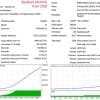
Eclipse Trading EA MT4 v4.0 For Build 1455+
Original price was: $289.00.$9.95Current price is: $9.95.
Eclipse Trading EA may fit your style. Built as Eclipse Trading EA MT4, it checks fresh data every few seconds, and makes calm, calculated decisions.



Description
Eclipse Trading EA: A Complete Guide for Safe & Steady Scalping
Eclipse Trading EA – The Simple Way to Trade Forex & Gold on Autopilot
Table of Contents
- Quick Intro Eclipse Trading EA
- Step-by-Step Installation (MT4 & MT5)
- Best Pairs, Timeframes & Brokers
- Frequently Asked Questions
- Final Thoughts & Next Steps
Quick Intro
Welcome! I’m pleased to introduce my latest automated trading robot, Eclipse Trading EA. Built around a Price Action scalping method, the expert advisor (EA) looks for very small, high-probability moves on Forex and Gold. It then manages open trades with a mix of hidden stop loss, trailing stop, and time-based exits. The result is a strategy that aims for an 80 % win rate while trying to keep drawdown low.
Step-by-Step Installation (MT4 & MT5)
- Download the EclipseTradingEA.ex4 (for MT4) or EclipseTradingEA.ex5 (for MT5).
- Open your MetaTrader platform.
- Click
File > Open Data Folder. - Navigate to
MQL4 > Experts(orMQL5 > Experts) and paste the file. - Restart MetaTrader or hit Ctrl+R to refresh the Navigator panel.
- Drag Eclipse Trading EA onto a M5 chart of your chosen pair.
- Tick “Allow live trading” and select your settings.
- Press OK. The smiling face in the top right corner of the chart should appear.
That’s it. The EA will start scanning the next tick.
Best Pairs, Timeframes & Brokers
Recommended Pairs
- XAUUSD (Gold)
Timeframes
- M1 (1-minute) – best precision, higher trade frequency
- M5 (5-minute) – smoother trading, fewer false entries
Broker Checklist
- ECN or RAW account type
- Spread under 0.5 pips on majors during London/New York session
- Low commission (≤ $7 per lot round-turn)
- Fast execution (< 100 ms)
- Free VPS or allow third-party VPS
For broker research, you may find Forex Peace Army and Myfxbook Broker Comparison useful.
Frequently Asked Questions Regarding Eclipse Trading EA
Q1. Does Eclipse Trading EA work on MT5?MT4.
Q2. Will it work on a Mac?If you install MetaTrader through Wine or use a cloud VPS, the EA runs fine.
Q3. Is the 80 % win rate guaranteed?No trading system can guarantee future performance. Historical win rate is a guide, not a promise.
Q4. Can I run two EAs on one account?Yes, but set different Magic Numbers to avoid conflicting orders.
Final Thoughts & Next Steps for Eclipse Trading EA
Eclipse Trading EA offers a simple route into automated scalping. With a clear Price Action core, hidden risk controls, and adjustable money management, the expert advisor fits both newcomers and seasoned traders aiming for steady, small wins.
To try Eclipse Trading EA:
- Download the demo and run it in Strategy Tester.
- Open a low-spread ECN account with at least $200.
- Use risk = 1.0 % and monitor results for two weeks.
- Only then consider moving to a live account.
Happy trading, and may your spreads stay tight!
Vendor Site – Click Here
| Membership | Yearly Membership |
|---|---|
| Additional Services | Unlock & Decompile |
| Recommended Brokers | Exness Broker, FPMarkets |
| Recommended VPS | FXVM (Low Latency) |
| Youtube Channel | ForexForYou |
| Telegram Channel | Onshoppie Forex EA's & Indicators |
| Telegram Support | Onshoppie Support |
| Installation Guides | Onshoppie Forex Guides |
Brand
ea-mt4
Only logged in customers who have purchased this product may leave a review.
Related products


Products
-
 Perceptrader AI EA MT5 V2.43 + Setfiles For Build 5836+
Original price was: $2,800.00.$14.95Current price is: $14.95.
Perceptrader AI EA MT5 V2.43 + Setfiles For Build 5836+
Original price was: $2,800.00.$14.95Current price is: $14.95.
-
 Quantum Emperor EA MT5 V7.5 For Build 5836+
Original price was: $799.00.$14.95Current price is: $14.95.
Quantum Emperor EA MT5 V7.5 For Build 5836+
Original price was: $799.00.$14.95Current price is: $14.95.
-
 Quantum King EA MT5 V3.1 For Build 5836+
Original price was: $649.00.$14.95Current price is: $14.95.
Quantum King EA MT5 V3.1 For Build 5836+
Original price was: $649.00.$14.95Current price is: $14.95.
-
 Bitcoin Robot Grid EA MT4 V6.0 For Build 1473+
Original price was: $899.00.$14.95Current price is: $14.95.
Bitcoin Robot Grid EA MT4 V6.0 For Build 1473+
Original price was: $899.00.$14.95Current price is: $14.95.
-
 IS PI Scalper EA Virtual Level Final MT4 + SetFiles
$14.95
IS PI Scalper EA Virtual Level Final MT4 + SetFiles
$14.95
-
 ArtQuant Gold EA MT5 V3.0 For Build 5836+
Original price was: $700.00.$14.95Current price is: $14.95.
ArtQuant Gold EA MT5 V3.0 For Build 5836+
Original price was: $700.00.$14.95Current price is: $14.95.
-
 Gold Trap EA MT5 V4.24 + Setfiles For Build 5836+
$24.95
Gold Trap EA MT5 V4.24 + Setfiles For Build 5836+
$24.95
-
 AI X HFT VIP EA MT4 V14 With DLL 1473
$14.95
AI X HFT VIP EA MT4 V14 With DLL 1473
$14.95
Recent reviews
-
 Advanced Dashboard Currency Strength
by Balram
Advanced Dashboard Currency Strength
by Balram
Reviews
There are no reviews yet.