

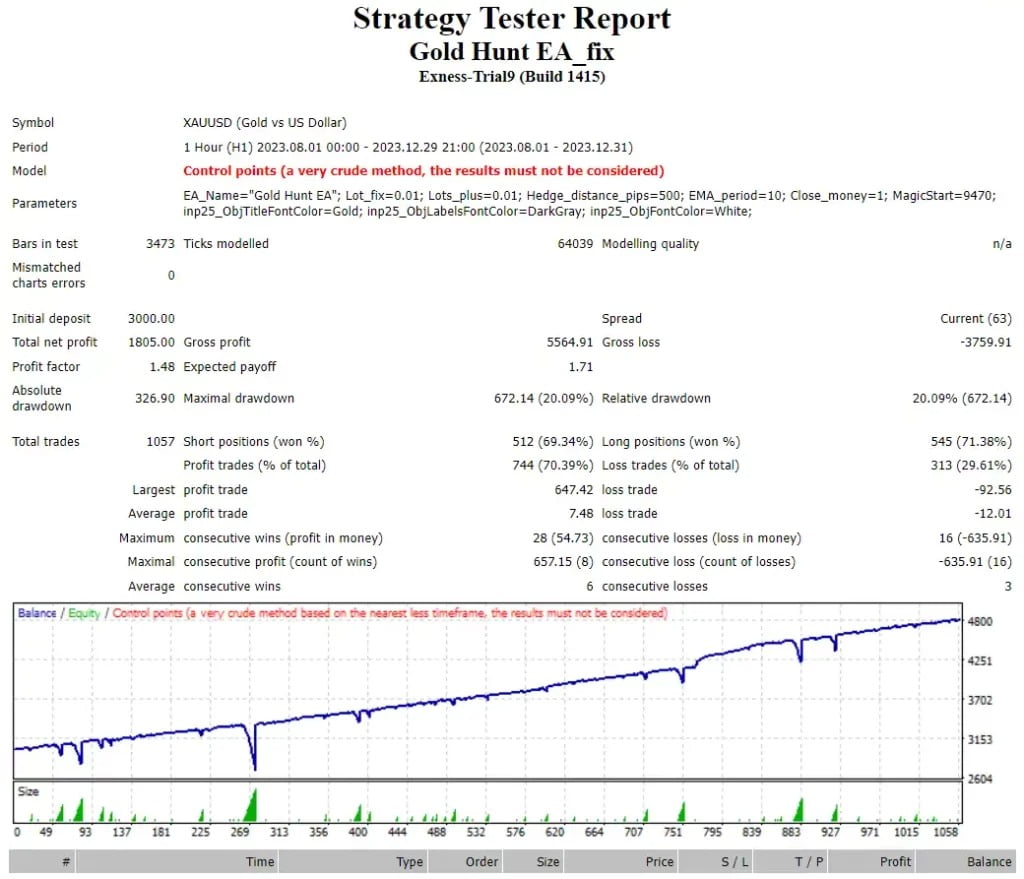


Gold Hunt EA MT4 MQ4 Source Code V3.1 For Build 1470+
Original price was: $999.00.$19.95Current price is: $19.95.
Exclusive Gold Hunt EA tips for uplifting success. Learn the secrets to profitable trading and achieve your financial goals with confidence.
Description
Gold Hunt EA: A Practical Guide to Automated Gold Trading on MT4
Gold Hunt EA Review – Is This 1-Minute XAUUSD Robot Worth Using?
Table of Contents
- What Is Gold Hunt EA?
- Why Focus on XAUUSD?
- Installation Guide (Step-by-Step)
- Choosing the Right Broker and VPS
- Tips for Optimizing Gold Hunt EA
- Frequently Asked Questions
- Final Thoughts
What Is Gold Hunt EA?
Gold Hunt EA is a MetaTrader 4 (MT4) Expert Advisor (EA) that works on XAUUSD (Gold vs US Dollar) on 1 minute timeframe. It reads market data and follows a coded set of rules to open, manage and close trades without any human input.
Gold Hunt EA Code Source
Other vendors will provide the Gold Hunt EA Source Code for developers who want to see how the strategy works or how to adapt it. The EA works out-of-the-box, however having the source code is useful for:
Peace of mind audit logic
Adding custom filters (e.g. news avoidance)
Revising the rules of position sizing
If you are not a programmer, then the compiled file (.ex4) is sufficient to trade.
Why Focus on XAUUSD?
Gold is a popular instrument because:
1.Exhibits pronounced responses to economic news and US-dollar changes
2.The majority of brokers provide deep liquidity
3.Trends often heavily during risk-off events
The EA was built to catch these short movements on the 1 minute chart. That time frame looks noisy to the eye but an algorithm can cut through the clutter faster than a human.
Installation Guide (Step-by-Step) For Gold Hunt EA
1.Download Gold Hunt EA file (GoldHunt.ex4) from the MQL5 Market or from the vendor’s site.
2.Launch MT4 and go to File -> Open Data Folder.
3.Go to MQL4 → Experts and paste the EA file.
4.Restart MT4 Drag Gold Hunt EA on XAUUSD chart at M1 time frame.
5.In the Common tab, tick the boxes for Allow live trading and Allow DLL imports as required.
6.Click OK and look for a smiling emoji to appear in the upper right corner of the chart.
Choosing the Right Broker and VPS for Gold Hunt EA
Broker Checklist
| Requirement | Reason |
|---|---|
| Low Spread on XAUUSD (≤ 1.5 pips) | Lower trading costs on rapid scalps |
| Fast Execution (< 100 ms) | Prevents slippage on 1-minute entries |
| Regulation | Helps protect deposit |
| Hedging Allowed | The EA may open opposite trades |
Popular picks include IC Markets, Pepperstone, and FP Markets, but always test your own latency.
VPS Checklist
- Location close to broker’s server
- RAM: 1 GB is enough for one MT4 instance
- Uptime: 99.9% SLA
- Price range: $10-$15 per month
Tips for Optimizing Gold Hunt EA
- Behavior Learn Test Demo Forward for 2 Weeks.
- Sit out high-impact announcements by combining with News Filters.
- Keep your MT4 Updated . Old builds may disconnect you .
- Keep a spreadsheet of every trade and review it weekly to identify anomalies.
Frequently Asked Questions Regarding Gold Hunt EA
Q1: Is Gold Hunt EA available for MetaTrader 5?A: No. The EA is coded for MT4 platform. You would require a rephrasing for MT5.
Q2: Is it martingale or grid EA?A: Yes.
Q3: How many charts should I attach it with?A: One chart per account is enough as it is a one-pair strategy.
Q4: Is $300 really enough to get started?A: Yes, but you need to use a broker that offers micro lots (0.01). A bigger balance signifies more stable growth.
Q5: Do I need the source code of Gold Hunt EA to trade?Q: The compiled file is working fine. Source code is only necessary if you want to make custom tweaks.
Final Thoughts
This EA tries to remove the stress of trading the fast moving Gold market by following a fixed set of rules on the 1 minute chart. The main advantages it offers are ease of use, strict stop-loss protection and a focus on a single pair. If you’re new to automated strategies, start small, use a reliable VPS, and keep risk low.
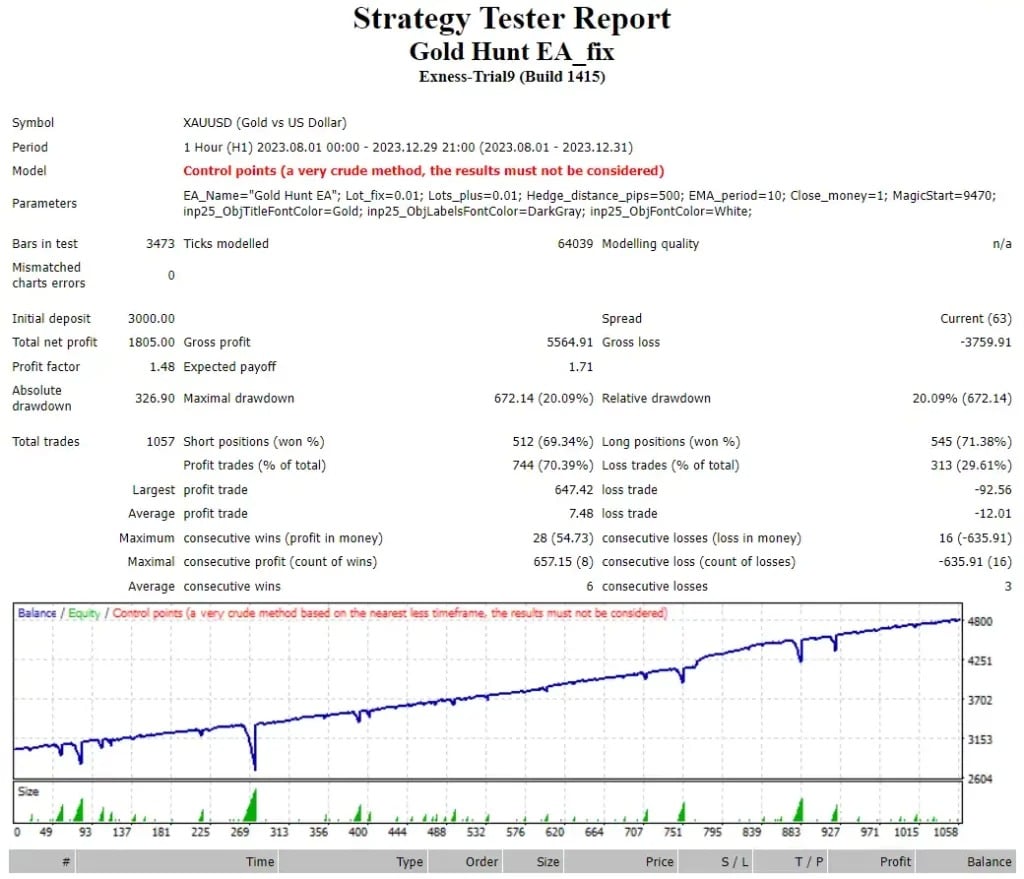
| Membership | Yearly Membership |
|---|---|
| Additional Services | Unlock & Decompile |
| Recommended Brokers | Exness Broker, FPMarkets |
| Recommended VPS | FXVM (Low Latency) |
| Youtube Channel | ForexForYou |
| Telegram Channel | Onshoppie Forex EA's & Indicators |
| Telegram Support | Onshoppie Support |
| Installation Guides | Onshoppie Forex Guides |
Brand
ea-mt4
Only logged in customers who have purchased this product may leave a review.
Related products



Products
-
 Perceptrader AI EA MT5 V2.43 + Setfiles For Build 5836+
Original price was: $2,800.00.$14.95Current price is: $14.95.
Perceptrader AI EA MT5 V2.43 + Setfiles For Build 5836+
Original price was: $2,800.00.$14.95Current price is: $14.95.
-
 Quantum Emperor EA MT5 V7.5 For Build 5836+
Original price was: $799.00.$14.95Current price is: $14.95.
Quantum Emperor EA MT5 V7.5 For Build 5836+
Original price was: $799.00.$14.95Current price is: $14.95.
-
 Quantum King EA MT5 V3.1 For Build 5836+
Original price was: $649.00.$14.95Current price is: $14.95.
Quantum King EA MT5 V3.1 For Build 5836+
Original price was: $649.00.$14.95Current price is: $14.95.
-
 Bitcoin Robot Grid EA MT4 V6.0 For Build 1473+
Original price was: $899.00.$14.95Current price is: $14.95.
Bitcoin Robot Grid EA MT4 V6.0 For Build 1473+
Original price was: $899.00.$14.95Current price is: $14.95.
-
 IS PI Scalper EA Virtual Level Final MT4 + SetFiles
$14.95
IS PI Scalper EA Virtual Level Final MT4 + SetFiles
$14.95
-
 ArtQuant Gold EA MT5 V3.0 For Build 5836+
Original price was: $700.00.$14.95Current price is: $14.95.
ArtQuant Gold EA MT5 V3.0 For Build 5836+
Original price was: $700.00.$14.95Current price is: $14.95.
-
 Gold Trap EA MT5 V4.24 + Setfiles For Build 5836+
$24.95
Gold Trap EA MT5 V4.24 + Setfiles For Build 5836+
$24.95
-
 AI X HFT VIP EA MT4 V14 With DLL 1473
$14.95
AI X HFT VIP EA MT4 V14 With DLL 1473
$14.95
Recent reviews
-
 Advanced Dashboard Currency Strength
by Balram
Advanced Dashboard Currency Strength
by Balram
Reviews
There are no reviews yet.