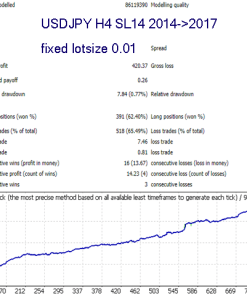
Description
Spider EA & Indicator: The Complete Guide for Steady, Automated Forex Results
Spider EA & Indicator—Simple Steps to Smarter Gold Trading (Alternative title)
Table of Contents
- What Is Spider EA & Indicator?
- Why Focus on Gold (XAUUSD)?
- Setup Guide: From Download to First Trade
- Common Questions
- Final Thoughts and Next Steps
What Is Spider EA & Indicator?
The Spider EA & Indicator is an automated trading system built for MetaTrader 4 and MetaTrader 5. It uses a series of mathematical rules and price-action checks to place, manage, and close trades without the need for constant screen time. While many EAs try to cover dozens of currency pairs, Spider EA keeps its focus narrow and effective—mainly the XAUUSD (gold vs. the US dollar) pair on the M5 timeframe.
The package often ships with:
- An Expert Advisor (EA) file that places trades.
- A separate indicator file that shows entry and exit signals on the chart.
- A user guide in PDF or web form.
Because of its tight focus and clear rules, the Spider EA emerges as a powerful ally in automated forex trading for both new and seasoned traders.
Why Focus on Gold (XAUUSD)?
Gold remains one of the most liquid and widely watched instruments. Here are a few practical reasons the Spider EA hones in on XAUUSD:
- High Daily Range: Gold often moves $20–$30 (200–300 pips) a day, giving plenty of opportunities.
- Fundamental Clarity: Price often reacts to well-known events—US inflation, Fed meetings, risk-off sentiment.
- Lower Spread Relative to Movement: Even if spreads widen, the average range often dwarfs it.
By fine-tuning the algorithm for this single market, the Spider EA & Indicator can apply stricter filters and tighter risk settings compared to “multi-pair” robots that spread themselves thin.
Setup Guide: From Download to First Trade with Spider EA
Note: Screens and menu names below use MetaTrader 4. Steps are nearly identical in MetaTrader 5.
- Download the Spider EA.ex4 and SpiderIndicator.ex4 files.
- In MetaTrader, go to File ➜ Open Data Folder.
- Drop the EA into MQL4/Experts and the indicator into MQL4/Indicators.
- Restart MetaTrader or hit Ctrl + R to refresh the Navigator.
- Drag the indicator onto an XAUUSD, M5 chart. Check “Allow DLL imports” if prompted.
- Now drag the EA onto the same chart. Set:
- Risk % per trade
- Max spread (e.g., 25 points)
- News filter: ON or OFF
- Click AutoTrading at the top. A smiley face in the corner shows it’s active.
- Open the Terminal ➜ Experts tab to view logs and make sure there are no red errors.
In under ten minutes you are ready to go.
Common Questions
Q1. Can I run Spider EA on other pairs like EURUSD?A: It will run, but the settings are not optimised. Stick to gold unless you can fine-tune and forward-test new parameters.
Q3. Will it work on a VPS?A: Yes, and a VPS is recommended so your platform stays online 24/7.
Final Thoughts and Next Steps For Spider EA
The Spider EA & Indicator gives you a straightforward route to take part in gold trading without sitting in front of charts day and night. Its focus on XAUUSD, careful risk management, and user-friendly setup make it a sensible choice for many retail traders. Remember:
- Start with a demo or a small live account to see how it fits your style.
- Keep risk low until you trust the system.
- Review performance monthly and tweak only when you have enough data.
Disclaimer: Trading carries risk. Past results do not guarantee future performance. Seek professional advice if in doubt.
| Membership | Yearly Membership |
|---|---|
| Additional Services | Unlock & Decompile |
| Recommended Brokers | Exness Broker, FPMarkets |
| Recommended VPS | FXVM (Low Latency) |
| Youtube Channel | ForexForYou |
| Telegram Channel | Onshoppie Forex EA's & Indicators |
| Telegram Support | Onshoppie Support |
| Installation Guides | Onshoppie Forex Guides |


Reviews
There are no reviews yet.