

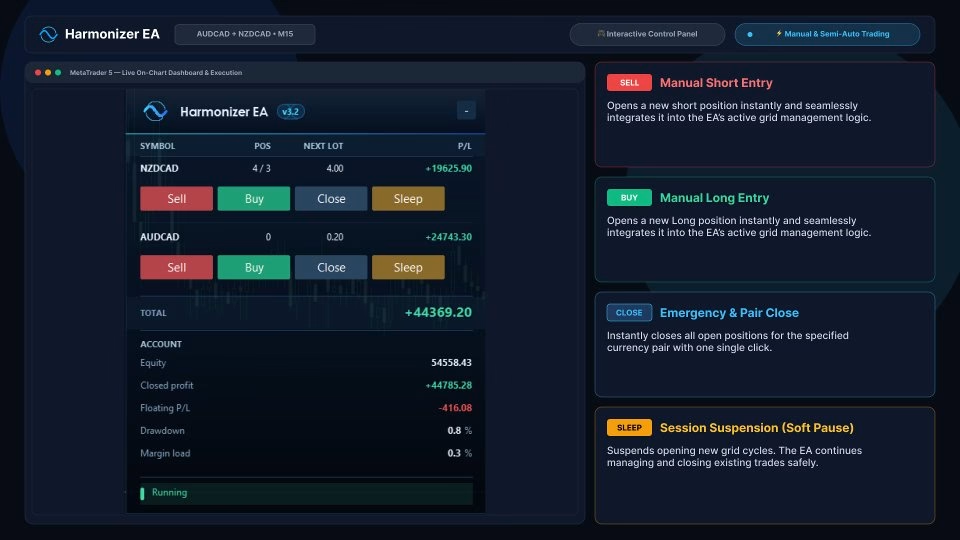
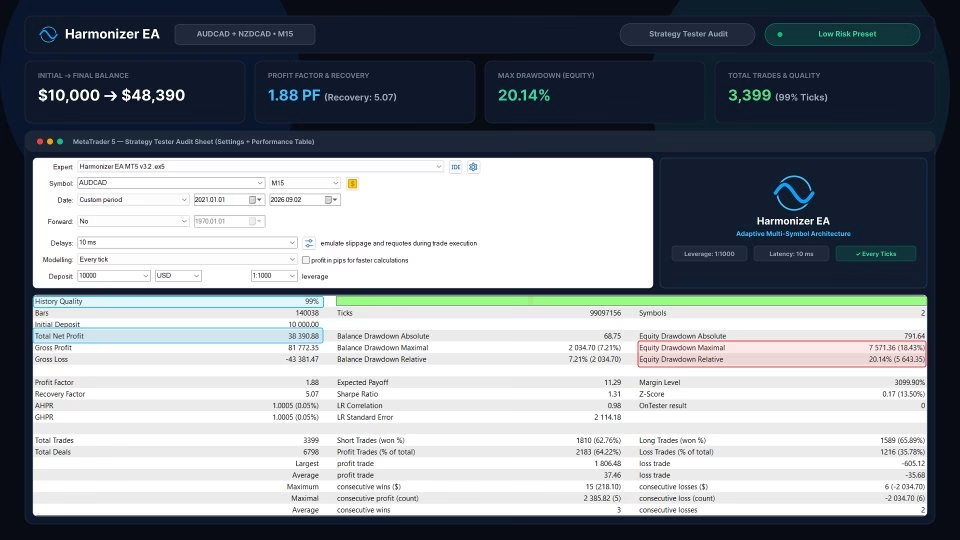
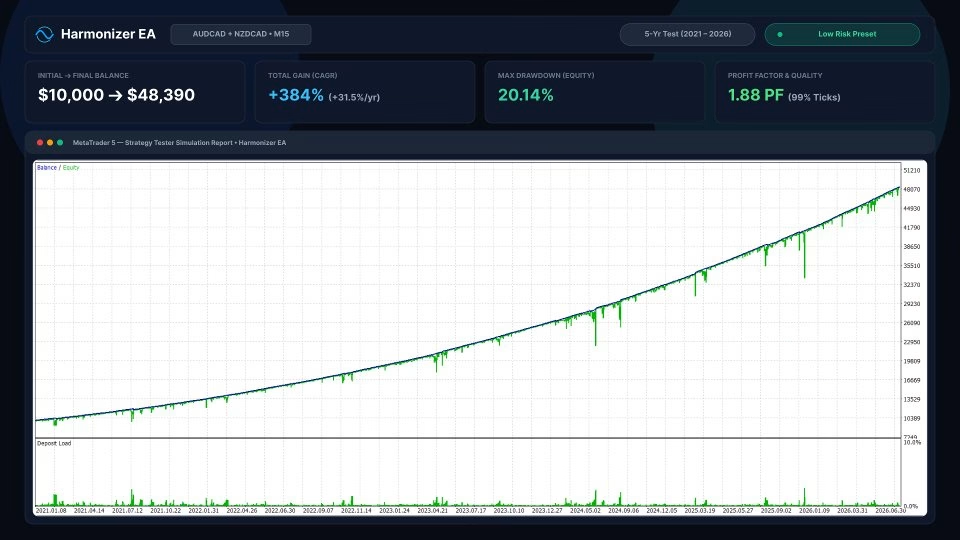
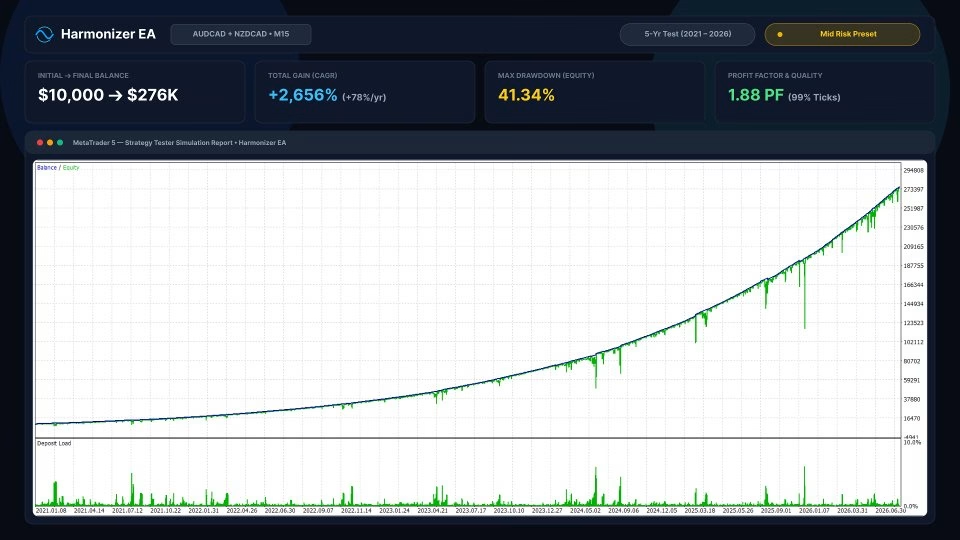
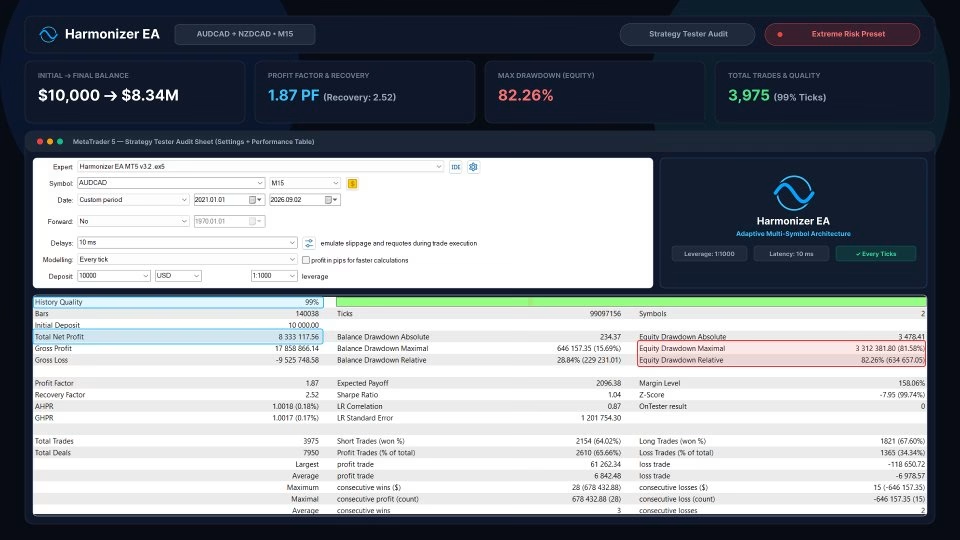
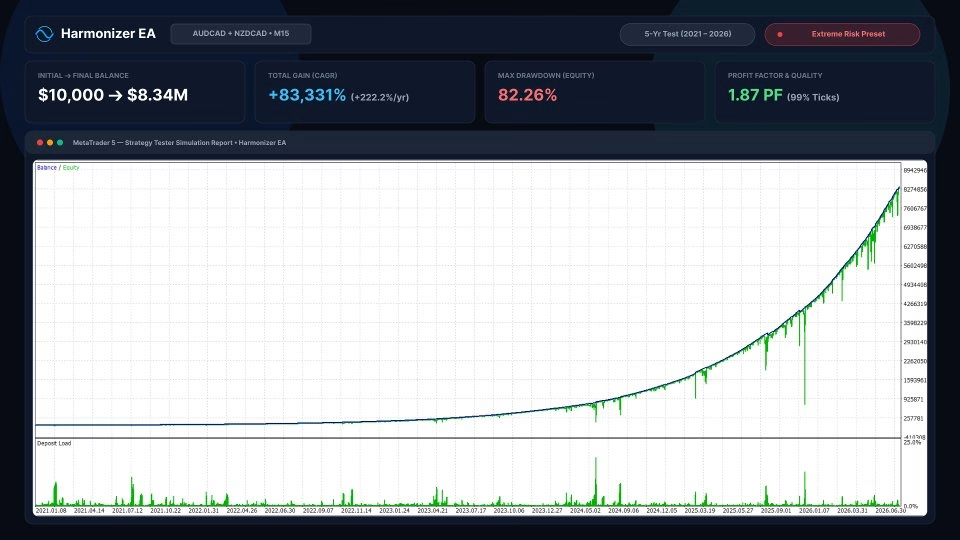
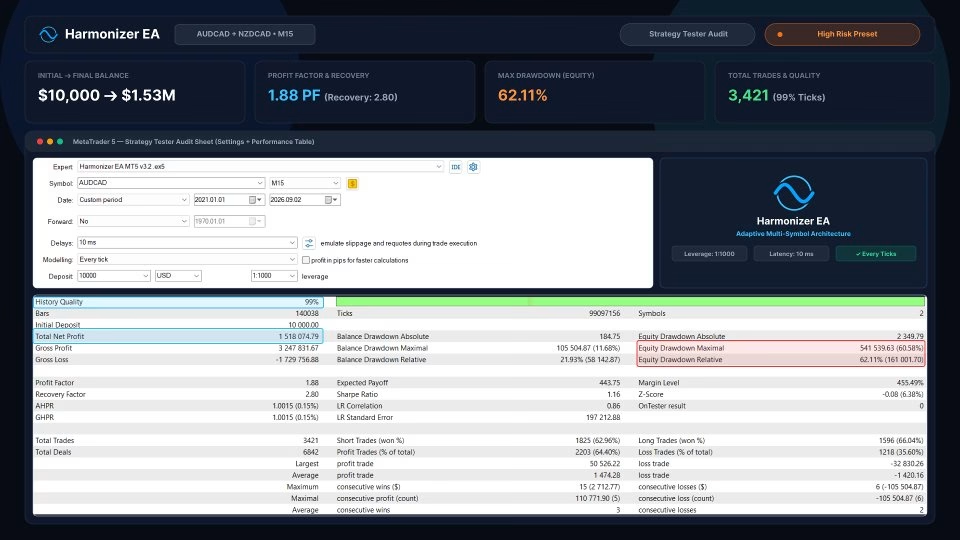
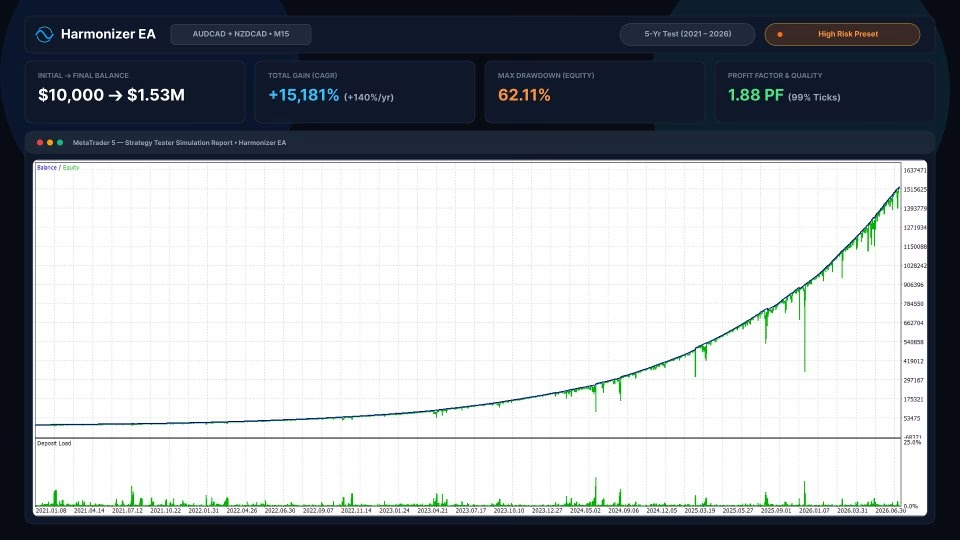



Harmonizer EA MT5 Unlimited is an automated MetaTrader 5 Expert Advisor built around a volatility-based grid trading algorithm. It adjusts trade entry positions according to market volatility and combines configurable grid spacing, money management, drawdown controls and an integrated economic news filter.
Rather than relying on fixed entry distances, Harmonizer EA calculates individual trade entry positions using current market volatility. Its adaptive approach is designed to respond to changing market conditions instead of following a rigid grid structure or relying on curve-fitted historical data.
The EA provides configurable controls for spacing consecutive positions and managing the number of trades in each cycle. Available parameters include:
Harmonizer EA offers several position-sizing methods so traders can configure the system according to their account and risk preferences:
Additional risk controls include:
The built-in news filter is designed to help manage trading around scheduled economic announcements. It supports live trading and backtesting, with settings for enabling the filter, pausing the start of new cycles, restricting secondary entries, setting waiting periods before and after events, including medium-impact news and displaying a news panel on the chart.
For backtesting, the supplied product information advises running the EA with the news filter enabled first so economic calendar data can be downloaded for historical testing.
Harmonizer EA can monitor and trade multiple currency pairs from a single chart. The recommended symbols are:
Users can configure the maximum number of simultaneously traded symbols and customize the symbol list to match their broker. Custom Symbol mode allows trading the symbol attached to the chart. When running multiple EA instances, assign a unique Magic Number to each instance to avoid trade-identification conflicts. Remember to account for broker suffixes, such as AUDCAD.m, in the Trade Symbols setting.
The supplied setup guidance recommends starting with one M15 (15-minute) chart of AUDCAD.
No external .set file is required according to the supplied product information. Traders can begin with the default settings or backtest configurations that suit their objectives and risk tolerance.
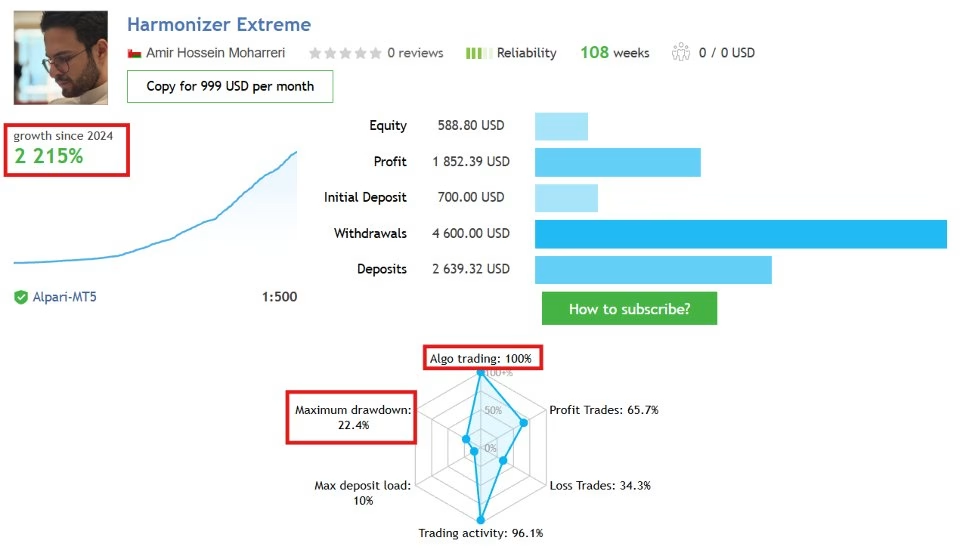
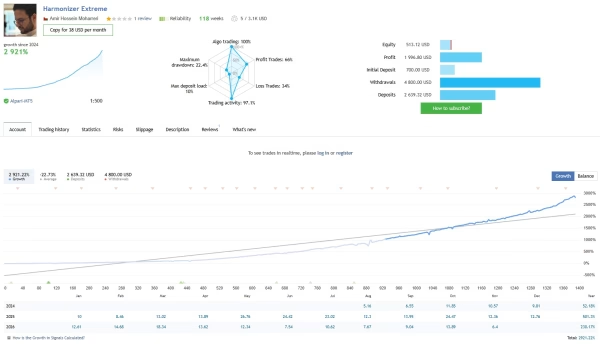
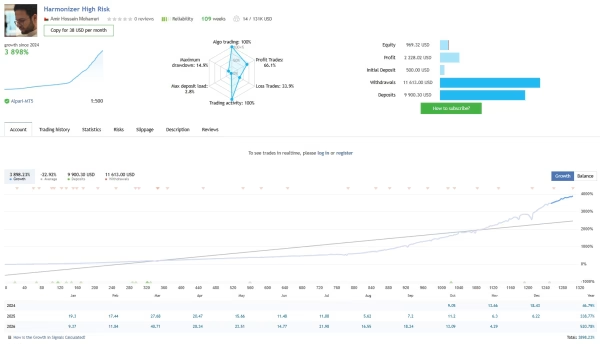
Use the following links to review the supplied trading signals and seller profile:
Review signal history, drawdown, equity fluctuations, trading frequency and consistency. Past performance does not guarantee future results.
Watch the supplied Harmonizer EA MT5 video:
Harmonizer EA MT5 – Product Video
Explore Harmonizer EA MT5 product images:
Forex and leveraged trading involve substantial risk and may result in the loss of some or all of your trading capital. Grid strategies can accumulate multiple positions during prolonged adverse market movements and may experience significant drawdowns. Drawdown limits, news filters, adaptive grid spacing and other risk controls cannot eliminate market risk or guarantee a maximum loss or profit. Market gaps, spreads, slippage, liquidity, broker execution and technical interruptions can affect results. Backtests and past performance do not guarantee future results. Test the EA on a demo account, verify broker and account specifications, use conservative position sizing and trade only with capital you can afford to lose. This software does not constitute financial or investment advice.


Reviews
There are no reviews yet.